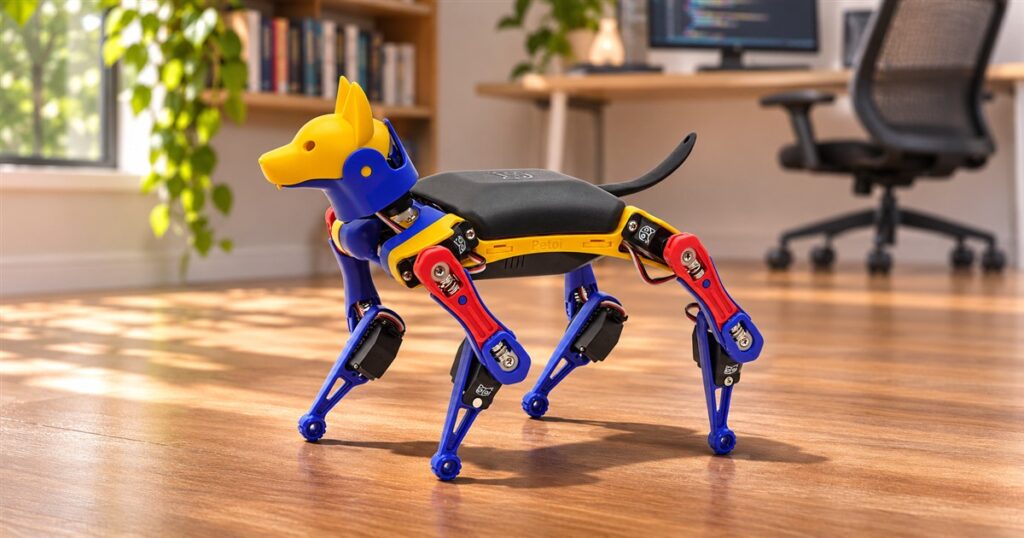
Teaching a dog to sit usually involves treats, patience, and an embarrassing amount of enthusiasm. Teaching this one to sit can involve C++. Finally, a household pet whose occasional refusal to cooperate might actually be a syntax error.
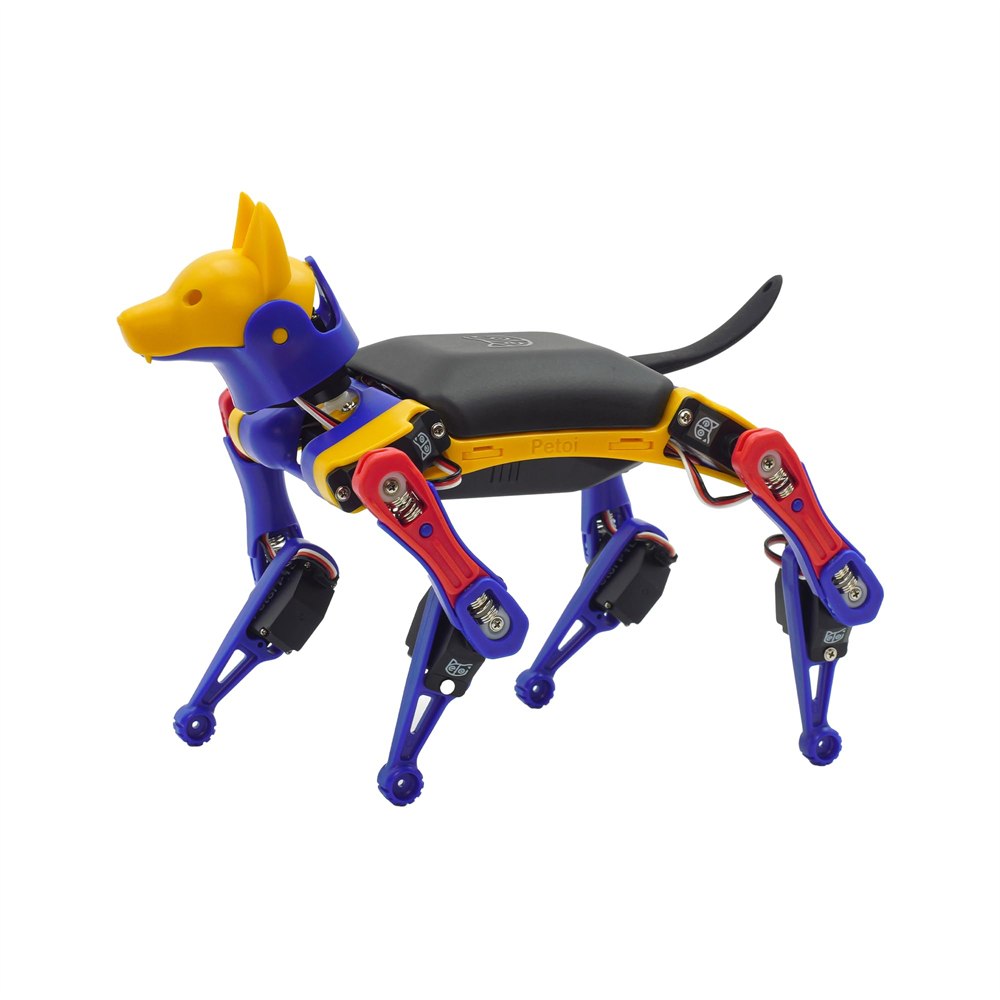
The Petoi Bittle X V2 is a small programmable robot dog that you can build, control with an app, speak to, and teach new movements. The construction kit turns a collection of servos, frame parts, and electronics into a four-legged coding project with a very convincing pair of ears. It is aimed at people who look at a cute robot and immediately want to know how its knees work.
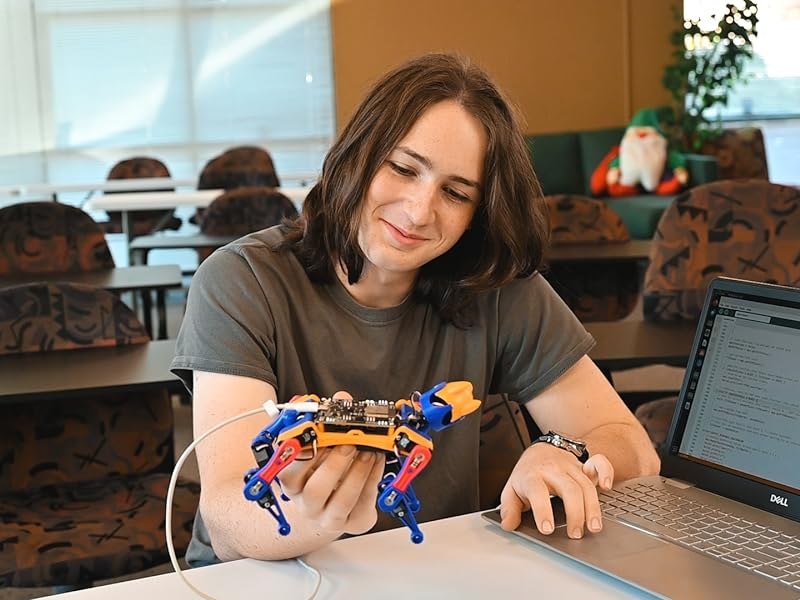
This particular version is the yellow, blue, red, and black construction kit with lite feedback servos. That matters because Bittle comes in several configurations, including preassembled versions and models with different servos. Here, putting the dog together is part of the activity. Your new best friend arrives with some assembly required, which is admittedly an unusual adoption policy.
A robot dog you can actually build
The kit includes a BiBoard V1 ESP32 microcontroller, nine lite servos plus a spare, the injection-molded frame and parts, and a rechargeable lithium-ion battery. A USB Type-C cable and screwdriver are included too. The spare servo is a particularly sensible addition to a product intended for tinkering: ambition has been known to exceed coordination.
Its four legs each have two powered joints, and another joint moves the neck. Those nine moving joints give you something more interesting to work with than a wheeled toy that changes direction. You can watch a sequence of movements become a gait, adjust it, and see what happens when timing or posture changes. A lesson about motion suddenly has feet.
Related posts:
 The Yarbo Yard Robot Will Mow Your Grass, Snowblow, and Even Blow Your Leaves
 The Beetl Is a Roomba-Like Robot That Roams Around Your Yard, Picking Up All The Dog Poop It Finds
 Edelkrone SurfaceONE: Two-Axis Motion Control Camera Robot
 This Head-Mounted Robot Will Automatically Massage Your Head and Neck
The visible mechanical parts are part of the appeal. This is no fluffy shell concealing a mystery box. The colored leg pieces, little motors, wiring, and black body make it look like a tiny engineering department decided to enter a dog show. There is enough dog in the silhouette to be charming and enough machinery to invite questions.
Start with commands, then write your own tricks
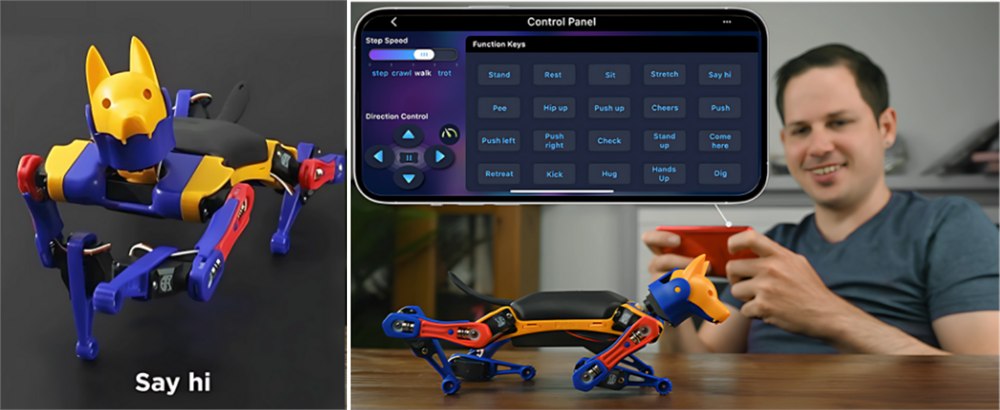
You do not have to begin by writing a walking algorithm from scratch. Petoi provides app control and built-in voice control, with more than 35 predefined actions. Sitting, walking, and a backflip are among the advertised tricks. That gives a new owner something to explore before disappearing into the code for the rest of the afternoon.
There is also room for up to ten customized voice commands, created using C++. That is where the project gets personal. Instead of only choosing from a fixed menu, you can connect a command to a skill you have made. Naming your carefully engineered routine something deeply undignified remains a matter of personal taste.
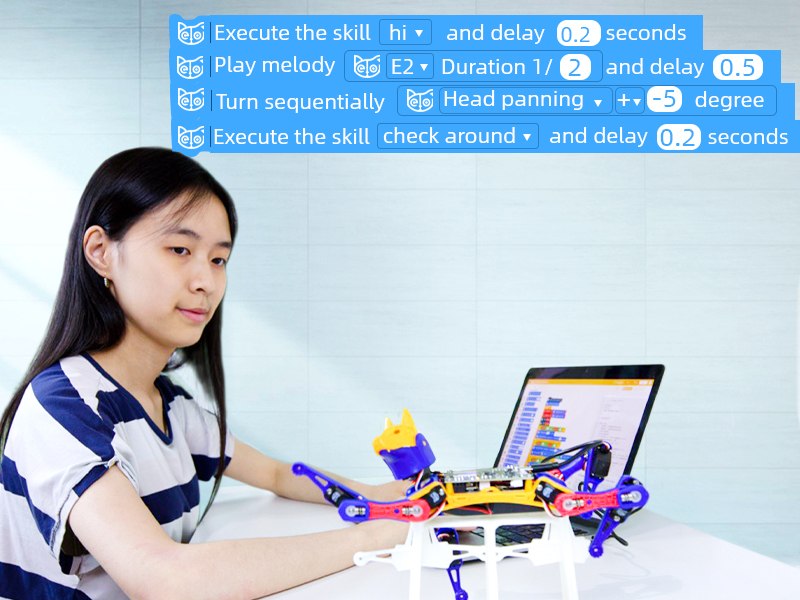
For beginners, Petoi Coding Blocks offers a visual approach to programming. More experienced users can work with Arduino C++ and Python. OpenCat, Petoi’s open-source robot framework, gives curious builders a route into the underlying software. You can start with a recognizable action, then gradually investigate what makes the little legs perform it.
- Build the construction kit to get familiar with its frame, electronics, and servos.
- Use the mobile app or built-in voice commands to explore its existing movements.
- Try block-based coding before moving into C++ or Python.
- Use the visual skill tools to develop movements of your own.
- Add optional sensors later if your project needs more ways to interact with its surroundings.
The progression is the interesting part. A robot that already performs tricks provides a starting point, while the programmable side gives you reasons to return after the first demonstration. There is a substantial difference between watching a robot walk and realizing that you can change how it walks. One is entertainment; the other tends to spread components across a desk.
What comes with this version
The lite feedback servos are a defining feature of the selected V2 configuration. Petoi describes support for hand-guiding the legs to teach new gaits, alongside its software tools for creating skills. That makes movement something you can explore physically as well as through a screen. It does not turn the dog into a fully autonomous household assistant, but it does provide an approachable way into robotics.
| Detail | Bittle X V2 construction kit |
|---|---|
| Controller | BiBoard V1 with ESP32 |
| Powered joints | Nine: two per leg and one at the neck |
| Servos | Lite feedback servos, with one spare included |
| Controls | Mobile app, voice commands, and programming |
| Coding options | Petoi Coding Blocks, Arduino C++, and Python |
| Power | Included rechargeable lithium-ion battery |
| Assembly | Required for this construction version |
Optional sensors and additional computing hardware are separate considerations. Petoi discusses sensor modules and Raspberry Pi support for more advanced projects, but those capabilities should not be confused with everything being included in the basic box. If you want to experiment with sensing or vision, choose the relevant extras for that project. The dog does not secretly arrive with every possible electronic organ.
Likewise, references to AI and robotics applications describe things makers can develop. They are not a promise that a newly assembled Bittle will recognize your slippers, patrol the house, or understand open-ended conversation. Its strongest appeal is that it gives you a compact physical platform to program, rather than pretending the programming has become unnecessary.
A small dog with strong opinions about flooring
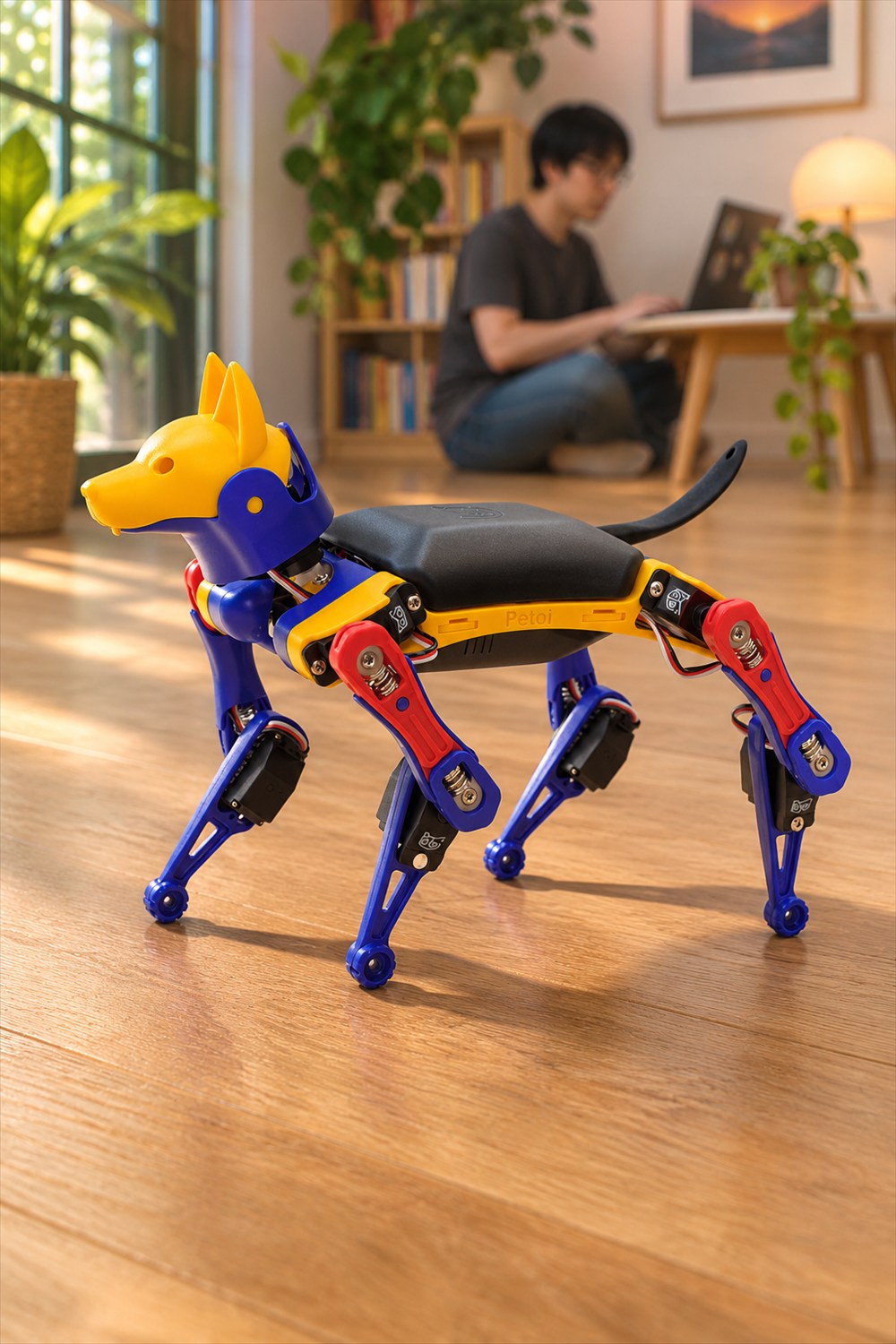
Plan its play area before setting it loose. Petoi recommends flat concrete or hardwood and advises avoiding carpet, grass, mud, snow, and uneven surfaces. This is a useful distinction if your mental picture involves a tiny mechanical hiking buddy. Bittle is much better suited to a clear indoor practice space than an adventurous expedition through shag carpeting.
A clear floor also makes more sense than the edge of a desk. The seller warns that the robot can walk off a table and fall. Give it room to move, keep it away from drops, and supervise children during assembly and use. For a machine designed to demonstrate movement, the laws of gravity remain impressively well implemented.
The listing advertises about an hour of playtime from the rechargeable battery. Treat that as a seller estimate rather than a guarantee for every routine or session. Building, adjusting, testing, and charging are all part of the experience. Anyone expecting an endlessly energetic pet may instead discover a robot with a perfectly reasonable work-life balance.
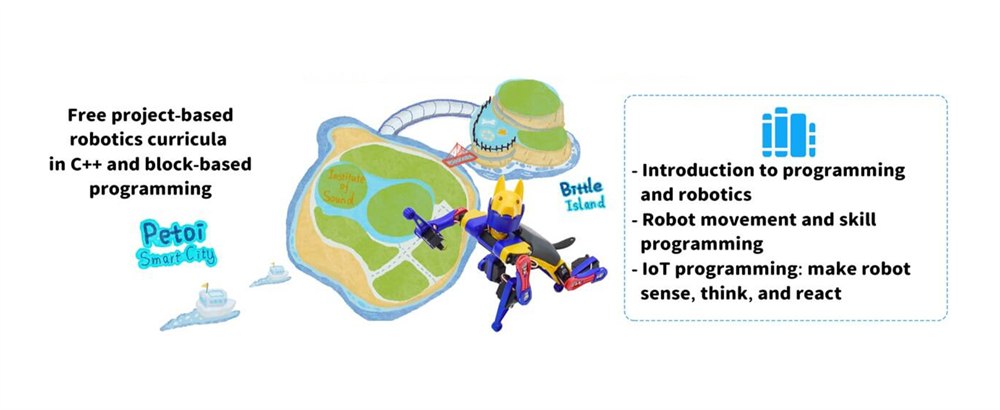
Petoi positions the kit for ages ten and up, including teens, adult hobbyists, students, and educators. Free coding curricula and tutorials support the learning side. It could be a particularly satisfying shared project for an adult and a younger builder, provided both parties accept that the instructions are part of the gift. The person who enjoys assembling things is likely to get more out of it than someone who wants a finished toy immediately.
The key details before bringing it home
- Programmable four-legged robot dog construction kit from Petoi.
- Selected configuration: Bittle X V2 with lite feedback servos in yellow, blue, red, and black.
- Includes the controller, frame, battery, nine servos plus a spare, USB-C cable, and screwdriver.
- More than 35 predefined actions and support for ten customized voice commands.
- Supports block coding, Arduino C++, Python, and the OpenCat framework.
- Designed for flat, clear surfaces; optional sensors and advanced add-ons are separate.
The selected construction kit is listed at $319 on Amazon, sold by Petoi, with stock available at the time of writing. Check the chosen configuration before ordering, since preassembled kits and other servo options differ. If your ideal evening involves making a tiny dog obey a program you wrote yourself, this is a wonderfully specific way to spend it. The treats can stay with the programmer.
Images: Petoi via Amazon.
| Pros | Cons |
|---|---|
| Combines hands-on assembly with programmable movement | Construction version requires assembly and setup |
| App and voice actions offer an accessible starting point | More advanced customization requires learning the tools |
| Supports visual coding, C++, and Python | Optional sensors and computing add-ons cost extra |
| Rechargeable battery and spare servo included | Play sessions are limited by battery life |
| Small, expressive mechanical design | Needs a clear, flat surface away from edges |
Save this find.
Thank yourself later.
Your next great gift idea. Your someday space. Your collection of wonderfully weird things.
Save to PinterestPick a board. Keep the inspiration.
This Programmable Robot Dog Kit Lets You Build and Code Your Own Tricks
At a glance
Product snapshot
- Listed price
- $319.00Prices and availability can change. Check the seller for current details.
- Where to find it
- Amazon.com
- Category
- Gadgets
Related posts:
The Yarbo Yard Robot Will Mow Your Grass, Snowblow, and Even Blow Your Leaves
The Beetl Is a Roomba-Like Robot That Roams Around Your Yard, Picking Up All The Dog Poop It Finds
Edelkrone SurfaceONE: Two-Axis Motion Control Camera Robot
This Head-Mounted Robot Will Automatically Massage Your Head and Neck