
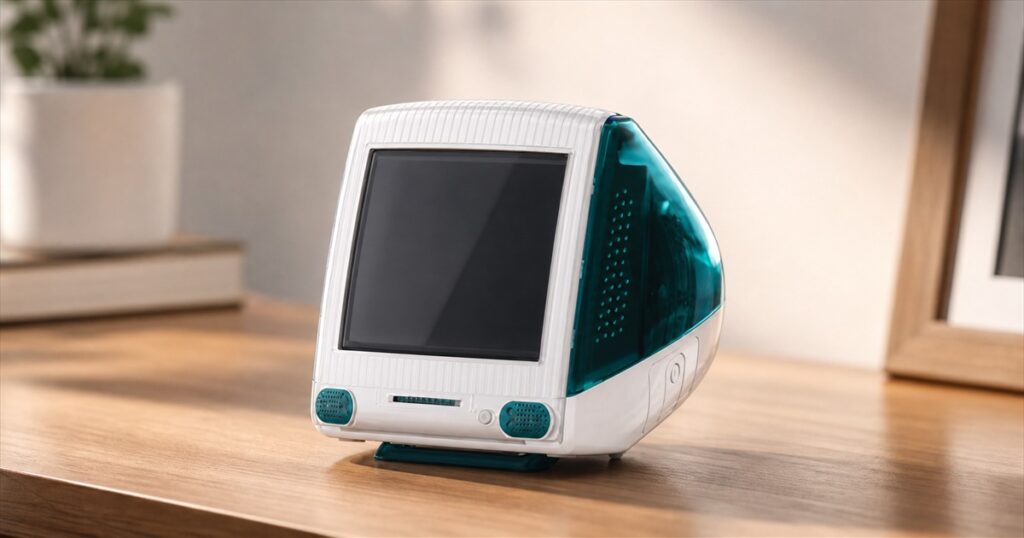
Your desk clock has one job, and somehow it still manages to sit there with the personality of a tax form. RayCue’s TIMECAPSULE G3 takes a more ambitious approach: it looks like a tiny translucent computer, tells the time, handles alarms and reminders, and—if you choose the smarter version—interrupts the slow collapse of your afternoon with stories from history.
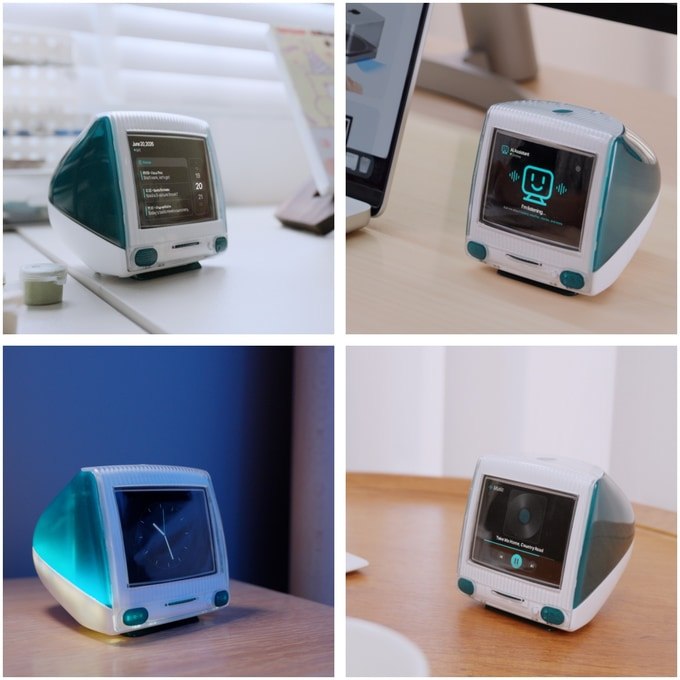
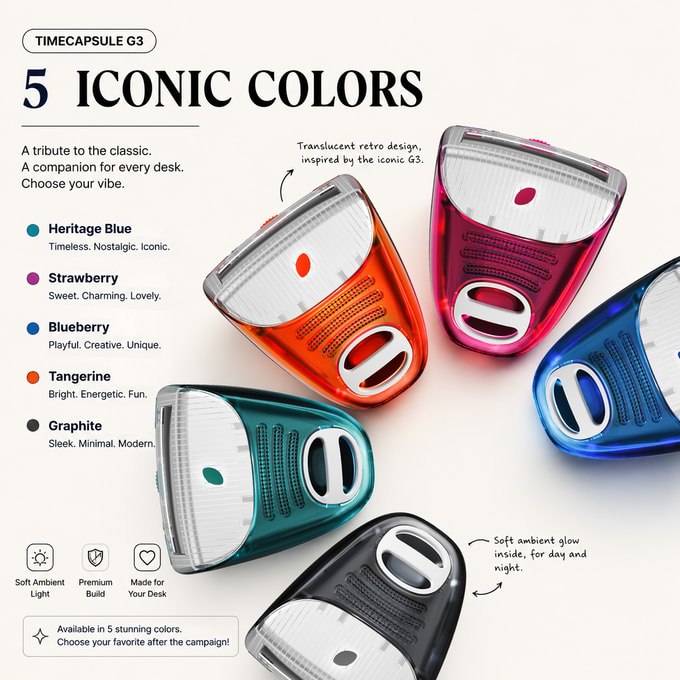
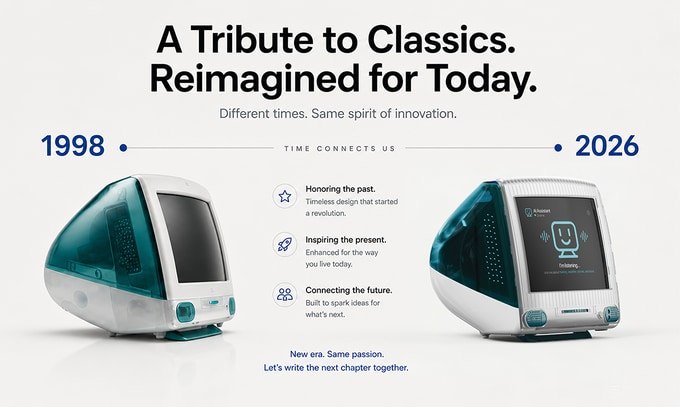
The palm-size device is a retro AI desk clock inspired by the colorful, friendly computers of the late 1990s. It has a rounded white front, a translucent colored shell, two little speaker grilles, and the general posture of a desktop computer that was accidentally washed on the hot cycle. It is not a miniature PC, though. Its purpose is to make clocks, reminders, weather information, audio, and bite-size historical discoveries feel less like utilities and more like a desk companion.
RayCue offers two versions called Classic and Neo. Classic is the calm one. Neo is the one that read three history books, connected to Wi-Fi, and now wants to discuss the first powered flight while you are trying to answer email.
A Tiny Clock With Big Old-Computer Energy
Both editions use the same compact shell, measuring about 85 by 100 by 89 millimeters. That is small enough for a crowded desk, bedside table, studio shelf, or the remaining six square inches of clean space beside your keyboard. The campaign lists a 1,200mAh 18650 battery in both models, so the machine is meant to live as a real object rather than a decorative screen that panics the moment it leaves an outlet.
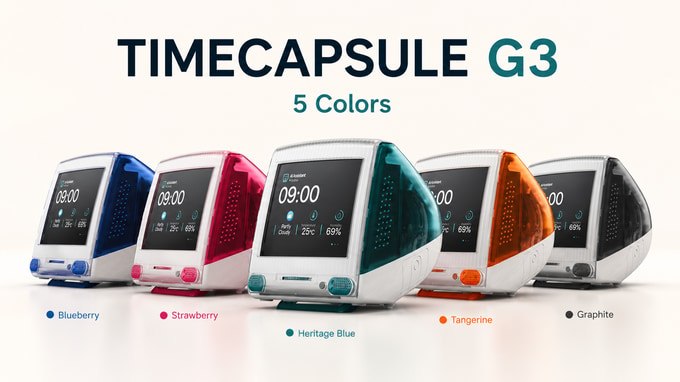
The five color choices are Heritage Blue, Strawberry, Blueberry, Tangerine, and Graphite. Each one keeps the white front while changing the translucent rear shell and small front accents. This is excellent news for people who miss the era when electronics looked like candy instead of sealed black rectangles issued by a very serious committee.
The controls and display are intentionally simple. This is not another tablet pretending to be a household appliance. RayCue built it around at-a-glance information, scheduled nudges, and short interactions. The result should feel more like a small clock-radio with unusually good conversational skills than a glowing portal that begs you to install nine apps.
Classic Keeps It Simple
The Classic edition uses a 2.8-inch LCD segment display. It handles the everyday clock duties: time, alarms, calendar information, weather, temperature, humidity, and ambient light. Instead of a full speaker, it uses a buzzer, and it does not include a microphone. The official comparison lists Classic at about 220 grams and includes a 30-centimeter USB-C charging cable.
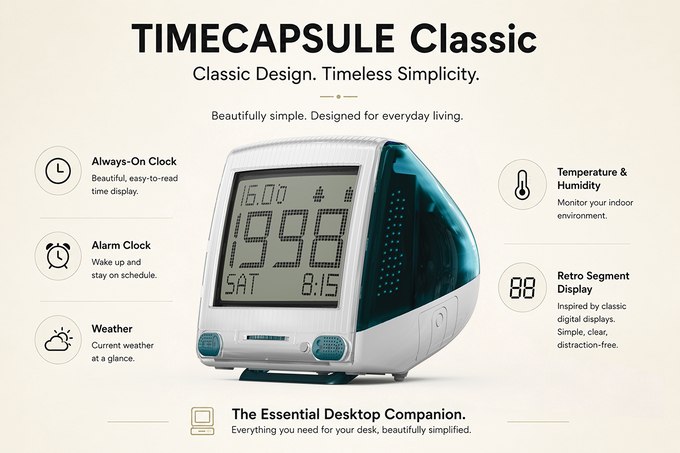
That makes Classic the version for anyone who loves the shape but does not want a cloud-connected historian living between the stapler and the coffee mug. It is the visual joke without the conversational commitment: a tiny retro computer whose most urgent assignment is getting you out of bed on time.
Neo Adds the AI Time-Machine Trick
Neo replaces the segment display with a 2.8-inch color IPS screen at 240 by 320 resolution. It adds a microphone, a 2-watt speaker, Wi-Fi features, AI conversations, historical stories, music playback, schedules, and reminders. RayCue lists Neo at about 200 grams with a longer 1.5-meter USB-C cable.
Importantly, Neo does not become a translucent paperweight when Wi-Fi disappears. RayCue says its basic clock, alarm, weather, temperature, and humidity functions still work without a connection. The AI conversations and online history material require Wi-Fi, which is a sensible limitation and also a useful reminder that the past apparently lives in the cloud now.
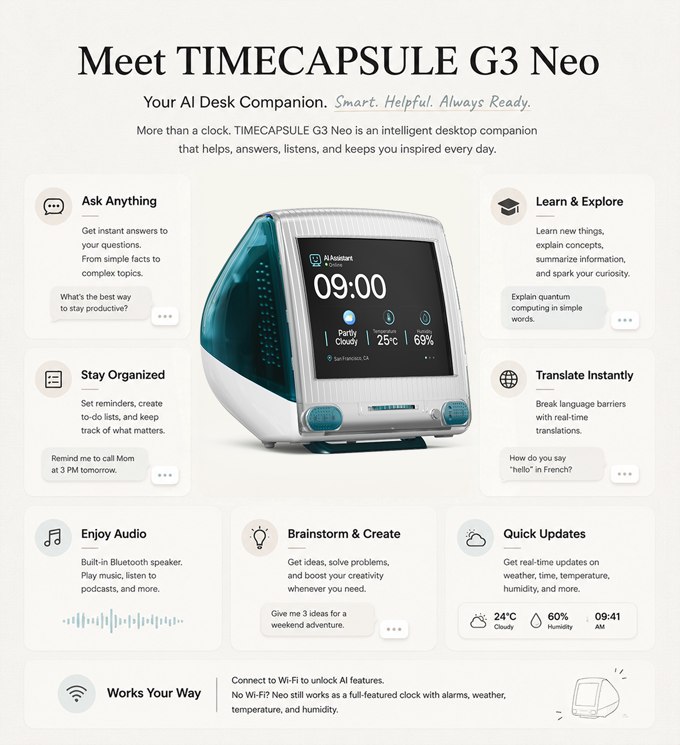
Neo’s promised feature set includes several practical and playful uses:
- Ask questions and continue a conversation about a historical event.
- Create reminders, schedules, and simple to-do prompts.
- Check weather, temperature, humidity, alarms, and the calendar.
- Play music, podcasts, or other phone audio through the Bluetooth speaker.
- Use the core clock functions without Wi-Fi when the internet takes a personal day.
Every Hour Can Come With a Story
The most unusual feature is what RayCue calls time-based discovery. At the top of an hour, Neo can surface a moment connected with that time or date: a technology breakthrough, a space mission, an invention, a scientific discovery, a piece of music history, or a person who changed something important.
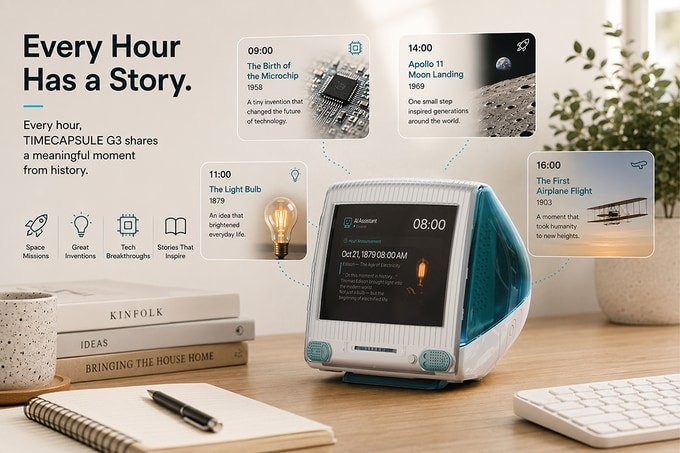
You can then ask why the event mattered, what changed afterward, or how it connects with the present. It is a clever use of a screen that would otherwise spend most of its life showing four digits. Instead of another stream of notifications, the product aims to deliver small moments of curiosity. Your phone says a stranger liked a photo. The little teal clock says the microchip was born. One of these interruptions has better dinner-table potential.
Of course, the quality of the experience will depend on the finished software, the accuracy of its answers, and how gracefully it handles questions. This is still crowdfunded hardware, and RayCue describes the AI interaction and interface as areas that were being refined. The idea is charming; the real test is whether the shipping product feels like a thoughtful companion instead of a chatbot wearing a nostalgic plastic hat.
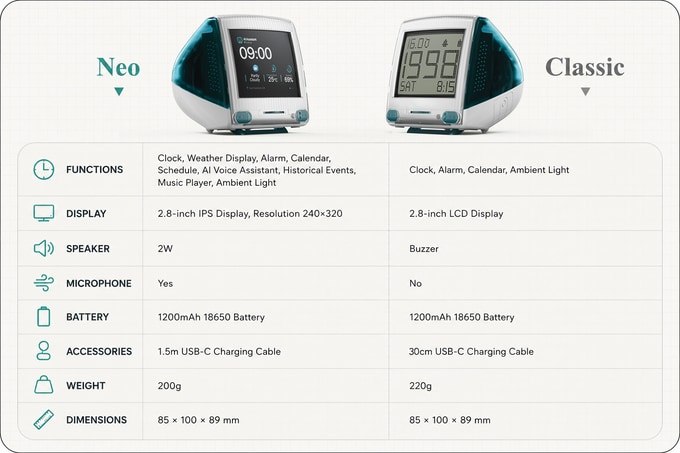
Classic and Neo Compared
| Feature | Classic | Neo |
|---|---|---|
| Display | 2.8-inch segment LCD | 2.8-inch color IPS, 240 × 320 |
| Core functions | Clock, alarm, calendar, ambient light | Clock, weather, alarms, calendar, schedules, reminders, AI and history |
| Audio | Buzzer | 2-watt Bluetooth speaker |
| Microphone | No | Yes |
| Battery | 1,200mAh 18650 | 1,200mAh 18650 |
| Listed weight | 220 grams | 200 grams |
| Included cable | 30cm USB-C | 1.5m USB-C |
It Is a Real Prototype, but Crowdfunding Rules Still Apply
RayCue says it completed a 3D-printed prototype with a working screen before the campaign ended. That sample was used to check the shape, size, screen position, internal layout, buttons, and overall desk presence. The company was still refining surface texture, material finish, screen brightness, speaker details, assembly, final colors, and software.
That is more reassuring than a page made entirely of dreamy renders, but it is not the same as a finished retail product. Hardware projects can run into tooling changes, component shortages, software delays, and shipping surprises. RayCue estimated September 2026 delivery for campaign rewards, which is ambitious given the August campaign close. Anyone considering a post-campaign order should check the current timeline and fulfillment updates before assuming the tiny time machine can also bend manufacturing schedules.
The Kickstarter campaign ran from July 21 through August 20, 2026 and finished successfully. It attracted 1,707 backers and HK$1,399,811 against a HK$78,600 goal—about 1,780% funded. Campaign pricing started at $49 for the Classic early-bird tier, while Neo early-bird pricing started at $79. Those rewards and prices were tied to the campaign, which has ended; RayCue’s page now points visitors to post-campaign preorder availability, so current pricing and delivery terms may differ.
Key details worth knowing:
- Product: RayCue TIMECAPSULE G3 retro desktop clock and companion.
- Versions: Classic segment-display clock or Neo color-screen AI model.
- Size: approximately 85 × 100 × 89 millimeters.
- Colors: Heritage Blue, Strawberry, Blueberry, Tangerine, and Graphite.
- Connectivity: Neo uses Wi-Fi for AI features and Bluetooth for audio.
- Campaign: successfully funded; post-campaign pricing and delivery should be rechecked.
- Original campaign pricing: from $49 for Classic and $79 for Neo.
The TIMECAPSULE G3 is for people who want a clock to be useful, cheerful, and just a little ridiculous. Classic is the safer choice for retro-design fans who want ordinary clock duties. Neo is the conversation starter for anyone delighted by the idea of asking a tiny translucent computer what happened at 10:00 in 1903. Either way, it gives the least charismatic object on your desk a much-needed personality transplant.
| Pros | Cons |
|---|---|
| Distinctive palm-size retro design | Crowdfunded hardware can face delays |
| Two versions for simple or AI-heavy use | AI and online history features require Wi-Fi |
| Neo combines clock, reminders, weather, and Bluetooth audio | Finished software quality remains to be proven |
| Basic Neo clock functions still work offline | Campaign pricing has ended and may change |
| Five translucent color choices | Small screen is meant for glances, not deep reading |
Where to find This Retro AI Desk Clock Turns Every Hour Into a History Story
OddityMall may earn a commission from qualifying purchases at no extra cost to you.
