
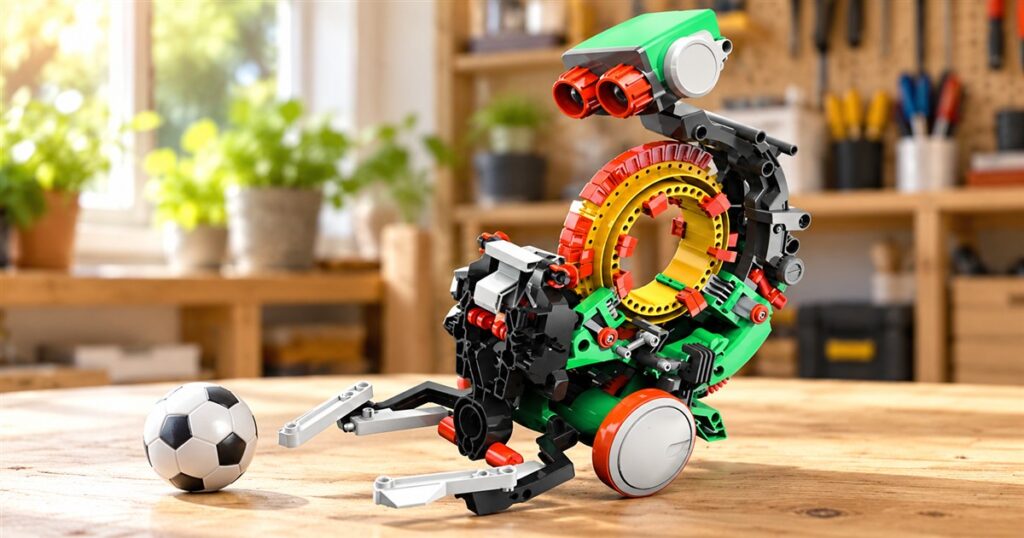
Teaching a robot to kick a ball should not require a laptop, three forgotten passwords, and an adult whispering threats at the Wi-Fi router. The TEACH TECH Mech-5 takes a more tangible approach: you build the robot, snap little commands onto a wheel, and let the machinery do the talking. Its programming interface is basically a colorful plastic bagel with responsibilities.
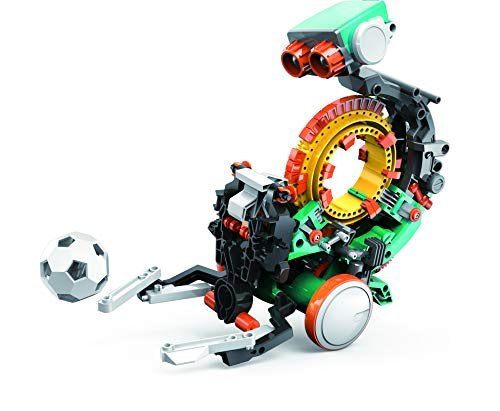
This mechanical coding robot is a build-it-yourself STEM kit for ages 10 and up. Instead of tapping instructions into an app, kids arrange coding buttons on a physical wheel. The robot then carries out the resulting movements. You can actually point at the thing giving the orders, which is more than most of us can say about the software running our printers.
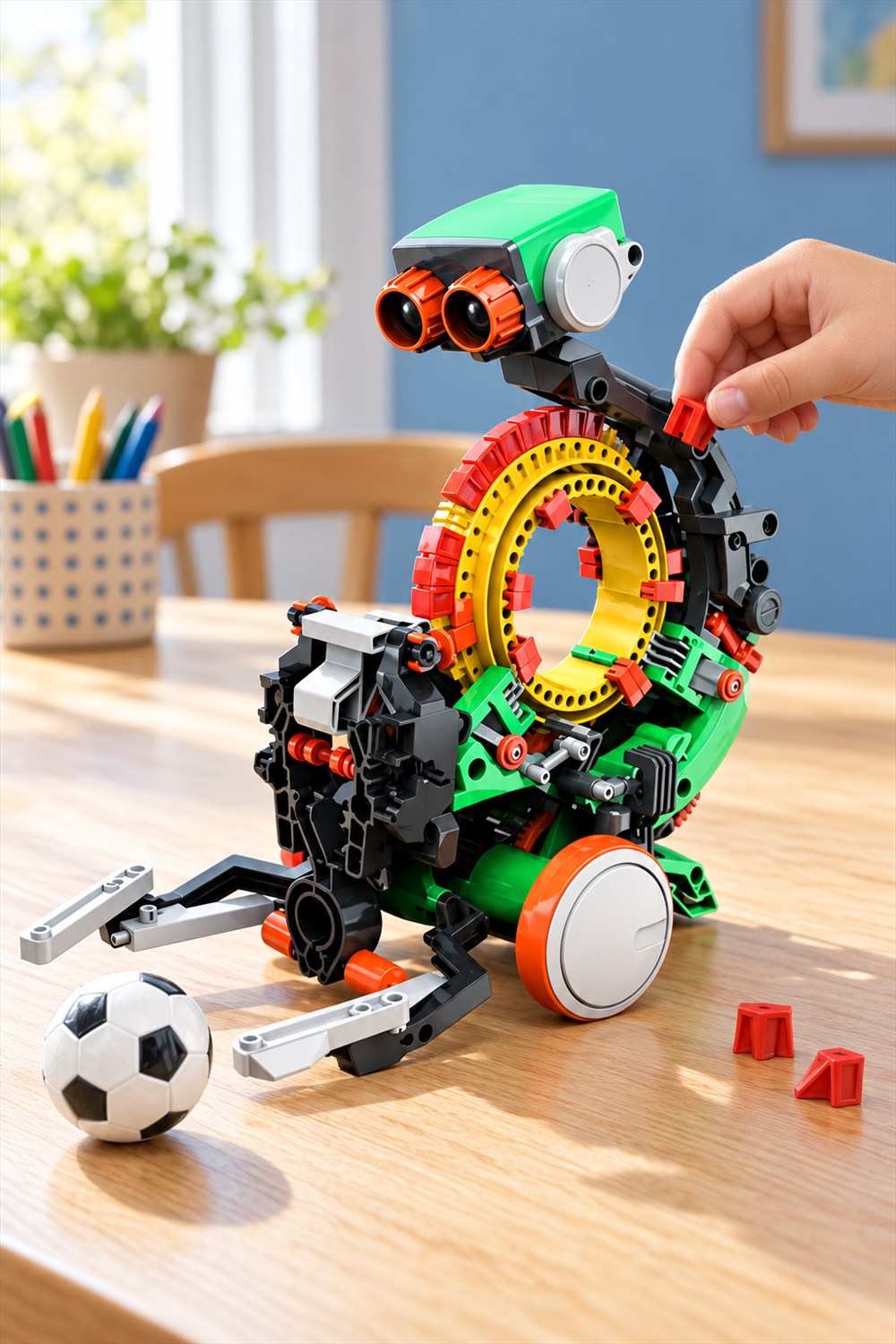
Mech-5 looks appropriately busy. There are exposed gears, a big open ring, bright green body pieces, orange eye-like details, and a frame that makes no effort to hide how much is going on. It has the cheerful expression of a tiny factory employee who has just discovered recess.
A coding robot with its instructions out in the open
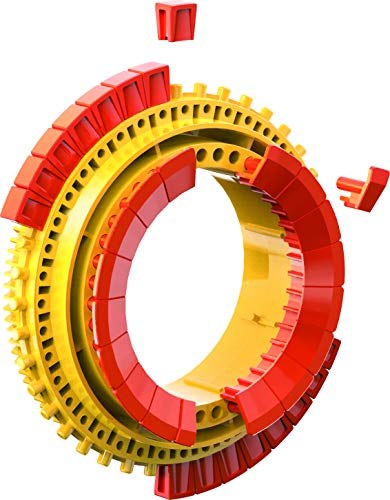
The circular coding wheel is the main attraction. Snapping buttons into different positions creates a mechanical sequence rather than a line of text on a screen. Basic commands include moving forward and backward, turning, spinning, and pausing. The physical arrangement matters: change the instructions, and you change what you are asking the robot to do.
That makes the programming idea unusually concrete. A child can decide on a movement, arrange a sequence, watch the result, and adjust it. There is a clear connection between the little pieces placed by hand and the behavior that follows. The wheel is both the instruction sheet and part of the machine.



The point is not to pretend this is a full software development course. It introduces sequencing and cause and effect through something you can build and observe. If your carefully planned robot route produces an unexpected turn, there is a useful question waiting: which instruction needs changing? That is a much more interesting afternoon than merely pressing a demonstration button again.
There is also a welcome lack of digital housekeeping. The coding system needs no computer or app. Your workshop can remain a table covered in parts instead of becoming a support desk for yet another device. The robot gets the screen-free assignment; the adults can work on their own habits separately.
First comes the building
Mech-5 arrives as a kit, not a finished desk companion. Elenco describes more than 220 parts, so assembly is a meaningful part of the experience. This is a better match for someone who likes following a build than someone expecting a toy to roll out of the box and immediately entertain the entire room.
Give those pieces some room. A clear work surface, a place to keep the small components, and time to work through the instructions are sensible preparations. The dining table may briefly become a robotics department. Dinner will have to negotiate with engineering.
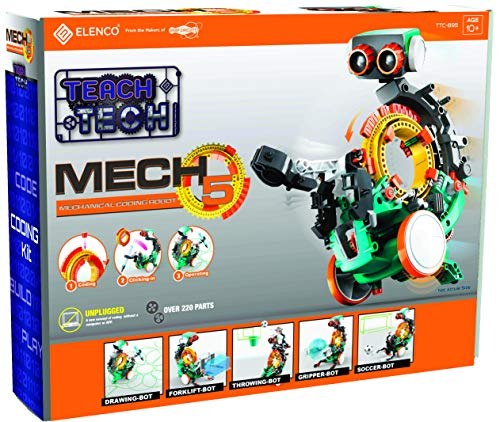
The age guidance is 10 and up, but enthusiasm for construction matters too. An interested younger builder and an impatient older builder can have very different afternoons with the same pile of parts. An adult can help with the process without taking over every step; sometimes the most useful assistance is helping find the piece that has rolled beneath a placemat.
Once assembled, the robot gives that building work somewhere to go. You have made a mechanism, and now you get to give it instructions. That second stage is what separates this from a model that finishes its career the moment it reaches a shelf.
Five setups give the wheel a job
The kit’s five activity setups provide different reasons to experiment. They are configurations to build and code, rather than five separate robots hiding inside one suspiciously generous box. Switching the task changes what a successful sequence looks like.
- Throwing-Bot: gives the mechanical sequence a throwing task.
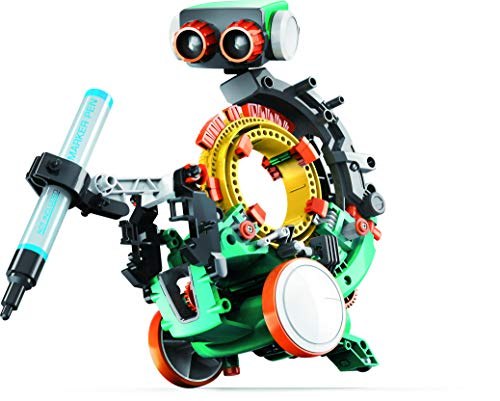
- Drawing-Bot: puts a pen into the action so movement leaves a visible result.
- Forklift-Bot: turns the robot toward a lifting activity.
- Gripper-Bot: adds a grasping task to the building and coding options.
- Soccer-Bot: gives your small mechanical teammate a ball to kick.
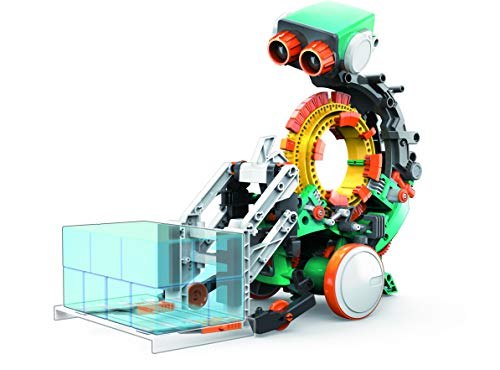
The forklift arrangement is particularly charming. A robot with a ring for a torso is suddenly taking warehouse work very seriously. More usefully, a lifting task gives kids a specific outcome to think about instead of asking them to program movement for its own sake.
The drawing setup has a different appeal: its motion leaves evidence on the page. You can look at what happened and decide what you want to try next. Nobody needs to declare the result museum-ready. A wandering line can still be an excellent conversation about instructions.
| Part of the experience | What to expect |
|---|---|
| Programming method | Physical coding buttons placed on a mechanical wheel |
| Basic movements | Forward, backward, turns, spins, and pauses |
| Assembly | A build-it-yourself kit with over 220 parts |
| Activity setups | Throwing, drawing, forklift, gripper, and soccer |
| Screen requirement | No computer or app for coding |
| Recommended age | 10 and up |
Good for curious builders, with a little patience attached
This is the kind of gift that makes sense for a child who wants to know why a toy moves, not just whether it moves. Visible mechanisms invite a closer look. Building them offers a reason to notice how pieces connect, while programming them offers a reason to pay attention to the order of actions.
It also suits a shared project where the goal is doing something together. One person can suggest the next sequence while another sets the buttons, then both can watch the result. Take turns with the interesting jobs. Appointing a permanent assistant to hold the box is unlikely to inspire the next generation of engineers.
Expect some trial and adjustment rather than instant mastery. That is part of the appeal, provided the recipient enjoys that process. Someone looking mainly for remote-control driving or a finished robot that performs on demand may prefer a different sort of toy. Mech-5 asks you to participate before it gets busy.
Its friendly eyes are styling, not a promise that it can see or understand the room. The fun comes from the mechanism and the instructions you provide. You do not need to imagine artificial intelligence inside it to appreciate a little plastic machine following a plan you built with your hands.
The details before the robot joins the household
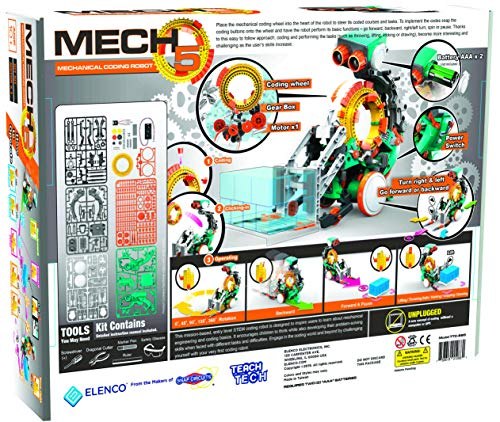
- TEACH TECH Mech-5 mechanical coding robot kit, model TTC895.
- Recommended for ages 10 and up, with more than 220 parts to assemble.
- Uses snap-in coding buttons on a physical wheel instead of an app.
- Offers five activity setups and basic movement commands.
- Requires two AAA batteries, sold separately.
- Best suited to builders who enjoy assembly, experimentation, and adjusting a sequence.
The Amazon listing currently shows Mech-5 in stock at $26.11. Pricing and seller offers can change. Budget for the batteries as well, and check the included instructions before starting the build. Screen-free coding still needs power; the robot has not negotiated an exemption from physics.
Product images: TEACH TECH via Amazon. Build and activity details are also described in Elenco’s toy catalog.
| Pros | Cons |
|---|---|
| Physical coding makes the sequence visible | Does not teach a text-based programming language |
| Combines building with repeat experimentation | Assembly takes patience before play begins |
| Five setups offer different tasks | Changing activities involves working with the kit |
| No computer or app needed | Two AAA batteries are not included |
| Exposed mechanisms encourage close observation | Small components need an organized workspace |
Save this find.
Thank yourself later.
Your next great gift idea. Your someday space. Your collection of wonderfully weird things.
Save to PinterestPick a board. Keep the inspiration.
This Mechanical Coding Robot Gets Its Moves From a Wheel of Snap-In Commands
Where to find This Mechanical Coding Robot Gets Its Moves From a Wheel of Snap-In Commands
OddityMall may earn a commission from qualifying purchases at no extra cost to you.
