
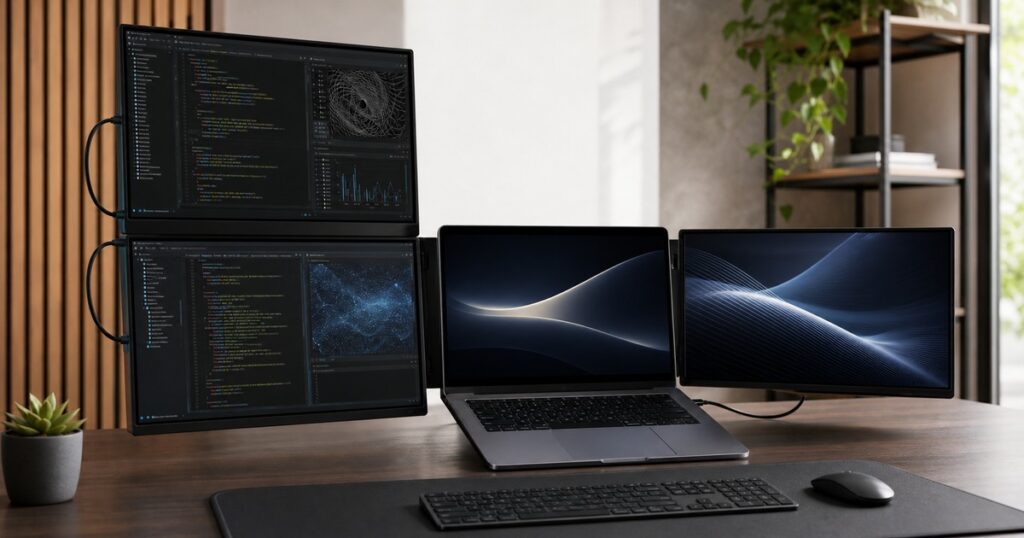
Somewhere between the third browser window and the spreadsheet you swore you only opened for “one quick thing,” your laptop becomes less of a computer and more of a tiny digital junk drawer. The NexFold Fold7 is for that exact moment: a portable triple monitor system that clips around your laptop and turns your desk into a four-screen command center before your tabs can form a union.
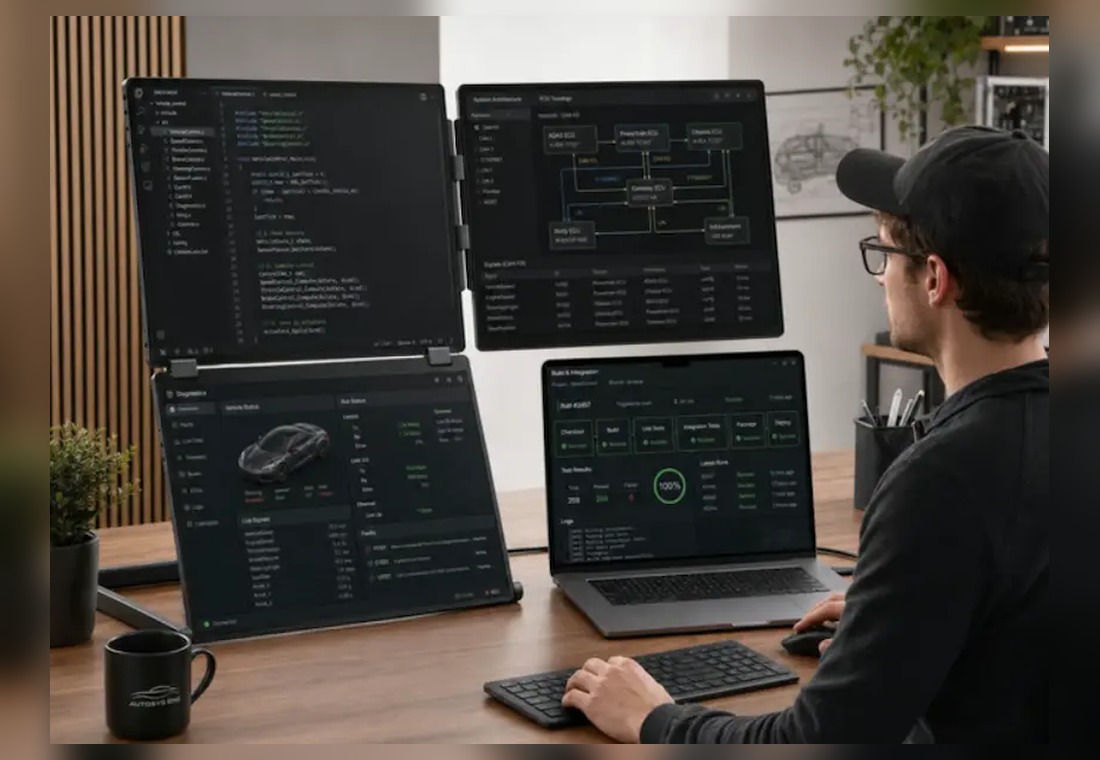
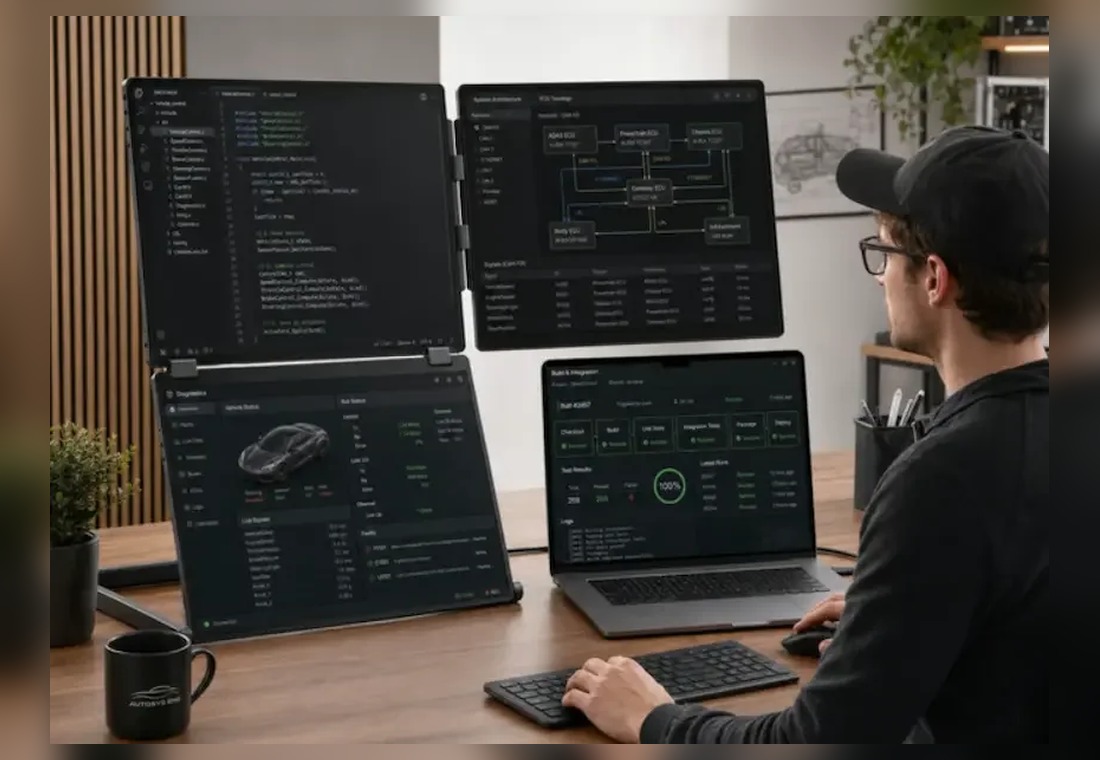
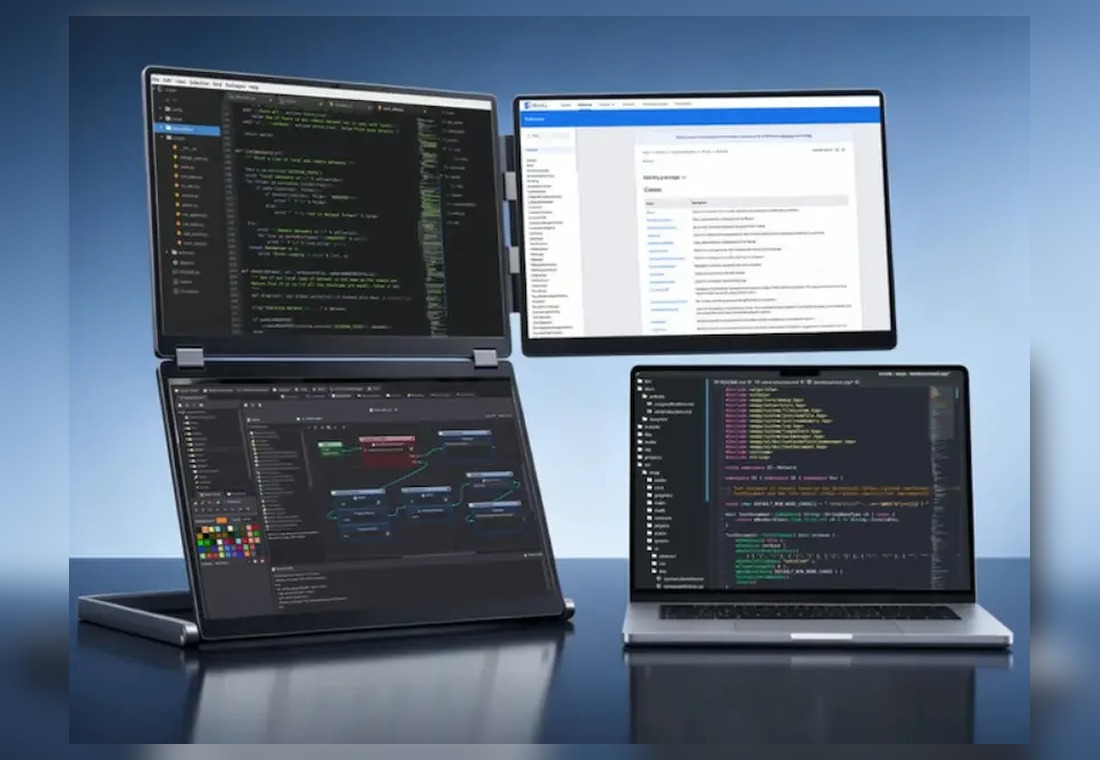
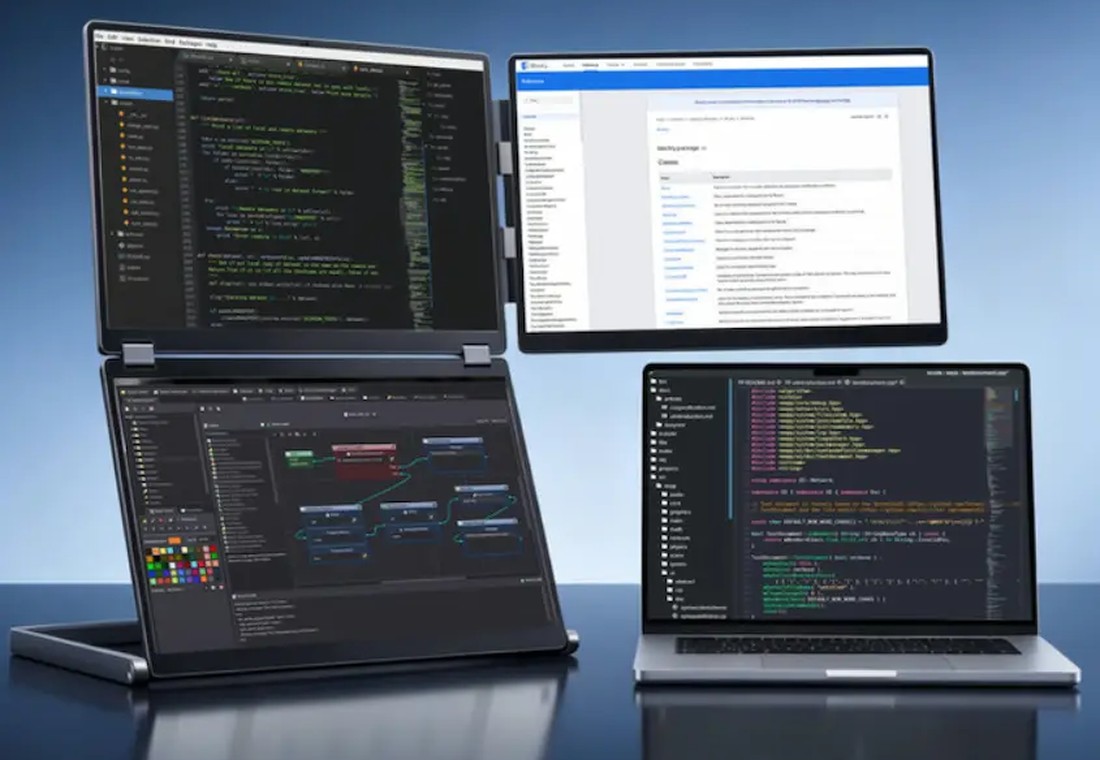
The Fold7 is an inverted-L triple monitor setup with three 16-inch screens arranged around a laptop. Two displays stack vertically on the left, while the third sits off to the right, leaving your laptop screen in the lower middle/right area like the mayor of a very intense productivity town. Instead of stretching three portable monitors in one long horizontal line, NexFold’s layout keeps more of the screen space inside your natural field of view.
That sounds like a small geometry decision until you remember that most laptop multitasking is not a graceful ballet. It is usually code on one side, documentation somewhere else, Slack politely screaming in the background, a spreadsheet lurking nearby, and a calendar event arriving like a tax notice. Fold7’s trick is making that chaos stack vertically and horizontally in a way that feels closer to how people actually work.
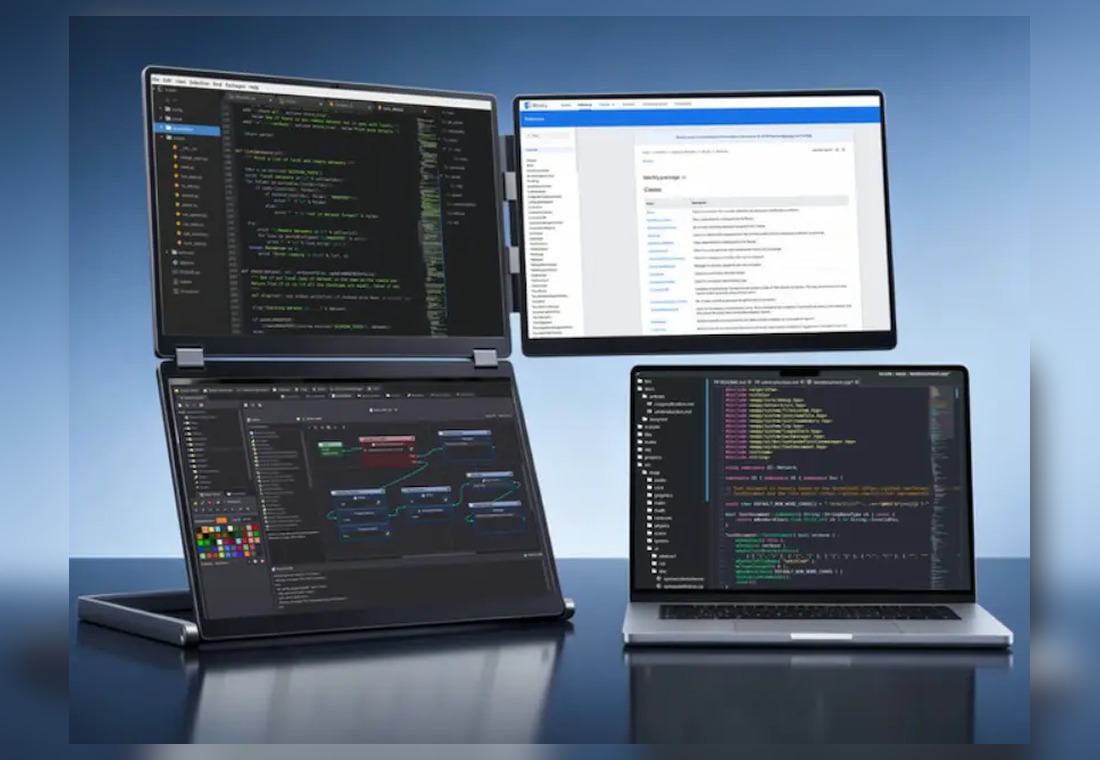
Three Extra Screens Without Building a Desk Shrine
The system uses three 16-inch IPS panels with a 16:10 aspect ratio, which gives you more vertical space than the common 16:9 portable monitor shape. That matters for the stuff nobody makes lifestyle commercials about but everybody does all day: reading documents, scanning long chats, editing code, comparing tables, keeping a dashboard open, and pretending you are not watching a delivery map crawl toward your house.
NexFold says the Fold7 clips onto laptops between 13 inches and 18.5 inches without tools, and the whole setup folds down to about 360 x 260 x 40 mm. It weighs 3.1 kg, so this is not a “slip it into the invisible side pocket of a cloud” accessory. It is more like carrying a serious mobile workstation that happens to pack flatter than the collection of random chargers currently fossilized at the bottom of your bag.
Related posts:

The unusual part is the inverted-L layout. Traditional laptop monitor extenders often grow sideways until your neck is doing windshield-wiper duty. Fold7 stacks two screens on the left for vertical work and keeps one screen horizontal on the right for reference material, timelines, chat windows, previews, dashboards, or whatever sacred pane you keep open so you do not feel personally attacked by your taskbar.
Here is the general buyer-relevant version of what the Fold7 is trying to do:
- Give laptop users three external 16-inch screens without a permanent desk monitor setup.
- Keep two displays stacked vertically for code, documents, inboxes, scripts, spreadsheets, or long-form work.
- Add a right-side display for references, previews, dashboards, chat, video calls, or browser research.
- Clip to a wide range of 13-inch to 18.5-inch laptops without a tool-heavy mounting ritual.
- Fold into a travelable package for remote workers, developers, designers, traders, and spreadsheet power users who have chosen violence against single-screen life.
FHD or QHD, Depending on How Crisp Your Chaos Needs to Be
There are two main display versions listed for the campaign. The FHD version uses 1920 x 1200 panels with 300 nits of brightness, while the QHD version steps up to 2560 x 1600 panels with 500 nits. Both are 16:10, both use three 16-inch screens, and both are aimed at productivity rather than high-refresh gaming.
| Version | Resolution | Brightness | Best fit |
|---|---|---|---|
| FHD | 1920 x 1200 | 300 nits | General productivity, coding, documents, travel work |
| QHD | 2560 x 1600 | 500 nits | Sharper text, design work, brighter rooms, pixel fussiness |
Connectivity depends on your laptop and configuration, but the campaign materials point to support for USB-C with DisplayPort Alt Mode, USB-A plus mini HDMI, and direct HDMI-style setups for older machines. It is listed for Windows, macOS, Linux, and ChromeOS, though M-series MacBook users should pay attention to the DisplayLink requirement before backing. Translation: some people get a plug-and-play-ish dream, and some people get to briefly visit Driver Installation Island before the screens come alive.
The Fold7 is also not trying to be a gaming monitor. The reported refresh rate is 60 Hz, which is perfectly normal for productivity but not the spec you buy if your main hobby is chasing frame rates until your graphics card starts writing a resignation letter. For code, documents, dashboards, research, writing, design references, and office multitasking, 60 Hz is sensible. For competitive gaming or color-critical studio work, you will want to read the fine print like a suspicious accountant.
Who This Makes Sense For
This is the kind of gadget that looks absurd until you picture the right person using it. A developer can stack terminal, editor, logs, browser, and documentation without alt-tabbing every eleven seconds. A designer can keep references, asset folders, previews, and notes visible. A remote worker can keep a call, deck, browser, and task list open without turning their laptop into a crowded elevator for rectangles.
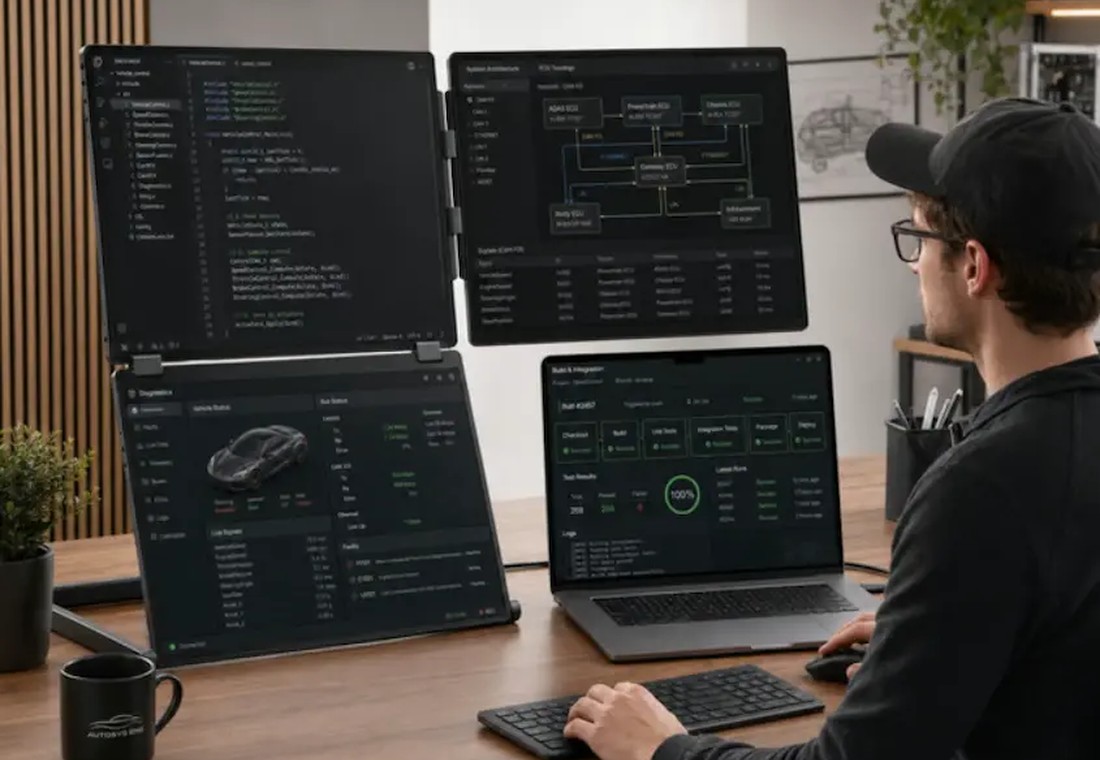
It also has the specific OddityMall flavor of being both practical and slightly ridiculous. You do not need three extra screens clipped to your laptop to answer email. But you also do not need a garage full of specialty tools to hang one shelf, and yet many of us are one hardware-store coupon away from becoming a contractor with no clients. Fold7 is for people who already know they use multiple displays well and want that workflow to leave the house with them.
The portability claim is the interesting tension. At 3.1 kg, this is not featherweight. But compared with hauling three separate portable monitors, stands, cables, and the emotional burden of rebuilding your setup in a hotel room, a folding all-in-one monitor frame has an obvious appeal. It is portable in the “serious work kit” sense, not the “I forgot it was in my backpack” sense.
Price, Availability, and the Tiny Kickstarter Asterisk
The Fold7 is being offered through Kickstarter, with campaign pricing listing a Super Early Bird FHD tier at $649 and a QHD tier at $799. The campaign evidence shows a June 4, 2026 launch window, a July 14, 2026 campaign end date, and a September 2026 delivery target. As with any crowdfunding project, that means the usual caveat applies: you are backing a campaign, not buying from a fully stocked warehouse guarded by a receipt printer.
That does not make it uninteresting. It just means the most sensible buyer is someone who understands first-campaign risk, wants this specific layout, and has already accepted that their laptop screen alone feels like trying to host Thanksgiving dinner on a TV tray.
Key details:
- Product: NexFold Fold7 inverted-L portable triple monitor system.
- Display layout: three 16-inch screens around a laptop, with two stacked vertically on the left.
- Panel options: FHD 1920 x 1200 at 300 nits or QHD 2560 x 1600 at 500 nits.
- Compatibility notes: laptops from 13 inches to 18.5 inches; Windows, macOS, Linux, and ChromeOS support listed.
- Important limitation: M-series MacBook setups may require DisplayLink; refresh rate is 60 Hz.
- Campaign pricing listed: FHD from $649 and QHD from $799 on Kickstarter.
| Pros | Cons |
|---|---|
| Inverted-L layout keeps more screens within a natural viewing zone. | 3.1 kg is portable, but not especially light. |
| Three 16-inch 16:10 panels create a huge laptop workstation. | 60 Hz refresh rate is aimed at work, not gaming. |
| FHD and QHD versions let buyers choose price or sharpness. | M-series MacBook users may need DisplayLink setup. |
| Clips to a broad 13-inch to 18.5-inch laptop range. | Crowdfunding delivery timing can change. |
| Folds into a single travelable workstation package. | It is overkill for casual browsing and basic email. |
Where to find This Inverted-L Triple Monitor Gives Your Laptop Three Extra Screens
OddityMall may earn a commission from qualifying purchases at no extra cost to you.
