
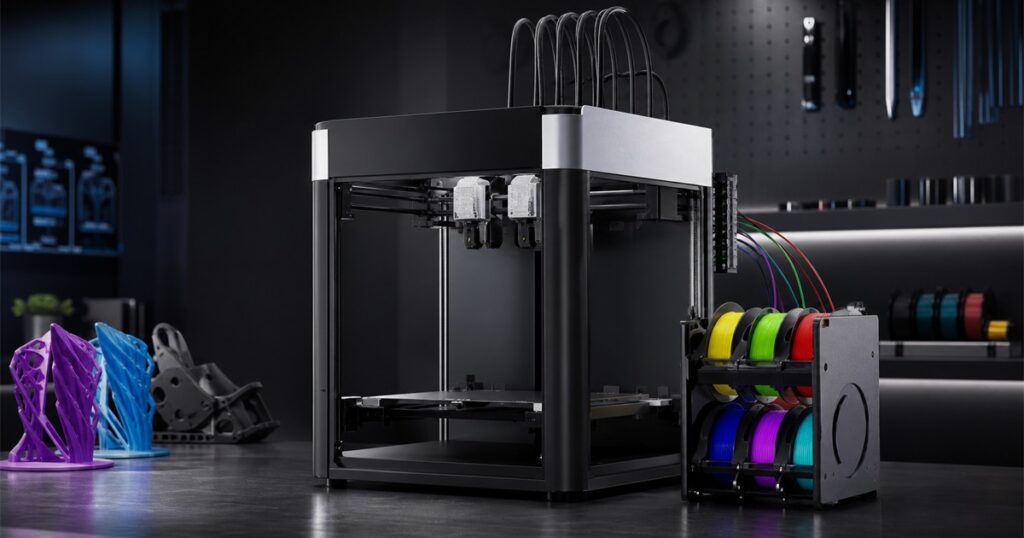
The average 3D printer already looks like a tiny industrial apartment building where spaghetti goes to find itself. Sovol looked at that situation and apparently decided it needed more ambition, more moving parts, and the energy of a very organized robot octopus.
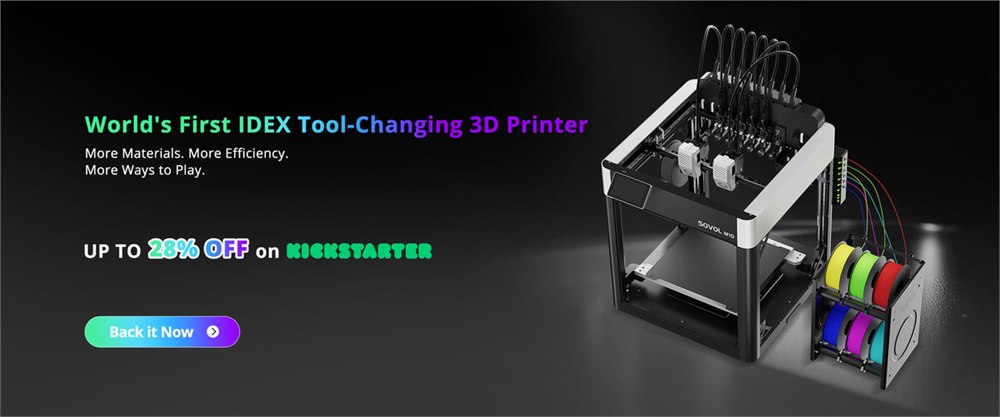
The result is the Sovol M1D, an IDEX tool-changing 3D printer built for people who look at a normal single-nozzle machine and think, yes, but what if this could become a small desktop factory with commitment issues? It combines two independent extruders with a tool-changing setup, so the printer can work with multiple colors, multiple materials, or two print jobs at once instead of asking one nozzle to do every chore in the household.
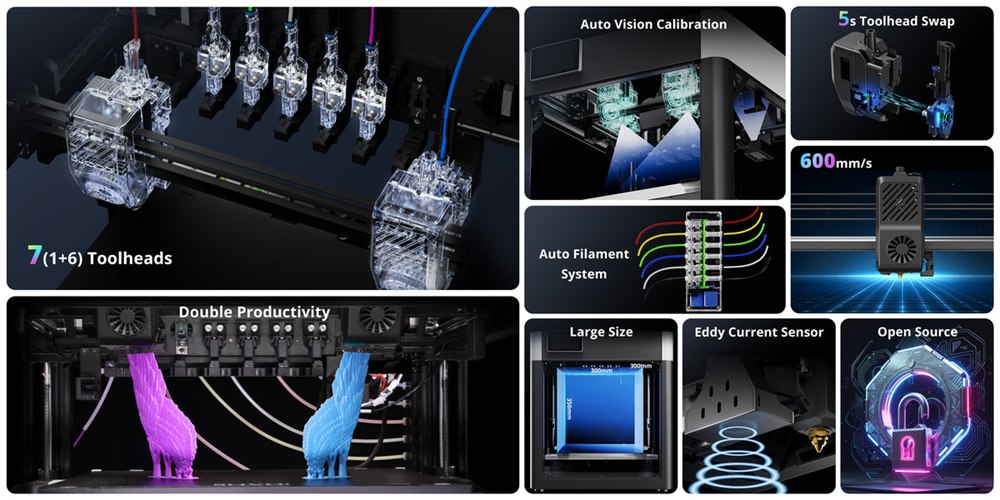
That is the big difference here. The M1D is not just another box that melts plastic with confidence. Sovol is pitching it as an open-source multi-color, multi-material, dual-extruder platform with one fixed head and six additional swappable toolheads. According to Sovol’s launch materials, those toolheads can be changed in about five seconds, which is the kind of sentence that makes hobbyists nod thoughtfully while their families quietly hide the credit card.
Traditional multi-color 3D printing often comes with a side quest: purge towers, material waste, nozzle wiping, calibration drama, and the emotional damage of watching a tiny plastic poop pile grow beside the thing you actually wanted. The M1D’s whole premise is that independent extrusion and tool swapping can reduce some of that waste and downtime by giving different colors or materials their own paths instead of constantly flushing one nozzle like it just ate bad leftovers.
A Printer For People Who Want The Complicated Button
IDEX stands for independent dual extruder, which means the printer has two printheads that can move separately on the X axis. In practical human terms, that can let it print mirrored parts, duplicate parts, soluble supports, or two-material jobs with fewer compromises than a single-nozzle system. Sovol pairs that with what it calls DualX, its tool-changing approach for running up to seven colors or materials.
Related posts:

This is the kind of printer that makes sense if your hobby has already crossed from pleasant tinkering into the room of labeled storage bins. It is for cosplay builders, prototypers, small-shop makers, tabletop miniature people, engineering students, and anyone who has ever said, “I just need this bracket in two materials,” while everyone else in the house slowly backs away.
- It uses an IDEX layout with two independently moving extruders for duplicate, mirror, support, and mixed-material jobs.
- The tool-changing system pairs one fixed toolhead with six swappable heads for up to seven colors or materials.
- Sovol says toolhead swaps take about five seconds, reducing the ritual waiting period between material changes.
- The design is positioned as open source, which matters to the maker crowd that enjoys both printing parts and improving the thing that prints parts.
- The campaign materials emphasize less purge waste compared with many single-nozzle multi-color workflows.
There is also a very satisfying mechanical comedy to a printer that can make a part, change its own working head, and keep going like a tiny unionized factory line. It is not exactly simple, but simplicity is not always the point. Sometimes the point is having a desktop machine that looks like it could print a replacement part for itself and then judge your slicer settings.
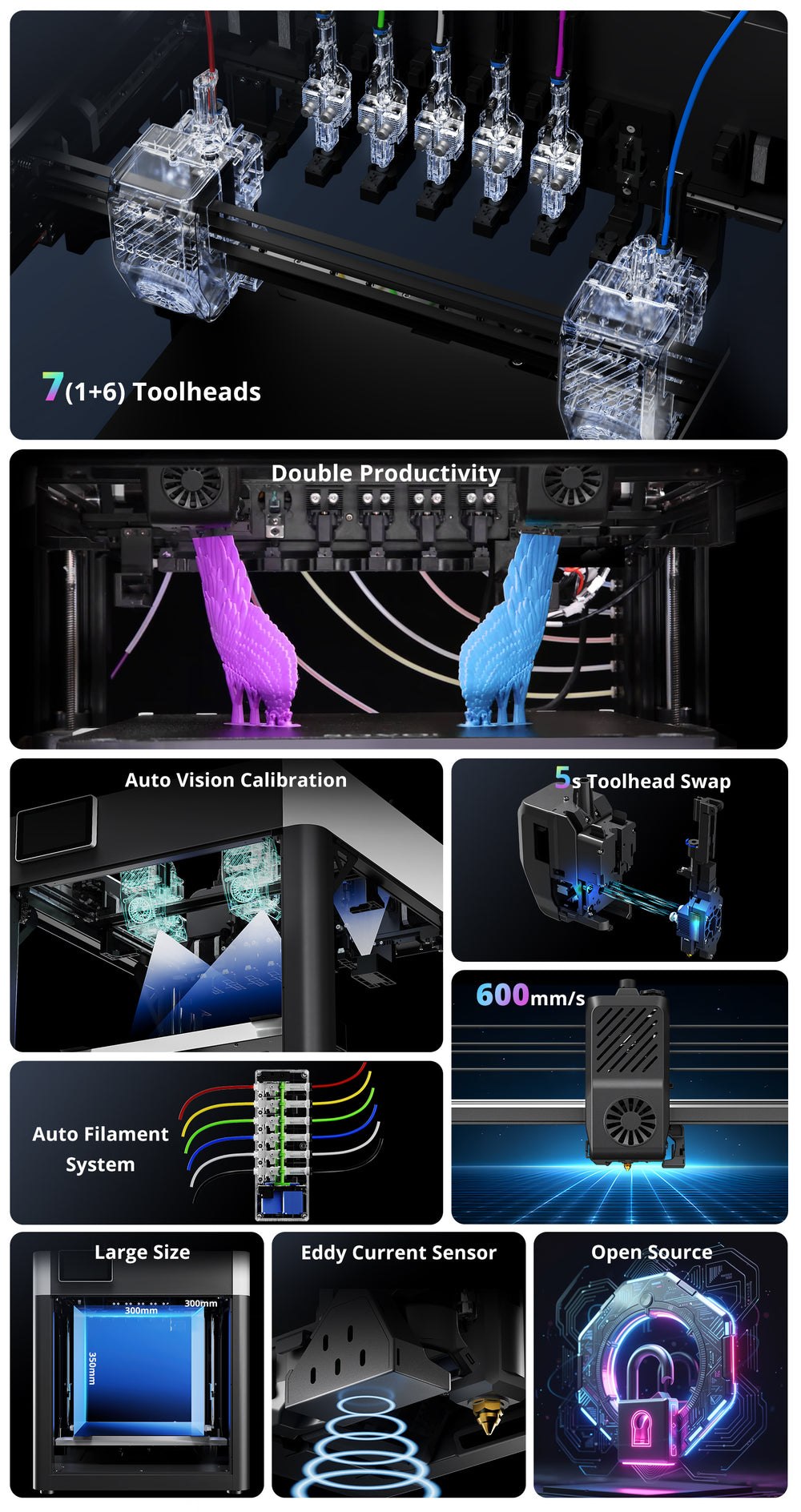
| Feature | What Sovol Lists | Why It Matters |
|---|---|---|
| Printer type | IDEX FDM 3D printer | Two independent extruders can handle more complex print strategies. |
| Tool system | One fixed head plus six swappable toolheads | Supports up to seven colors or materials in one workflow. |
| Tool change time | About five seconds | Fast swaps can reduce pauses in multi-material projects. |
| Material handling | Six-channel auto filament system shown in official images | Keeps multi-spool setups more organized than the usual desk spaghetti. |
| Platform angle | Open-source positioning | Appeals to makers who want modding, transparency, and community tinkering. |
Less Plastic Confetti, More Actual Printing
The nastiest little secret of multi-color printing is that some machines spend a surprising amount of time making decorative garbage. Every color change can mean purging the previous filament, which creates waste, eats time, and leaves you with a shame object that looks like a melted birthday candle got into a fight with a pasta maker.
Sovol’s answer is to separate more of the work. When different colors or materials can live on different toolheads, the printer does not have to treat every change like a full digestive reset. The official materials describe reduced purge waste, and that is a meaningful claim for anyone who has ever watched a long multi-color job produce a majestic pile of not-the-model.
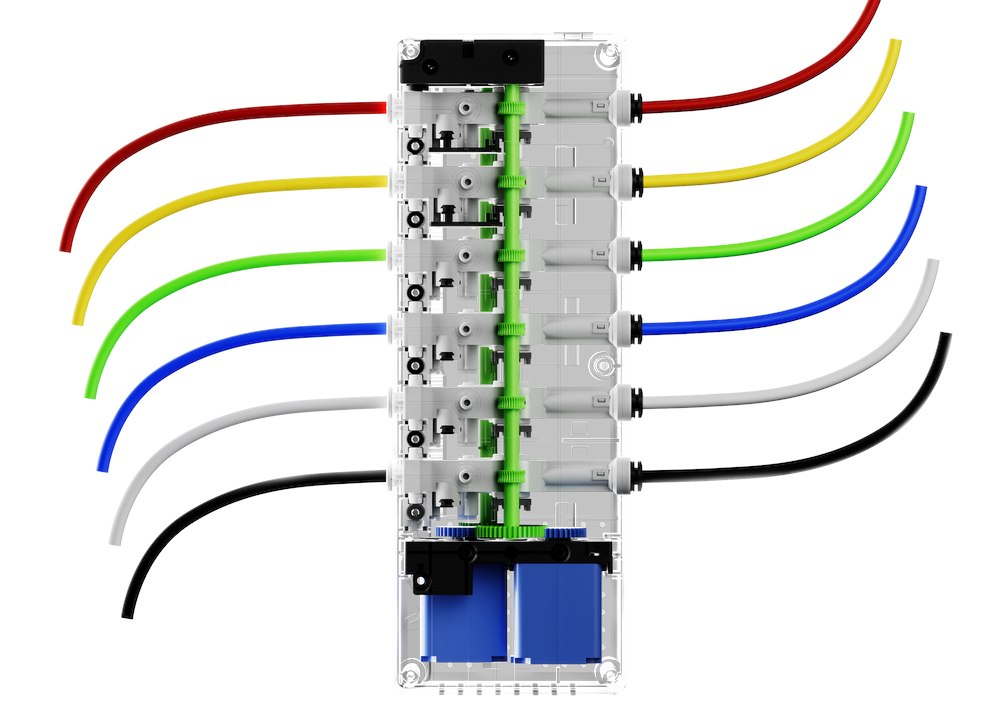
The six-channel filament system is also part of the visual appeal. It makes the printer look less like a lone desktop appliance and more like an enthusiastic craft laboratory. There are tubes, spools, paths, and a sense that somewhere inside the machine a very serious meeting about purple PLA is taking place.
None of this means the M1D is a beginner toy. A machine with independent extruders, multiple heads, several material paths, and open-source ambitions is still going to reward people who enjoy calibration, slicer profiles, maintenance, and the occasional troubleshooting session where the answer is hidden three replies deep in a very confident forum thread. The important part is that the complexity is serving a real capability rather than just adding decorative acronyms.
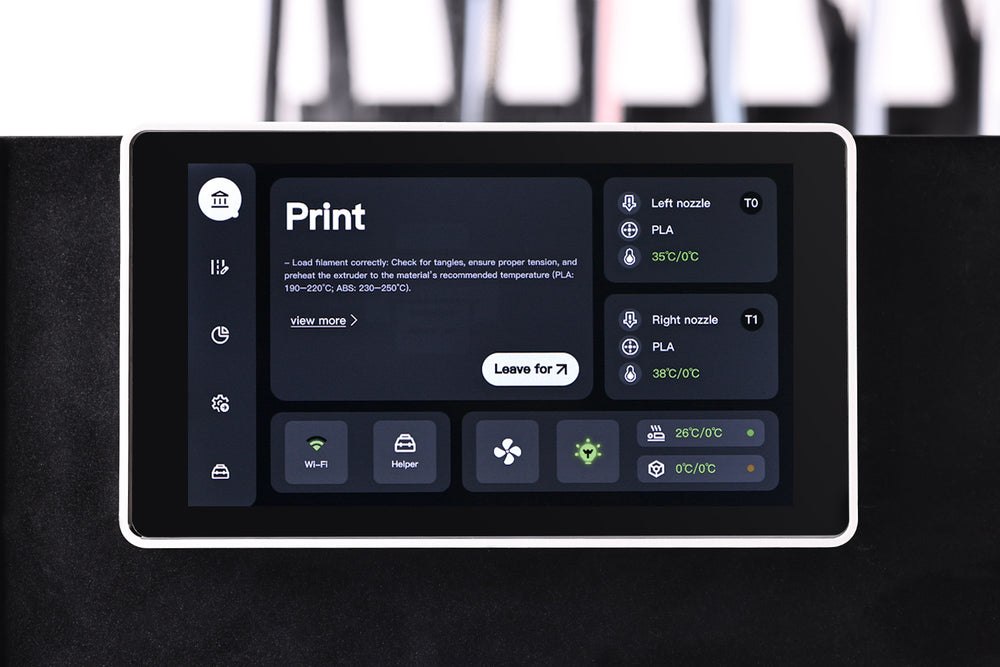
For Prototypes, Props, And Tiny Plastic Overconfidence
The M1D’s strongest use cases are the ones where material and color choices actually matter. A prototype might need a rigid body and flexible gasket. A decorative model might need several colors without hand painting. A functional fixture might need soluble support material. A small shop might want to print two matching parts at the same time. A person with too much imagination might want all of this before lunch.
Sovol’s official launch points also position the M1D as a productivity machine, not only a color machine. Duplicate and mirror printing can matter when you need pairs of parts, and a dual-extruder setup can help move that work along. It is still a desktop printer, but the feature set leans toward people who want to use it as a small production tool instead of a weekend novelty box.
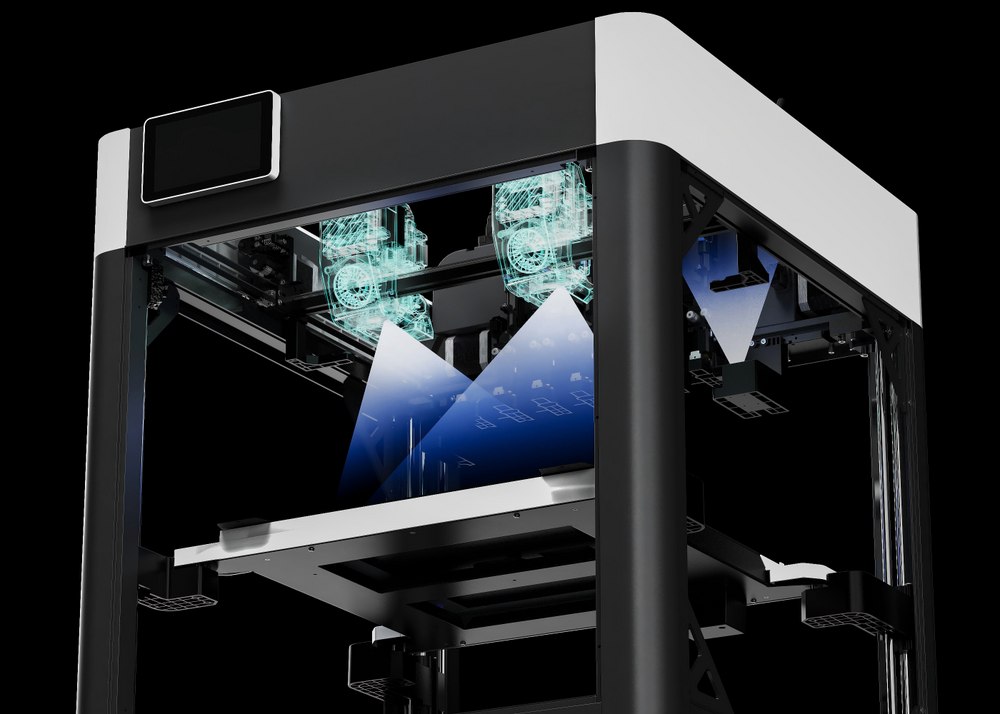
The campaign’s official timeline opened in late July 2026, with Sovol describing the M1D as a global launch and preorder campaign. Independent coverage from Tom’s Hardware also treated it as a live campaign and highlighted the seven-head tool-changing setup, which is the rare 3D-printer phrase that sounds like it escaped from a science fiction repair manual.
There are reasonable limitations to keep in mind. Crowdfunded hardware can change between campaign and fulfillment. Early-bird pricing can move around or disappear. Shipping may cost extra. And sophisticated multi-material printing still requires skill, clean filament handling, and patience. The machine may be clever, but it will not magically make your slicer settings less judgmental.
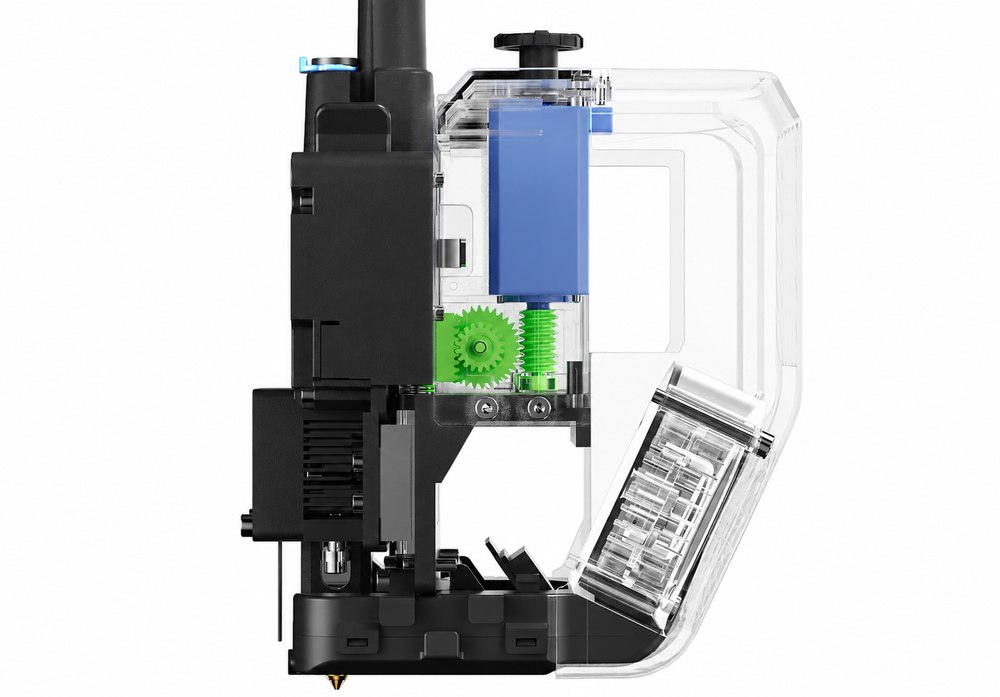
Key Details
- Product: Sovol M1D IDEX Tool-Changing 3D Printer.
- Core function: multi-color and multi-material FDM printing with independent dual extrusion and swappable toolheads.
- Tool setup: one fixed head plus six swappable toolheads, supporting up to seven colors or materials according to Sovol.
- Notable modes: duplicate printing, mirror printing, mixed-material work, and reduced purge-waste workflows.
- Best for: experienced makers, prototypers, prop builders, educators, and small production benches.
- Availability: launched through Kickstarter, with Sovol listing M1D Essential and M1D Advanced early-bird pledge tiers.
The Sovol M1D is listed through Kickstarter, with campaign pricing at ,299 for the M1D Essential early-bird pledge and ,599 for the M1D Advanced early-bird pledge, with shipping extra. As with any campaign hardware, final availability, reward tiers, shipping timing, and included accessories should be checked on the live campaign page before you mentally remodel your workspace around it.
| Pros | Cons |
|---|---|
| IDEX layout supports duplicate, mirror, and mixed-material printing. | More complex than a basic single-nozzle desktop printer. |
| Tool-changing setup supports up to seven colors or materials. | Crowdfunded hardware details can change before fulfillment. |
| Fast tool swaps could reduce downtime in multi-material jobs. | Early-bird pledge pricing may not stay available. |
| Potentially less purge waste than many single-nozzle color workflows. | Multi-material printing still requires tuning and maintenance. |
| Open-source positioning should appeal to serious makers. | Shipping costs are listed separately from campaign pledge prices. |
| Official images show a clean multi-spool filament system. | Likely overkill for casual first-time printing. |
| Strong fit for prototypes, props, education, and small-shop parts. | Large feature set means a larger learning curve. |
Where to find This IDEX Tool-Changing 3D Printer Runs Seven Colors Like a Tiny Factory
OddityMall may earn a commission from qualifying purchases at no extra cost to you.
