
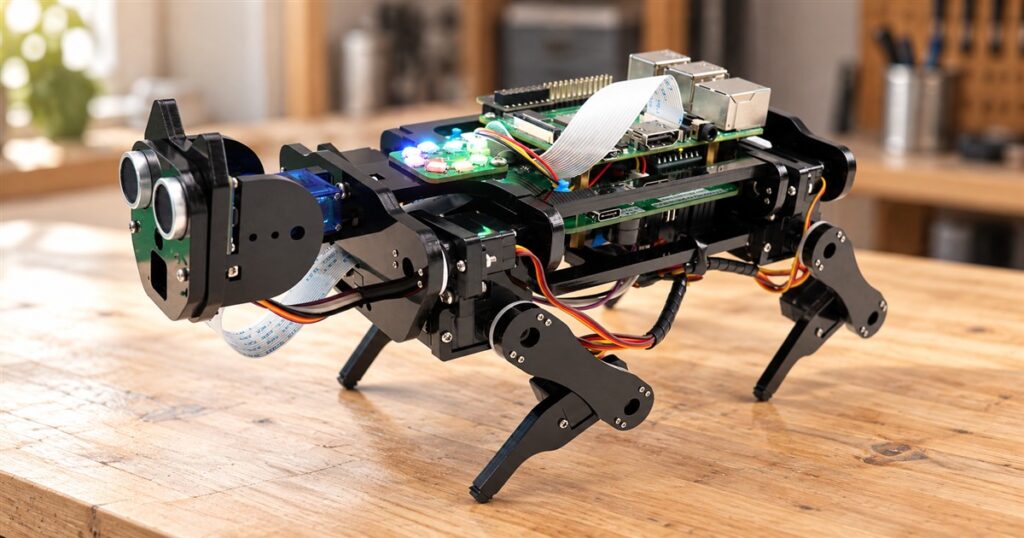
Some dogs bring you slippers. This one brings you a perfectly reasonable excuse to spend Saturday surrounded by tiny screws. The FREENOVE Robot Dog Kit turns a Raspberry Pi into a walking, camera-equipped quadruped, giving your spare computer board a much more interesting career than sitting in a drawer next to three mysterious charging cables.
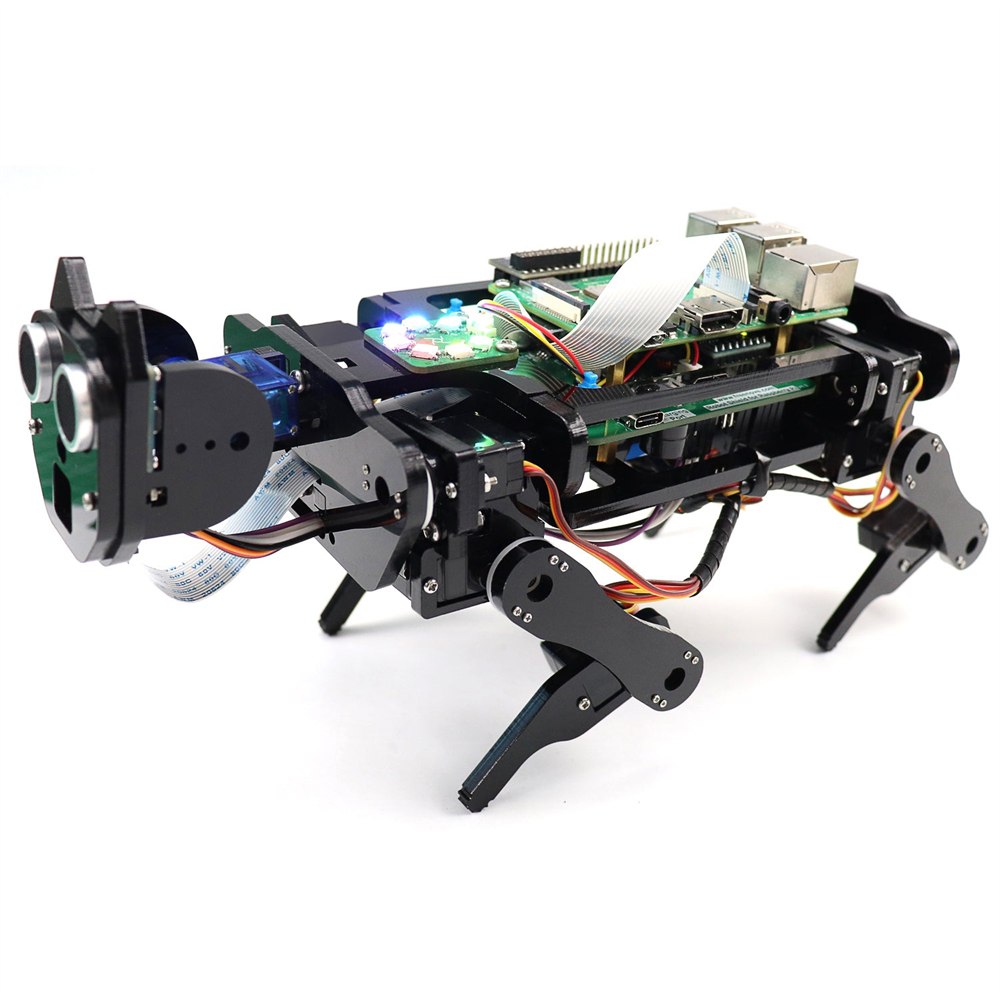
It is a build-it-yourself robotics kit, with exposed electronics, articulated legs, and a face that looks permanently interested in your choice of furniture. You assemble the body, add the required computer and power supplies, and work through the software setup. Think hobby project with paws, although these particular paws are black mechanical feet and have never once tracked mud across a kitchen.
The distinction matters. This is not a finished electronic pet that tumbles out of the box ready to entertain everyone. The assembly is part of the appeal. Anyone who considers a screwdriver a weekend accessory is probably already leaning closer to the screen.
A robot dog with its homework showing
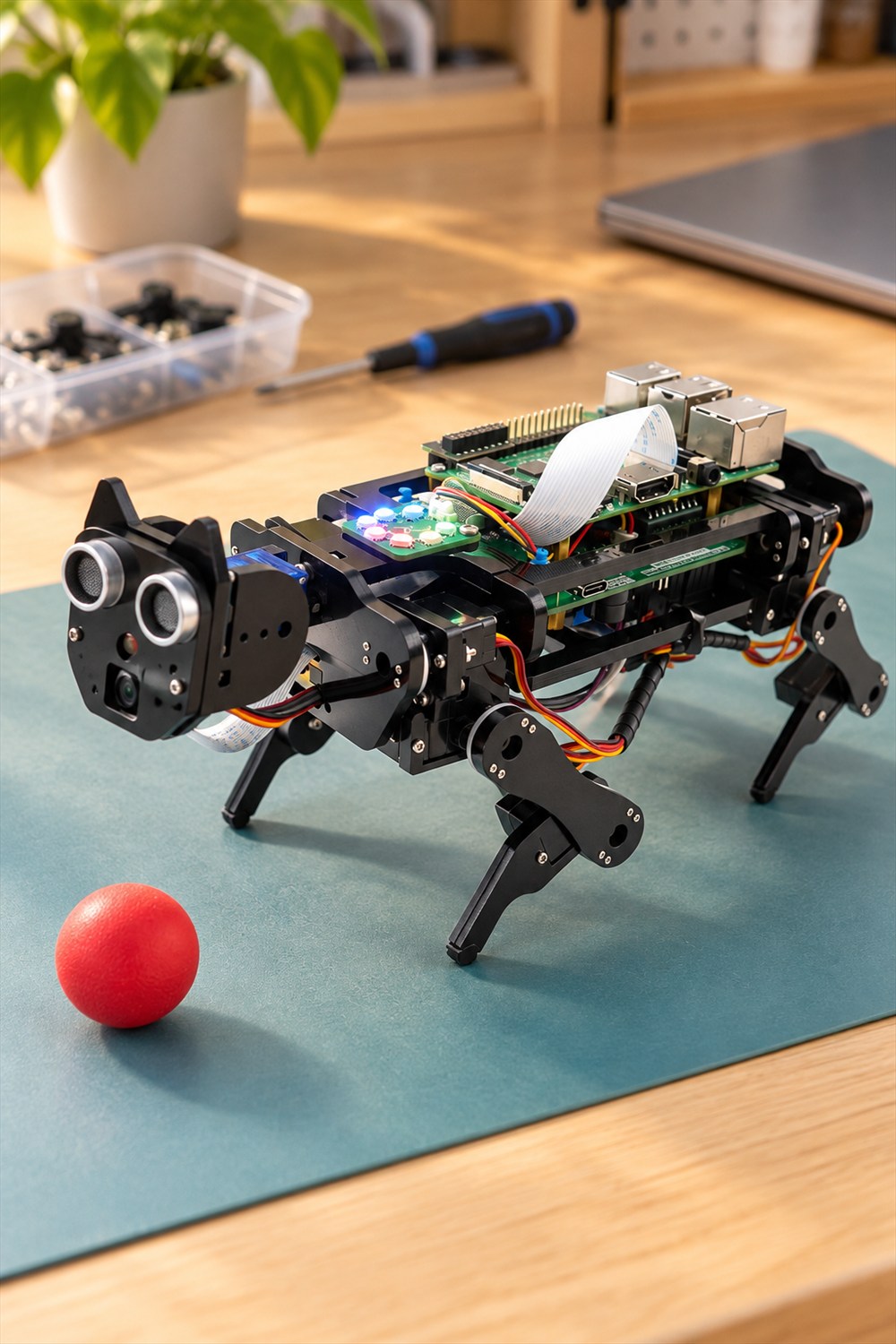
The open frame makes the whole machine refreshingly legible. You can see the boards, cables, joints, and little motors instead of having them hidden inside a glossy plastic animal. Its appearance falls somewhere between a school robotics project and a very polite visitor from a machine shop.
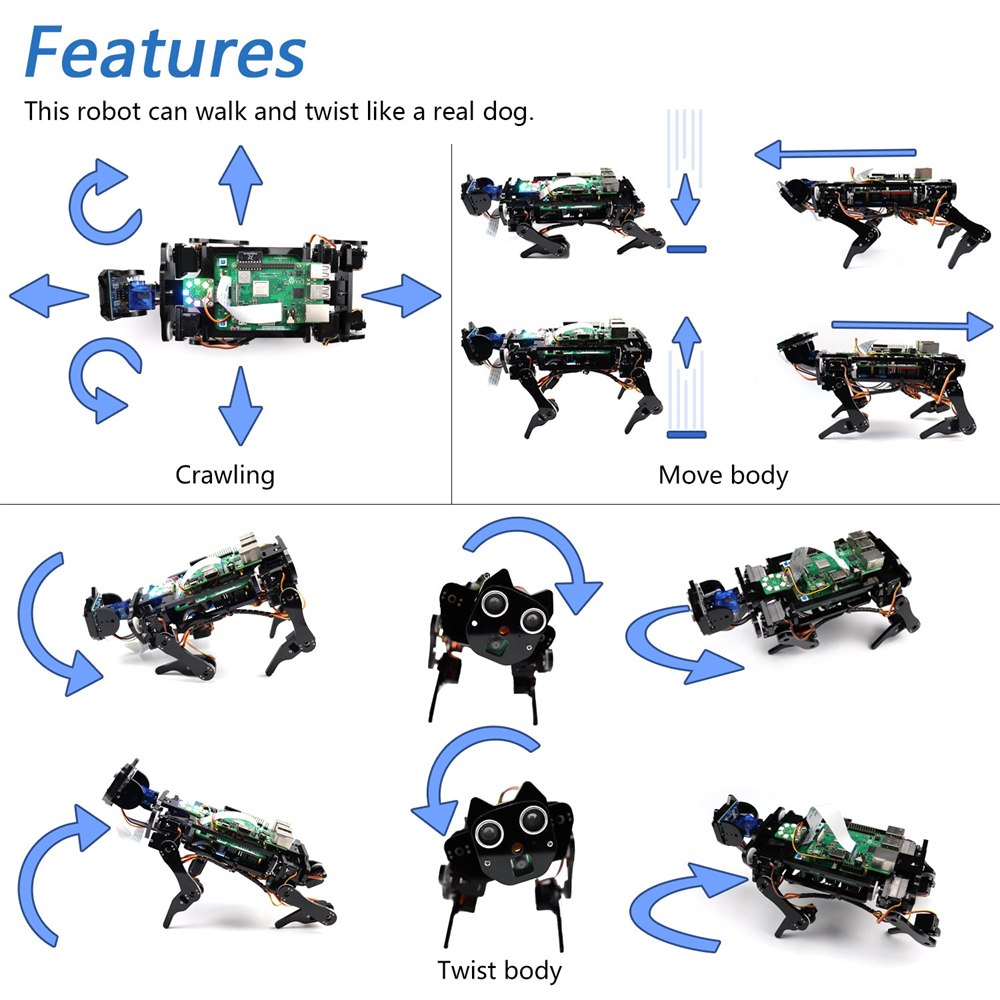
Each of the four legs uses three motors. That arrangement gives the kit more to work with than a wheeled toy wearing a dog costume. FREENOVE demonstrates walking, changing body position, and twisting motions. The company also lists self-balancing among its functions. Those are things to explore through the supplied instructions, not a promise that it will scramble over every obstacle in your house.
Related posts:


The head carries a camera and an ultrasonic distance sensor, with the two round sensor openings supplying much of the dog’s startled expression. The head can rotate, too. There is something deeply funny about a collection of circuit boards turning toward you with the body language of an animal that suspects you have cheese.
That visible construction is useful beyond the joke. When the moving parts are out in the open, a change in posture is something you can watch and think about. You are not merely pressing a button and admiring an animation on a screen. Your little experiment has legs, and it is currently using them.
More than a remote-controlled stroll
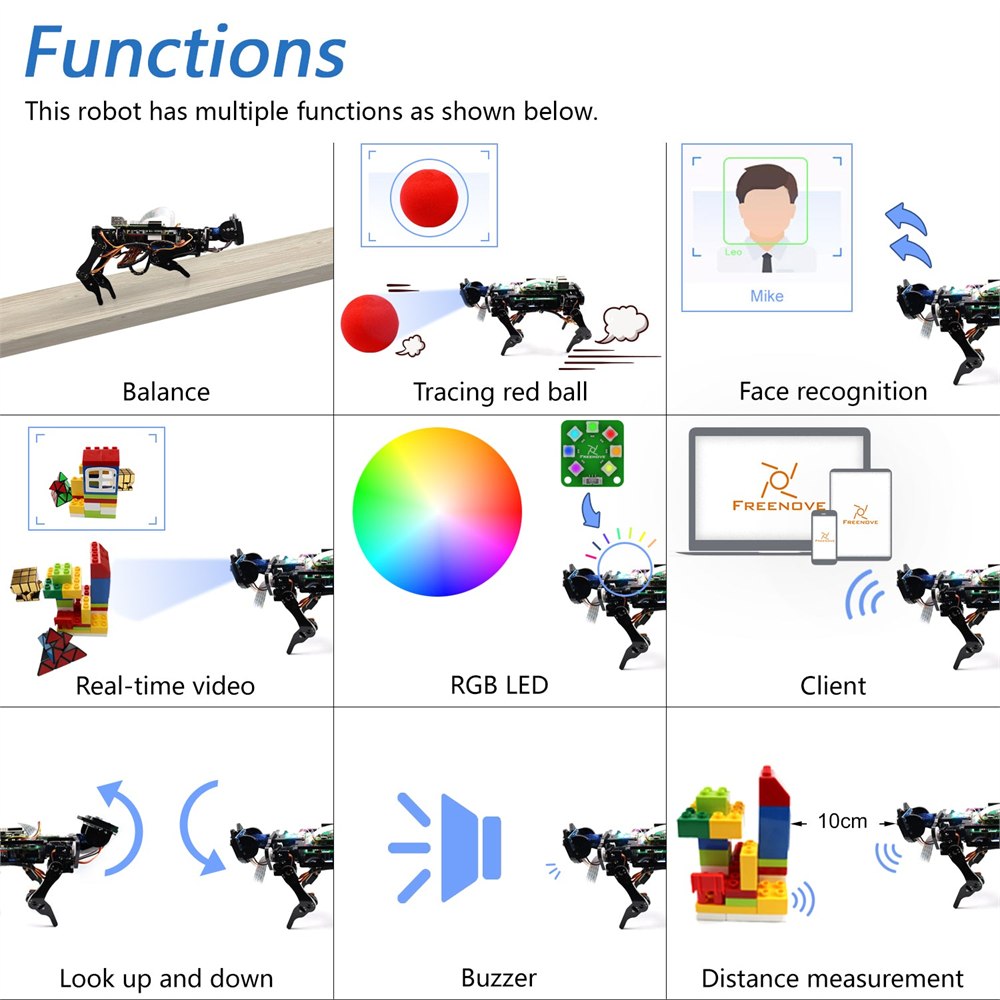
FREENOVE lists face recognition, red-ball tracking, live camera video, and distance measurement among the kit’s functions. These give the project several directions after the initial assembly. One afternoon might be about movement; another might be about what the camera sees. The dog does not need to develop a personality for that to be interesting.
The supplied examples also include RGB lighting and a buzzer. Neither turns the machine into a household assistant, but both add ways to experiment with outputs beyond making the legs move. A light changing color is a wonderfully uncomplicated way to see that your instruction actually reached the hardware.
- Build the articulated body and explore the supplied movement examples.
- Use the camera functions for live video and the listed vision demonstrations.
- Try the distance-sensing features with ordinary objects in a clear workspace.
- Control the assembled robot from a supported computer or mobile device.
- Study and adapt the provided Python code as your confidence grows.
The sensible expectation is an educational platform with demonstrations to try. It is not advertised here as a security patrol, a stair-climbing delivery animal, or a substitute for keeping an eye on actual pets. Its job is to make robotics tangible. That is already a fairly impressive assignment for something that resembles a stapler with ambitions.
What you need before the first walk
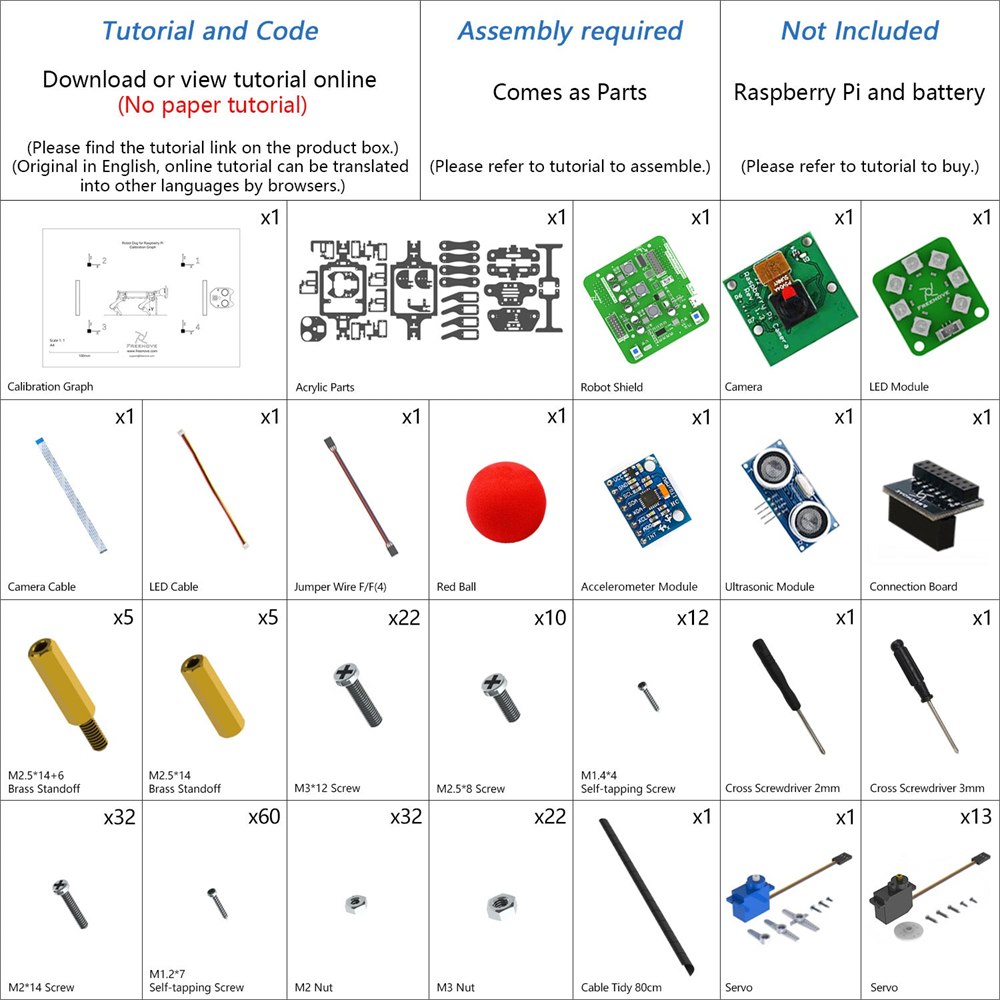
The big buying detail is that the Raspberry Pi is not included. Neither are the batteries or their charger. Photos show an assembled configuration, so do not mistake every visible component for something supplied in the kit. It is the difference between buying a model airplane and assuming the handsome workbench in the picture comes with it.
FREENOVE’s compatibility list includes several generations of Raspberry Pi, but it separates recommended boards from models that need extra parts. If you already own a board, match its exact model to the instructions before planning the build. A drawer full of vaguely similar green rectangles is not a compatibility strategy, however confident the drawer looks.
| Planning detail | What to know |
|---|---|
| Assembly | Required; this arrives as a kit. |
| Recommended boards | Raspberry Pi 5, 4B, 3B+, 3B, and 3A+. |
| Other supported boards | Listed older boards and Zero models need extra parts; check the tutorial. |
| Power | Two 3.7V 18650 rechargeable cells and a charger are required separately; follow the tutorial’s specifications. |
| Software learning | Step-by-step instructions and complete Python code are supplied digitally. |
| Computer control | Windows, macOS, or Raspberry Pi OS, following setup instructions. |
Put those additional requirements on the shopping list before the box arrives. Otherwise, the first robotics lesson may be discovering that an unpowered dog is mostly sculpture. It would still be excellent sculpture, but the advertised walking is understandably more entertaining.
Your phone gets a dog remote
The control options include computers and the FREENOVE mobile app. The manufacturer lists Android phones and tablets as well as iPhone support. That means the project can involve a laptop during setup and a handheld control interface when you want to try the finished assembly.

The camera view is especially appealing because it changes the perspective of the experiment. A small object on the table stops being background clutter and becomes something the robot can observe. You do not need to invent a dramatic mission. Looking at a toy building from robot height is plenty entertaining when you built the thing doing the looking.
For someone learning programming, physical movement also provides a very direct reward. A computer saying that a program ran successfully is pleasant. A four-legged machine doing something because of that program has considerably more theatrical value. It also gives you a good reason to clear a testing area instead of trusting the edge of a crowded desk.
The manual is part of the fun
The instructions are digital, with no paper tutorial in the box. FREENOVE provides a link for downloading or viewing the material and supplies the Python code. That is worth knowing if your ideal hobby involves closing every screen and disappearing into a shed for six hours.
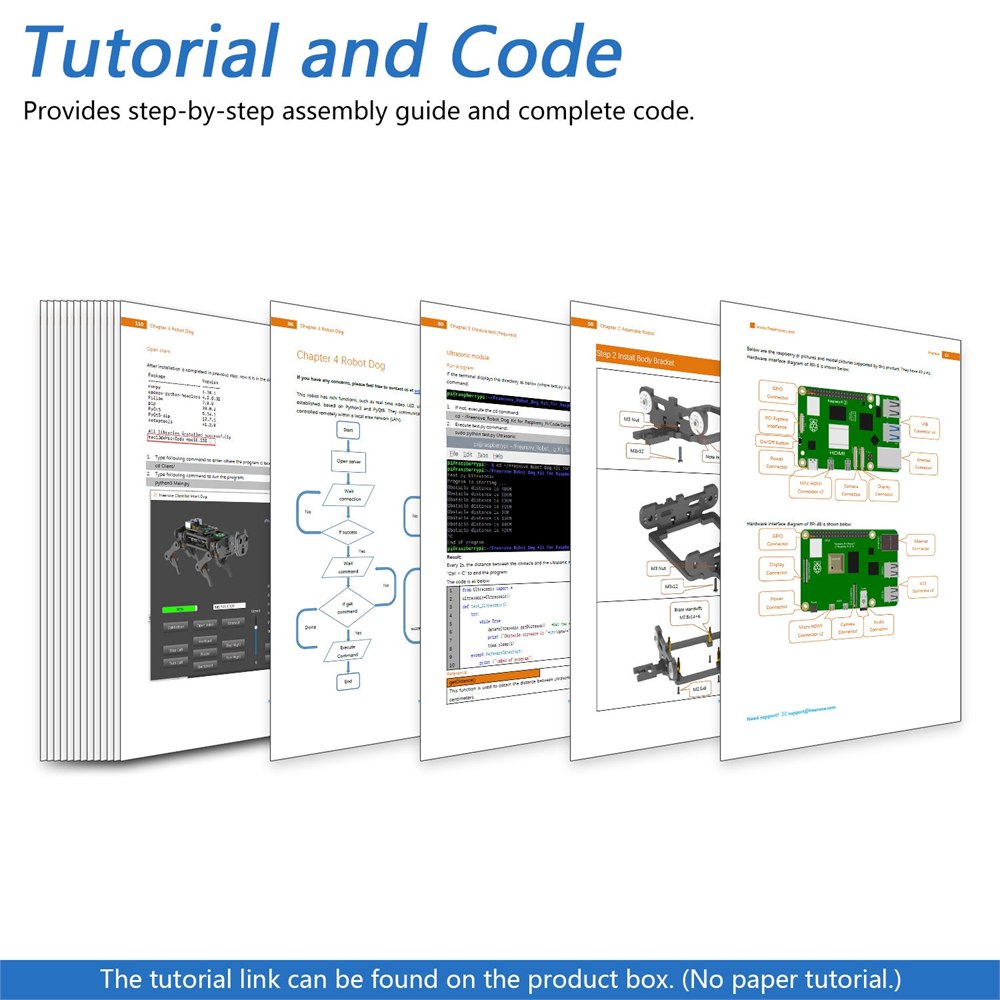
Here, a screen belongs in the workflow. Assembly guidance, setup, and code are all part of learning what the hardware can do. You can approach it as a sequence of small milestones instead of expecting a complete robot to spring to life after one heroic evening. First a correctly assembled section, then a working example, then the extremely satisfying moment when the whole thing moves.
It makes the most sense for a patient tinkerer, an existing Raspberry Pi owner, or a shared learning project where someone enjoys helping with the fiddly bits. As a surprise gift, include a warning that the recipient is receiving an activity. Some people hear that and smile. Others were hoping for socks.
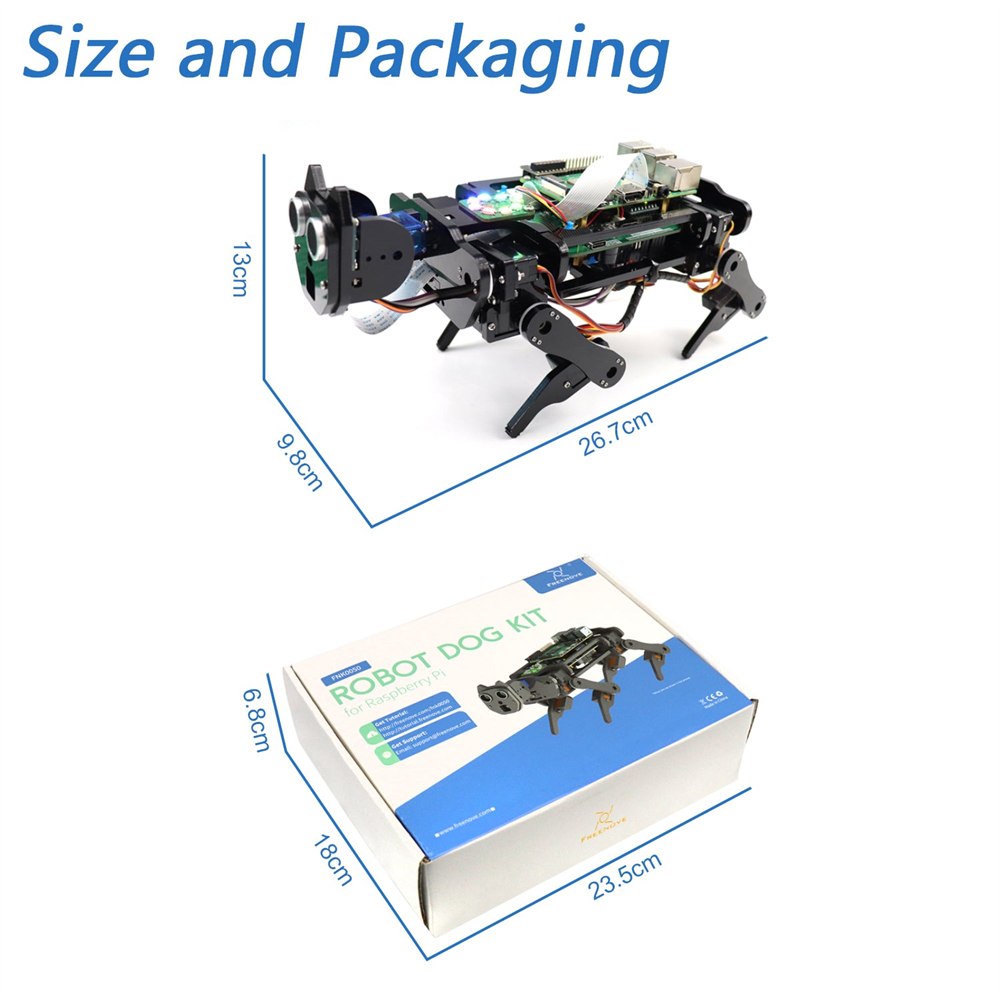
Product images: FREENOVE. Assembled examples show a Raspberry Pi, which is purchased separately.
The short version before you adopt one
- A programmable four-legged robot kit with assembly required.
- Three motors per leg, a rotating head, camera, and ultrasonic sensor.
- Listed functions include walking, self-balancing, face recognition, red-ball tracking, and live video.
- Computer and mobile control options, with digital instructions and Python code.
- Raspberry Pi, suitable rechargeable batteries, charger, and necessary board accessories are additional purchases.
The FREENOVE Robot Dog Kit was listed on Amazon for $129.90 at the time of writing, with a new purchase offer available. That is the kit price, so budget separately for the missing computer and power components if you do not already have suitable ones. Pricing and availability can change.
For the right person, the appeal is not that this dog requires no work. It is that the work ends with a small robot walking around. That is a much better weekend souvenir than another neatly organized drawer of cables you still cannot identify.
| Pros | Cons |
|---|---|
| Visible mechanical design makes movement easy to observe. | Assembly and software setup require patience. |
| Movement, camera, and sensor functions offer several experiments. | Demonstrations should not be mistaken for unrestricted autonomous abilities. |
| Digital instructions and complete Python code support learning. | No printed tutorial is included. |
| Supports several Raspberry Pi models. | The board, batteries, charger, and some accessories cost extra. |
| Computer and phone control options. | Compatibility and setup details need checking before purchase. |
Save this find.
Thank yourself later.
Your next great gift idea. Your someday space. Your collection of wonderfully weird things.
Save to PinterestPick a board. Keep the inspiration.
This Programmable Robot Dog Kit Gives Your Raspberry Pi Four Walking Legs
Where to find This Programmable Robot Dog Kit Gives Your Raspberry Pi Four Walking Legs
OddityMall may earn a commission from qualifying purchases at no extra cost to you.
