
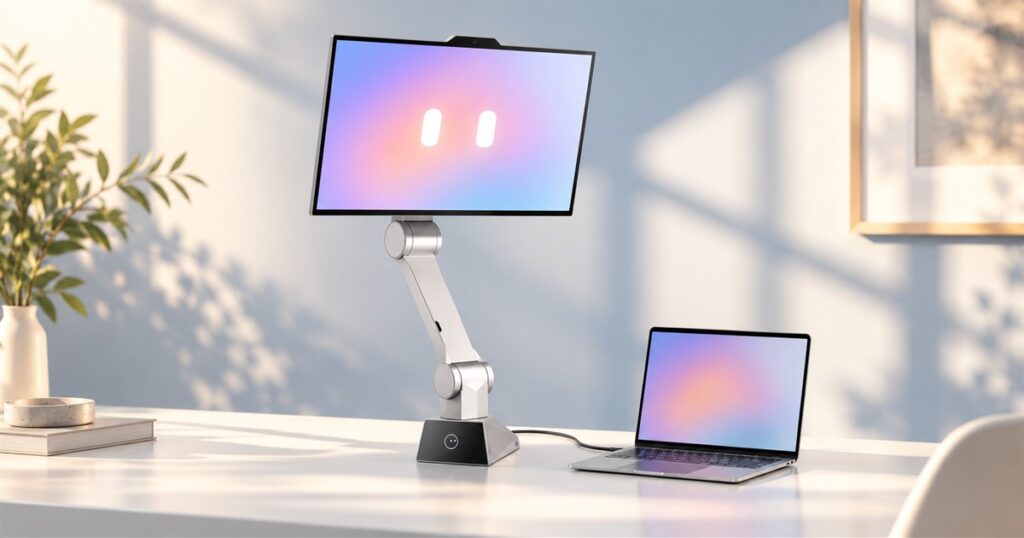
Your monitor has watched you become a shrimp at your desk for years and done absolutely nothing about it. Just sat there. Glowing. Meanwhile, CyboPal ONE is a robotic tracking monitor that can physically move its screen toward your position. Finally, a piece of office equipment prepared to meet you halfway, even when halfway is the reclining-chair stage of answering emails.
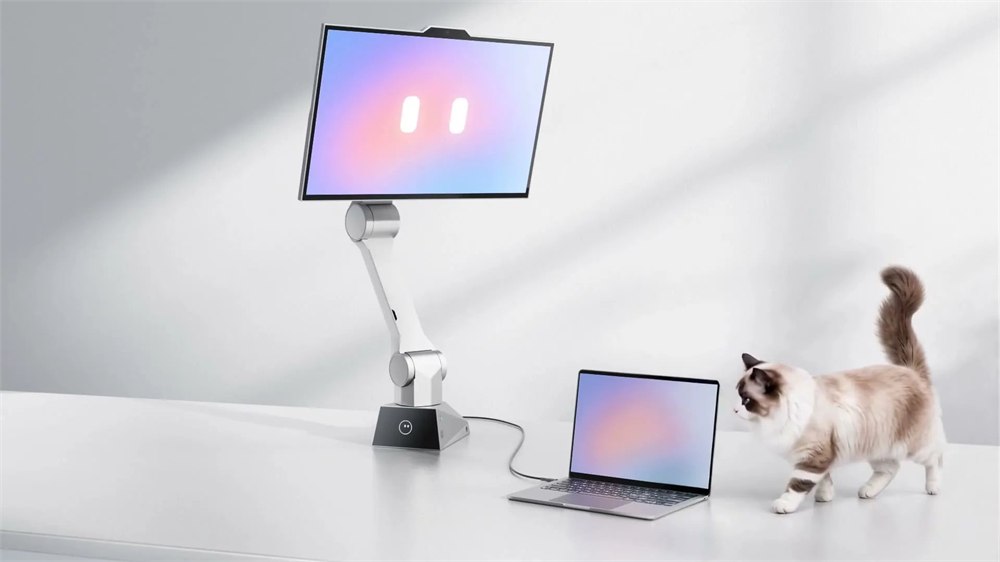
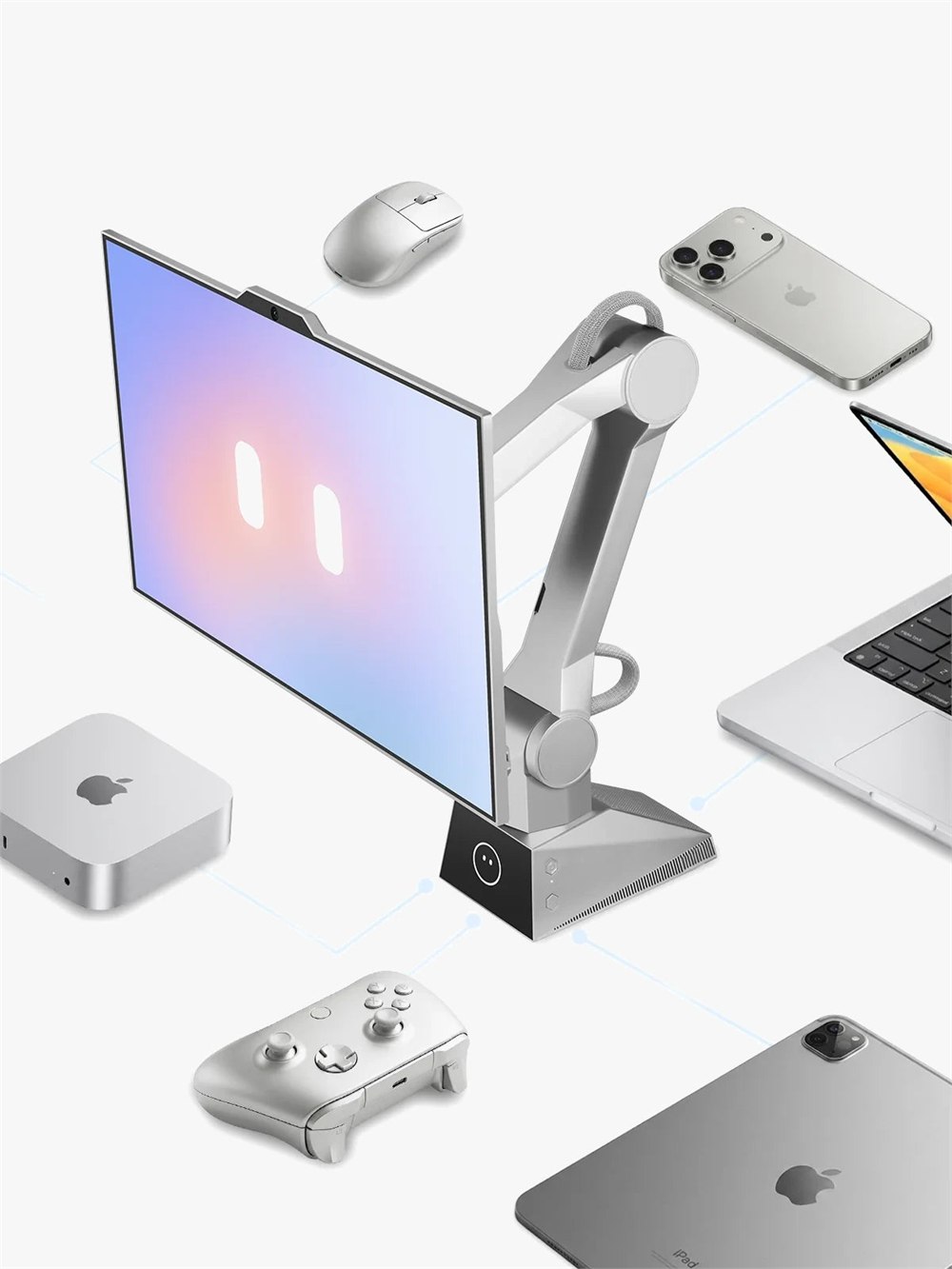
The system combines a 27-inch display, an articulated robotic arm, and a computing base. That gives it a rather different job from a normal monitor perched on a passive stand. CyboPal wants the display to respond when you change position, ask it to move, or bring back a preferred setup. Your desk gets a small robot. Your spreadsheets remain tragically unexciting.
It is also a crowdfunding product, so the interesting part here is what the maker is proposing and demonstrating. These are advertised capabilities, not the results of our own long-term testing. The distinction matters when the thing being promised has several moving joints and is expected to share elbow room with your coffee.
A monitor arm with actual ambition
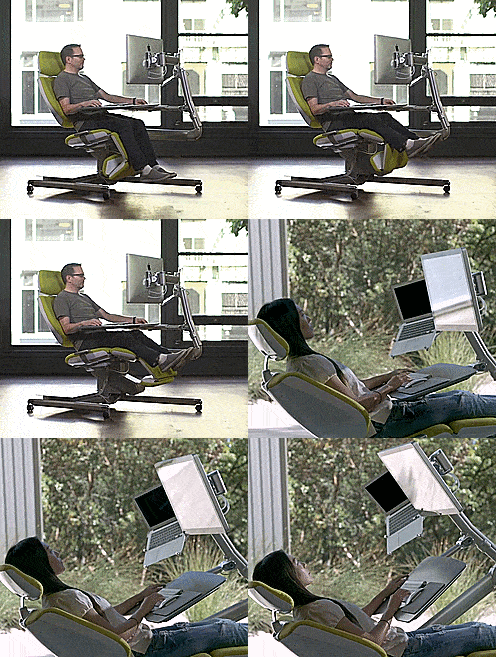
CyboPal lists six degrees of freedom and a 747 mm arm reach, with face tracking that it says can reposition the screen in under four seconds. In ordinary desk terms, the screen has more options than tilting backward a little and hoping you understand the gesture. Sitting, standing, and leaning back are all positions the company describes supporting.
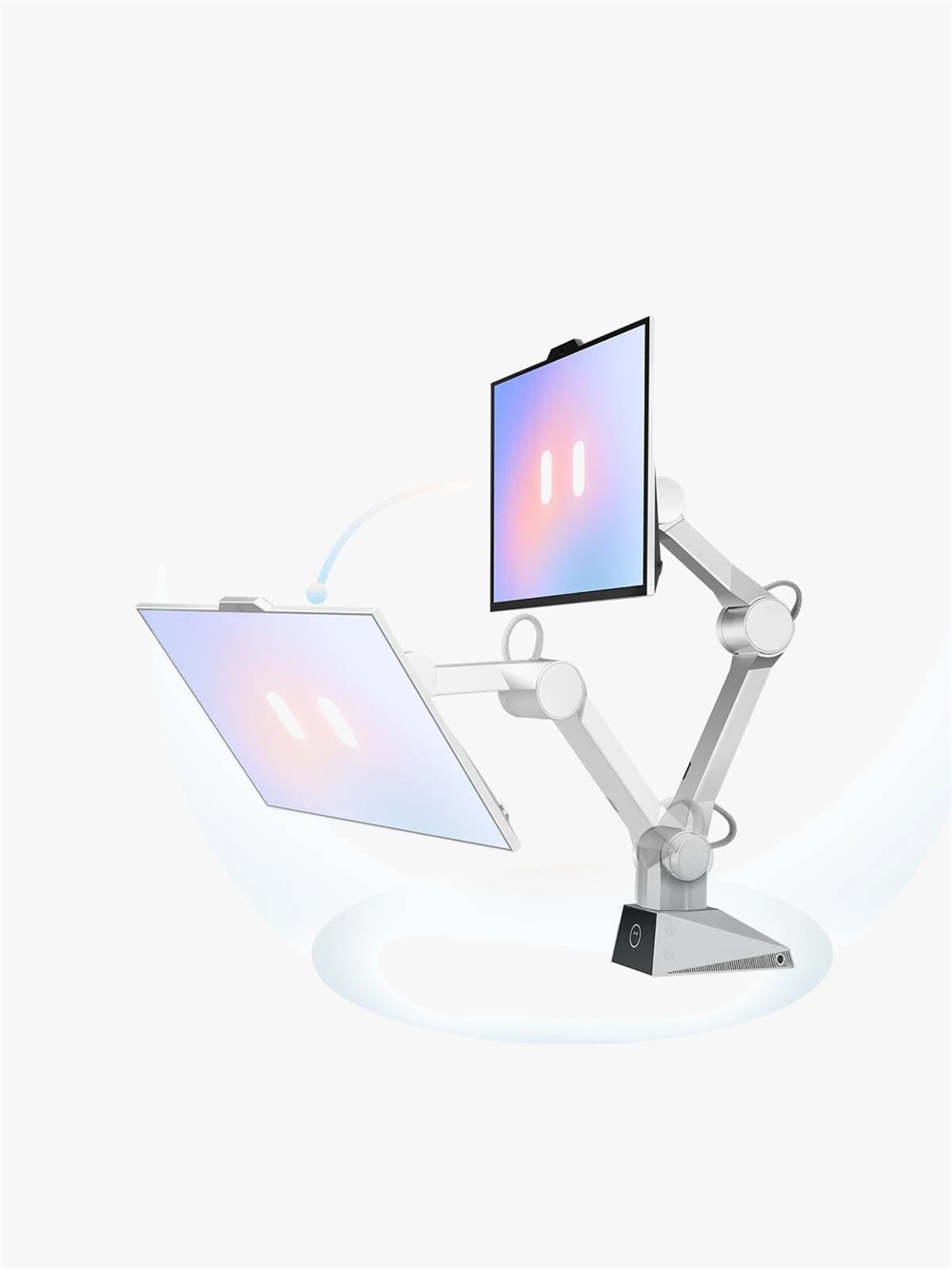
The useful idea is consistency. Imagine switching from focused typing to reading a long document, then standing up for a call. A conventional arm can certainly be adjusted, but you supply the motivation and the muscle. Here, saved positions and voice-triggered movement are intended to handle those transitions. The robot becomes the enthusiastic coworker who always volunteers to rearrange the furniture.
Manual adjustment is still part of the plan. CyboPal describes a zero-force adjustment mode, along with custom presets triggered by a hotkey or voice. That is welcome for anyone who likes the convenience of motorized movement but does not want every minor monitor adjustment to become a formal spoken request. Sometimes you just want to nudge a screen and get on with your life.
The screen still has to be a screen
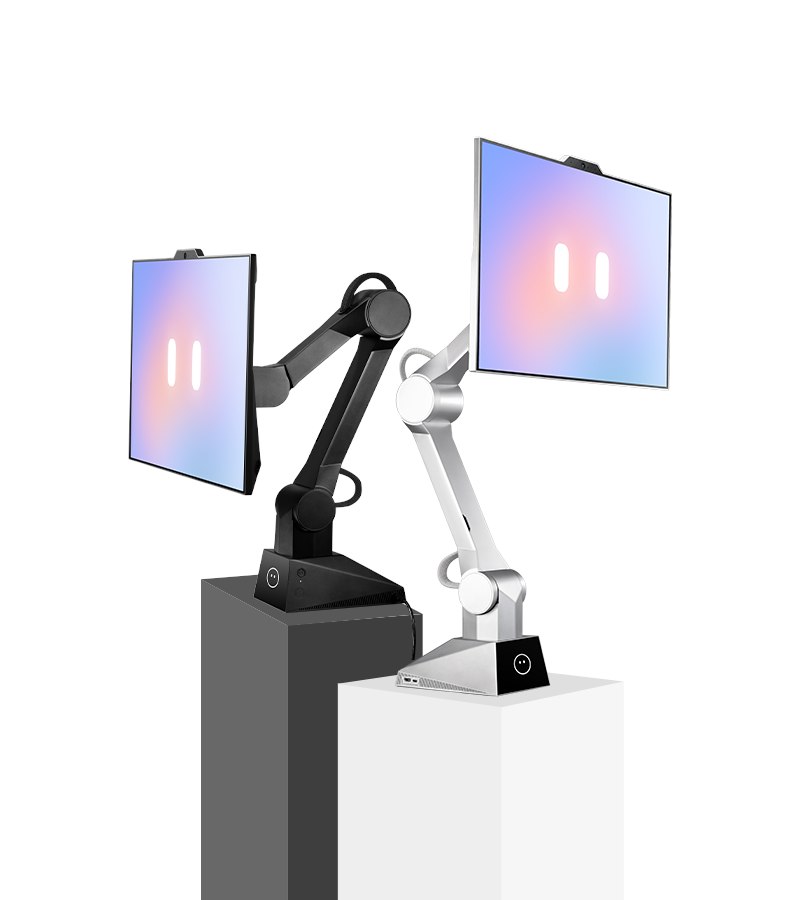
Beneath the animated-desk-buddy presentation is a 3840 by 2160 display with a stated 160 Hz refresh rate. The main panel measures 27 inches, while a separate 3.5-inch Pauli companion display handles status, feedback, and interaction. The little face in the promotional imagery certainly helps the whole assembly look less like equipment borrowed from an industrial production line.

A moving display is only appealing if you still enjoy looking at it once it stops. The resolution and refresh specifications suggest CyboPal is aiming beyond a novelty screen for notifications. How the finished panel performs in everyday use, however, will depend on the delivered hardware and your connected device. A charming face is not a substitute for a good display, though it does make the specifications considerably more adorable.
- Recall a saved screen position when switching tasks.
- Ask the robotic arm to reposition through supported voice controls.
- Use gestures for supported zooming and scrolling interactions.
- Adjust the display manually when that is more convenient.
- Keep using your own computer as the source for your everyday work.
That last point deserves a little desk-space-sized spotlight. The computing base supports the robotic system; the official setup still involves connecting your own device. This is a complete monitor-and-robot package, rather than a reason to put your laptop in a retirement home. Think of it as a more involved partner for the computer you already use.
| Part of the setup | What CyboPal lists |
|---|---|
| Main display | 27 inches; 3840 x 2160; 160 Hz |
| Robotic movement | Six-axis body; 747 mm reach |
| Companion display | 3.5-inch Pauli display |
| Device connections | USB-C display input with Power Delivery; HDMI 2.1 |
| Desktop software | Clients for Windows, macOS, and Linux |
| Mounting | Included desk-edge C-clamp and standard hardware |
It can hear you asking the windows to behave
Voice control extends beyond moving the hardware. CyboPal describes opening, switching, arranging, and splitting supported apps and windows, changing brightness, and dictating or editing text in supported fields. The word supported is doing useful work there. Buyers should check their actual apps and workflow instead of assuming every piece of software will suddenly become an obedient conversationalist.
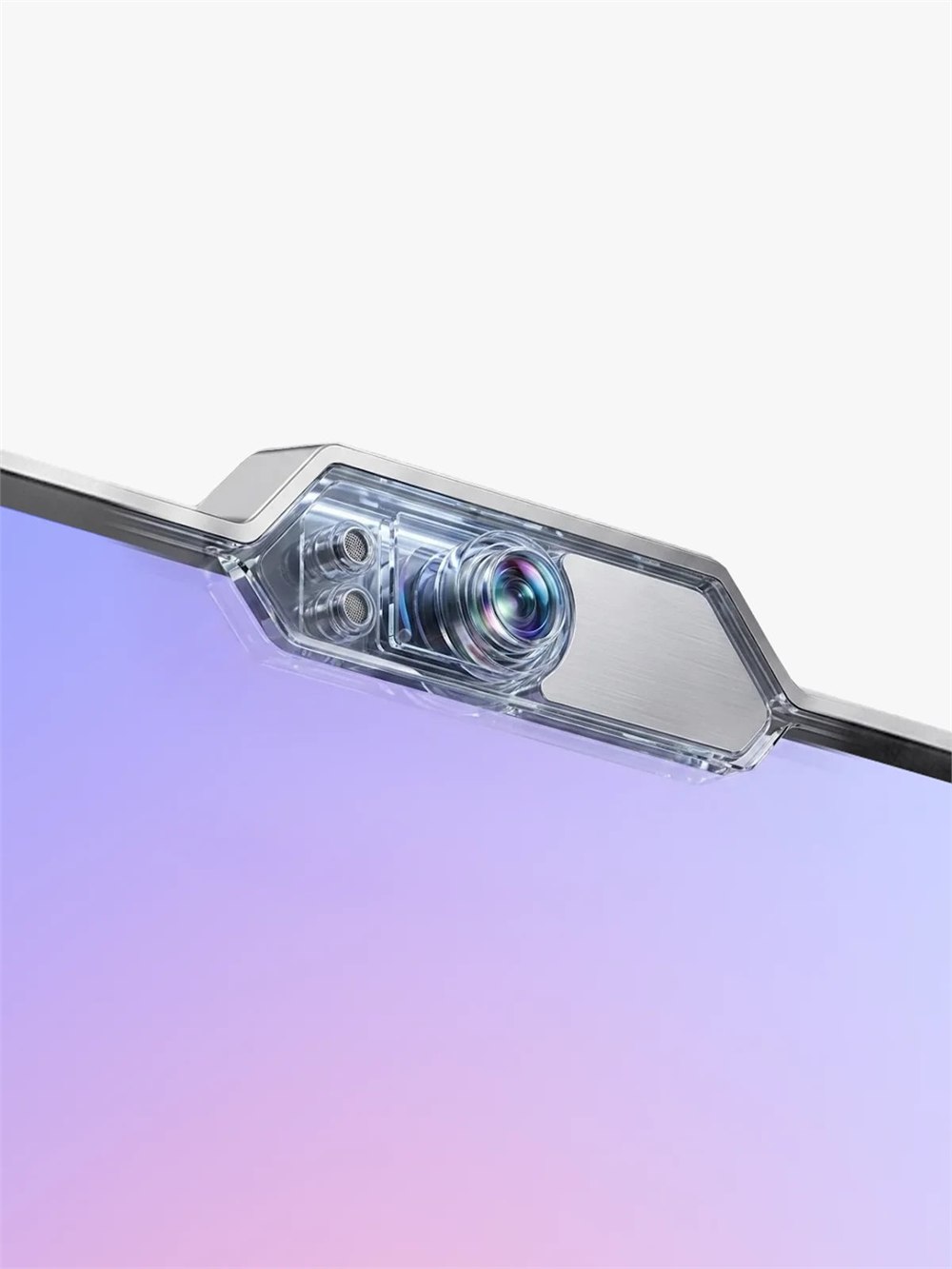
The appeal is easy to picture: hands occupied, screen too far away, document in the wrong place. A spoken request could save a small interruption. Whether you want to narrate these little adjustments all day is a personal question. In a shared office, your coworkers might have feelings about being present for your ongoing negotiations with a monitor.
The sensors are central to that interaction. According to CyboPal, face and gesture sensing happens locally on the device. Its Privacy Mode stops camera video and microphone data streams, keeps the main display usable, and holds the robotic body still. A physical Mode button or the desktop client controls that mode, and the maker says a hardware indicator reflects the camera’s actual capture state.
Room to move, and reasons to stop
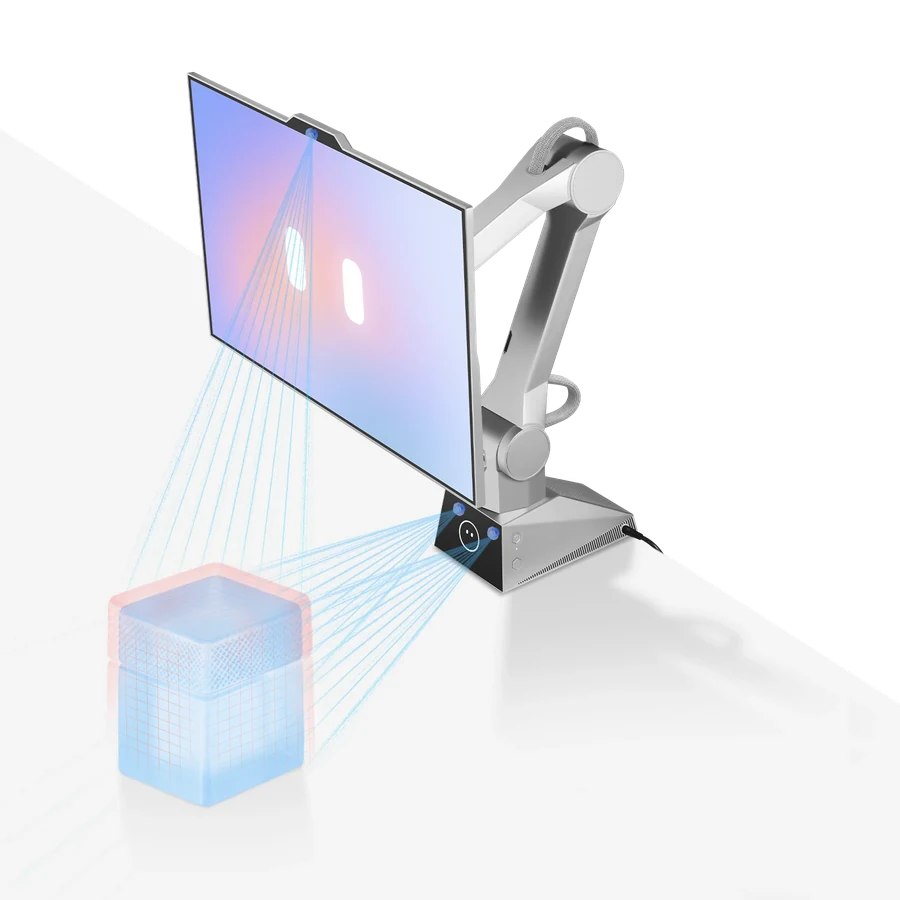
With a motorized arm on the desk, movement limits matter. CyboPal describes 3D desktop sensing, configurable boundaries, path planning, collision detection with a rapid stop, and power-loss protection intended to provide a controlled descent. Those are manufacturer descriptions of the protection systems, not an invitation to use the arm as a coffee-cup obstacle course.
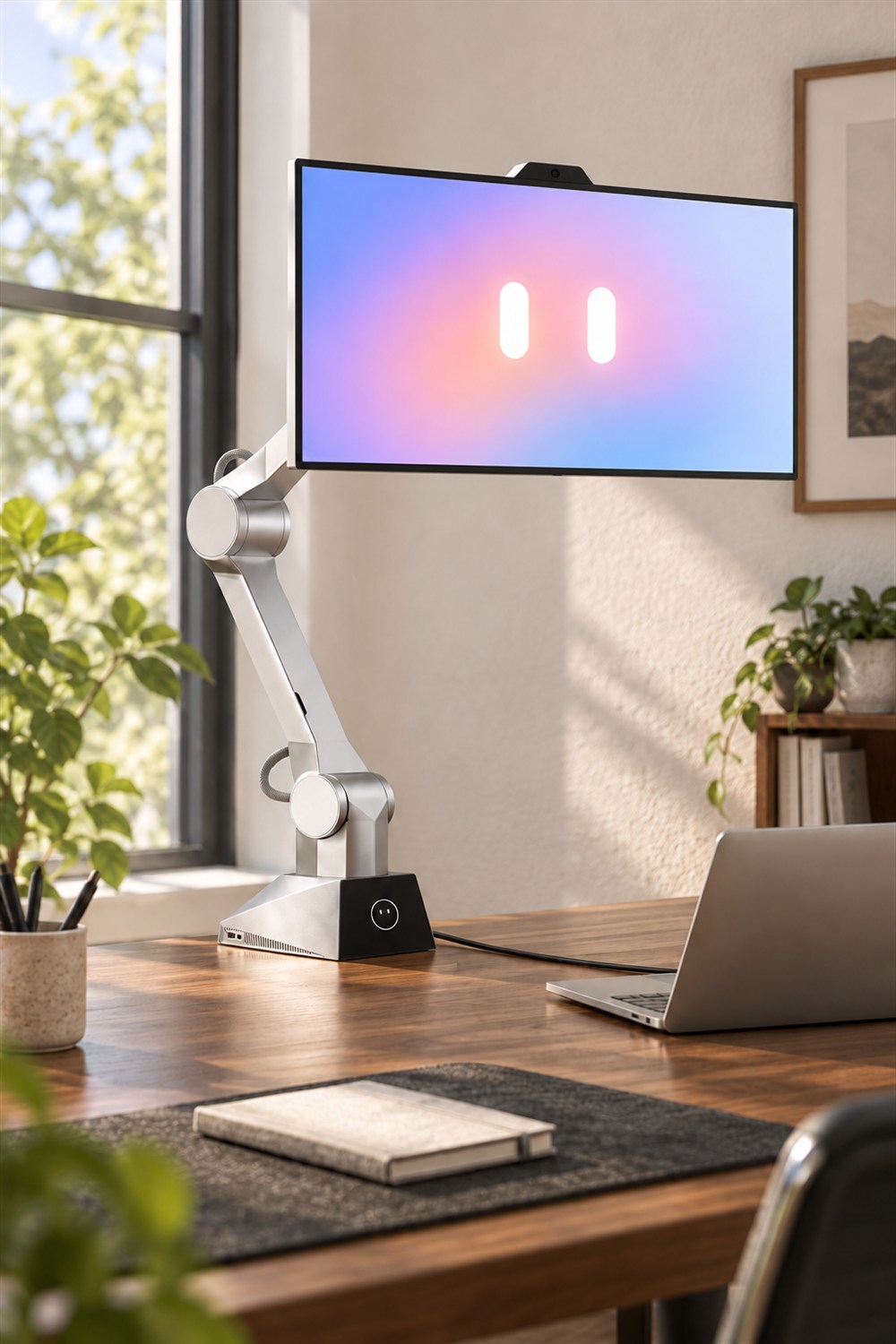
The practical setup still needs thought. A desk edge has to accommodate the clamp, the moving assembly needs clear space, and cables need a sensible route. The company says drilling is unnecessary and the mounting hardware is included. That is considerably more approachable than a home-office improvement project that begins with a drill and ends with a deeply personal relationship with wood filler.
Who might actually want this? Someone who moves between sitting and standing, frequently changes viewing position, or simply enjoys an ambitious desk setup has an obvious reason to look. Someone whose monitor position has remained unchanged since the last office renovation may be perfectly happy with a passive arm. The attraction is the physical interaction, not a requirement that every desk become a robotics laboratory.
There is also a wonderfully silly visual payoff. A screen on an articulated arm looks attentive before it has done anything at all. Add the little eyes and suddenly your office equipment appears to be waiting patiently for you to finish a thought. This could be reassuring. It could also be the first time your unfinished to-do list has seemed to make eye contact.
Product images: CyboPal.
The useful details before you clear your desk
- CyboPal ONE combines a robotic arm, computing base, and 27-inch 4K monitor.
- Advertised interactions include tracking, saved positions, manual adjustment, gestures, and supported voice commands.
- It connects to existing devices and offers desktop clients for Windows, macOS, and Linux.
- The package includes desk-clamp mounting hardware.
- Privacy Mode keeps the display available while stopping sensing streams and robotic movement.
- It is offered through Kickstarter, with shipping currently planned to begin in late 2026.
CyboPal’s site advertises a $1,499 Super Early Bird price tied to a refundable $30 reservation. Treat that as the maker’s advertised reservation offer; available Kickstarter rewards, eligibility, and final charges should be checked before pledging. Planned delivery is not a delivery guarantee, and campaign terms can change. The robot may follow your face, but you should still follow the fine print.
| Pros | Cons and considerations |
|---|---|
| Motorized positioning can make changing tasks more convenient. | A moving arm needs suitable mounting and clear desk space. |
| Multiple advertised control methods, including manual adjustment. | Voice and app features depend on supported workflows. |
| Includes a 27-inch 4K display and mounting hardware. | You still connect your own working device. |
| Privacy Mode and movement protections are described by the maker. | Real-world performance has not been tested by us. |
| A distinctive, genuinely interactive desk setup. | Crowdfunding involves delivery uncertainty and a substantial price. |
Save this find.
Thank yourself later.
Your next great gift idea. Your someday space. Your collection of wonderfully weird things.
Save to PinterestPick a board. Keep the inspiration.
This Robotic Tracking Monitor Moves Its Screen to Follow Your Position
Where to find This Robotic Tracking Monitor Moves Its Screen to Follow Your Position
OddityMall may earn a commission from qualifying purchases at no extra cost to you.
