
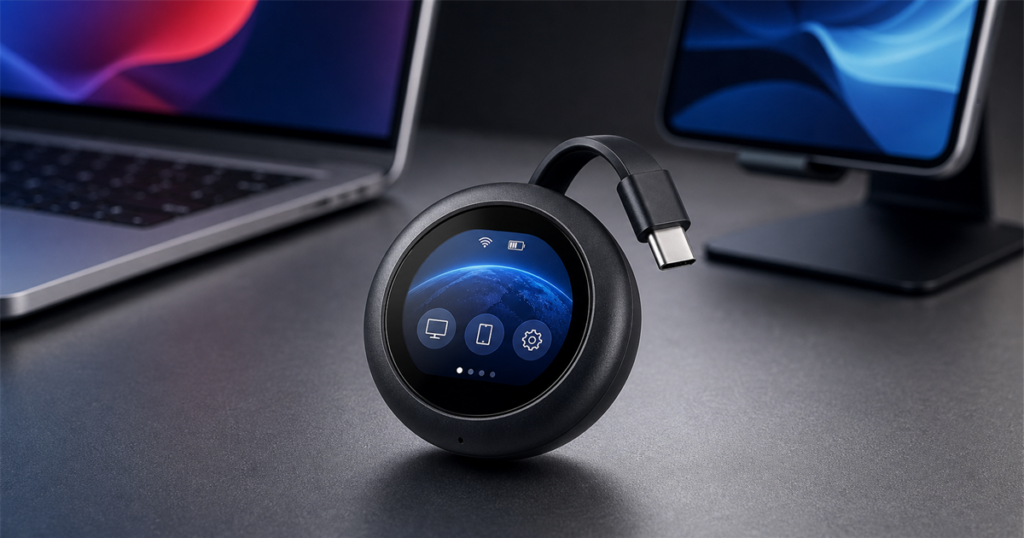
Remote control used to mean yelling across the room for someone to jiggle a mouse while you tried to sound calm on a video call. The GL.iNet Comet Q is what happens when that entire little panic ritual gets compressed into a pocket-sized puck with a USB-C tail.
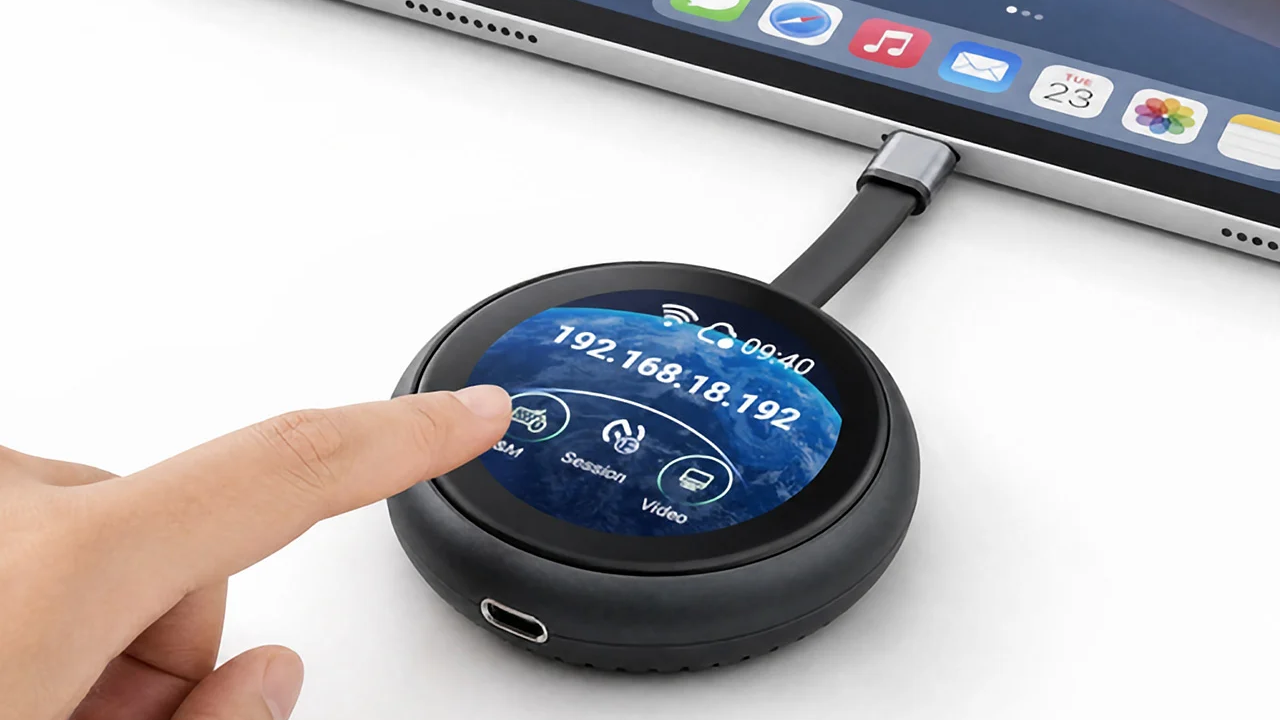
The Comet Q is a mobile remote KVM, which is the kind of phrase that makes normal people pretend they heard the doorbell. In plain human terms, it is a tiny device you plug into an iPhone, iPad, Mac mini, laptop, or other compatible USB-C machine so you can wake it, view it, and control it from a browser on another device.
That matters because sometimes the device you need is physically right there but spiritually in another zip code. Maybe it is a headless Mac mini under a desk. Maybe it is a phone you use for testing. Maybe it is a laptop you would like to manage without turning your workspace into a charging-cable salad. Comet Q is built for that moment when you need hands-on access without the hands-on part.
GL.iNet calls it an all-in-one USB-C KVM with Wi-Fi 6, and the basic pitch is refreshingly direct: plug the built-in USB-C cable into the device you want to control, put Comet Q on the network, then open a browser from another device. No driver install. No dedicated app ceremony. No ancient utility window that looks like it was designed during a printer hostage negotiation.
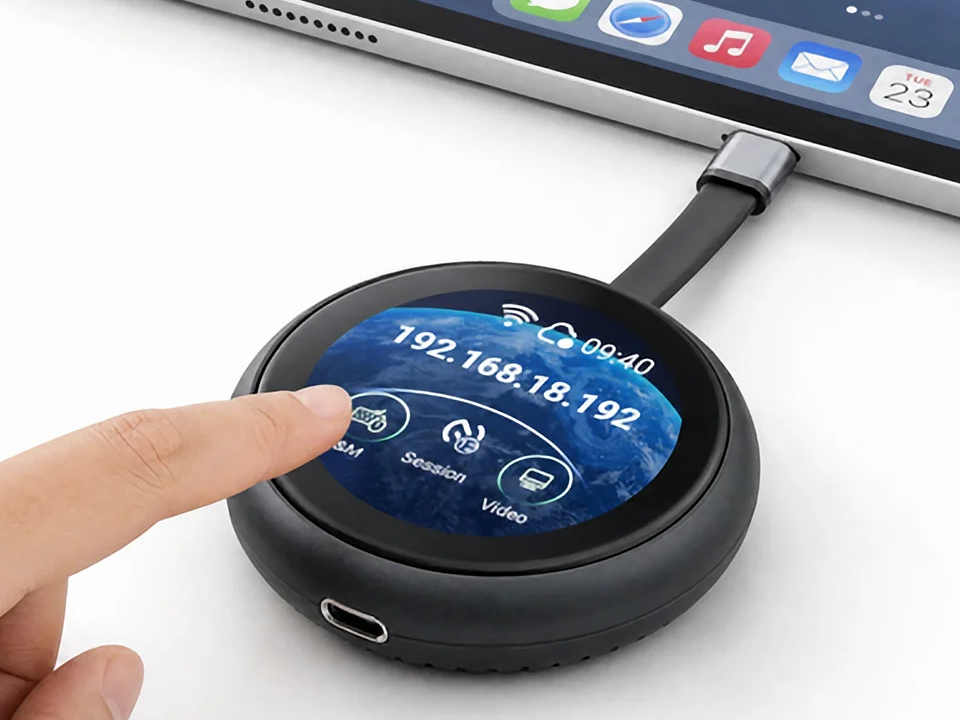
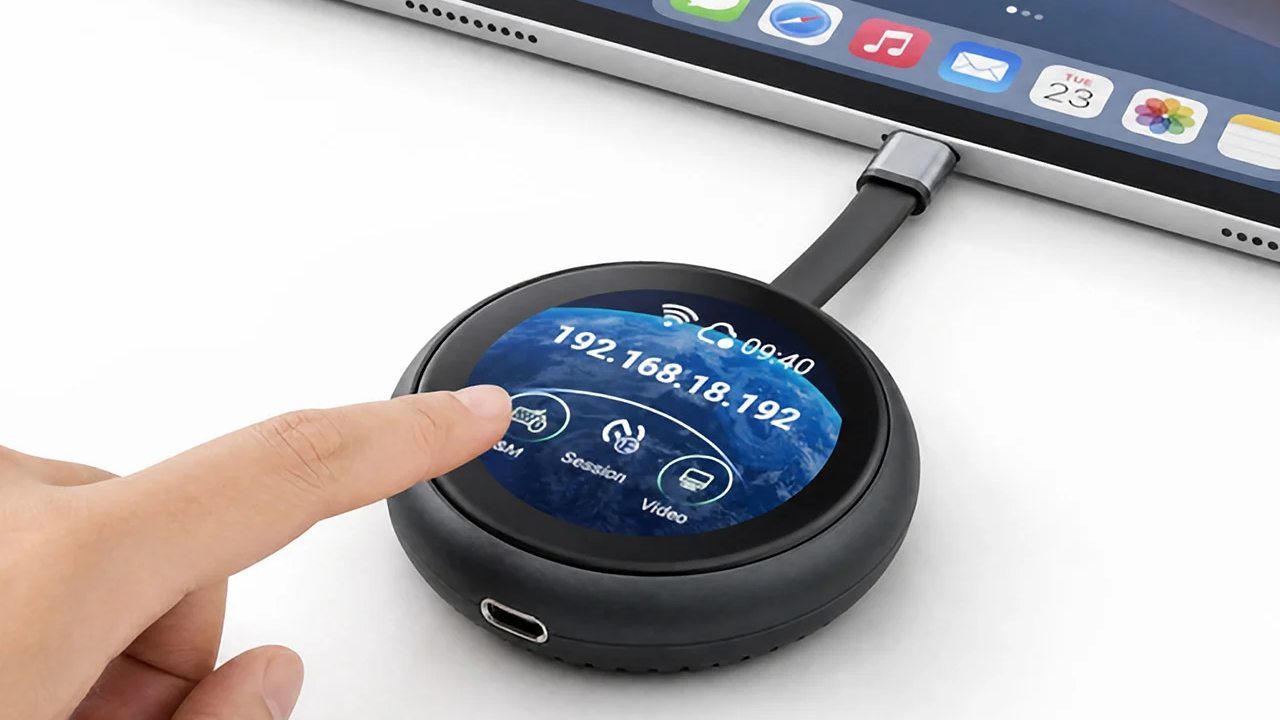
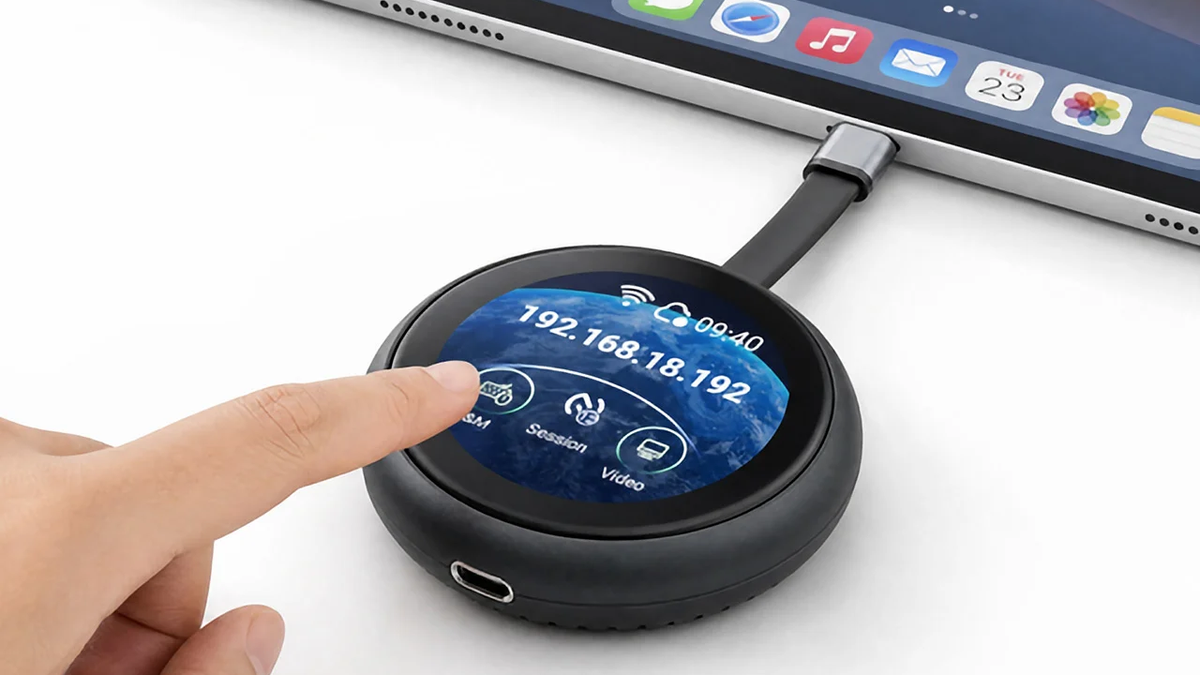
The product itself is a small round black puck with a little built-in touchscreen and a short USB-C connector. It looks less like a server-room tool and more like a tech pebble that has seen your browser tabs and chosen silence.


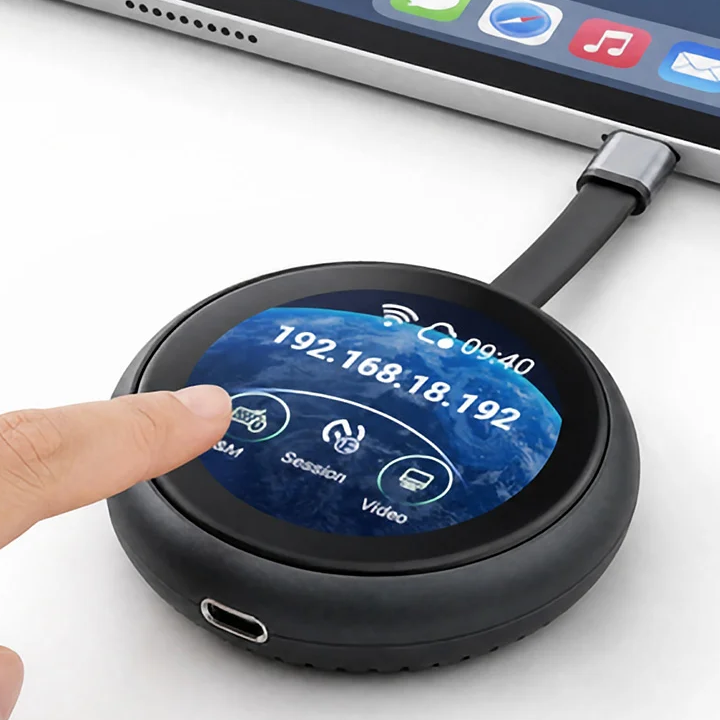
A Tiny KVM For The Devices That Refuse To Be Convenient
A traditional KVM lets you control multiple machines with one keyboard, video display, and mouse setup. Comet Q takes that idea and turns it into something much more portable and browser-friendly. GL.iNet says it works with iPhone 15 and newer models, supported iPads, many Samsung Galaxy devices, MacBooks, Mac mini, and modern Windows laptops, as long as the device supports USB-C video output through DP Alt Mode where needed.
The fun part is that it is not just a screen-sharing app wearing a tiny hat. The device is meant to provide hardware-level access, including situations where the controlled machine is offline, restarting, or asleep. That is the stuff remote desktop software tends to handle with all the grace of a locked front door.
Here is the practical version of what Comet Q is trying to solve:
- Control a USB-C phone, tablet, laptop, or Mac mini from another browser-equipped device.
- Use the built-in 1.8-inch touchscreen for quick setup, status checks, and actions on the unit.
- Connect over Wi-Fi 6 instead of building a tiny shrine to adapters.
- Handle restart, sleep, or offline access scenarios better than normal remote desktop apps.
- Carry a 78.5 g remote KVM that is closer to a pocket gadget than a desk appliance.
That list is also a useful filter. If you just want to mirror a screen while everything is awake and behaving, this may be gloriously unnecessary. If you manage gadgets, test devices, rescue family laptops, run a tiny home lab, or keep a Mac mini in a place where monitors go to disappear, the Comet Q starts to make a suspicious amount of sense.
Specs That Make The Little Puck Less Mysterious
Comet Q is small, but it is not just a cable with ambition. GL.iNet lists Wi-Fi 6 dual-band networking, 512 MB NAND storage, a dual-core ARM Cortex-A53 processor, Tailscale and ZeroTier support, and a built-in 1.8-inch touchscreen. The touchscreen is not there to play tiny games for ants. It is there for setup, status, and quick actions without needing to poke around blindly from the other end of the connection.
| Feature | What GL.iNet Lists | Why It Matters |
|---|---|---|
| Device type | All-in-one USB-C remote KVM | Browser-based control for supported USB-C devices |
| Wireless | Wi-Fi 6 dual-band | Connects to a nearby network for remote browser access |
| Screen | 1.8-inch built-in touchscreen | Local setup, status, and actions on the puck |
| Weight | 78.5 g | Small enough to live in a tech bag |
| Storage/processor | 512 MB NAND, dual-core ARM Cortex-A53 | Runs the device interface and remote-control functions |
| Power | Powered from the target device or external USB-C when needed | Useful for long sessions or single-port devices that also need charging |
The setup flow is exactly the sort of thing that sounds too simple until you remember how many hours society has lost to “install this helper app first.” Connect the built-in USB-C cable to the target device, add external power through the second USB-C port if the session is long or the target needs charging, and then control it from a browser on another device.
Who This Is Actually For
The Comet Q is probably not for someone whose entire computer life happens on one cheerful laptop at the kitchen table. That person is free. Protect them. This is for the people with spare phones, test devices, mini PCs, headless setups, client machines, travel workstations, or a drawer full of cables that has begun forming its own government.
For developers and IT people, the appeal is obvious: browser-level access to a machine even when the normal software path is not available. For hardware tinkerers, it is a compact way to reach into a device without dragging out a monitor. For people who support relatives, it may be a little overkill, but that has never stopped a determined tech person from buying one more gadget in the name of “simplifying things.”
The compatibility caveat is important. GL.iNet notes support for many current USB-C devices, including newer iPhones and iPads, Samsung Galaxy phones and tablets, MacBooks, Mac mini, and modern Windows laptops, but the underlying device still needs the right USB-C video output support in many cases. Translation: check your device before building your entire remote-control empire around one puck.
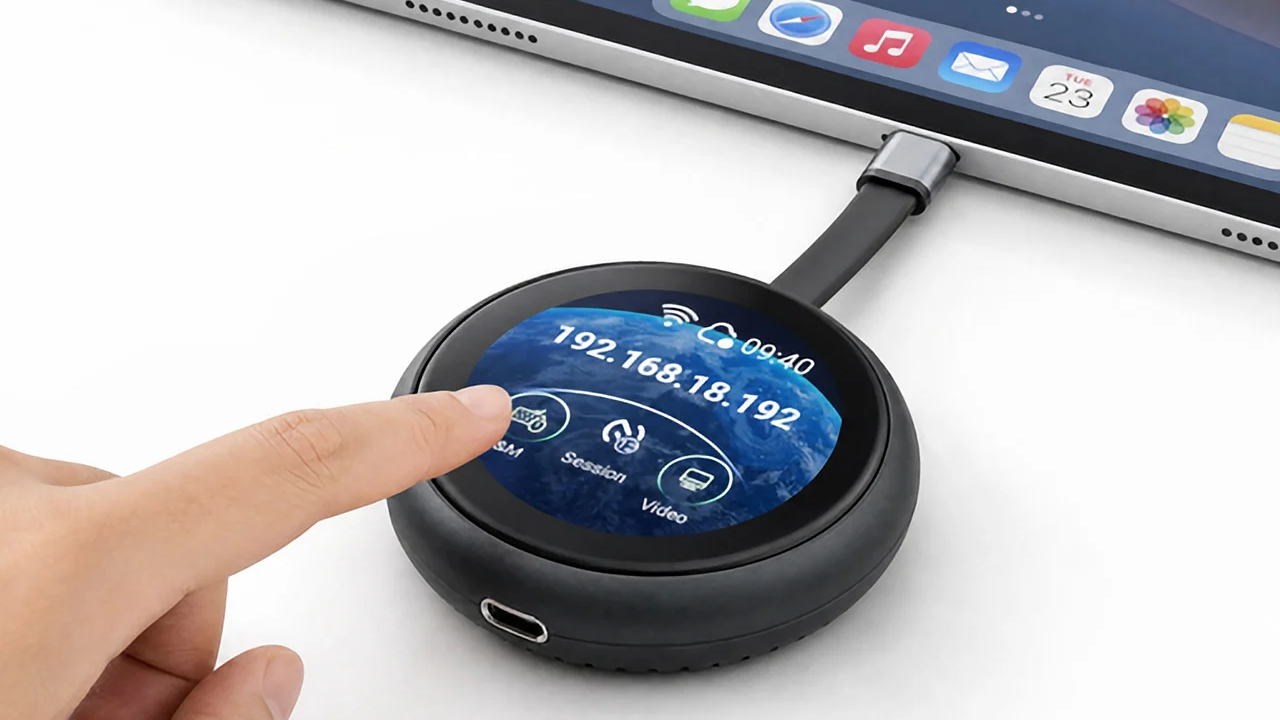
There is also a difference between “remote access” and “magic.” Comet Q is meant to help you control compatible devices through a hardware KVM path, but network conditions, device support, power, and the physical connection still matter. This is a clever little bridge, not a portal opened by a wizard with a help desk ticket.
Availability And The Bottom Line
GL.iNet currently lists the Comet Q as a backorder from the US warehouse global version, with a current price of .99, down from an original price of .99. The product page says estimated shipping is late August 2026, with VIP customers and crowdfunding backers fulfilled before backorders in the next available batch. TechRadar’s July 3, 2026 coverage also noted Kickstarter pricing around , which explains why early birds are already making smug little noises.
When it comes time to actually buy one, the Comet Q is basically for anyone who has ever thought, “I need to control that device, but I refuse to physically go over there like it is 2009.” It is a niche tool, yes, but it is a tidy niche: mobile device testing, home labs, small office support, travel setups, and anyone who thinks a Mac mini should be seen only when absolutely necessary.
Key product details:
- Product: GL.iNet Comet Q (GL-RMQ1) USB-C mobile remote KVM.
- Core function: controls compatible phones, tablets, laptops, and Mac mini systems from a browser.
- Connection: built-in USB-C cable, Wi-Fi 6 remote access, optional external USB-C power for longer use.
- Built-in controls: 1.8-inch touchscreen for setup, status, and quick actions.
- Compatibility note: best for supported USB-C devices, especially those with DP Alt Mode video output where required.
- Availability: GL.iNet backorder, with estimated late-August 2026 shipping listed at the time of writing.
It is a wonderfully specific gadget: too technical for a junk drawer, too tiny for a server rack, and just weirdly useful enough to make every remote desktop app in your life sit up a little straighter.
| Pros | Cons |
|---|---|
| Compact mobile KVM design for phones, tablets, laptops, and mini PCs | Compatibility depends on the target device and USB-C video support |
| Browser-based control avoids dedicated client software | More niche than a standard remote desktop app |
| Built-in touchscreen helps with setup and status | Backorder timing means buyers may wait for fulfillment |
| Wi-Fi 6 and optional external power make longer sessions more practical | Early Kickstarter pricing may be lower than current backorder pricing |
| Useful for home labs, device testing, and headless Mac mini setups | Still requires the target device to be physically connected by USB-C |
Where to find This USB-C Mobile Remote KVM Lets You Control Devices From a Browser
OddityMall may earn a commission from qualifying purchases at no extra cost to you.
