
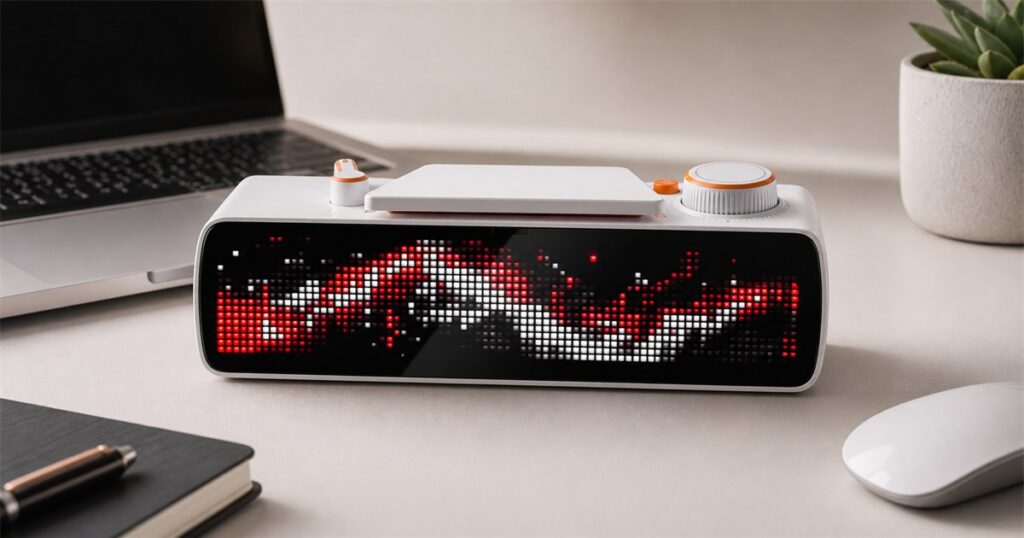
There are two kinds of people in a home office: the person trying to concentrate, and the person who sees headphones, a tense jaw, fourteen open tabs, and thinks, “perfect time to ask where the tape lives.” Humanity has survived famine, taxes, and printer drivers, but we remain helpless against the casual doorway question.
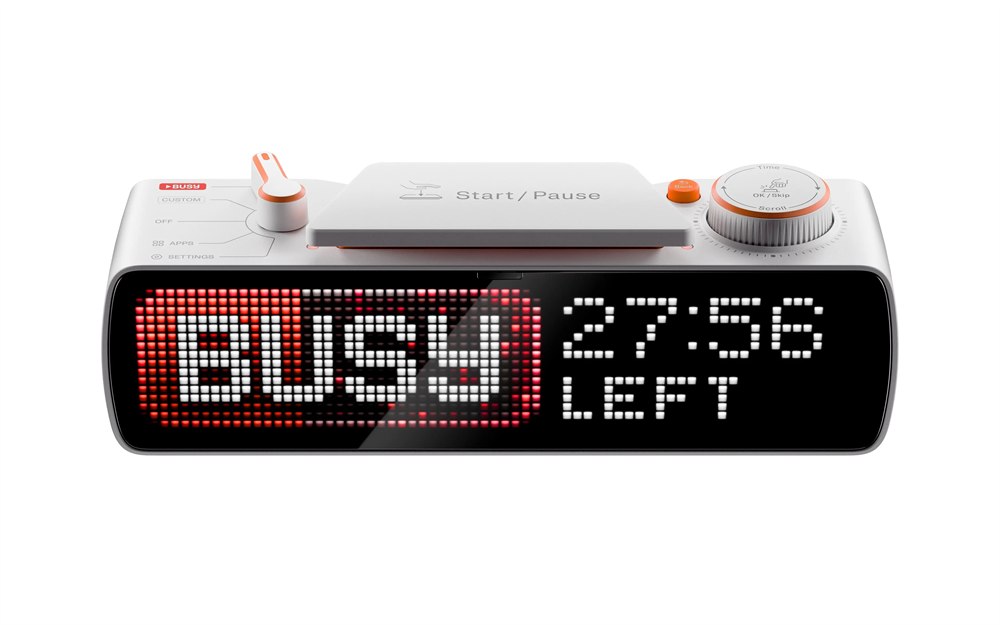
The BUSY Bar is a physical productivity status display that turns your “please do not interrupt me unless the ceiling is actively leaving the house” energy into a bright little desk signal. Made by Flipper Devices, the same company known for the hacker-friendly Flipper Zero, it looks like a tiny command center for people who have accepted that calendar notifications alone cannot protect them from society.
At the front is a 6.35-inch LED matrix display with a 72 by 16 pixel resolution, RGB color, a 60 Hz refresh rate, adaptive brightness, and a listed peak brightness of 800 nits on the official store. In normal human terms, that means it can shout “I am busy” across a room without you having to do the awkward raised-finger “one second” gesture that never lasts one second.
On top, the BUSY Bar has a 5-position mode selector, a Start/Pause button with a Kailh Choc Switch V2, a scroll wheel with push-button input, a back button, and two RGB status lights. This is not just a little screen with ambition. It is a tiny cockpit for task mode, and it seems designed for anyone who secretly believes their day would improve if focus had a satisfying mechanical click.
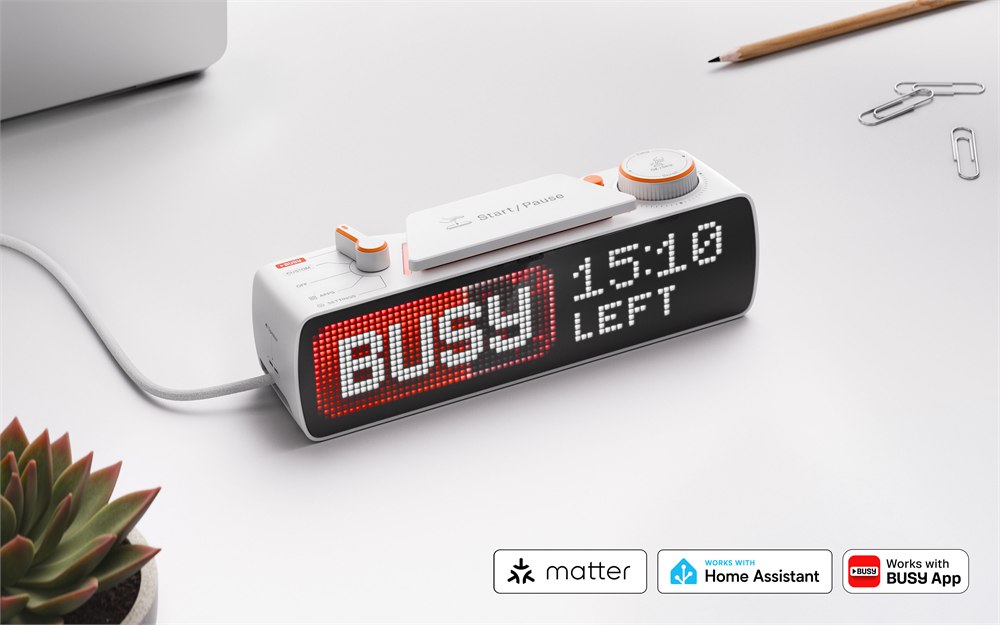
The basic idea is simple: put the device on your desk, wall, or door, then use it to show your status, run focus sessions, block distractions, and trigger connected routines. It can display a personal busy message, show when you will be free, and automatically activate in certain situations such as calls, streams, recordings, or selected app use through the BUSY App ecosystem.
Related posts:



A Desk Sign For People Who Need Boundaries With Buttons
The most charming part of the BUSY Bar is that it treats focus like a shared household infrastructure problem. A software status icon is fine if everyone lives inside the same app, but pets, kids, partners, roommates, and wandering coworkers are rarely checking your meeting presence before launching a conversation about lunch containers.
With the BUSY Bar, your availability becomes visible in the room. The front display can show your status, while the rear 1.54-inch monochrome OLED mirrors useful information with a 160 by 80 pixel resolution and 16 gray scales. That back screen matters if the main display faces outward toward the door and you still want to see status, timer, battery, or connectivity information from your side of the desk.
The built-in focus timer is inspired by the Pomodoro technique, with short work sessions and breaks, but the hardware makes the ritual feel less like babysitting an app and more like starting a tiny industrial process. You twist, press, and commit. Somewhere, a spreadsheet trembles.
Here is what the BUSY Bar is trying to handle in one physical object:
- Display a visible busy status so people nearby know you are in focus mode or on a call.
- Run interval work timers without burying the controls inside yet another browser tab.
- Mute or block distractions across supported phone, computer, and smartwatch workflows.
- Trigger smart home actions through Matter, including lights, music, locks, or other routines.
- Give developers an open HTTP API, MQTT support, and Python or TypeScript libraries for custom widgets.
That combination is what makes it feel more OddityMall than “ordinary desk clock.” It is not merely keeping time. It is negotiating with the entire attention economy from a small white plastic podium with orange controls.
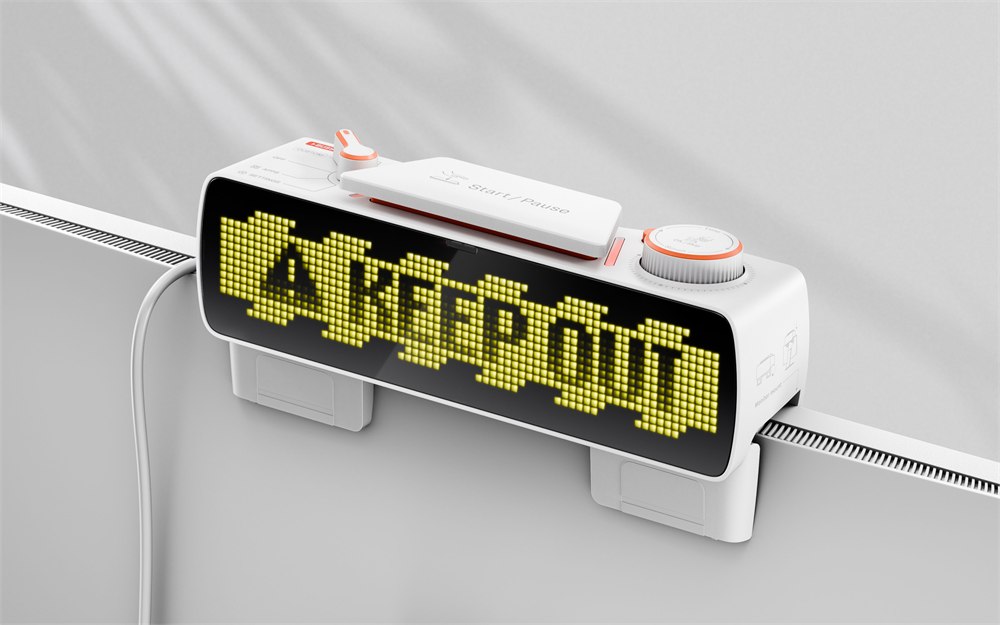
The Hardware Is Nerdy In The Useful Way
The BUSY Bar uses an STMicroelectronics STM32U5 central processor with an Arm Cortex-M33 running at 160 MHz, 2 MB of flash, 2.5 MB of SRAM, and 8 GB of additional eMMC storage. Its wireless processor is a Silicon Labs SiWG917 with Wi-Fi 6 on 2.4 GHz, WPA3 authentication, and Bluetooth Low Energy 5.4. That is a lot of silicon for telling people you are not emotionally available for hallway logistics.
Power comes from a 3250 mAh 18650 lithium-ion battery, with the official specs listing up to 8 hours of active status time. USB-C handles charging and PC connectivity, including a virtual LAN adapter and HTTP API access over USB Virtual LAN. A light sensor automatically adjusts brightness for both displays, and a 0.8 W speaker handles alerts and notifications.
For the people who like their desk gear sortable, here is the tidy version:
| Part | Officially listed detail | Why it matters |
|---|---|---|
| Main display | 6.35-inch RGB LED matrix, 72 by 16 px, 60 Hz, adaptive brightness | Makes your status readable from across a room |
| Rear display | 1.54-inch monochrome OLED, 160 by 80 px | Lets you see timer and status from behind the device |
| Controls | Mode selector, Start/Pause switch, scroll wheel, back button, RGB lights | Keeps focus controls tactile instead of app-buried |
| Connectivity | Wi-Fi 6, Bluetooth LE 5.4, USB-C, virtual LAN | Supports app, desktop, and developer workflows |
| Battery | 3250 mAh 18650 cell, up to 8 hours active status | Allows portable use away from the charging cable |
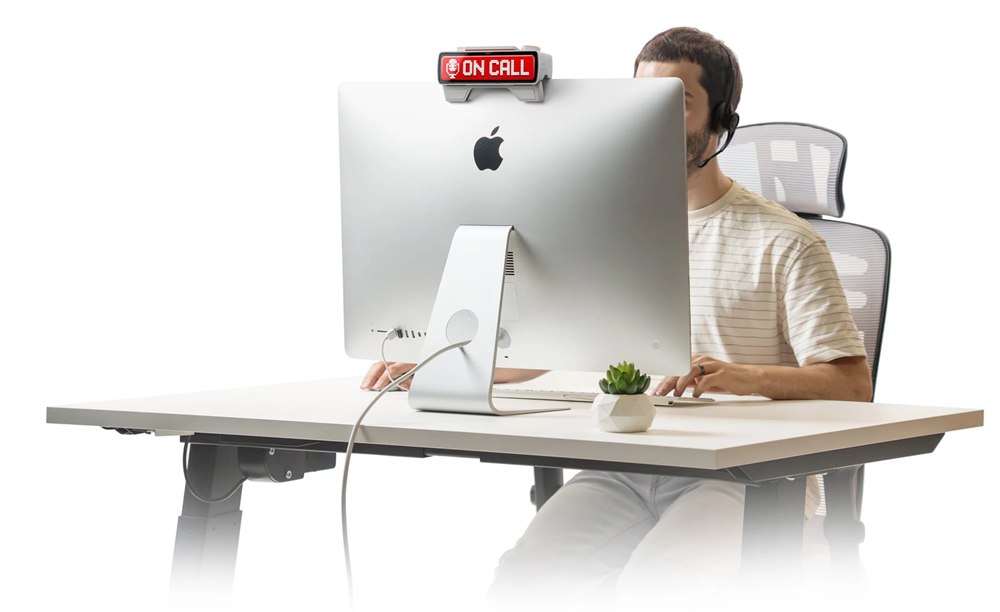
The smart home angle is the part that starts to feel slightly dramatic, in a good way. BUSY Bar supports Matter, so its status can work with Apple Home, Google Home, and other Matter-friendly setups. Pressing one button could theoretically start your focus mode, turn on a light, pause music, and lock the door. That is either productivity or a tiny stage performance about being left alone.
The developer-friendly side is also a major part of the appeal. The device ships with open API access, SDKs and libraries, and support for displaying custom messages and images through TypeScript or Python. If you are the kind of person who has ever said “I could automate that” and then lost a weekend proving it, this thing has your name written all over it, metaphorically speaking, because the image rules around here are strict.
Who Actually Needs One?
The obvious audience is remote workers who share space with other humans, especially if those humans are not fluent in Slack status archaeology. It also makes sense for streamers, podcasters, people who record audio, teachers, makers, workshop owners, and anyone whose day alternates between “available” and “do not perceive me.”
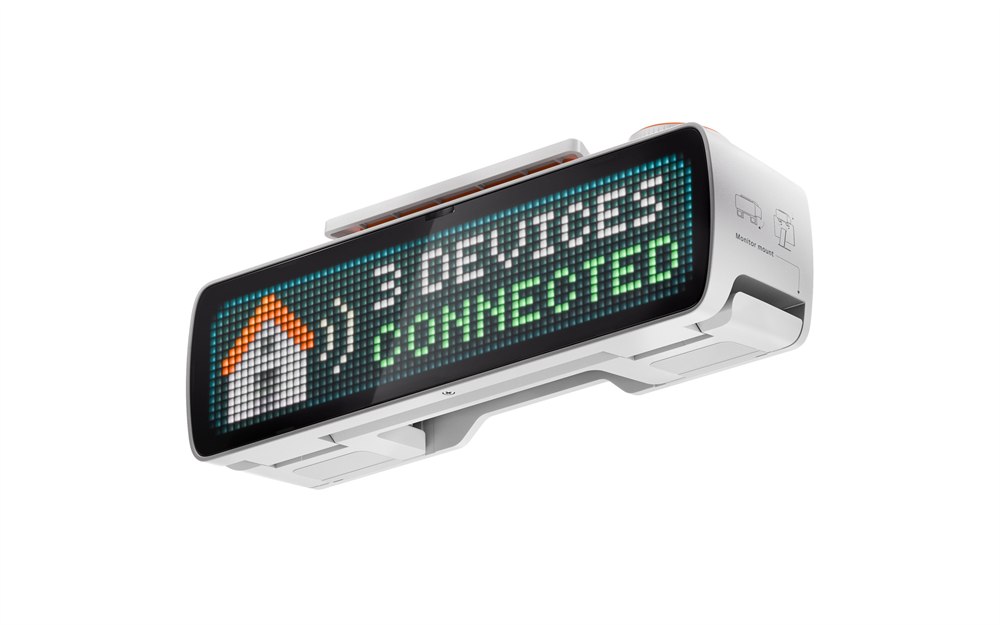
It is not magic, of course. A glowing bar cannot fix a workplace that ignores boundaries, and it cannot stop a determined child from asking for a snack with the confidence of a tiny landlord. But it does give your focus a physical object in the room, and that can be surprisingly powerful. A closed door can feel unfriendly. A visible timer says, with much better manners, “I return to civilization in 18 minutes.”
The BUSY App is designed to work across computer, phone, and smartwatch workflows, with the official page noting phone and PC notification muting when BUSY mode is active. TechCrunch reported iOS, Android, and macOS app support, with Windows support planned. That means the hardware is best understood as the front-facing control and display for a larger focus system, not a completely standalone cure for the modern internet.
The store also notes accessories from , with the launch coverage mentioning items such as wall mounts, screen protectors, and custom switches. The wall mount is the one that turns it from desk gadget into household diplomacy hardware. Place it outside a home office and suddenly your door has an API.
There is also something funny and honest about making productivity visible. We keep pretending concentration is a private inner virtue, but half of real focus is environmental defense. The BUSY Bar admits that the modern workday is a series of tiny invasions, and sometimes the most reasonable response is a glowing desk object with a scroll wheel.
Availability, Price, And The Practical Bits
Key BUSY Bar details and features:
- Product type: physical productivity status display, focus timer, and smart desk control device.
- Maker: Flipper Devices, with the product sold through the official BUSY Bar store.
- Displays: 6.35-inch front RGB LED matrix and 1.54-inch rear monochrome OLED.
- Controls: 5-position mode selector, Start/Pause button, scroll wheel, back button, and RGB status lights.
- Connectivity: Wi-Fi 6, Bluetooth LE 5.4, USB-C, Matter, cloud control, and open developer APIs.
- Battery: 3250 mAh 18650 cell with up to 8 hours of active status time listed.
- Best for: remote workers, creators, developers, shared offices, streamers, and anyone whose focus needs a visible force field.
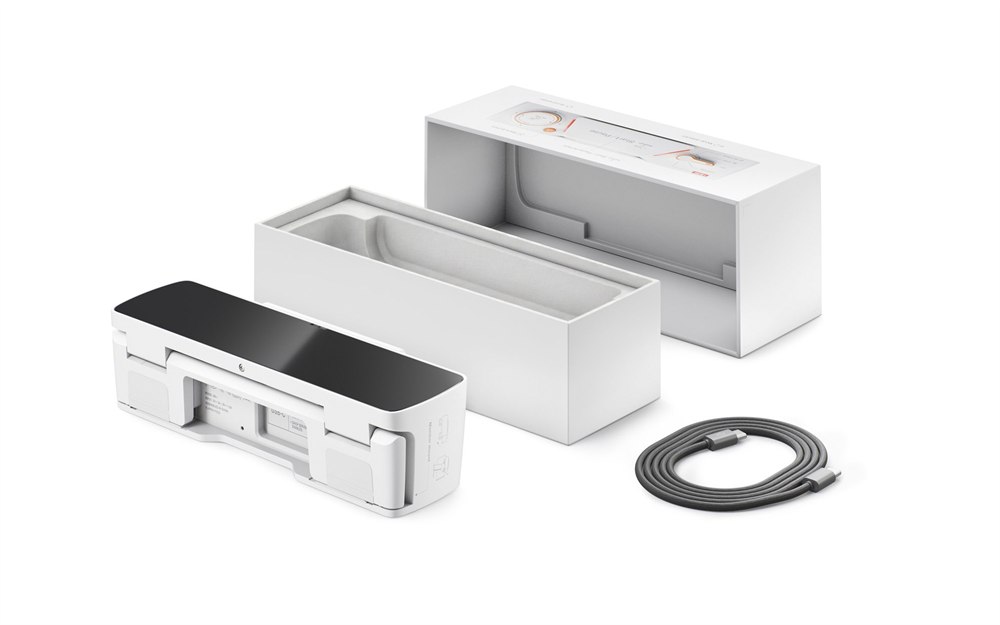
The BUSY Bar is listed at for the launch batch, with a regular price shown as . At the time checked, the official store showed the first batch with limited stock remaining, free shipping for orders with a BUSY Bar, estimated delivery in about 5 to 10 business days from Los Angeles, 30-day returns, and warranty coverage. TechCrunch reported that shipping and sales were set to begin July 14, 2026, for the U.S., EU, U.K., and Canada.
If your desk already looks like a small command bunker, the BUSY Bar will fit right in. If your desk is currently just a laptop, three cups, and a sense of spiritual fatigue, it may still fit in, but it will immediately become the most emotionally organized object in the room.
| Pros | Cons |
|---|---|
| Makes focus status visible to people nearby | Still depends on other people respecting the signal |
| Physical controls make timers and modes feel immediate | Another device to charge, place, and maintain |
| Combines status display, timer, app blocking, and smart home triggers | Some workflows depend on app and platform support |
| Developer APIs make it flexible for custom setups | Power users will get more from it than casual users |
| Rear OLED is useful when the main display faces outward | Its best placement may require an accessory mount |
| Matter support opens the door to home automations | Smart home routines can take extra setup |
| Oddly charming desk object for remote work boundaries | Not cheap compared with a normal timer or sign |
Where to find This BUSY Bar Productivity Status Display Tells People When To Leave You Alone
OddityMall may earn a commission from qualifying purchases at no extra cost to you.
