
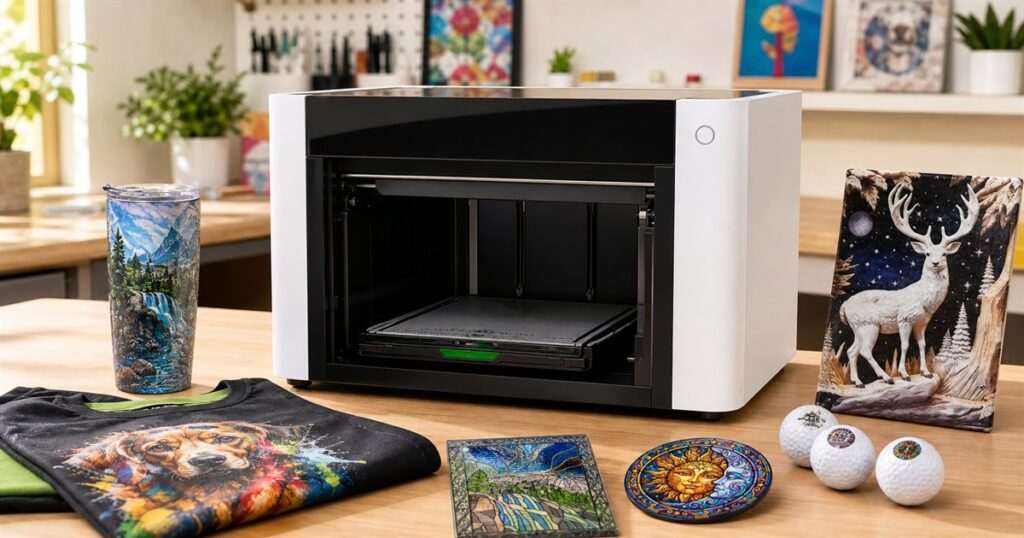
Humanity has spent several decades asking printers to please, for the love of toner, just print a shipping label without turning the home office into a tiny courtroom. Meanwhile, xTool looked at that same exhausted species and decided the obvious next step was a desktop machine that can put full-color designs on shirts, tumblers, plaques, phone cases, golf balls, fabric, decals, and other objects that absolutely do not fit in your sad little paper tray.
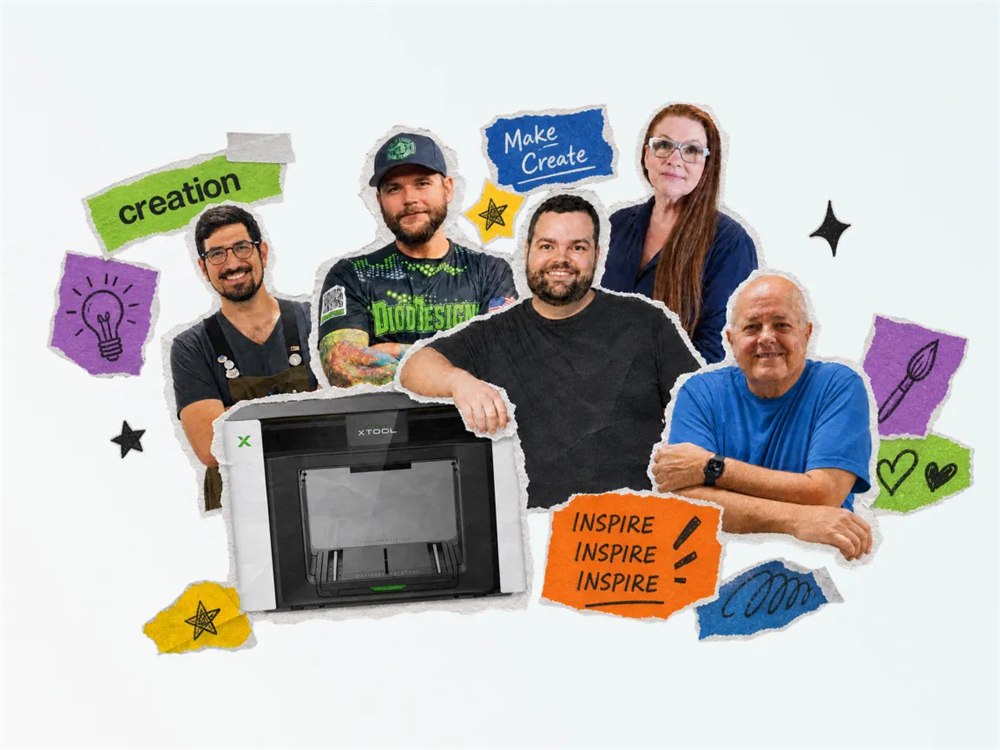
The xTool O1 Omni Printer is a 4-in-1 multi-material desktop printer built for people who want one machine to handle several kinds of custom printing instead of assembling a small industrial village in the garage. It combines UV printing, UV DTF, DTG, and DTF workflows, which is the kind of alphabet soup usually found only in craft-business Facebook groups at 2:17 a.m.
In normal-person terms, this is a printer for rigid things, fabric things, transfer things, and the many awkward objects that exist between those categories. xTool pitches it as an “Omni Printer,” which sounds like something a villain would keep in a glass room, but the idea is pretty practical: one desktop fabrication system that can move between flat panels, apparel, adhesive transfers, curved drinkware, and textured effects without forcing you to buy four different machines and then explain them to your spouse as “inventory.”
The machine comes in several configurations, including Single UV, Dual UV, and DT+UV versions, with standalone and bundle options depending on whether you need accessories such as a rotary attachment, laminator, or roll feeder. That gives the O1 Omni the general vibe of a custom-printing buffet: you can start with the version that matches your actual projects, then try not to become the person who says “substrate” at brunch.
A Printer For Objects That Refuse To Be Paper
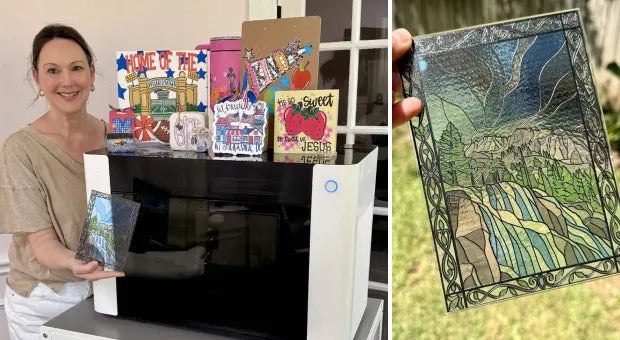
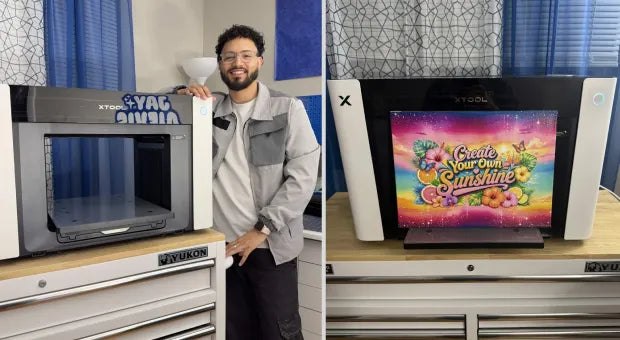
The big trick here is material flexibility. xTool says the O1 Omni is designed for UV, UV DTF, DTG, and DTF printing across both rigid and fabric materials. That means the same product family is aimed at things like apparel, hard signs, ornaments, promotional goods, decorated drinkware, stickers, decals, and the miscellaneous rectangle-shaped items that small businesses keep discovering at craft fairs.
Related posts:
 There’s Now a Rotary Cellphone That Exists For That Sweet Retro Nostalgia While Dialing
 There’s a Digital Nail Printer That Lets You Print Any Design Onto Your Nails
 Fisher Price’s Baby Phone Is Now a Working Rotary Telephone That Uses Bluetooth
 Tele 3D iPhone Case Makes Phone Look Like a Retro Rotary Phone
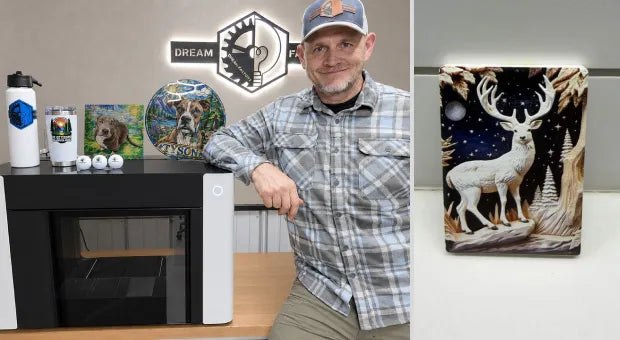
It also supports specialty effects, including raised 3D embossments up to 7mm, lenticular effects, and a texture library with more than 2,000 options. In other words, it is not just trying to print a flat picture of a flaming skull. It is trying to make the flaming skull feel like it has opinions.
- UV printing for rigid objects such as plaques, panels, signs, ornaments, and similar hard-surface items.
- UV DTF for transfer-style decals that can wrap onto curved or awkward surfaces.
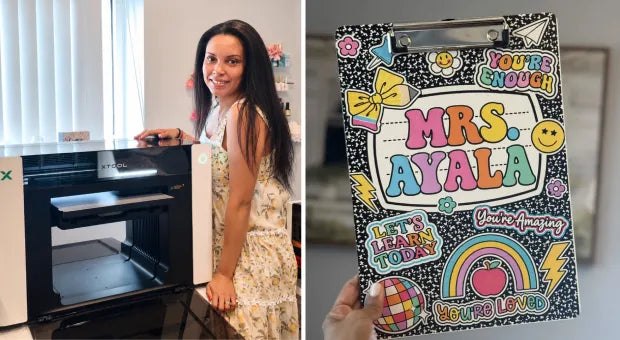
- DTG and DTF workflows for fabric and apparel projects, including shirts and soft goods.
- Optional rotary support for cylindrical items such as tumblers and drinkware.
- Optional laminator and roll feeder support for finishing, transfers, and production-style work.
- Pixel-Scan alignment for positioning artwork more accurately on odd-shaped objects.
That list is where the O1 Omni starts to make sense. This is not really for someone who wants to print one funny mug for a birthday and then retire from creativity. It is for makers, small shops, custom gift sellers, artists, schools, studios, and people whose side hustle has already swallowed the dining room.
The Feature Set Reads Like A Craft Store Got Into Engineering
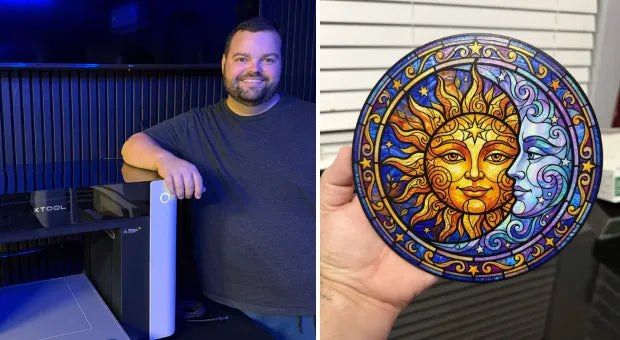
The O1 Omni’s spec story is partly about print modes and partly about reducing the fiddly misery that usually comes with object customization. xTool highlights Pixel-Scan alignment, commercial color accuracy, cross-device synergy with its laser systems, a dual-printhead architecture on some configurations, and a Smart Cycle 2.0 maintenance system intended to help with clog prevention.
That last part matters because printer clogs are the emotional tax of owning anything with ink. A regular printer clog can ruin your Tuesday. A production printer clog can ruin your entire “I am building a tasteful Etsy empire” personality.
| Feature | What It Means For Real Projects |
|---|---|
| 4-in-1 printing | Combines UV, UV DTF, DTG, and DTF workflows in one product family. |
| Rigid and fabric support | Targets hard goods, apparel, transfers, and mixed custom-printing jobs. |
| 7mm 3D embossments | Creates raised texture effects instead of only flat color prints. |
| Pixel-Scan alignment | Helps position designs on objects that are not friendly little sheets of paper. |
| Rotary accessory option | Supports curved drinkware projects when paired with the rotary bundle. |
| G7 color accuracy | Aims for more controlled commercial color output. |
The table version is tidy, but the experience it describes is beautifully chaotic: one box on a workbench that can move from a shirt to a tumbler to a panel to a sticker-like transfer while you slowly become the neighborhood’s emergency custom-object department.
Who This Actually Makes Sense For
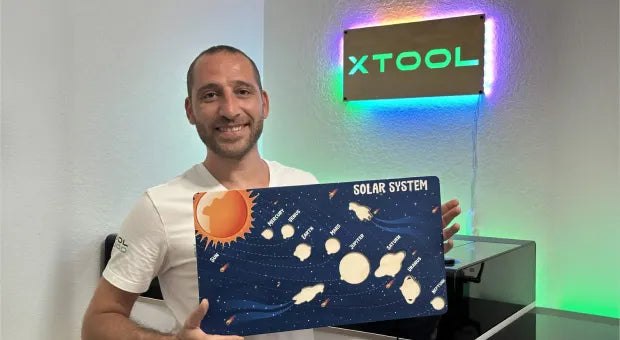
The O1 Omni is too much machine for someone whose full customization dream is putting “World’s Okayest Pickleball Uncle” on one travel mug. It is much more interesting for small business owners, print shops, classrooms, makerspaces, and serious creators who are already juggling several product categories.
A wedding vendor could print favors, signs, fabric pieces, and drinkware. A local sports merch shop could move between apparel, plaques, and hard goods. A maker could prototype weird gift products without turning every new idea into a new equipment purchase. A school or studio could use one machine to expose students to several physical production methods without needing a whole room of specialized hardware.
That does not mean it magically removes the learning curve. Multi-material printing still involves prep, artwork, fixtures, materials, curing, cleanup, and the ancient ritual of figuring out why the thing you imagined at midnight behaves differently in the physical world. The appeal is that xTool is trying to gather more of those workflows into one system with a common software and accessory ecosystem.
The official page also mentions ink-safety certifications for its UV and DT inks, including GREENGUARD Gold for UV ink and OEKO-TEX for DT ink. That is useful context for indoor studios, classrooms, and small shops, though buyers should still read xTool’s own safety, ventilation, and material guidance before placing the machine next to the family snack shelf like it is a toaster.
The Price Is Not Tiny, Because Neither Is The Ambition
The xTool O1 Omni Printer is currently listed for preorder from $1,699, with higher configurations and bundles rising from there. The official product page shows the Single UV Standalone at the entry point, with Dual UV and DT+UV options available in standalone, rotary, and versatile bundles. xTool’s page also notes estimated shipping from mid September for the base preorder, while some accessories in bundles may ship later.
That puts it firmly in “business tool or very serious hobbyist” territory, not “I saw one TikTok and blacked out with my credit card” territory. But for someone already considering separate UV, DTF, DTG, and transfer tools, the O1 Omni’s central argument is simple: maybe one highly capable box is less ridiculous than four medium-ridiculous boxes.
Key Details
- Product: xTool O1 Omni 4-in-1 multi-material desktop printer.
- Core function: UV, UV DTF, DTG, and DTF printing for rigid objects, fabric, and transfers.
- Notable effects: raised 3D embossments up to 7mm, lenticular effects, and texture options.
- Helpful tools: Pixel-Scan alignment, G7 color accuracy, and Smart Cycle 2.0 maintenance support.
- Configurations: Single UV, Dual UV, and DT+UV with standalone, rotary, and versatile bundle choices.
- Availability: preorder through xTool, with base preorder shipping estimated from mid September.
- Price: starts at $1,699, with bundle pricing varying by configuration.
So yes, the xTool O1 Omni Printer is technically a printer. It is also the kind of printer that makes your regular printer look like it joined the witness protection program. If your dream is to print on fabric, hard goods, curved drinkware, textured surfaces, and transfers from one desktop setup, this is one of the stranger and more ambitious ways to turn a workbench into a tiny product factory.
| Pros | Cons |
|---|---|
| Combines several custom-printing workflows in one product family. | Still a serious investment starting at $1,699. |
| Works across rigid objects, fabric, apparel, and transfer-style projects. | Likely more machine than casual one-off crafters need. |
| Optional rotary and finishing accessories broaden what it can make. | Some bundle accessories have later estimated shipping windows. |
| Pixel-Scan alignment helps with awkward object placement. | Multi-material printing still requires setup, testing, and material know-how. |
| Raised texture and lenticular effects make prints more interesting than flat graphics. | Different configurations may make buying the right bundle a homework assignment. |
| Useful fit for small shops, makerspaces, studios, and serious creators. | Not a replacement for reading ink, ventilation, and material safety guidance. |
Where to find This 4-in-1 Multi-Material Printer Prints on Shirts, Tumblers, and Flat Objects
OddityMall may earn a commission from qualifying purchases at no extra cost to you.
Related posts:
There’s Now a Rotary Cellphone That Exists For That Sweet Retro Nostalgia While Dialing
There’s a Digital Nail Printer That Lets You Print Any Design Onto Your Nails
Fisher Price’s Baby Phone Is Now a Working Rotary Telephone That Uses Bluetooth
Tele 3D iPhone Case Makes Phone Look Like a Retro Rotary Phone
