
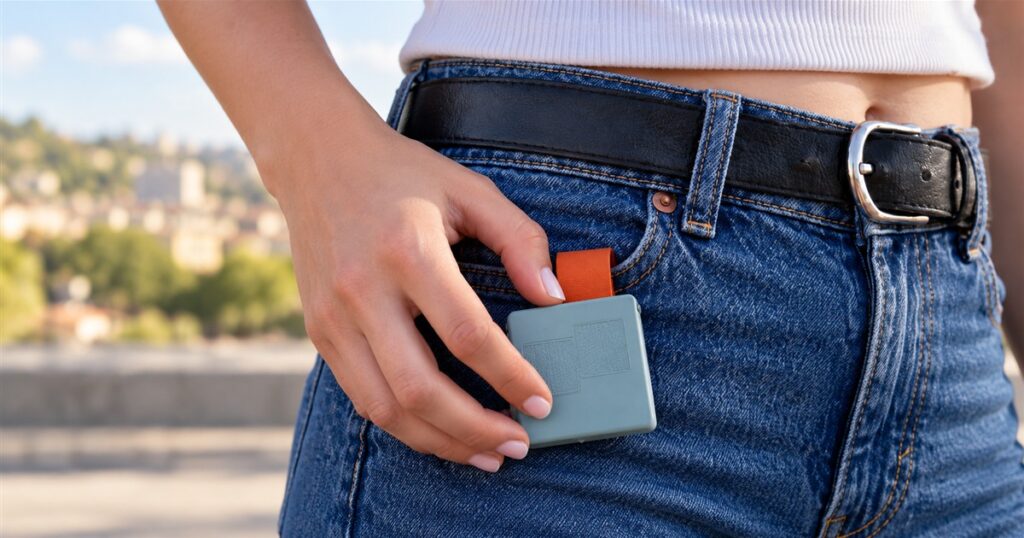
Smart glasses promise a future where your computer lives on your face. Unfortunately, composing a message can still involve announcing your business to everyone waiting for a sandwich. MindRove’s TypAir wearable gesture keyboard proposes a quieter arrangement: attach a small module to your clothing and let your fingers do the talking. The sandwich line has suffered enough.
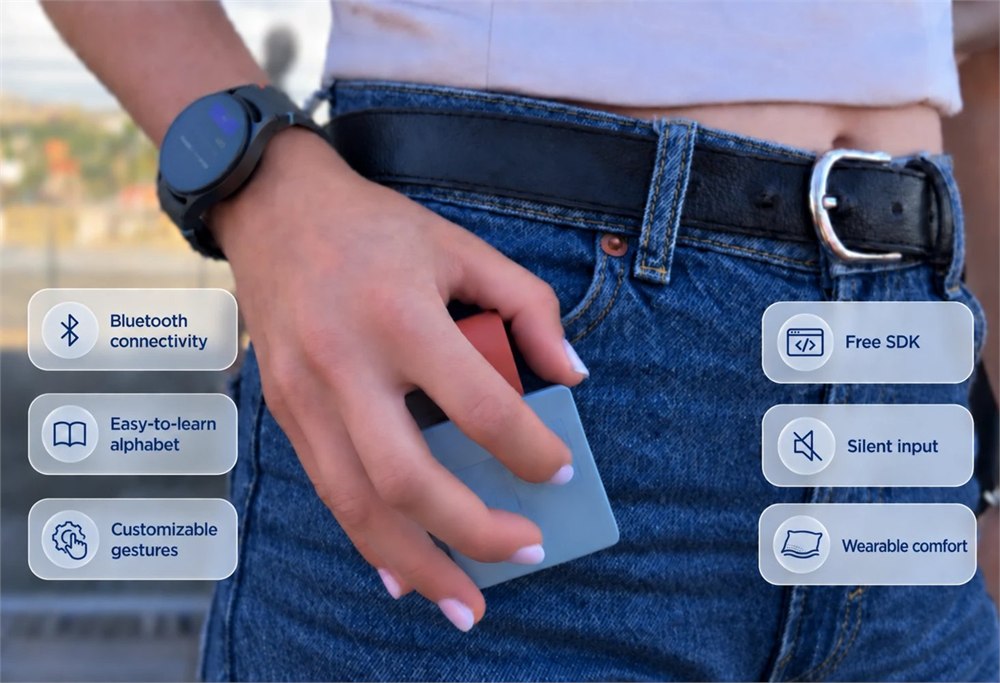
TypAir turns finger movements into keyboard input over Bluetooth. Instead of carrying a normal keyboard or dictating each sentence, you use a predefined gesture alphabet on a compact wearable device. It is intended for compatible smart glasses and other connected devices, with magnetic attachment to clothing, a pocket, or a strap.
There is an important detail before anyone starts planning their triumphant farewell to QWERTY: TypAir is still a product in development. MindRove says it has a functional hardware prototype, a tested alphabet, and a basic software development kit. Refinement, testing, certification, and preparation for manufacturing remain on the to-do list. This is a preorder proposition, not an immediately available retail keyboard.
A keyboard that attaches to your outfit
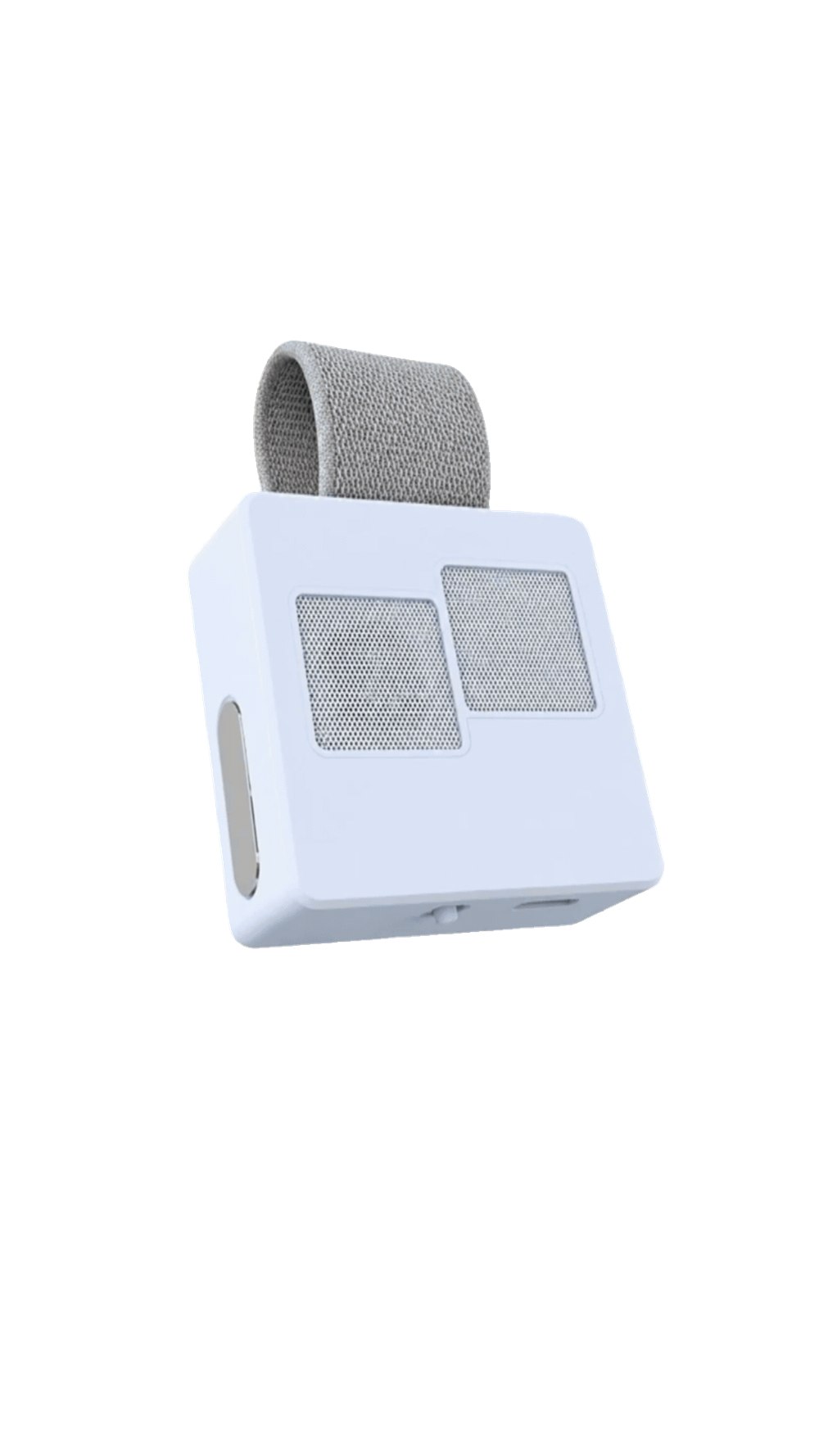
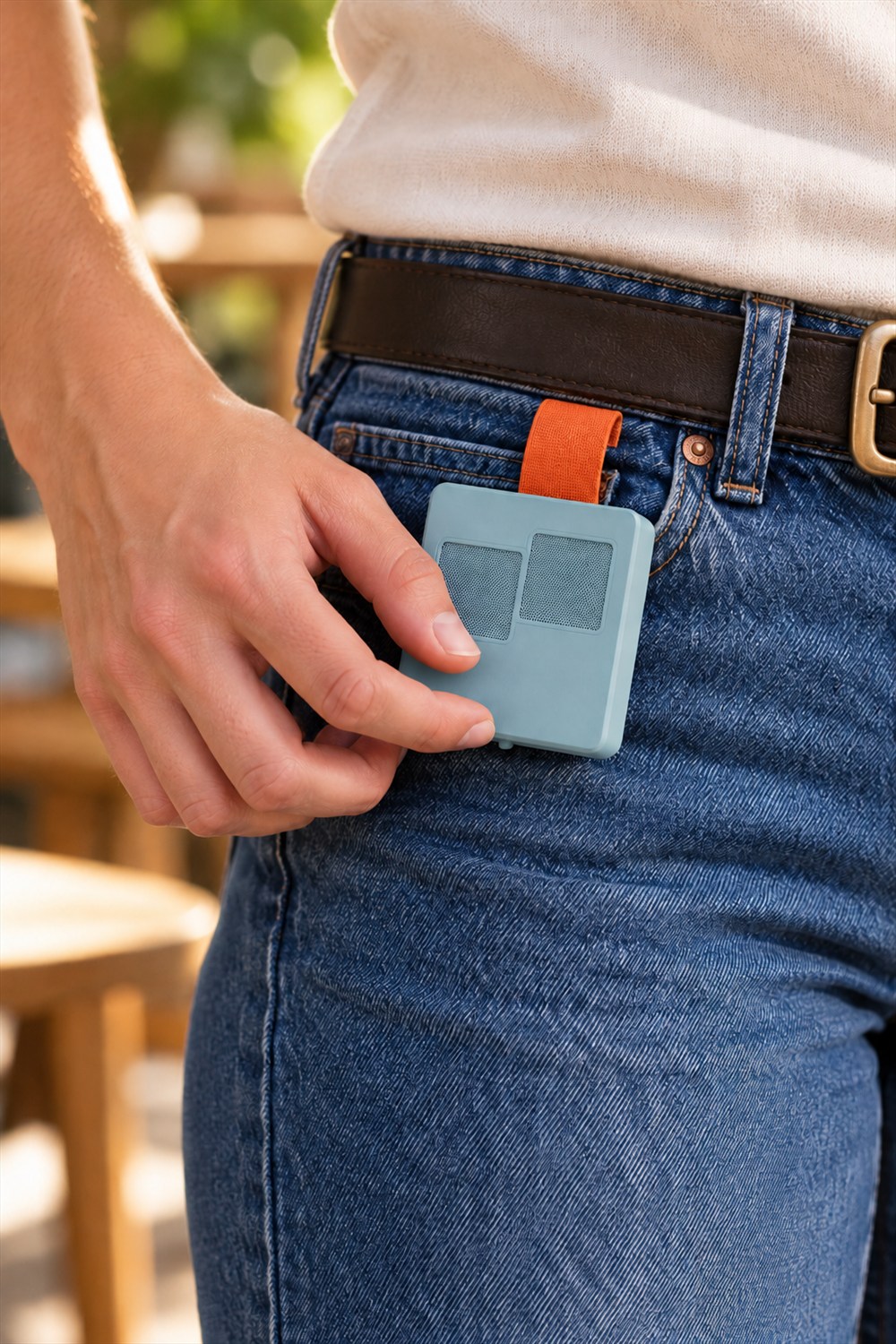
The prototype is roughly square, with a compact face and a strap that loops back behind it. Official photos show the module beside a jeans pocket, close to where a hand might naturally rest. It is a much more discreet location than balancing a full keyboard across your forearm, an approach that would make ordering coffee feel like operating a forklift.
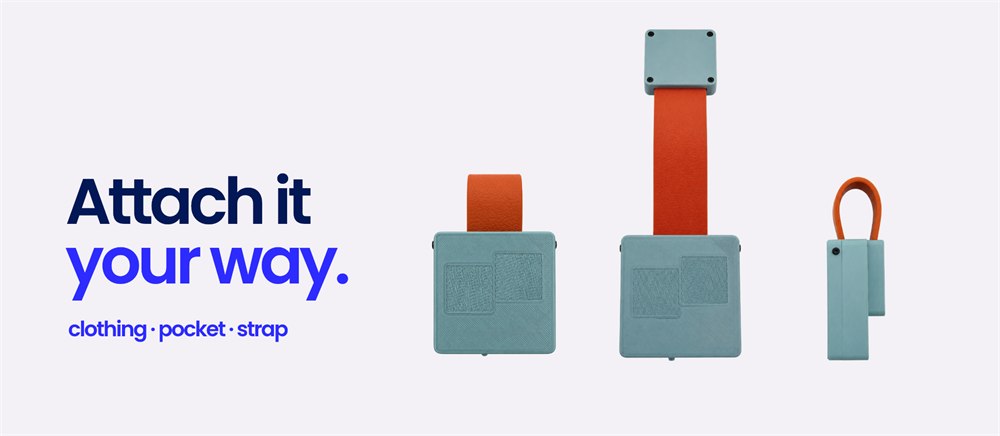
Magnetic attachment is central to the idea. MindRove shows different arrangements for clothing, pockets, and straps rather than insisting on one permanent mounting position. That gives you options, although actual comfort will depend on the garment and where you put it. A sensible place on one pair of jeans may be less convenient on another outfit.


The physical location matters because this is something you would touch repeatedly. You want a position your hand can find easily, not an elaborate reaching maneuver every time you need a space. The maker specifically identifies wearable comfort and enclosure refinement as development work still to be completed. The pictures are useful previews, not a guarantee that every final detail is settled.
Yes, there is an alphabet to learn
TypAir’s small size comes with a tradeoff: you are learning movements instead of hunting for printed keys. Each character has a defined gesture. MindRove’s browser practice guide starts the letter A with a tap in the bottom-left corner of its panel, which gives a useful taste of how different this feels from typing on a phone.
The online demo is a practice tool, though. The company explicitly says its approximate gesture feedback is not the hardware recognizer. Getting a letter right in the browser doesn’t establish how reliably the finished device will handle a long message. It helps you decide whether the learning process appeals to you in the first place.
That distinction is worth keeping in mind if your usual relationship with new controls involves three seconds of experimentation followed by an accusation. A gesture alphabet asks for some patience. The potential reward is a compact input method you can wear; the admission requirement is letting your fingers go back to school.
- Start with the supplied alphabet: learn the structured movements for characters before expecting familiar typing.
- Make room for shortcuts: MindRove describes customization for letters, numbers, symbols, commands, and frequently used actions.
- Check the receiving device: Bluetooth keyboard support is required, and the operating system and app also matter.
- Try a comfortable position: the magnetic arrangement allows clothing, pocket, or strap placement.
- Treat the demo as practice: its feedback does not reproduce the actual hardware’s recognition system.

The quiet part is the interesting part
The appeal is easy to understand in a waiting room, a shared office, or any place where dictation turns a private task into a public performance. You might want to send a short reply or enter a prompt without speaking it. TypAir aims to provide that physical input surface while the display stays on another device.
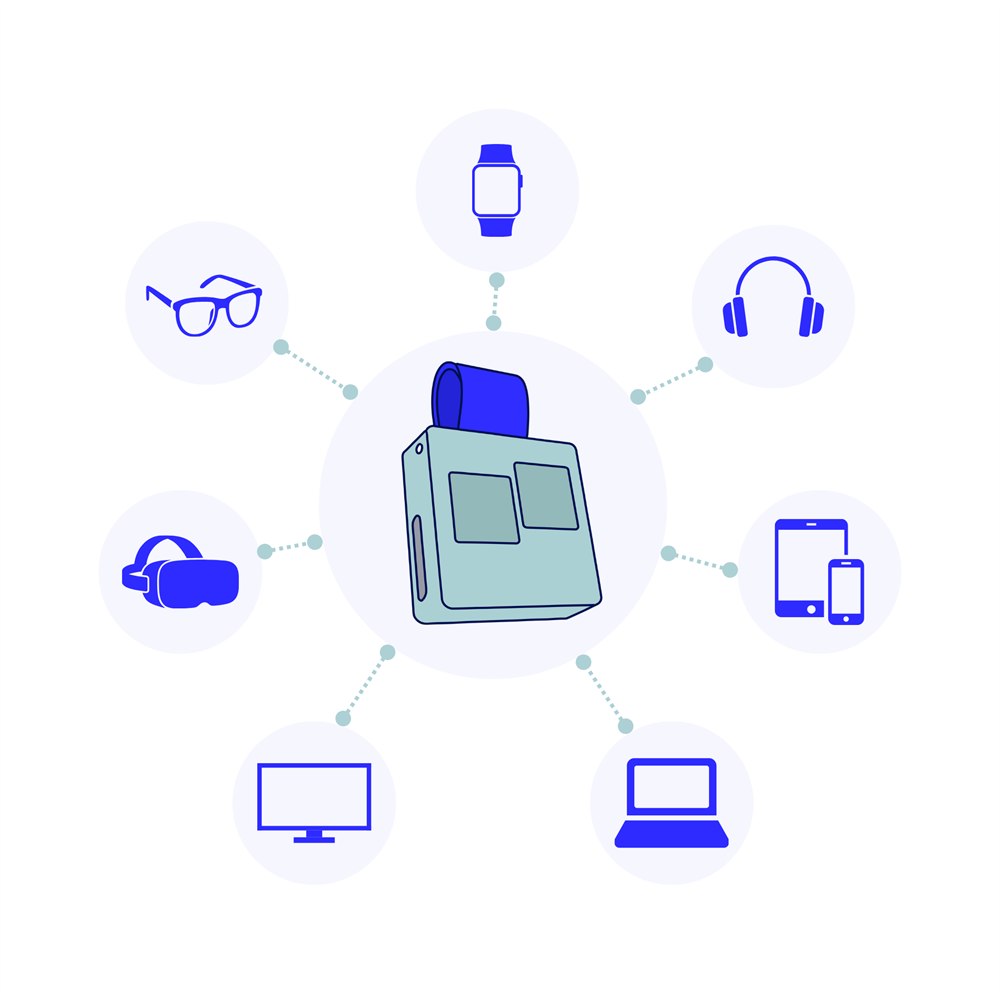
It is not a tiny computer that supplies its own screen, and it does not make incompatible glasses compatible by enthusiasm alone. MindRove lists Android and Windows support, with iOS and macOS under development. Its device illustrations span watches, glasses, headsets, phones, tablets, computers, and TVs, but those categories should not be read as a promise that every model works.
Before ordering, the useful question is whether your particular device and app accept the necessary Bluetooth keyboard input. A smart accessory can have a surprisingly specific opinion about which other smart accessories it likes. Apparently the future has inherited the seating arrangements of a difficult wedding.
| Area | Current description |
|---|---|
| Input method | Predefined finger gestures, with customization planned |
| Connection | Bluetooth keyboard input on compatible devices |
| Platform status | Android and Windows listed; iOS and macOS under development |
| Attachment | Magnetic arrangement for clothing, pockets, or straps |
| Power | Maker claims more than six hours of use per charge |
| Development stage | Functional prototype; further engineering and production work required |
The more-than-six-hour battery figure is the company’s claim, not a result from our own testing. MindRove says a charging cable is included. For anyone considering it as a daily input tool, charging is another small routine to account for alongside the glasses, headset, phone, and other inhabitants of the cable drawer.
Shortcuts could be as useful as sentences
Typing entire paragraphs is only one possible role for a wearable input device. MindRove also describes customizable commands and shortcuts. A frequently repeated action could make more sense as one learned movement than as a sequence of letters, especially when you are interacting with a display that isn’t sitting on a desk.
The company includes a free SDK with each preorder offer, which gives the project an additional developer angle. However, it also says the customization tools and SDK need expansion. Buyers should distinguish the basic foundation already described from the more complete experience the team intends to build. An interesting development platform and a polished everyday appliance are different purchases.
There are cosmetic choices as well. MindRove shows interchangeable-looking module and strap color combinations, including a restrained black-on-black option and brighter mixes. A keyboard attached to your trousers becomes part of your outfit whether the electronics department likes that or not. At least this one acknowledges the wardrobe meeting.
What the preorder actually means
The remaining work is substantial: the company lists gesture-recognition reliability, comfort, customization, electronics, firmware, enclosure design, component sourcing, manufacturing, and certification. The final device may differ from the prototypes shown. Those are practical reasons to approach TypAir as an early-stage product rather than schedule your whole working day around it arriving on a particular date.
For the right person, the unusual input method is the attraction. Someone already experimenting with wearable displays may find the idea compelling. Someone who needs a proven keyboard for long daily writing sessions will want to see how the finished hardware performs first. Neither group needs to shout its conclusion into a pair of glasses.
- TypAir is a wearable Bluetooth gesture keyboard from MindRove.
- It attaches magnetically to clothing, a pocket, or a strap.
- A predefined alphabet provides the starting point for finger input.
- Custom gestures, shortcuts, commands, and a free SDK are part of the offer.
- Compatibility depends on the device, operating system, and app.
- A functional prototype exists, with further development required before production.
MindRove advertises a $99 Super Early Bird preorder limited to five units, a $145 Early Bird tier limited to 20 units, and a $189 preorder offer. These are listed tier limits, not a live count of units remaining. Check the current offer before purchasing.
The company targets shipping in 2026 but says the estimate is not guaranteed. Shipping is extra and collected separately after the preorder period; the listed United States fee is $14.99. Destination-dependent taxes and import costs may also apply. Cancellation and refund terms depend on the preorder stage, so read those terms before committing.
Product details and images come from MindRove’s official TypAir page. It is a wonderfully peculiar response to a real problem: wearable displays still need a way to hear from you when everyone nearby would prefer not to.
| Pros | Cons |
|---|---|
| Text input without spoken dictation | Requires learning a gesture alphabet |
| Magnetic clothing, pocket, or strap placement | Comfort and enclosure design still need refinement |
| Custom commands and an included SDK | Customization tools and SDK remain in development |
| Designed for compatible wearable displays and other devices | Not universal; iOS and macOS support is unfinished |
| Functional hardware prototype already exists | Production work remains and delivery is not guaranteed |
Save this find.
Thank yourself later.
Your next great gift idea. Your someday space. Your collection of wonderfully weird things.
Save to PinterestPick a board. Keep the inspiration.
This Wearable Gesture Keyboard Lets Your Fingers Type Without Speaking Aloud
Where to find This Wearable Gesture Keyboard Lets Your Fingers Type Without Speaking Aloud
OddityMall may earn a commission from qualifying purchases at no extra cost to you.
