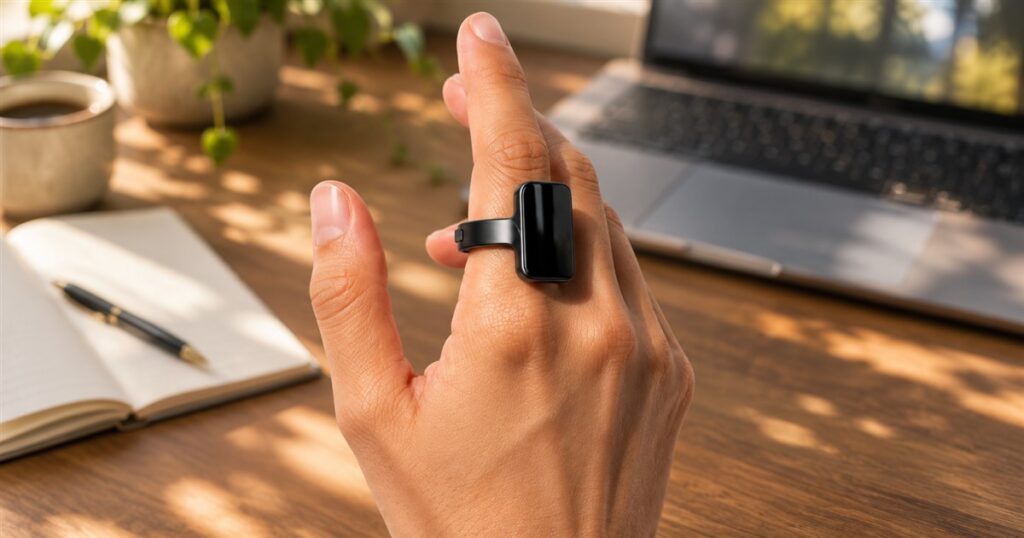
Your index finger has enjoyed a suspiciously light workload for years. Point at a menu. Accuse the printer. Occasionally participate in a password. The Aina Ring would like to promote it to remote control, complete with a tiny display and a thumb-operated button. Congratulations, finger. Your new role comes with meetings.
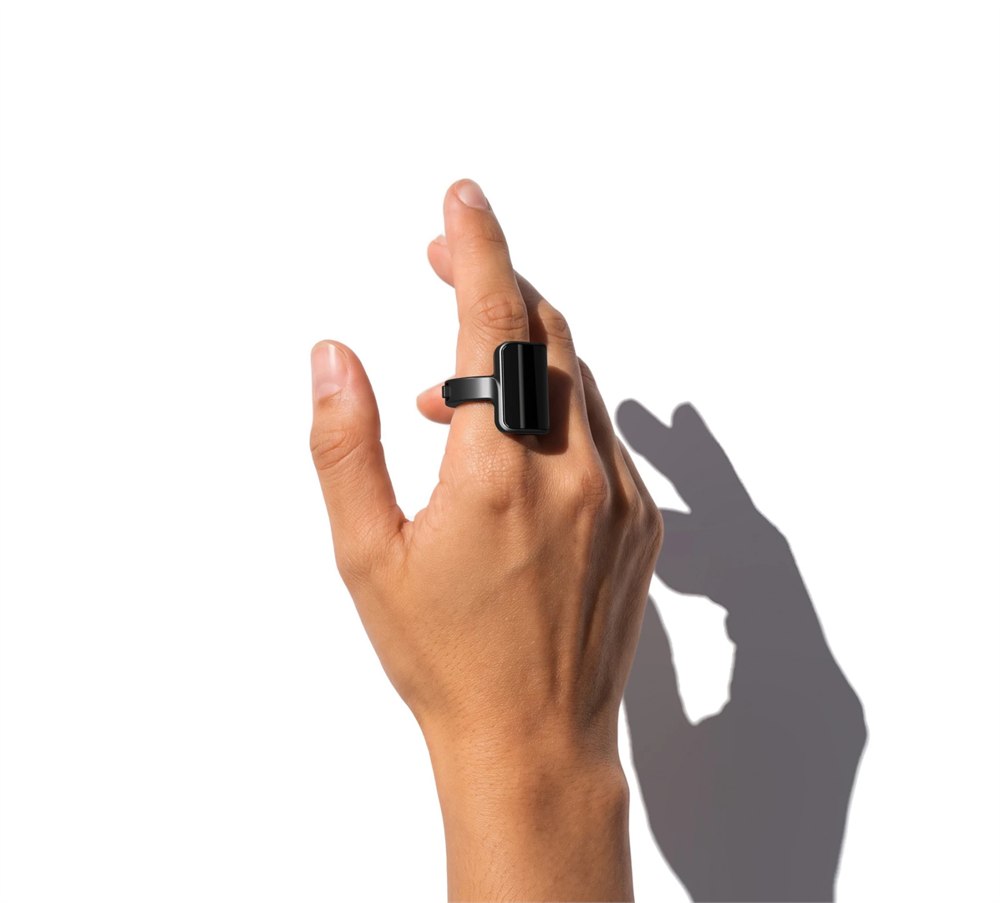
The Aina Ring is a wearable controller for iPhone and Mac, built around a screen on top of the band and a small directional control on its side. Instead of fishing out a phone for every little action, you flick, press, or hold that control with your thumb. The result looks like someone shrank a command center until it could pass for ambitious jewelry.
This is a preorder product, so its appeal is the proposed way of interacting with your devices, not a promise that your entire digital life has already become effortless. Aina describes a combination of voice input, contextual suggestions, phone-call controls, and Mac shortcuts. That’s a substantial job description for something that lives next to a knuckle.
A tiny screen with a very specific job
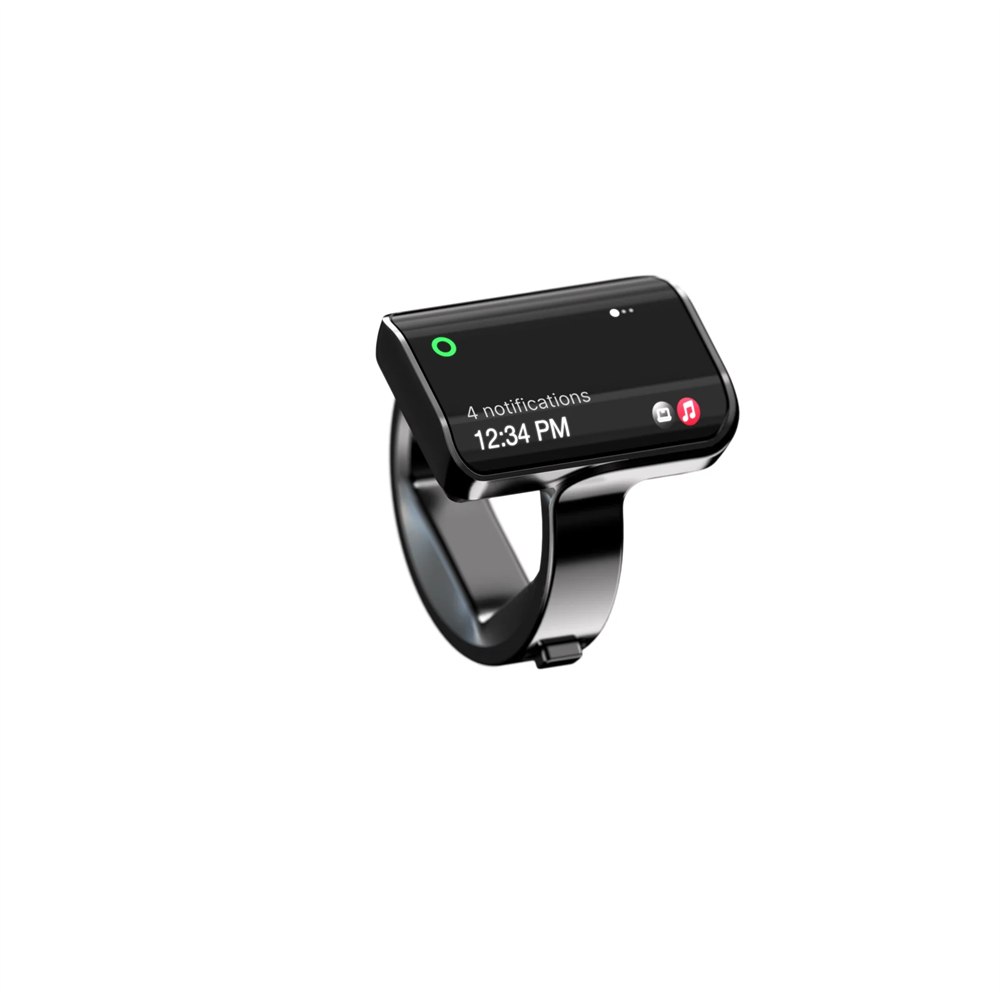
The OLED display sits under glass on the top of the ring. Aina’s approach is to show one useful item at a time, together with a hint about the gesture that operates it. Home displays the time, while the company’s suggestions, called Cues, are a flick away. This is less about browsing a miniature phone and more about answering one small question.
That distinction matters. A full phone screen is excellent at turning a quick task into twenty minutes of unrelated activity. A small display has considerably less room for that nonsense. Whether the ring becomes a helpful shortcut or another thing asking for attention will depend on how useful those suggestions are in everyday use.
Related posts:


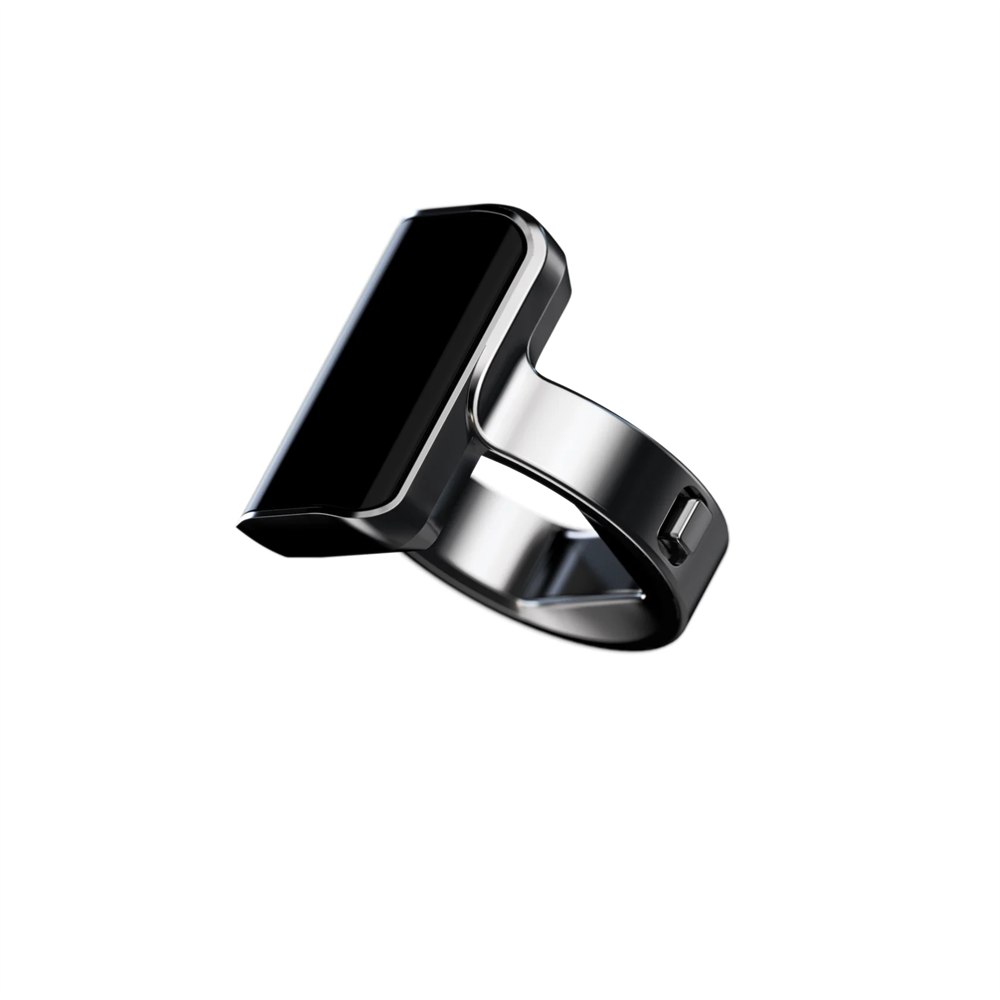
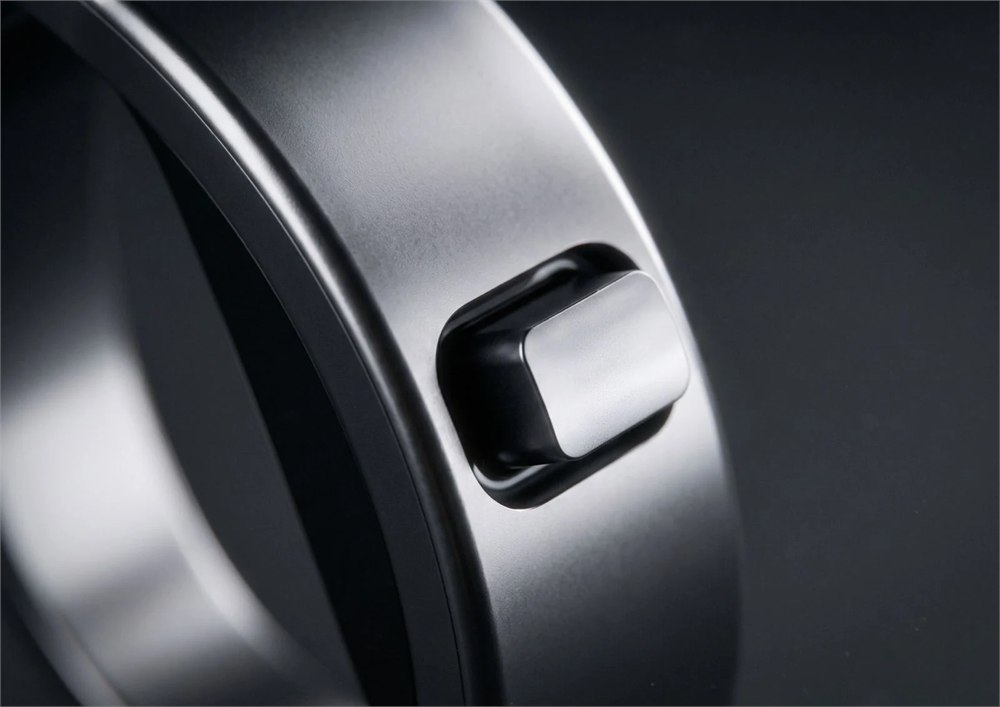
The hardware also makes its intentions obvious. There’s a tall, dark screen above the band rather than a hidden sensor pretending to be a wedding ring. It is designed for the index finger, with the side button positioned for the thumb. If understated jewelry is your priority, this is a fairly enthusiastic interpretation of understated.
Your thumb gets seven ways to be useful
Aina groups the controls into seven gesture types. Flicking up can approve a Cue, answer a call, or play and pause media, depending on context. Flicking down can decline a call or move back. Sideways flicks move between Home and Cues or skip a song. The display hints are meant to keep you from memorizing a tiny secret handshake.
A press wakes the ring or returns to Home. Two presses switch between Home and the remote. Holding the button starts voice input, while holding up or down adjusts volume and can control meeting actions on a Mac. The same physical control takes on different jobs, which is handy provided the current job stays clear.
- Glance at the display for the current item and its gesture hint.
- Flick the side control to navigate or act on supported functions.
- Hold the button to speak a request or dictate on a Mac.
- Use the remote view for supported media and ongoing activities.
There is a pleasingly physical idea here: a small action gets a small control. Pausing a song shouldn’t require a full expedition through your pocket. Nor should going back one step feel like opening a filing cabinet. The ring puts those little decisions somewhere your other hand doesn’t necessarily need to visit.
What it does with your phone and Mac
Aina describes five main functions: Cues, voice, remote controls, Mac controls, and phone calls. Cues are suggestions based on routines learned on your own devices. Voice input is intended for requests such as setting a reminder, booking a ride, or recording a thought before it evaporates halfway to the kitchen.
On a Mac, Aina says each app gets four gestures, and holding the button lets spoken words become typed text. Meeting controls run through the Aina Mac app and require the Mac to be nearby. That last detail is useful to know before you picture wandering three neighborhoods away while silently managing the weekly status call.
| Function | Aina’s stated use |
|---|---|
| Cues | Contextual suggestions you can approve from the ring |
| Voice | Spoken requests and capturing thoughts |
| Remote | Controls for supported media and ongoing activities |
| Mac controls | App gestures, dictation, and nearby meeting controls |
| Phone calls | See the caller, answer or decline, and talk from the ring |
Phone calls are perhaps the most delightfully odd part. Aina says you can see who’s calling, flick up to answer, and speak from the ring itself. It gives the familiar act of talking with your hands a rather literal upgrade. As with any wearable calling device, the setting still matters; a crowded cafe remains a crowded cafe.
The compatibility boundary is straightforward: iPhone and Mac. Aina lists Android and Windows as unsupported. Anyone shopping for a universal controller should pause here. A clever little accessory is only clever for you when the devices you actually own are invited to participate.
Titanium, four finishes, and an actual sizing process
Aina says the body uses four titanium parts enclosing 140 components. The finishes are Eclipse Black, Amber Gold, Mercury Silver, and Slate Titanium. Those choices change the look, while the display remains the same across sizes. Going up a ring size gets you a wider band, not a miniature television upgrade.
Sizes run from 7 through 13, and a free sizing kit is part of the ordering process. The kit ships first so you can try the options on your index finger and select a size in the Aina app. You keep the kit afterward. Given that this accessory needs to sit comfortably and put its button within reach, trying the fit is more useful than guessing with heroic confidence.
The stated IP65 rating comes with a practical limitation: Aina says to remove the ring before swimming or showering. Its description covers dust and water jets, plus everyday encounters such as rain or a spilled drink. A wearable controller still deserves a break when you’re shampooing. Your calendar can survive five unsupervised minutes.
A charging dock for your newly employed finger
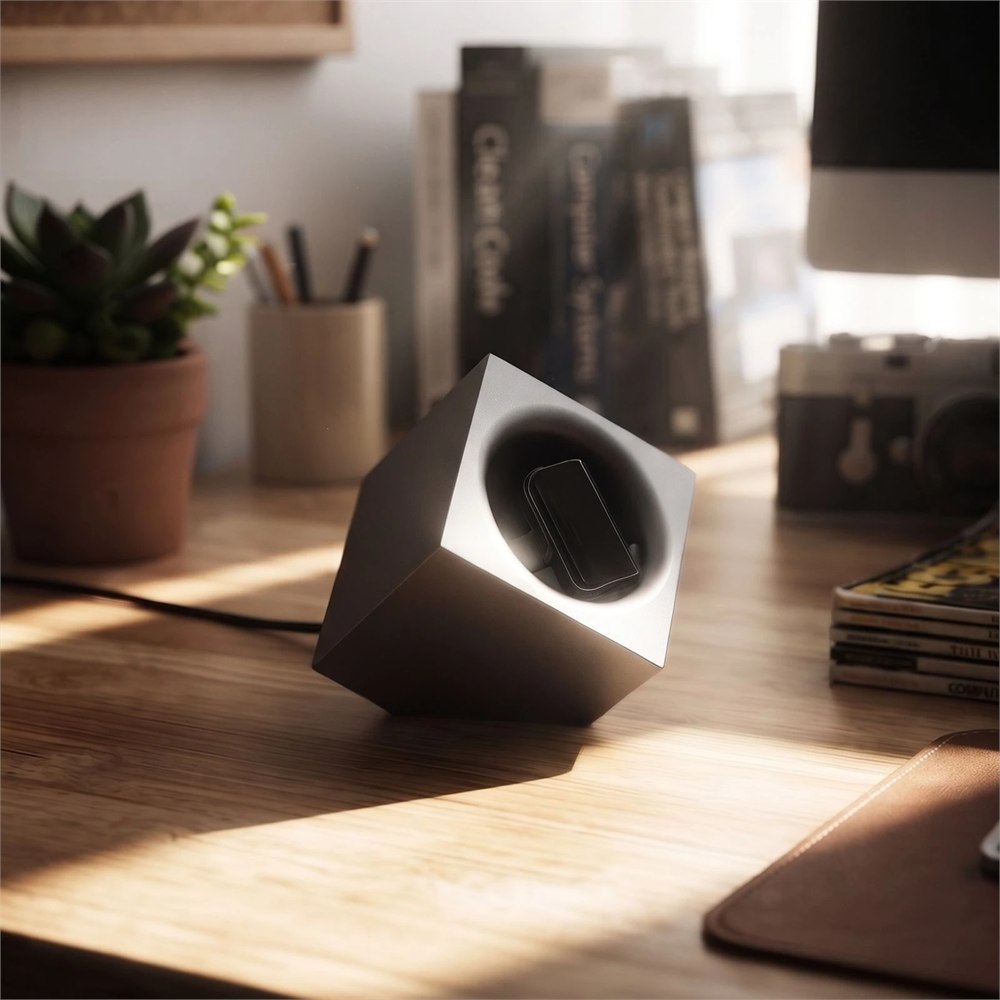
The included charging dock is a small cube with a place for the ring at the top. It gives the accessory a dedicated parking spot on a desk or bedside surface. That is also a welcome reminder that this is electronic hardware, with charging habits to consider, rather than an ordinary band you can forget about indefinitely.
The strongest reason to consider it is the physical interface: a display you can glance at, a control your thumb can find, and voice input close at hand. The biggest question is whether those shortcuts match your own routines often enough to justify wearing another device. If your favorite technology feature is leaving technology in another room, your finger probably doesn’t need this promotion.
- Aina Ring is an index-finger controller for iPhone and Mac.
- An OLED screen and side button provide visual cues and gesture controls.
- Stated functions include voice requests, dictation, media controls, and calls.
- Seven sizes and four finishes are offered, with a free sizing kit.
- A charging dock is included; Android and Windows are unsupported.
- This is a preorder, with shipping listed for early 2027.
Aina currently lists early-access preorders from $399, against a $499 list price, paid in full at checkout. A travel charger is an optional $29 add-on. The company’s product page gives an early-2027 shipping window, so treat this as an advance order rather than something ready to accompany tomorrow’s commute. Product details and inline images: Aina.
| Pros | Cons |
|---|---|
| Physical thumb controls for small everyday actions | Requires learning context-dependent gestures |
| Display, voice input, and calling in one wearable | Noticeably larger-looking than a plain band |
| Mac dictation and app controls | Android and Windows are unsupported |
| Sizing kit and charging dock included | Preorder requires waiting for planned shipping |
| Titanium body and four finish options | Must be removed for swimming or showering |
At a glance