
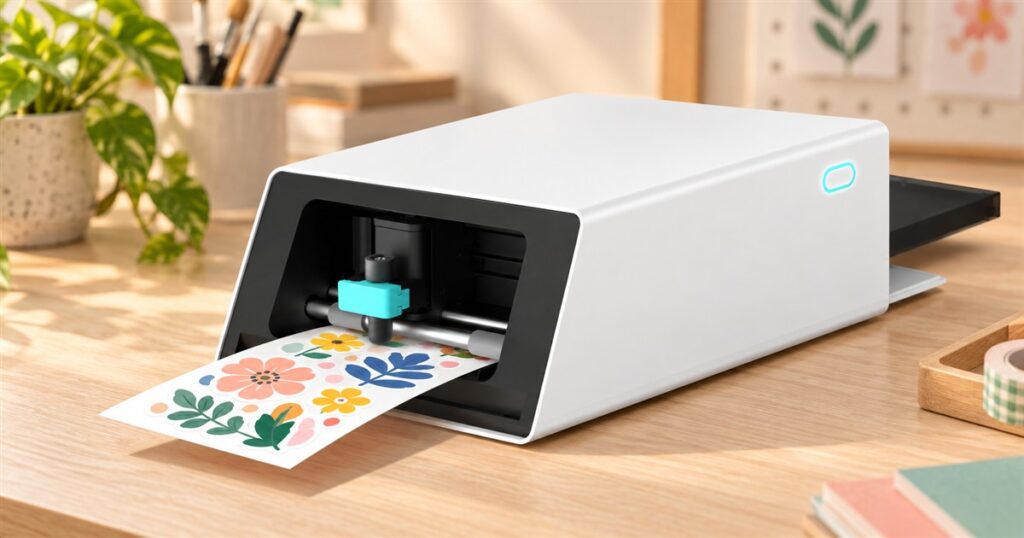
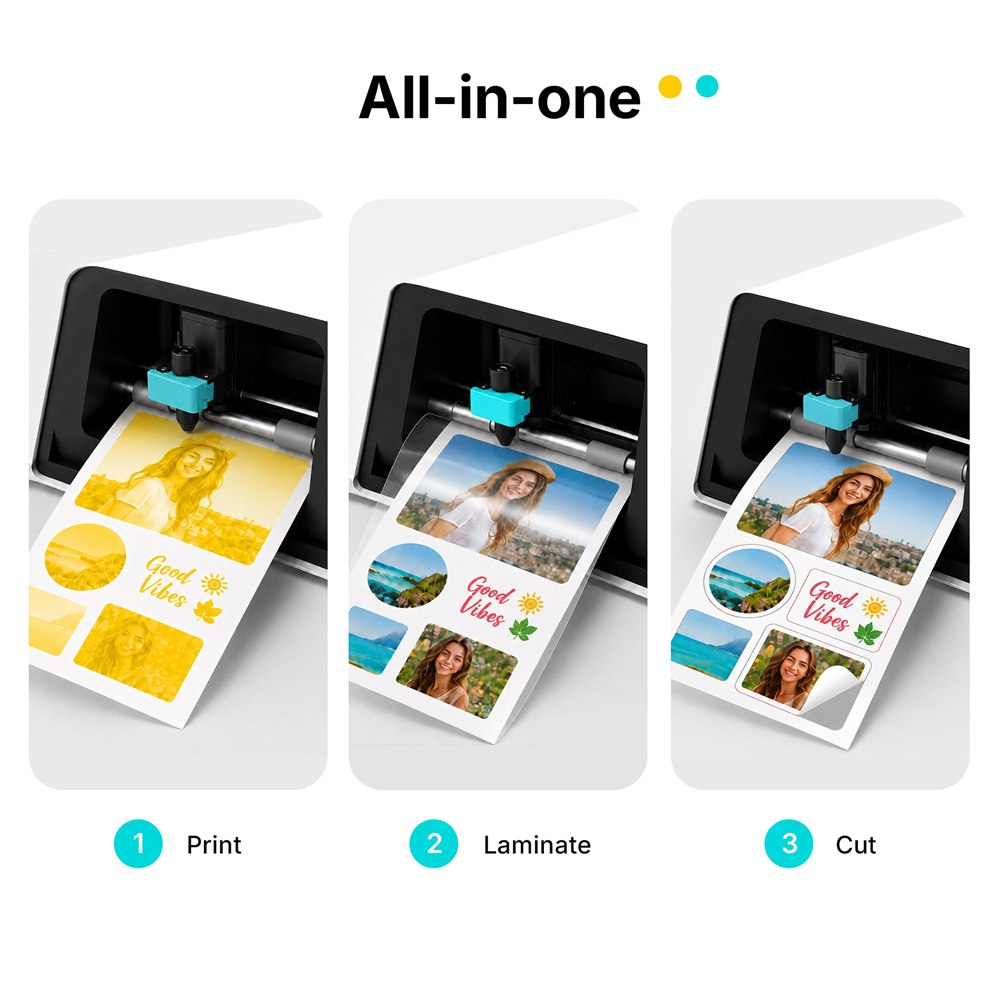
There is a particular kind of power in realizing your dog could become a sticker. Not a framed portrait. Not another photo buried between a parking receipt and seventeen blurry sunsets. A tiny, peelable version of the household freeloader, ready to supervise your notebook. The Liene PixCut S1 photo sticker printer and cutter takes that thought dangerously seriously, combining printing, protective lamination, and contour cutting in one desktop machine.
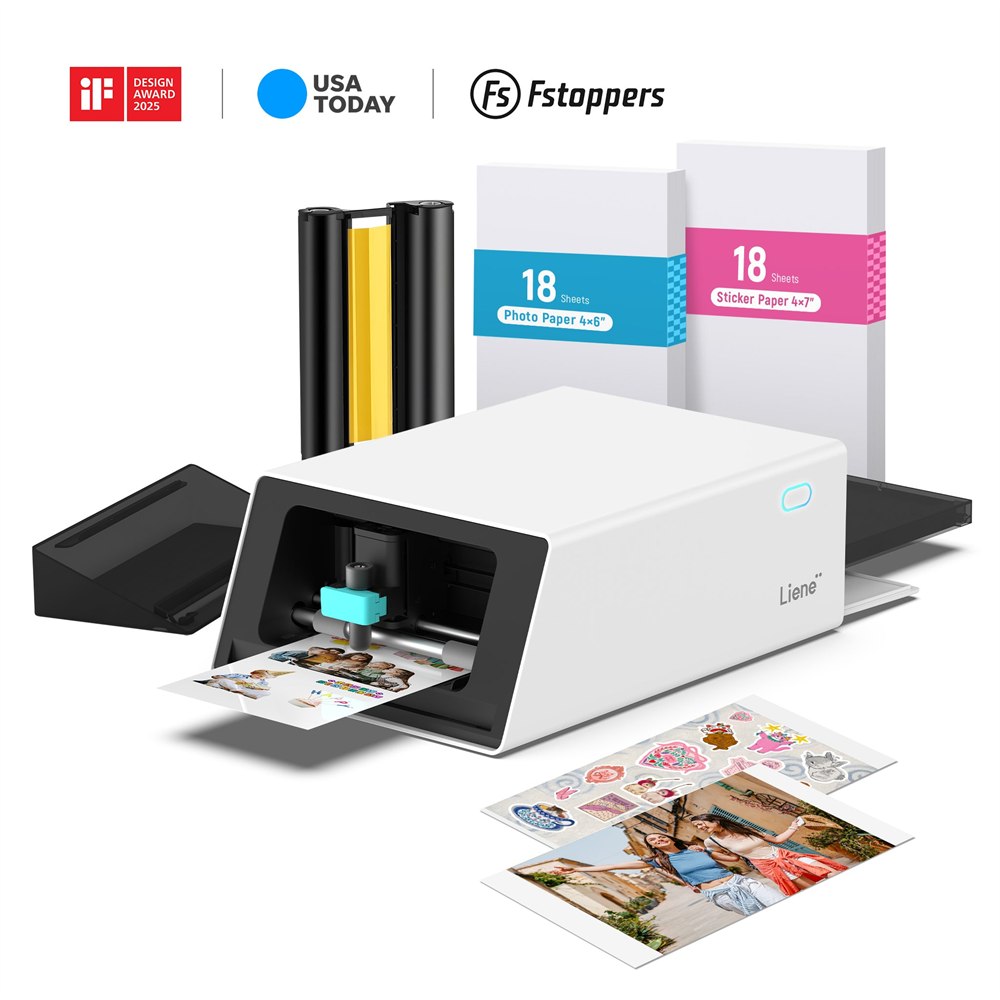
That last part is the fun bit. Plenty of people have printed something cute, picked up scissors, and immediately discovered they have the fine motor control of a person wearing oven mitts. This machine follows the design’s outline itself. The result is a sheet of custom stickers you can peel from their backing, without turning every rounded corner into a tense negotiation.
It can also make ordinary photo prints, which is useful if you would occasionally like your creative equipment to behave like a responsible appliance. One session can be family pictures. The next can be a collection of tiny illustrations for your planner. Nobody needs to know which activity consumed most of Saturday.
A small sticker workshop with fewer moving appointments
The appeal is having the main stages happen in the same box. A separate printer-and-cutter setup can be a perfectly good hobby arrangement, but there is something satisfying about a machine that doesn’t require your desk to resemble a miniature production department. The PixCut S1 puts its cutting mechanism directly in the printer.
You still choose artwork and arrange the project. The printer has not solved the problem of deciding whether your cat deserves a tasteful oval border or something more theatrical. It simply takes over the repetitive physical work after you send the design. That’s a useful division of labor: you handle the questionable creative decisions, and the machine handles the edges.
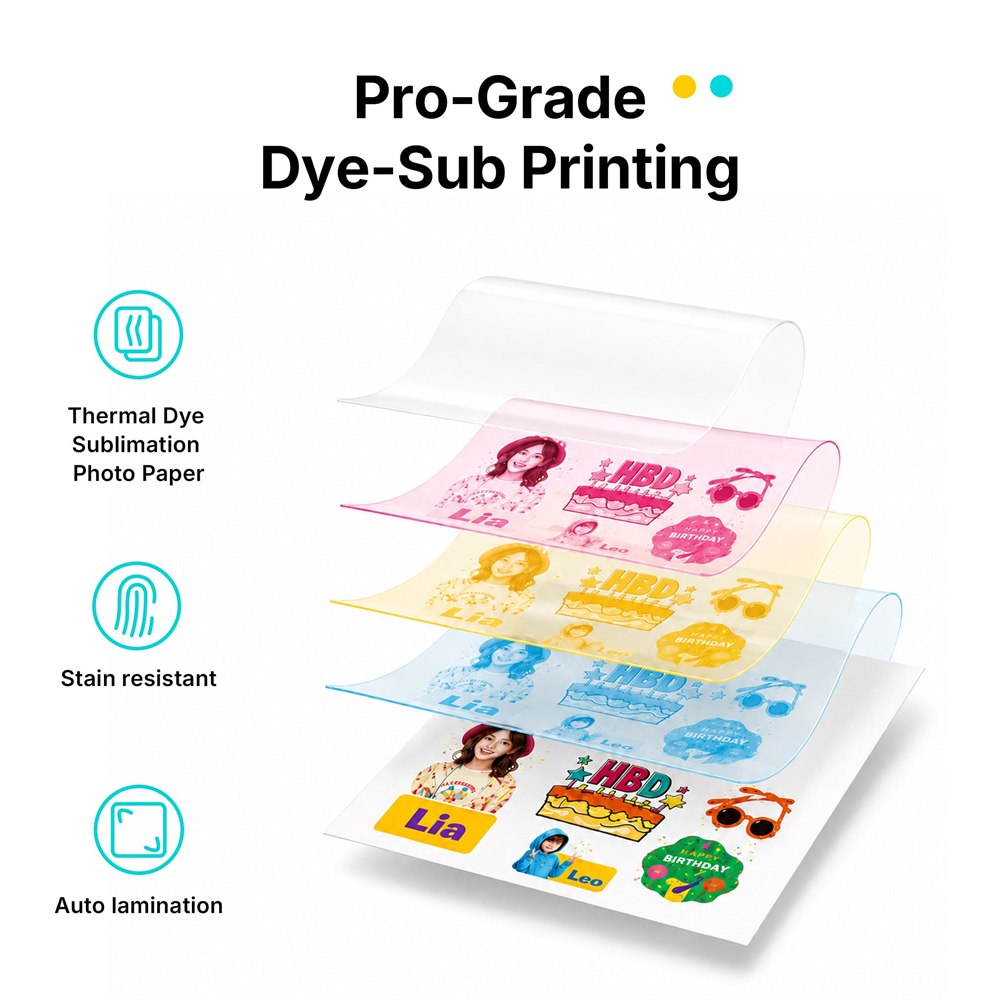
Its dye-sublimation process builds the color and adds a protective layer. Think photo-printing equipment with a second career in adhesive nonsense. The glossy finish suits pictures and colorful illustrations, while the cutter turns a rectangular sheet into individual designs that remain attached to their backing until you peel them away.
That is called kiss cutting. Despite sounding like a deeply impractical salon service, it means cutting the sticker layer without slicing through the whole backing sheet. Anyone who has ever chased loose labels across a desk can appreciate keeping the small pieces together until they actually have somewhere to go.
What would you actually make?
The obvious answer is stickers of whatever already fills your camera roll. Pets are strong contenders. So are vacation details, little drawings, and the one photograph where everybody managed to look in approximately the same direction. Printed pictures feel different when you can tuck them into a journal instead of promising yourself you’ll organize a digital album someday.
There are practical possibilities too. A handmade gift can have a matching decorative label. A scrapbook can have small images shaped around the subjects instead of a page full of rectangles. A planner can acquire custom icons for recurring activities, including the recurring activity of buying stationery instead of completing the activity.
- Turn personal photos into peelable decorations for notebooks and journals.
- Arrange several small illustrations together for a themed sticker sheet.
- Create decorative labels for gift wrapping or personal craft projects.
- Print conventional photos when a project calls for a picture rather than a sticker.
Start with a project you already want to finish. That sounds almost offensively sensible, but hobby machines have a way of inspiring forty imaginary businesses before the first sheet goes through. A birthday scrapbook or a small collection of original drawings gives you a useful test without requiring a business name and a shipping station.
The sizes that shape your projects
This is a compact-format machine, so scale your ambitions accordingly. Small stickers are a natural fit. A huge wall graphic is a different assignment entirely. It helps to sketch the intended layout at actual size first; a design that looks magnificent when enlarged on a screen can become a mysterious colored crumb when shrunk for a notebook.
| Detail | PixCut S1 specification |
|---|---|
| Photo paper | 4 × 6 inches |
| Sticker paper | 4 × 7 inches |
| Resolution | 300 × 300 dpi |
| Machine dimensions | 11.06 × 7.72 × 4.11 inches |
| Weight | 6.4 pounds |
| Power | Plug-in adapter; no battery |
The paper dimensions are not a promise that every design can run all the way to every edge. Leave sensible breathing room when planning a sheet, and check the layout before printing. It is much easier to move an illustration on a screen than to explain to a tiny printed dog why its left ear now belongs to another sticker.
The compact body also doesn’t mean you should jam it into the smallest remaining gap on a crowded shelf. Give the paper path room to work and keep the setup somewhere accessible. A machine you can reach comfortably is more likely to get used than one requiring you to dismantle a tower of craft supplies whenever inspiration arrives.
Your design choices still matter
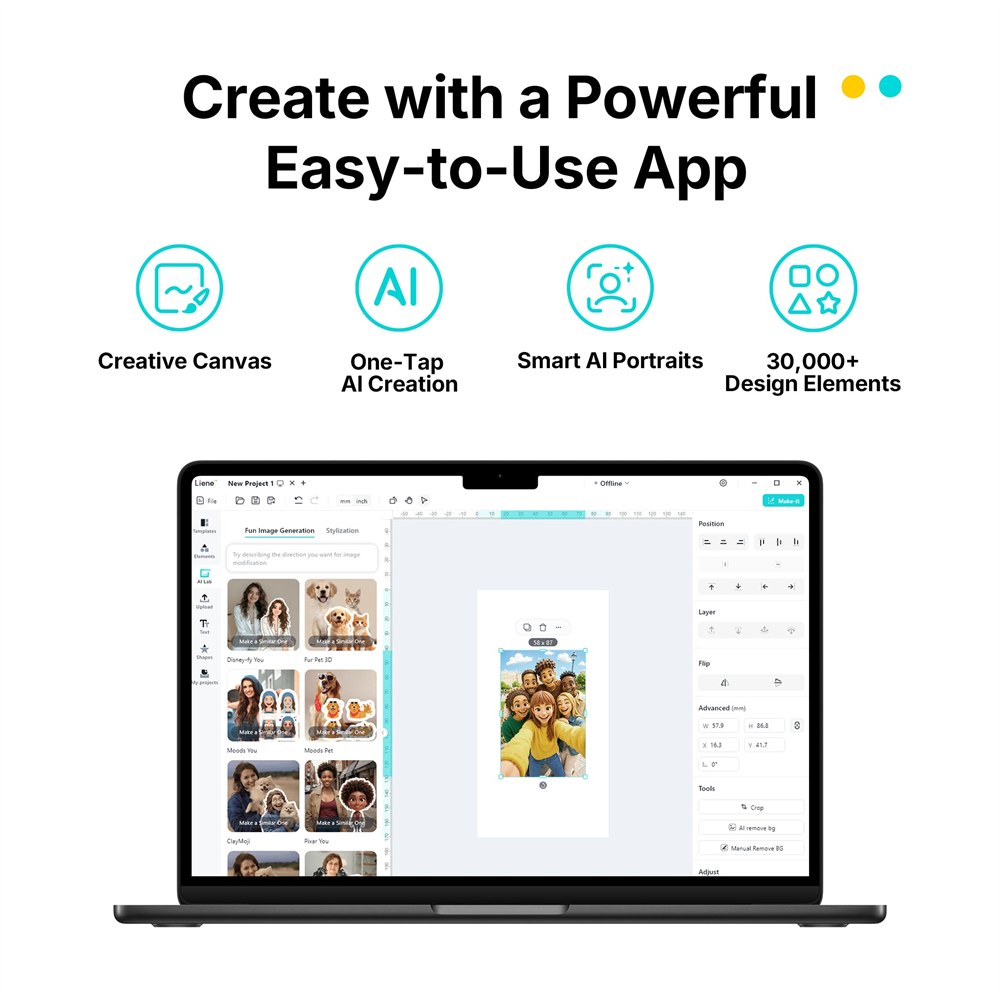
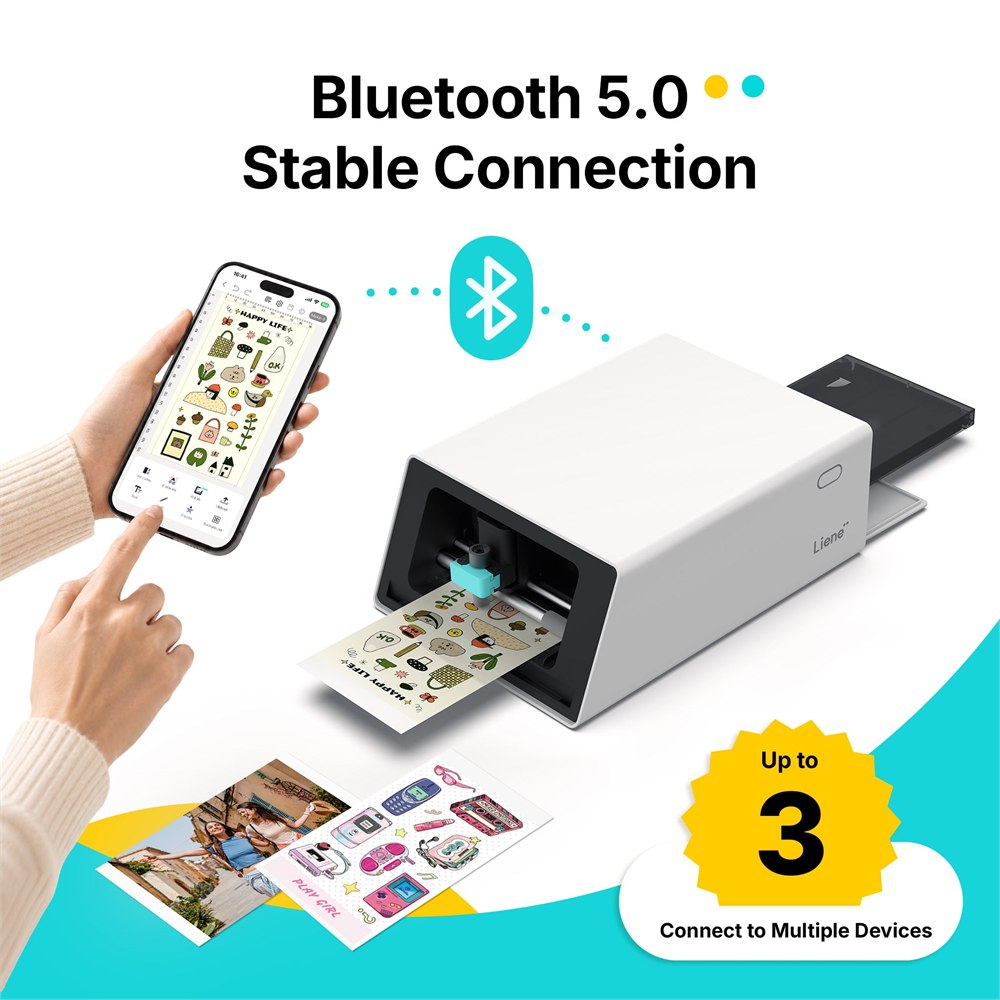
The Liene app provides the mobile workflow, with Bluetooth connecting a compatible phone or tablet. You can import artwork rather than relying entirely on templates. A clean image with a clearly separated subject is a sensible starting point for outline-based work; complicated edges deserve a careful look before committing a whole sheet.
TechRadar’s hands-on review praised the output but found the app awkward in places, particularly when customizing cutting paths. That matters if your creative plans depend on very specific outlines. Straightforward projects and highly controlled design work are different expectations, even when both technically involve a sticker.
There is a pleasant middle ground here: make something personal without insisting that every hobby session become an industrial certification exercise. Try a simple shape, see how it looks at the intended size, and refine the next sheet. You will learn more from one small finished project than from an evening of endlessly rearranging an imaginary perfect one.
You will also need compatible paper and ribbon refills. This isn’t a machine to feed whatever mysterious craft material happens to be at the bottom of a drawer. Keep the supplies matched to the job, and remember that a print-and-cut system is still a small collection of consumable materials, not a portal to unlimited free stickers.
The details to remember before making everything peelable
- Combines photo printing, lamination, and automatic contour cutting.
- Kiss cuts stickers while leaving the backing sheet intact.
- Uses separate photo and sticker media.
- Offers a Bluetooth mobile-app workflow for designing and sending projects.
- Needs an outlet and compatible consumable supplies.
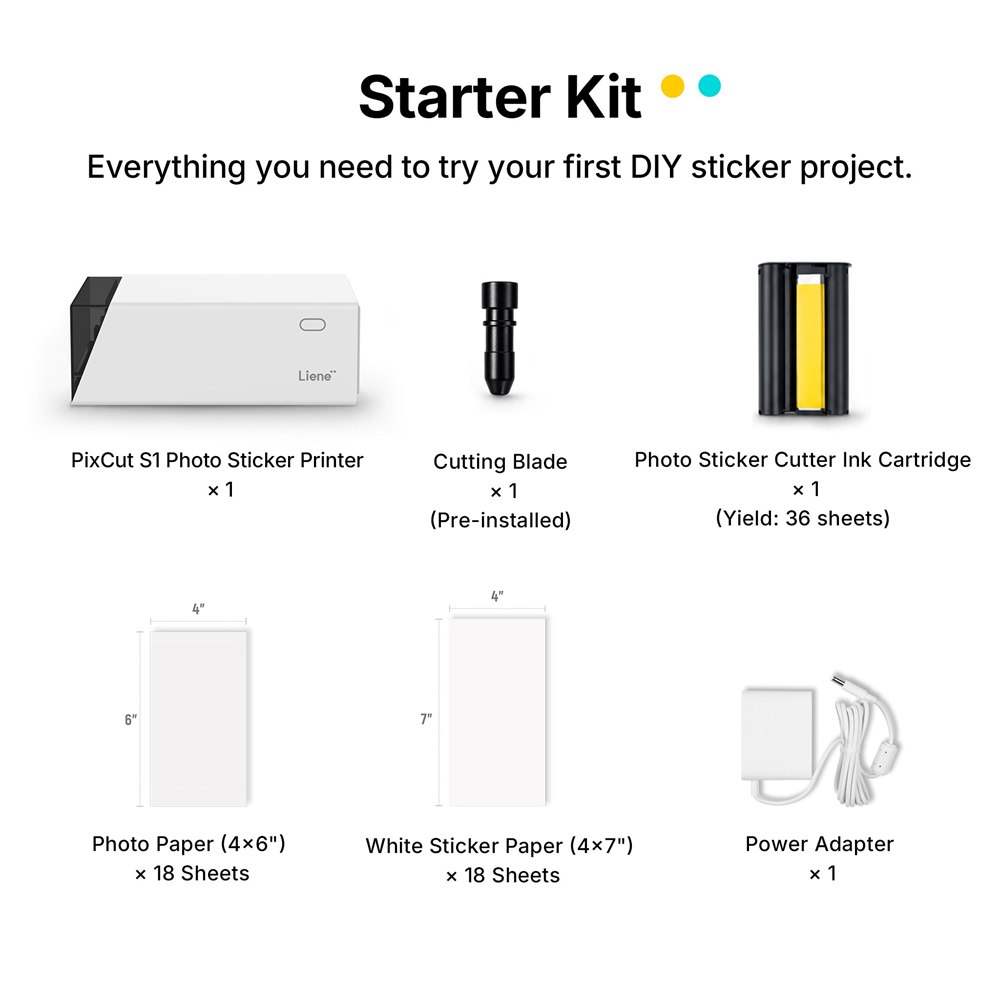
The Liene Starter Kit is listed at $279.99 and includes 18 sticker sheets and 18 photo sheets. Larger bundles are available, but the starter supply gives you a concrete place to begin. Product images are courtesy of Liene.
For somebody who actually enjoys making small, personal things, the attraction is easy to understand. A photo stops being something you scroll past and becomes something you can hold, gift, or stick into a journal. Your dog remains unemployed. At least now it can appear on the office supplies.
| Pros | Cons |
|---|---|
| Printing and cutting happen in one machine. | Projects are limited to compact media sizes. |
| Protective lamination is part of printing. | Paper and ribbon refills remain ongoing purchases. |
| Makes photos as well as stickers. | Different jobs require the appropriate media. |
| Automatic kiss cutting reduces scissor work. | Detailed cut-path adjustments can be awkward in the app. |
| Compact enough for a craft desk. | Needs outlet power and paper-path clearance. |
Where to find This Photo Sticker Printer Prints, Laminates, and Cuts Your Designs
OddityMall may earn a commission from qualifying purchases at no extra cost to you.
