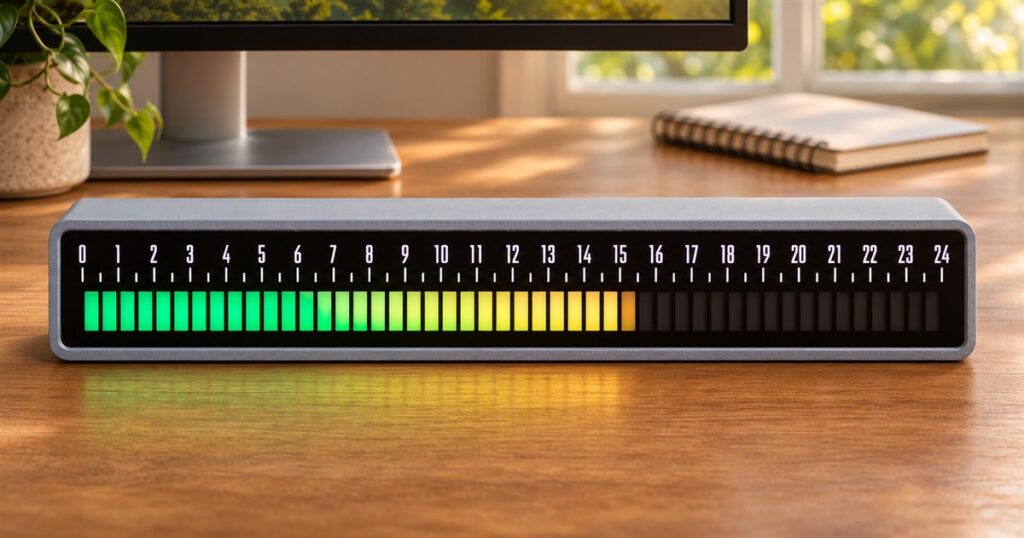
Your computer has a progress bar for downloading a file, but your afternoon usually disappears without so much as a courtesy animation. The Daylight Machines Linear Clock fixes that small oversight by turning an entire day into a slowly filling strip of light. Finally, you can watch Tuesday loading while wondering why you have accomplished only one email and half a sandwich.
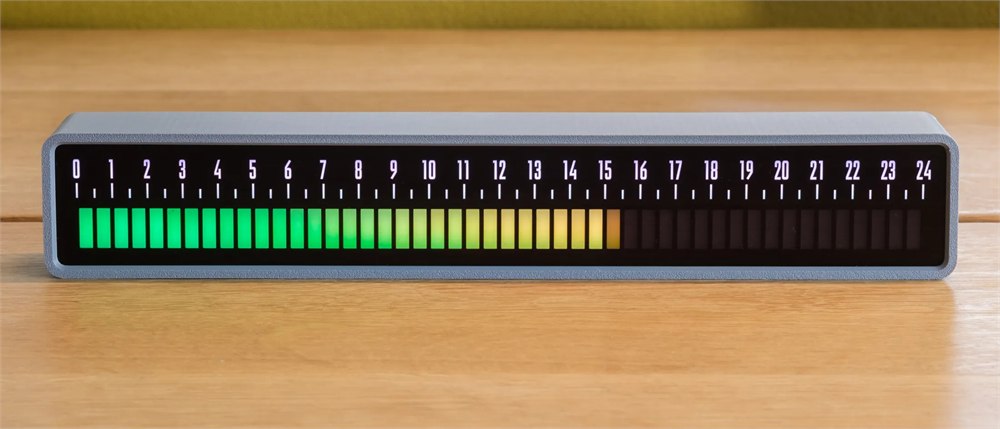
This is a physical desktop clock with a long, ruler-like face. Instead of hands circling a dial or a digital readout announcing another suspiciously late hour, it shows time moving from left to right across a 24-hour scale. The idea is simple: make the part of the day that has passed visible alongside the part that is still available.
That distinction sounds small until you glance at a normal clock, register “three something,” and return to the exact task you meant to finish before lunch. A growing line gives the day a shape. Whether that shape inspires you or quietly judges your browser tabs is between you and your desk.
How the light bar tells time
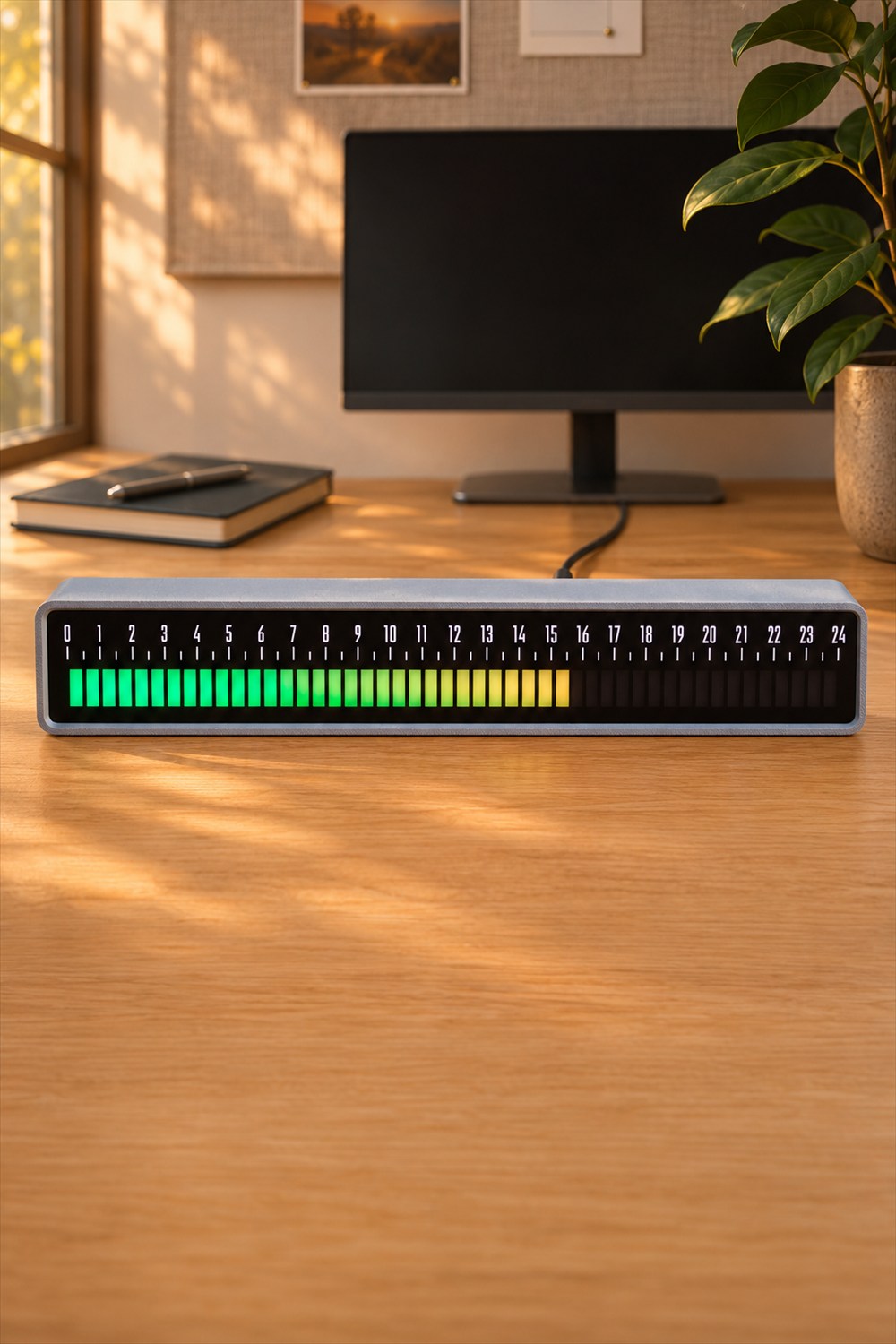
The face contains 48 segments, with each segment representing half an hour. A full block means that thirty-minute interval has elapsed. The current block lights gradually, so the display does more than jump forward twice an hour. Daylight Machines says you can read it to within a few minutes by judging how far that block has progressed.
For example, a partly illuminated segment tells you that you are somewhere inside the current half hour. The numbered scale above the lights helps you orient yourself without counting every little rectangle. There is a short learning curve, but the underlying operation is refreshingly concrete: more light means more of the day has gone by.
Related posts:
 This Creative Bruce Lee Wall Clock Does A Roundhouse Kick Every Hour
 This Gun Target Alarm Clock Makes You Shoot The Target To Turn Off The Alarm
 This Wooden Tourbillon Table Clock Kit Lets You Build a Tiny Observatory for Time
 This Bubble Window For Your Fence Allows Your Dogs To Peek To The Other Side
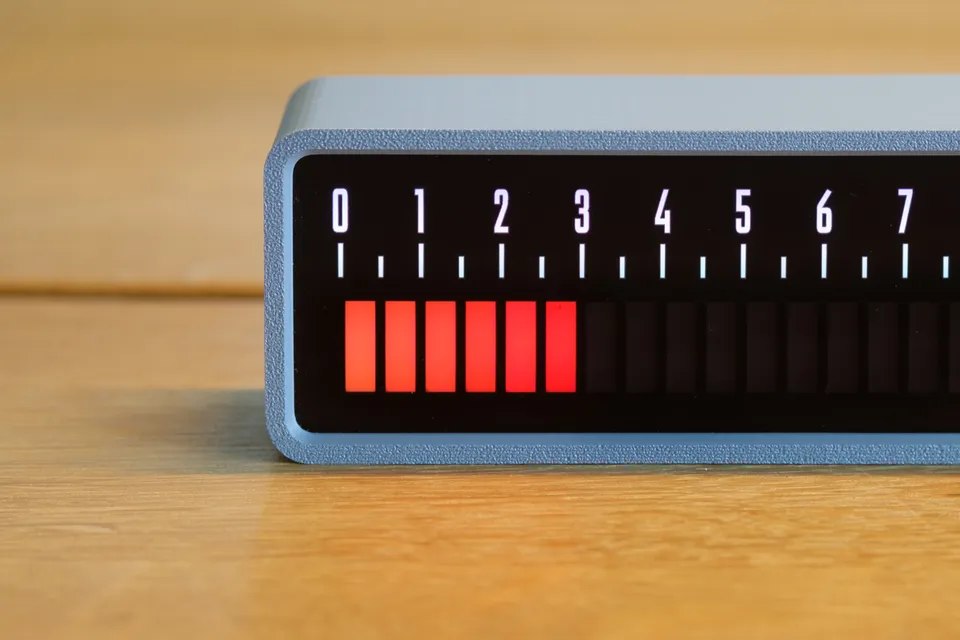
This makes it better suited to understanding the afternoon than timing something to the second. You would still want a conventional timer for a task that demands precise seconds. For deciding whether there is room for another work session before dinner, the broader view is the attraction. It is a clock with the demeanor of a very colorful project manager.
Give lunch its own color
The clock’s RGB LEDs are useful for more than selecting whichever color matches your keyboard. Schedule mode lets you mark stretches of the day with different colors. Work, lunch, another work block, and the blessed portion of the evening when nobody should be requesting a spreadsheet can each occupy their own section.
Those boundaries are set on the clock. This is a visual schedule you configure, so you should not mistake it for a screen that automatically imports every appointment from your calendar. Its appeal is the persistent reference sitting in your peripheral vision, without another app window competing for space.
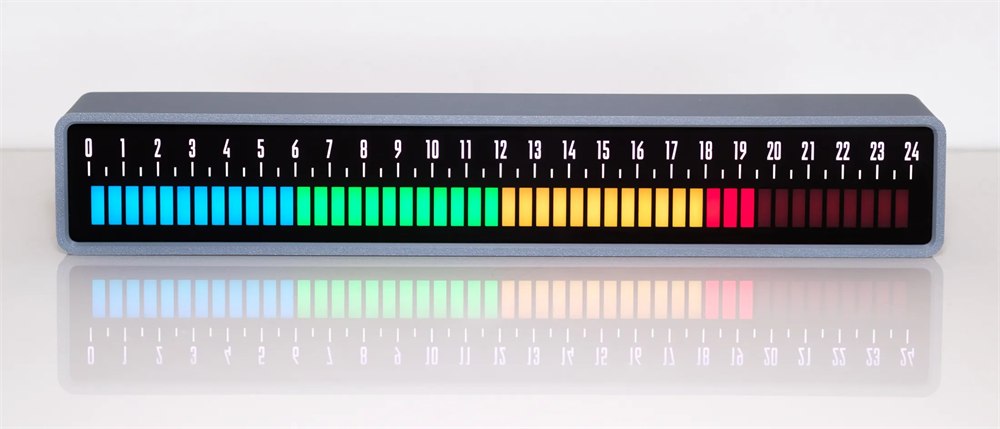
There are several ways to make that reference useful, depending on what you want to notice:
- Use schedule colors to distinguish working hours, breaks, and evening time.
- Choose a color gradient or a simpler monochrome display to suit the room.
- Switch to sunrise/sunset mode to see the day’s daylight window at your location.
- Add a visual reminder marker for a particular time you want to keep in view.
- Use the countdown function when you want a visible limit for a task or break.
The official shop lists six display modes: default, schedule, gradient, sunrise/sunset, monochrome, and calm. That range gives the same piece of hardware several personalities. One desk might need a little rainbow structure; another might prefer something quieter that does not resemble an airport departures board.
A small clock with a surprisingly long face
At 310 millimeters wide, this is roughly a foot of clock. It is also only 51 millimeters tall and 40 millimeters deep, so its proportions suit the strip of space below a monitor or along a shelf. Check the clearance around your own setup, of course. Monitor stands have a remarkable talent for occupying exactly the space where you wanted to put something.
The enclosure is made from 3D-printed PLA plastic. Its gray border and dark face let the illuminated segments do most of the visual work. This is a small maker’s electronic object rather than a sculptural brass mantel clock, and the material choice is part of that identity.
| Detail | What to know |
|---|---|
| Time display | 48 half-hour segments spanning 24 hours |
| Dimensions | 310 × 51 × 40 mm |
| Weight | 300 g |
| Housing | 3D-printed PLA plastic |
| Controls | Three buttons on the back |
| Power | USB-C supply rated at least 15W / 3A |
The three rear buttons handle setup and adjustments. Normal use does not require an app or Wi-Fi connection. That is welcome if your house already contains enough appliances demanding an account, a password reset, and permission to send you cheerful notifications about firmware.
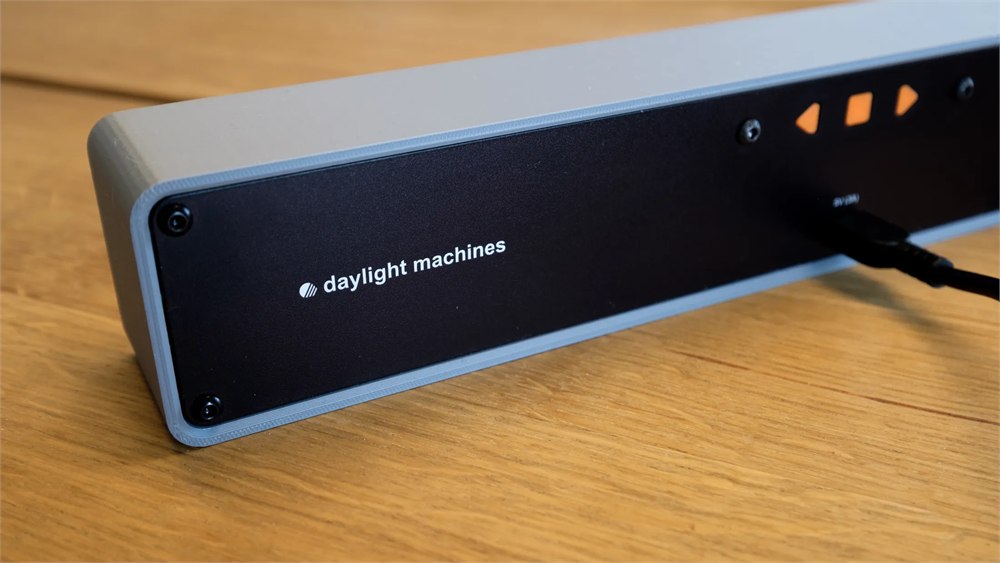
The tradeoff is that you enter settings through the clock itself. If you enjoy building elaborate schedules, expect to spend some time with its buttons and menus. A long list of colored blocks does not magically configure itself because you looked at it with organizational ambition.
Daylight, reminders, and a quieter desk
Sunrise/sunset mode gives the line another purpose: showing day and night for your location. It can help you see how much daylight remains before you postpone that walk one time too many. It represents the sun’s schedule, not a weather forecast, so it will not warn you that your optimistic stroll is heading into rain.
The reminder feature puts a marker on the upper scale, letting you see your chosen time approaching. A countdown supplies a more immediate visual boundary. Both make sense on a desk where you will actually look at the clock. Neither should be confused with an audible alarm that will chase you into the kitchen.
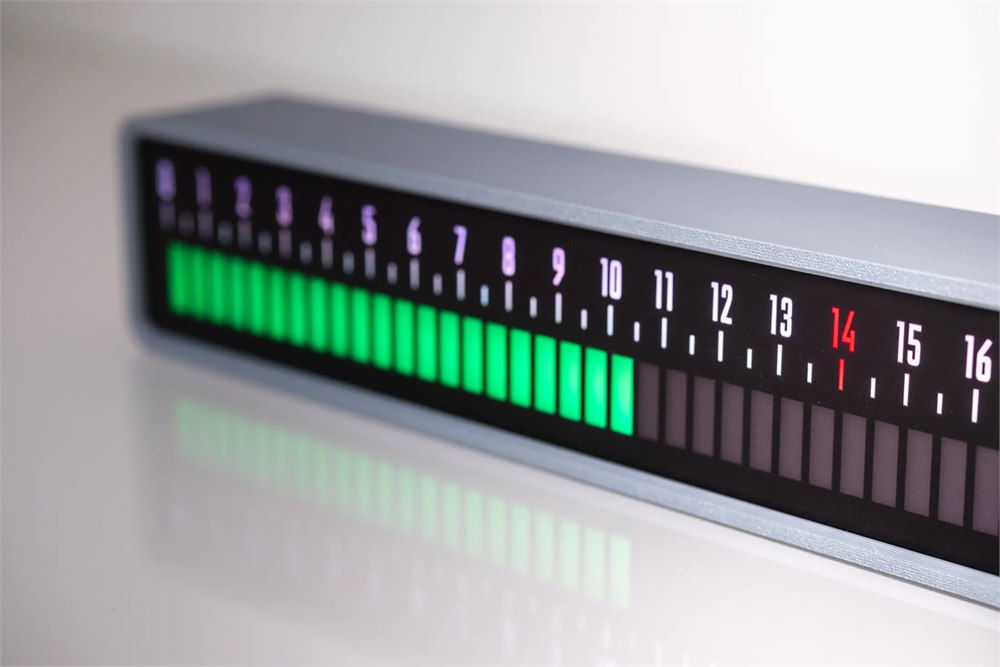
That silence is worth understanding before buying. If you need something to interrupt you from across the house, a visual clock cannot do the whole job. If you want a time cue that stays in the background instead of adding another beep, silence is a considerable part of the point.
Brightness can be adjusted, and active-hour settings let the display turn off at night. You can also choose an option that blanks the blocks and numbers outside those hours. A clock that helps organize the day should not insist on illuminating the bedroom after everyone else has agreed the day is over.
Remember the power adapter
The box includes the clock, an instruction manual, and a one-meter USB-C-to-USB-C cable. It does not include a wall adapter. Daylight Machines specifies a USB-C power supply rated for at least 3A, or 15W, and says weaker chargers and USB-A-to-USB-C cables do not provide enough power.
That matters if your plan was to rescue an ancient charger from the drawer of mysterious electronics. Check its rating first. The clock may look restrained, but a face full of individually controlled lights still needs the correct supply.
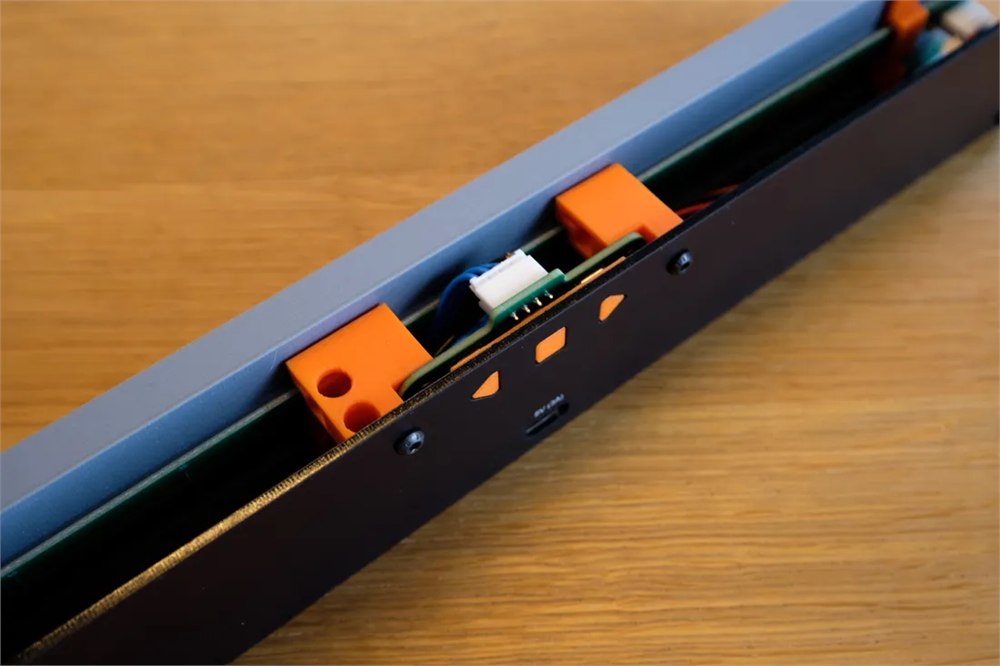
The official hardware explanation shows custom circuit boards and a printed internal frame. For the everyday buyer, the relevant result is a dedicated object that keeps its time display separate from a phone. You can glance at it without accidentally opening a message, a shopping app, and a video about restoring a tractor.
The main details are straightforward:
- A standalone linear clock that makes the progress of a full day visible.
- Gradually illuminated half-hour blocks, with approximate reading to a few minutes.
- Custom schedule colors, multiple display styles, daylight mode, reminders, and countdowns.
- Adjustable brightness and active hours for controlling nighttime light.
- Rear-button setup, USB-C power, and an adapter purchased separately.
At the time of writing, the Daylight Machines shop lists the Linear Clock at €159 excluding VAT, with the current batch available to order. Each clock is built to order with a stated two-to-three-week lead time and ships from Denmark. Buyers outside the EU should account for potential import taxes. It is an unusual way to spend money on seeing time, but at least the clock will show you exactly how much of the afternoon you spent deciding.
Product photographs courtesy of Daylight Machines.
| Pros | Cons |
|---|---|
| Makes elapsed and remaining time easy to visualize | Approximate reading rather than a seconds display |
| Custom colors and several useful display modes | Detailed schedules require rear-button setup |
| Standalone operation without an app or Wi-Fi | Does not automatically import your calendar |
| Quiet visual reminders and countdowns | No audible alarm to alert you elsewhere |
| Low profile suits desks and shelves | Requires a suitable USB-C adapter, sold separately |
| Built-to-order maker product | Lead time, VAT, and possible import taxes need consideration |
Save this find.
Thank yourself later.
Your next great gift idea. Your someday space. Your collection of wonderfully weird things.
Save to PinterestPick a board. Keep the inspiration.
This Linear Clock Shows Your Day as a Glowing Progress Bar
At a glance
Product snapshot
- Listed price
- EUR 159 excluding VATPrices and availability can change. Check the seller for current details.
- Where to find it
- Daylight Machines
- Category
- Gadgets
Related posts:
This Creative Bruce Lee Wall Clock Does A Roundhouse Kick Every Hour
This Gun Target Alarm Clock Makes You Shoot The Target To Turn Off The Alarm
This Wooden Tourbillon Table Clock Kit Lets You Build a Tiny Observatory for Time
This Bubble Window For Your Fence Allows Your Dogs To Peek To The Other Side