
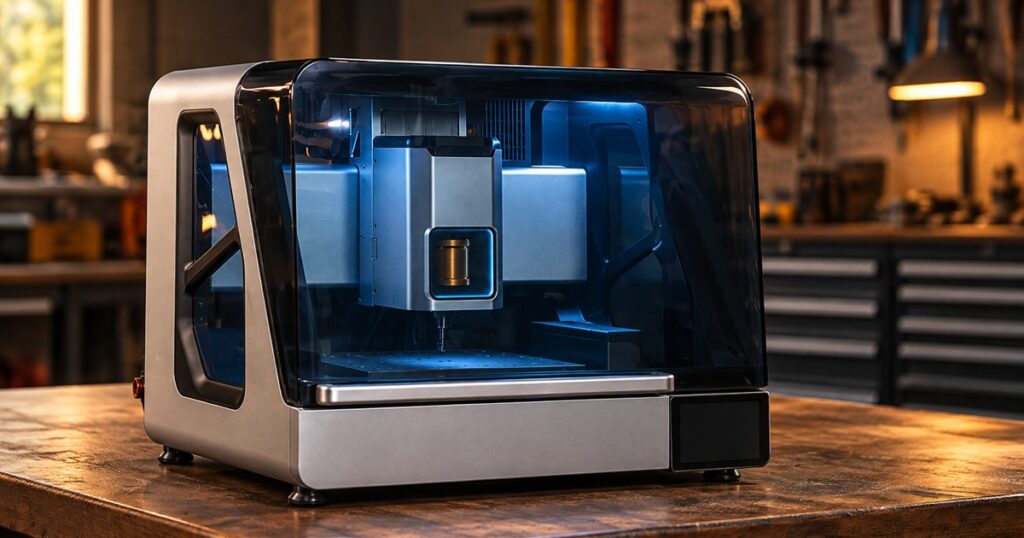
There is a particular kind of person who sees a broken plastic knob and thinks, “I could make a better one out of metal.” Three hours later, they have seventeen browser tabs open and are mentally converting the garage into a small manufacturing concern. The ToolDance X1 desktop CNC mill is aimed squarely at that person: an enclosed machine that cuts material into real parts and changes tools automatically, giving an ambitious workbench something approaching a day job.
The X1 combines a powered spindle, a motorized machining system, and ToolDance Studio software in a gray enclosure with a dark transparent hood. Instead of adding layers like a 3D printer, a mill removes material from a solid piece. The result might be a custom housing, a fixture, a small plate, or the replacement component that finally ends your ongoing argument with a badly designed bracket.
ToolDance is offering the machine through Kickstarter, so this is a look at its advertised capabilities and configurations, not a hands-on verdict on a delivered production unit. That distinction matters when a desktop machine arrives with promises that sound suspiciously like an entire machine shop has learned to pack light.
A spindle with a surprisingly serious job description
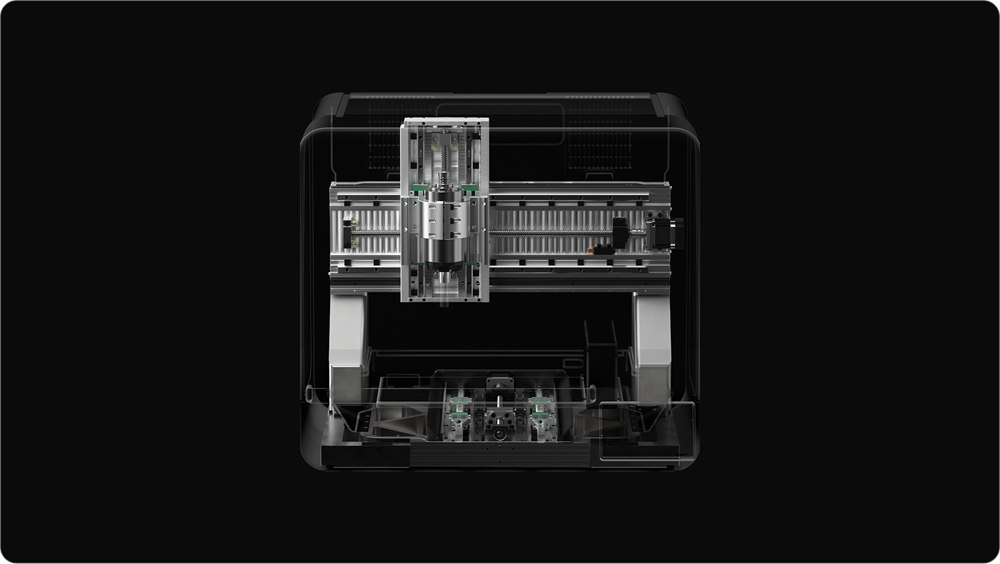
At the center is a 1,500-watt permanent-magnet synchronous motor spindle rated for speeds up to 24,000 RPM. ToolDance describes support for tool shanks up to 10 mm and materials including metals, wood, and plastics. Those numbers give the machine a much more substantial brief than engraving a name onto a coaster and calling it industrial progress.
They also need context. A spindle speed is not a promise that every cutter should run at maximum speed in every material. Tool choice, workholding, and machining strategy still determine what a job asks of the machine. The appealing part is having a broader range of operations available in one enclosure, rather than expecting one tiny cutter to perform the entire office talent show.
Related posts:



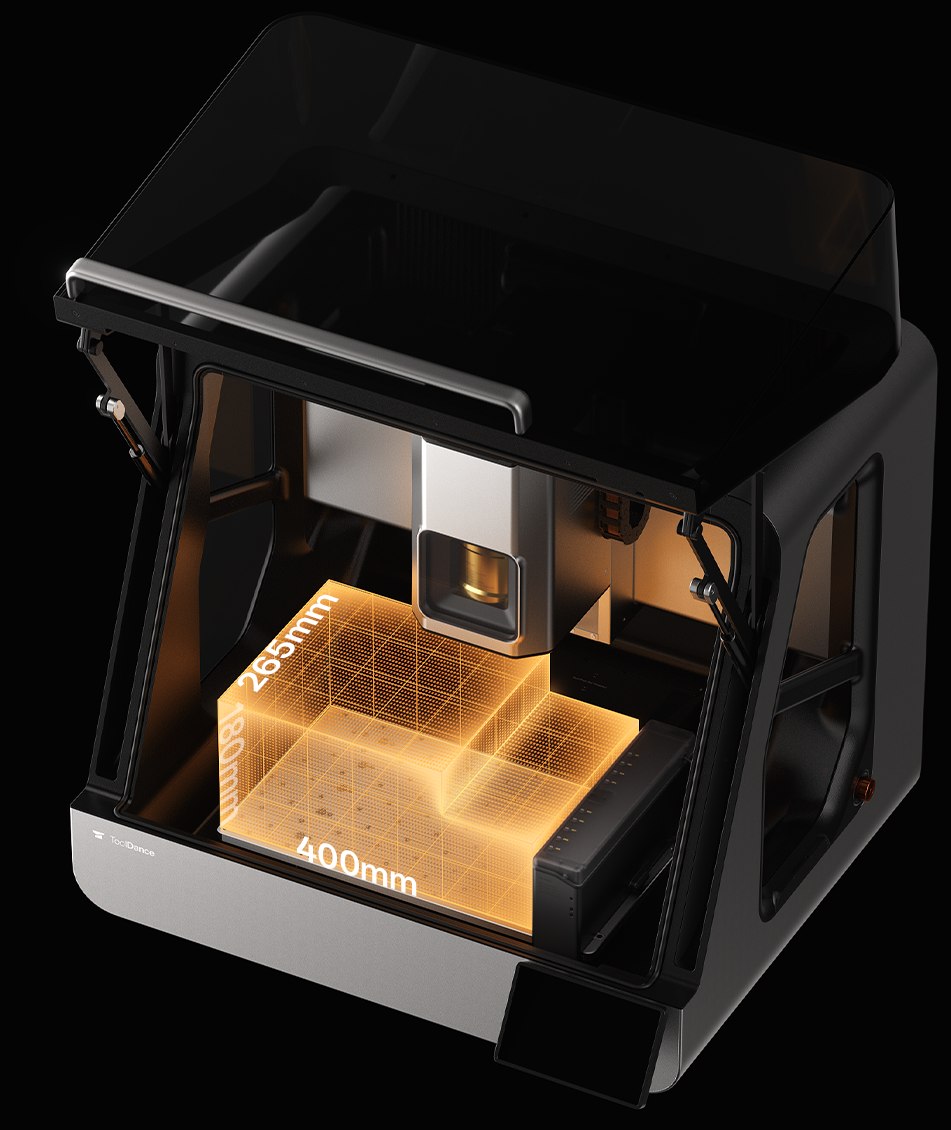
The campaign describes a three-axis working envelope of 400 by 265 by 180 mm. That is the space available for machining, not the outside size of the machine. Fixtures and stock setup affect how a particular part fits. Think small functional components, housings, and project hardware; this is not an invitation to feed a dining chair through the door and hope for the best.
Nine tools, fewer interruptions
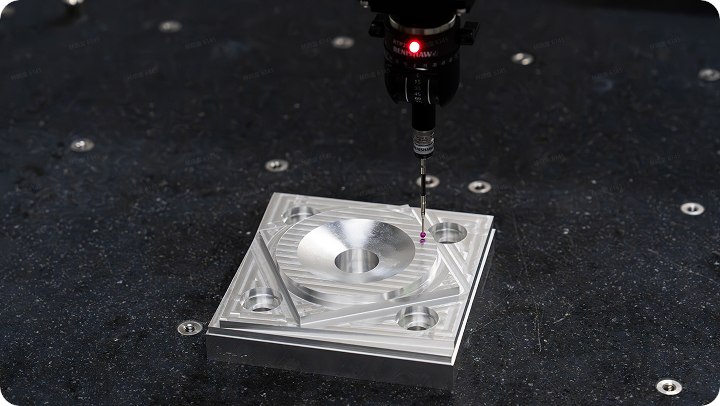
One of the X1’s biggest attractions is its nine-tool automatic tool changer, accompanied by a dedicated slot for a 3D probe. A job can require different cutters for removing bulk material, drilling holes, finishing surfaces, or adding a chamfer. Having the machine switch between prepared tools reduces those stop-and-swap moments that can turn a satisfying project into a long conversation with a wrench.
Nine tool positions should not be confused with nine cutting tools in the entry package. The base reward lists a basic kit of three tools and three adapters, along with a wireless 3D touch probe and a four-clamp setup kit. You can have an impressive parking garage without receiving a car for every space. Plan tooling around the work you actually want to do.
- Automatic tool changes: Nine positions support multi-operation machining without manually swapping every cutter.
- Separate probing: The dedicated probe position supports measurement and setup tasks without using one of those nine tool slots.
- Software assistance: ToolDance Studio offers AutoCAM, design-for-manufacturing analysis, and simulation.
- Room to expand: Four-axis, five-axis, dust-handling, and flood-cooling equipment appear in additional configurations.
The useful numbers, without the brochure confetti
The campaign calls its ±0.01 mm figure repeatability. That is the wording to pay attention to, rather than treating it as a guarantee that every finished surface will land within the same tolerance. A repeatability specification and the accuracy of an actual finished part are different things. Materials, fixtures, cutters, and setup are still part of the story, however handsome the enclosure happens to be.
| Detail | What ToolDance lists |
|---|---|
| Spindle | 1,500 W PMSM; up to 24,000 RPM |
| Three-axis work envelope | 400 × 265 × 180 mm |
| Repeatability | Advertised ±0.01 mm |
| Automatic tool storage | Nine tools plus one dedicated 3D probe slot |
| Supported tool shanks | Up to 10 mm |
| CAM compatibility | ToolDance lists Fusion 360, Siemens NX, and Mastercam |
The company also points to a cast aluminum alloy frame reinforced to resist vibration. That is a less glamorous feature than a glowing screen, but it is the sort of detail that belongs in a machine designed to push a cutter through material. Nobody wants their precision workshop equipment doing interpretive dance halfway through a finishing pass.
Helpful software still leaves you in charge
ToolDance presents a workflow that starts with importing a model, moves through guided workholding and setup, and then proceeds to machining. Its Studio software is intended to generate toolpaths and cutting parameters, check manufacturing constraints, and offer visual workholding guidance. For a newcomer, bringing those decisions together could be more useful than simply presenting a powerful machine and wishing them tremendous personal growth.
The campaign makes a useful distinction about its software: image-to-3D relief generation uses a commercial large-model service, while AutoCAM and its manufacturing checks use heuristic algorithms. Toolpaths remain adjustable. In plain terms, the image-generation side and the machining-planning side are different systems. A picture becoming editable geometry does not mean every pictured object automatically becomes a suitable milling project.
Experienced users are not necessarily being asked to abandon their familiar CAM software, either. ToolDance lists compatibility with Fusion 360, Siemens NX, and Mastercam. That gives the X1 a more interesting role than a sealed creative appliance: it is being pitched as something that can fit an existing design workflow while offering a guided route for people still learning one.

Choose the machine around your projects
The base X1 is a three-axis machine. Optional modules add four-axis or five-axis capabilities, and the campaign separates dust collection from flood cooling across its bundles. These are meaningful choices, not decorative upgrades. A project that needs a rotating fixture or a particular chip-management arrangement should drive the configuration, rather than the very human urge to click the biggest bundle because it sounds like the boss level.
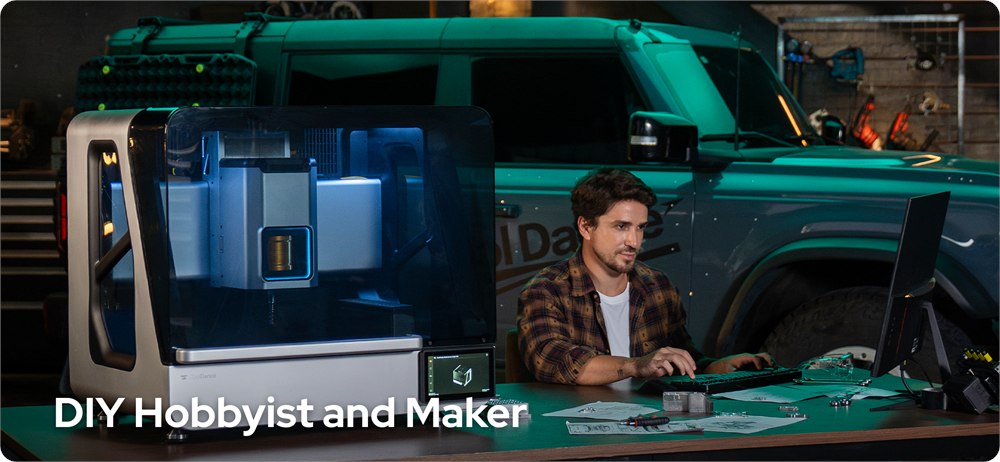
The dark enclosure and workshop-oriented presentation are attractive, but it remains machining equipment. ToolDance says the enclosure locks during operation. Setup, suitable tooling, appropriate material handling, and following operating instructions still matter. Its best audience looks like committed hobbyists, designers, prototype builders, and small-workshop users who already have a list of parts they wish they could make.

For that crowd, the interesting promise is continuity: design the part, prepare the job, and let the machine handle multiple planned operations without constant tool changes. It is easy to imagine the first useful replacement part leading to a second project, then a third, then a deeply unnecessary but beautifully machined desk accessory. A workshop hobby has a way of generating its own paperwork.
Key details before making room on the bench
- Enclosed desktop CNC mill with a 1,500 W spindle and nine-tool automatic changer.
- Advertised three-axis work area measures 400 × 265 × 180 mm.
- Base reward includes three cutting tools and adapters, a wireless probe, and a setup clamp kit.
- Additional modules and bundles provide rotary machining, dust collection, or flood cooling.
- ToolDance Studio combines machining preparation, checks, and simulation; third-party CAM support is also advertised.
- This is a crowdfunding offer with estimated future delivery, rather than an in-stock retail purchase.
At the time of writing, the ToolDance X1 Kickstarter campaign lists the base Super Early Bird pledge at US$2,999, against a stated US$5,999 MSRP. The five-axis flood-cooling bundle is listed at US$4,749, while the Flood Ultimate Bundle is US$5,398. Shipping is charged separately after the campaign. Rewards list estimated delivery in March 2027; crowdfunding schedules and fulfillment are not guaranteed. Check the selected reward’s contents and destination costs before deciding which version belongs in your workshop.
Images and product details: ToolDance. The real temptation here is not simply owning another machine. It is looking at a small, annoying problem and knowing you might be able to make the part yourself. Your junk drawer may finally meet someone who understands it.
| Pros | Cons / considerations |
|---|---|
| Nine-tool changer supports multi-step jobs | Base kit supplies three tools, not nine |
| Substantial advertised spindle and working area | Actual results depend on tooling, material, and setup |
| Guided software plus third-party CAM compatibility | Operators still need to understand and check their jobs |
| Four-axis and five-axis expansion options | Extra capabilities require the appropriate modules or bundles |
| Enclosed design and dedicated probing | It still needs a suitable machining workspace |
| Several configurations for different projects | Future delivery, separate shipping, and crowdfunding uncertainty |
Save this find.
Thank yourself later.
Your next great gift idea. Your someday space. Your collection of wonderfully weird things.
Save to PinterestPick a board. Keep the inspiration.
This Desktop CNC Mill Changes Nine Tools Automatically to Make Real Parts
At a glance
Product snapshot
- Listed price
- $2,999 (base pledge; shipping extra)Prices and availability can change. Check the seller for current details.
- Where to find it
- ToolDance / Kickstarter
- Category
- Gadgets
