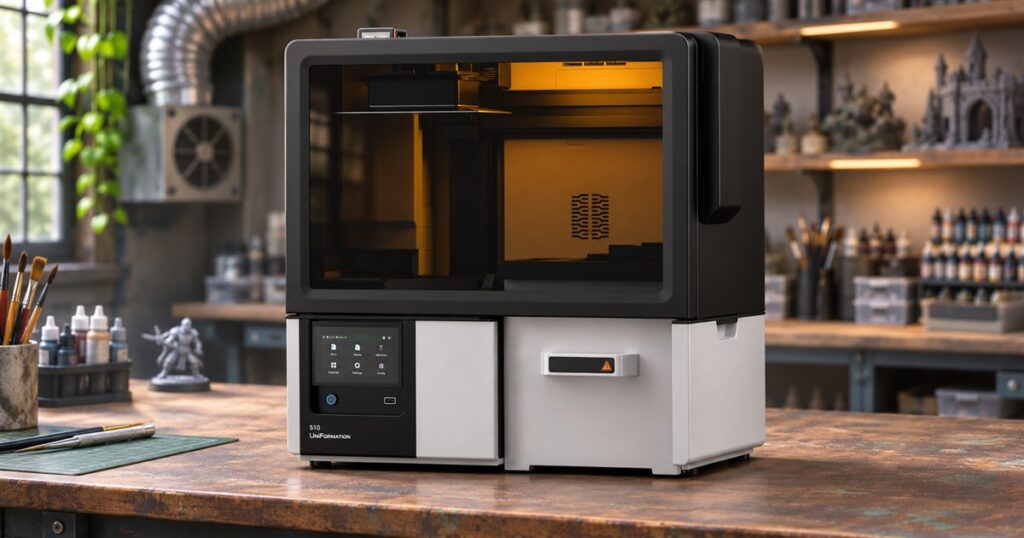
Making a tiny wizard should not require managing an entire wet laboratory. Yet resin printing has a habit of turning one exciting model into a procession of gloves, dripping platforms, wash tubs, and reminders that the fun part is apparently scheduled for later. The UniFormation S10 automated resin 3D printer takes aim at that middle stretch: it prints, washes, and dries inside one machine.
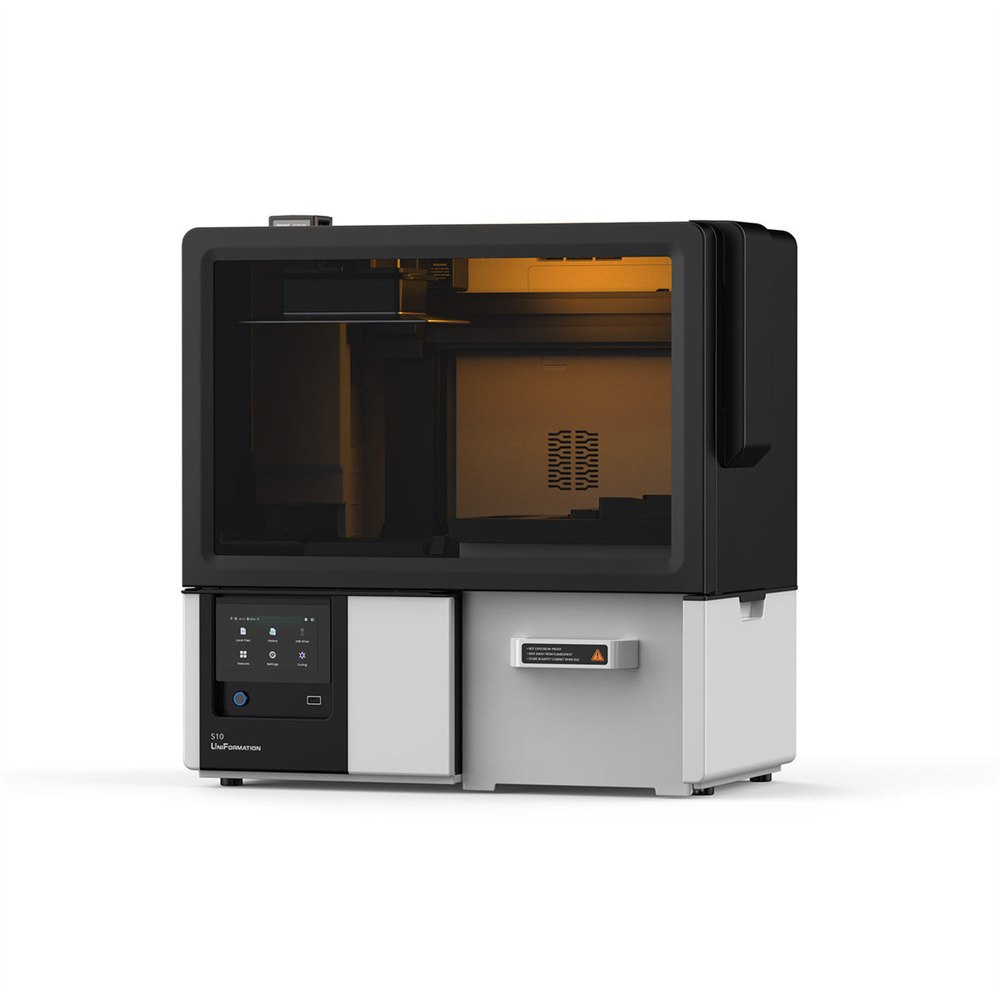
That is a much more interesting pitch than simply promising another sharper little dragon. Plenty of hobbyists want detailed models. Fewer dream of becoming the unpaid transportation department responsible for moving sticky models between appliances. The S10 puts several of those jobs under the same dark, enclosed roof.
It still leaves work for its human. Removing parts, dealing with supports, and completing UV curing remain part of the process. Think of it as a reduction in the number of times your project demands your immediate attendance, rather than a magic box that dispenses painted armies.
A printer that takes on the awkward middle jobs
The main attraction is the sequence after printing. UniFormation describes a platform that rotates and tilts to drain excess resin, then moves the attached prints into the washing area. The models stay on the build platform during washing and drying. Instead of carrying a freshly printed object across your workspace, you let the internal mechanism handle that transfer.
There is something wonderfully appropriate about asking a machine that makes complicated objects to handle a little of its own housekeeping. Your miniature knight may have a cape, a sword, and seventeen bits that would vanish into carpet. Transporting him to his bath should not be the most demanding part of the evening.


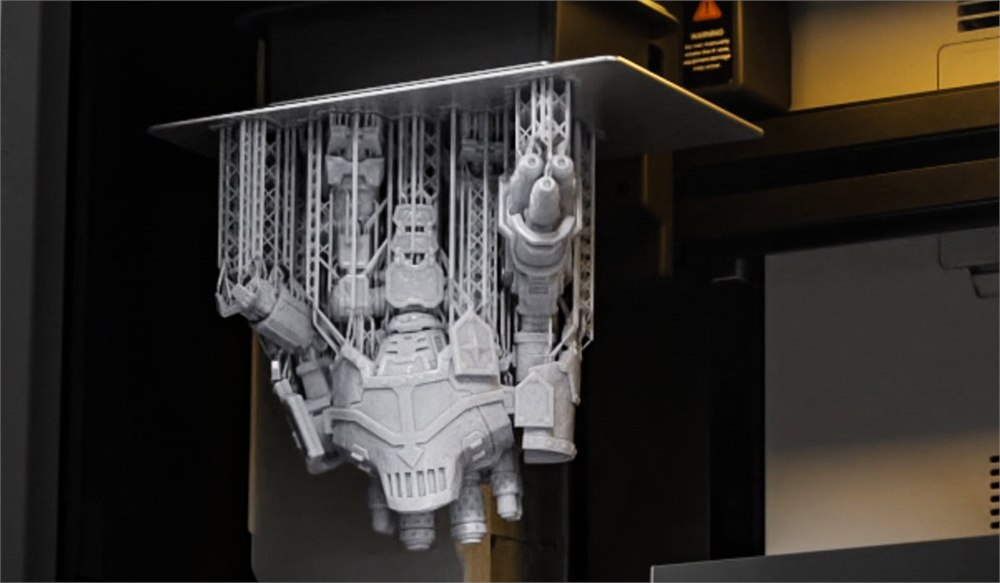
The enclosure also gives the S10 a different presence from a basic printer parked beside a collection of processing tubs. It looks like a small workshop appliance, with a broad tinted upper section and a silver lower cabinet. The front control screen sits toward the left. This is equipment you give a considered place on the bench, not something you balance beside your coffee.
Three ways to fit it into a workspace
The manufacturer lists print-only, automated-workflow, and Fluid Hub operating modes. That gives the concept a useful amount of flexibility. Someone with an existing washing routine can keep it, while someone buying specifically to reduce transfers can use the integrated sequence.
For a small studio, the optional Fluid Hub introduces a different scale of ambition. It is designed to serve up to three S10 printers. That is the point where your hobby room starts looking less like a place to escape work and more like a place with a production schedule. At least the tiny goblins do not ask for status meetings.
- Print-only mode accommodates an existing post-processing setup.
- The automated workflow combines printing, washing, and drying.
- The optional Fluid Hub supports a multi-printer arrangement.
- Separate internal modules are intended to allow targeted maintenance.
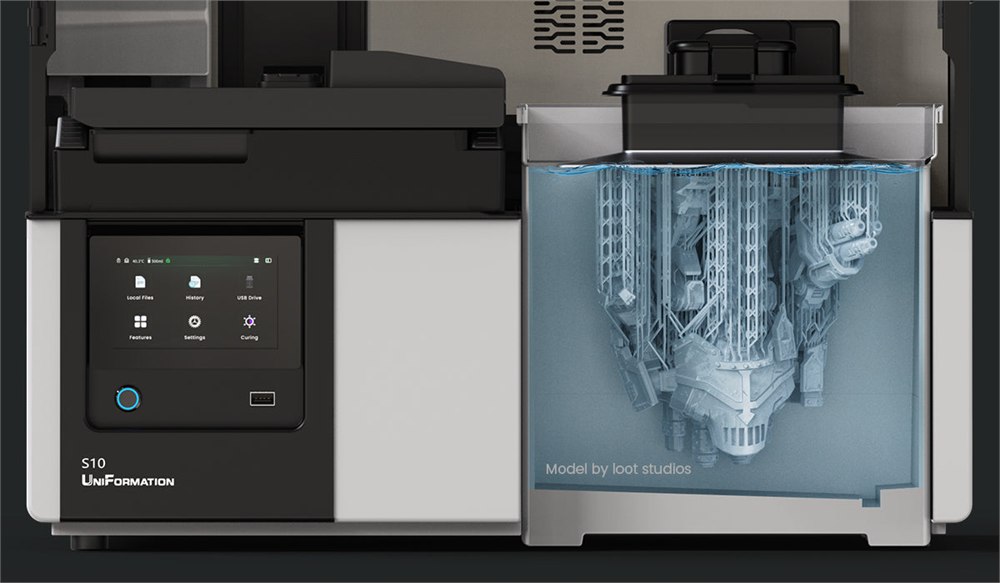
Those choices matter because buying a new printer does not automatically mean wanting to replace every other useful piece of equipment. A familiar workflow can be worth keeping. Equally, a newcomer may prefer fewer separate stations to organize from the outset. The S10’s appeal depends partly on which of those people is standing in front of it.
What happens automatically, and what still needs you
The distinction between a dry print and a finished print deserves its own little spotlight. Automatic washing and drying tackle specific stages. They do not remove supports, make finishing decisions, or replace the final curing step. UniFormation offers an optional curing module, but using it still involves human intervention after support removal.
| Stage | S10’s role |
|---|---|
| Printing | Builds the resin model. |
| Transfer and washing | Moves attached prints through the integrated process. |
| Drying | Uses controlled warm air. |
| Support removal | Remains a user task. |
| UV curing | Separate user-initiated stage; optional module offered. |
That boundary makes the product easier to understand. If your least favorite part is repeatedly returning to move a wet build platform, the automatic workflow could be attractive. If you want to press one button and receive a fully finished collectible, you are shopping for something this printer does not promise to deliver.
The same goes for artistic judgment. Deciding whether a model needs a different orientation, choosing what to make next, and determining whether a finished piece looks right are still your department. Fortunately, those are generally more satisfying decisions than wondering where you put the drippy tray.
Detailed printing without pretending chores disappear
Underneath the workflow story is a 16K resin-printing system. The manufacturer lists a build volume of 223.03 by 125.9 by 200 millimeters. Those numbers are useful for checking a project against the available space, rather than assuming every impressive model pictured with a printer fits in one piece.
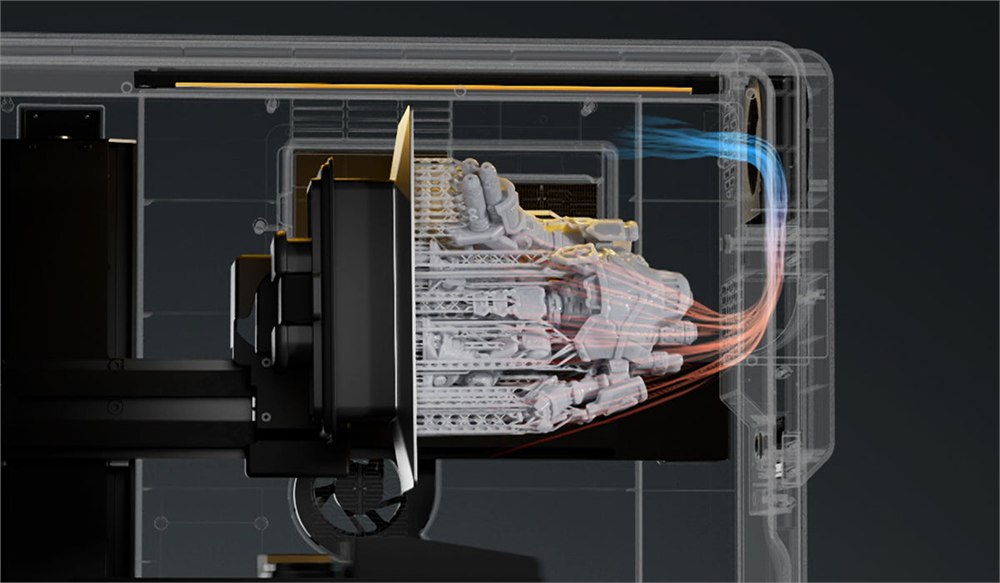
The warm-air drying stage is specified at 35 to 45 degrees Celsius. The emphasis here is a managed process inside the machine, not a reason to stop paying attention to the material you are using. Follow the resin and equipment instructions, including ventilation and handling requirements. A tidier-looking enclosure does not turn workshop materials into kitchen ingredients.
For miniature enthusiasts, the appeal is easy to picture: more time deciding how an imaginary creature should look, less time escorting its unfinished body between stations. For a small model-making operation, the appeal may be consistency of routine. Neither benefit requires pretending the machine has abolished maintenance or the learning curve.
There is also a sensible purchasing question hiding beneath the excitement: how often do you actually print? Someone who runs batches regularly may value fewer manual transfers very differently from someone who prints one decorative object every few months. An automatic workflow is most compelling when it addresses a chore you genuinely repeat.
Images: UniFormation.
The useful details before backing
- Product: UniFormation S10 automated resin 3D printer.
- Core idea: printing, washing, and drying in one enclosed system.
- Printing system: 16K LCD resin printing.
- Build volume: 223.03 × 125.9 × 200 mm.
- Expansion: optional Fluid Hub and curing module.
- Remaining tasks include part removal, support removal, and final UV curing.
UniFormation lists Kickstarter pledges starting at $999, with a planned retail price of $1,299. Its separately advertised VIP offer involves a deposit and cashback conditions; that is different from a straightforward lower pledge price. Check the current campaign tier and its shipping and tax terms before backing.
The manufacturer estimates delivery in March 2027. This is a crowdfunding product, so that date is an estimate rather than an item waiting on a retail shelf. For the right maker, the interesting promise is straightforward: the tiny wizard still needs finishing, but getting him clean and dry should involve fewer personal appearances.
| Pros | Cons and considerations |
|---|---|
| Combines printing, washing, and drying. | Supports and final curing still require intervention. |
| Reduces transfers between separate stations. | Material handling and maintenance remain necessary. |
| Offers print-only and automated modes. | Benefits depend on your existing workflow. |
| Optional multi-printer Fluid Hub. | Expansion accessories are separate considerations. |
| Detailed resin-printing capability. | Crowdfunding delivery timing is not guaranteed. |
At a glance
Product snapshot
- Listed price
- Pledges from $999Prices and availability can change. Check the seller for current details.
- Where to find it
- Kickstarter
- Category
- Gadgets