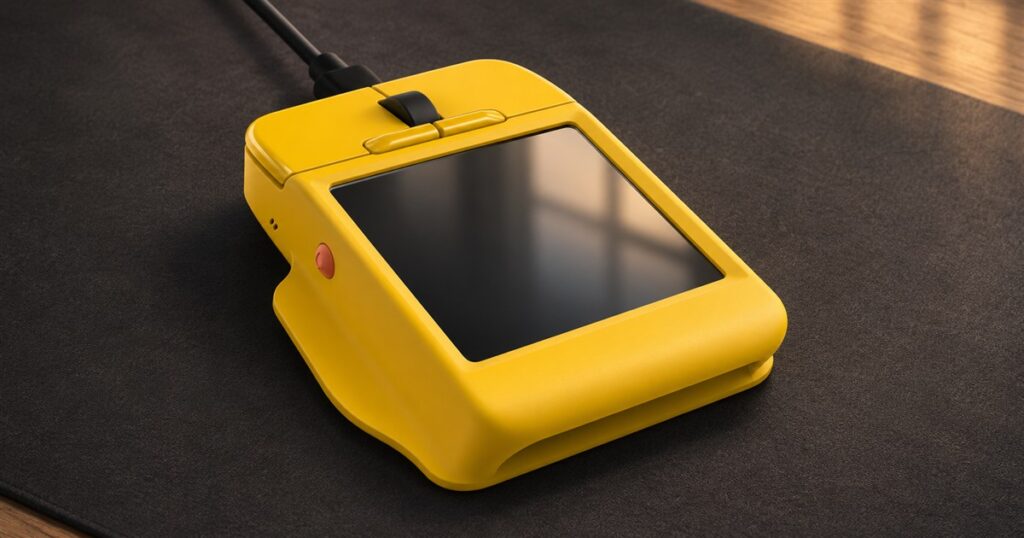
Your mouse has watched you forget the same keyboard shortcut for six years. It has remained polite. Arctic Fox’s Super Mouse takes a more interventionist approach: put a touchscreen on the mouse itself, so the commands you keep hunting through menus can live directly under your fingers. Apparently the little desk rodent has applied for a management position.
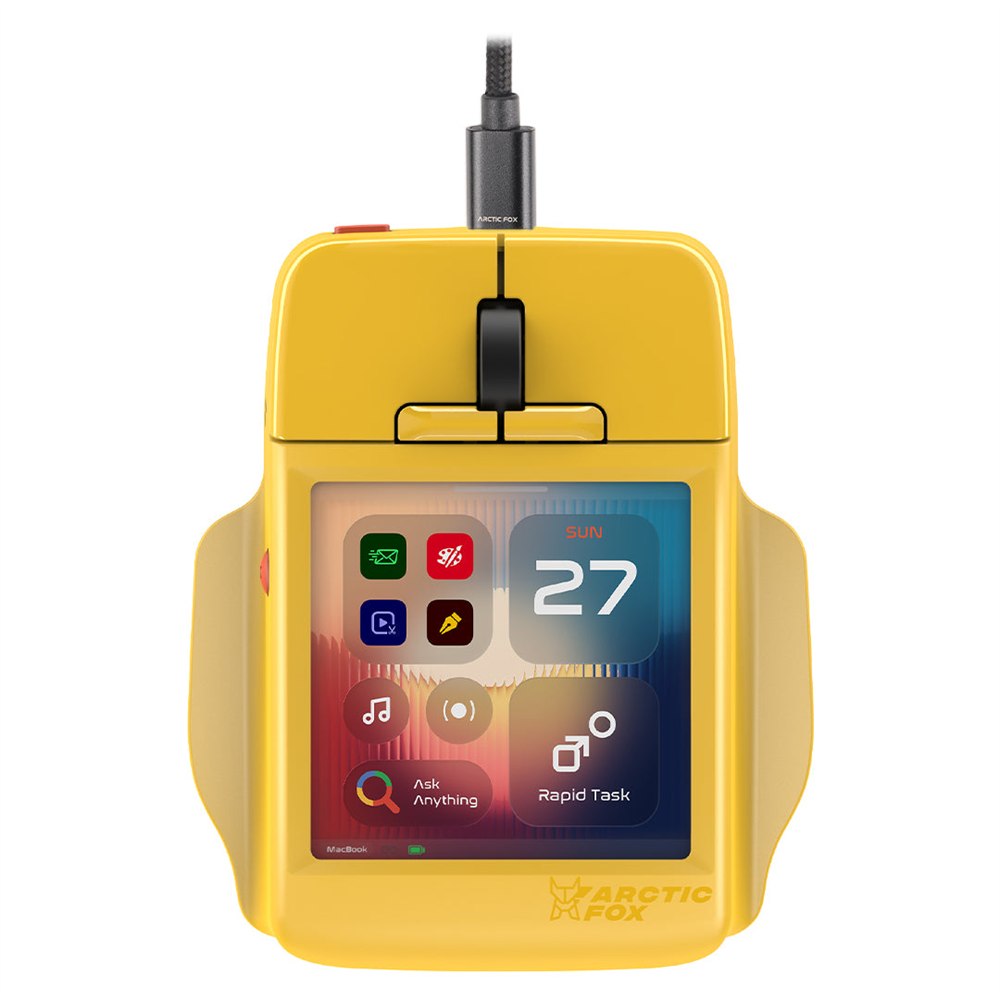
The Super Mouse is a wired computer mouse with a 3.1-inch touch display, customizable controls, and a companion desktop application. It combines ordinary cursor duty with the kind of shortcut surface you might otherwise park beside your keyboard. That is a fairly ambitious promotion for something whose previous job description was mostly “move arrow, click rectangle.”
The appeal is easy to picture. You’re editing something, switching between applications, adjusting audio, and repeatedly remembering that one command has a shortcut you absolutely knew yesterday. A control surface on the mouse could keep those repeated actions close to the hand already doing most of the clicking.
A mouse with its own little dashboard
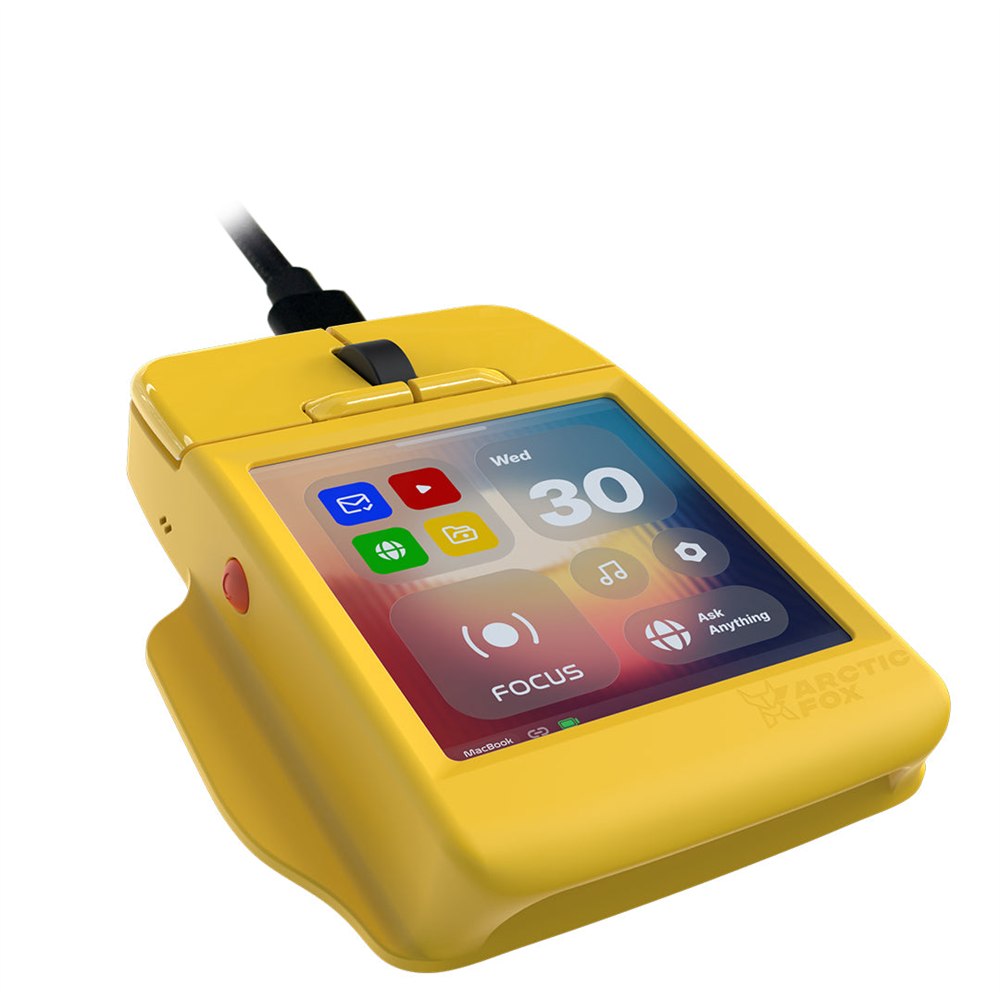
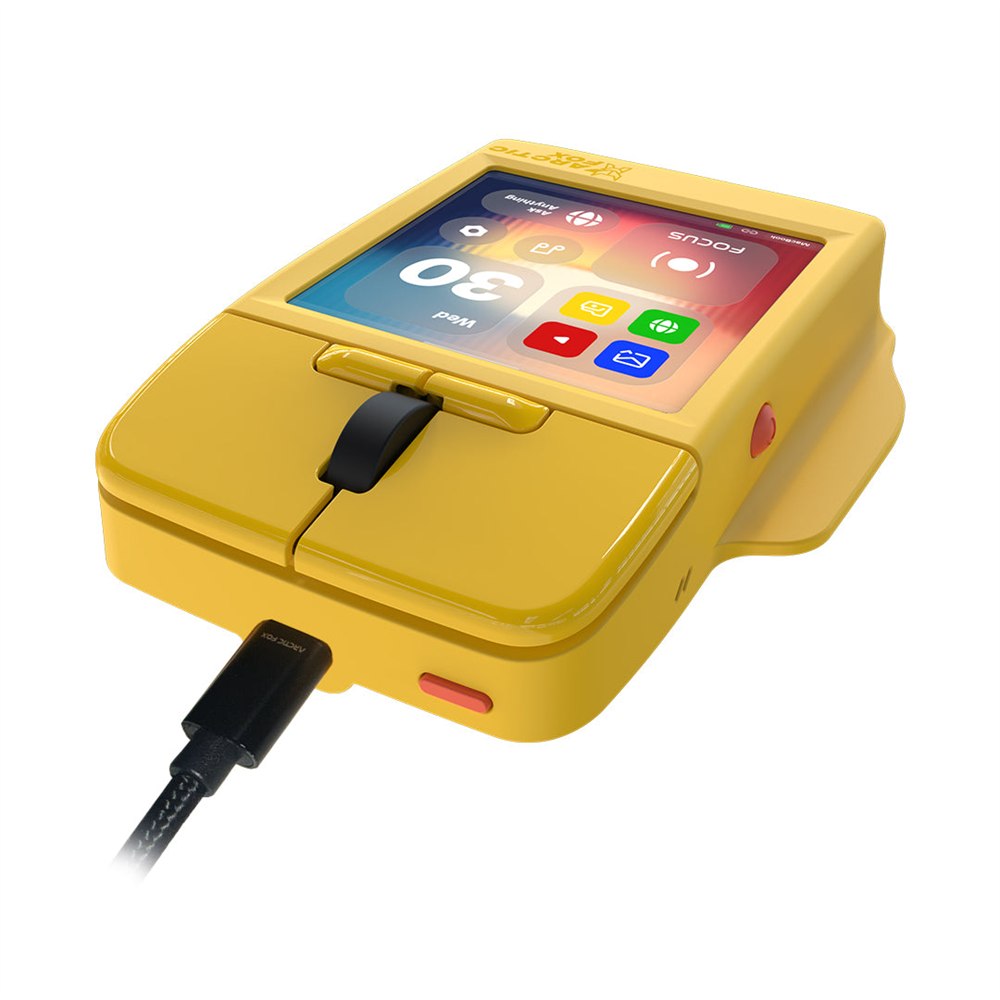
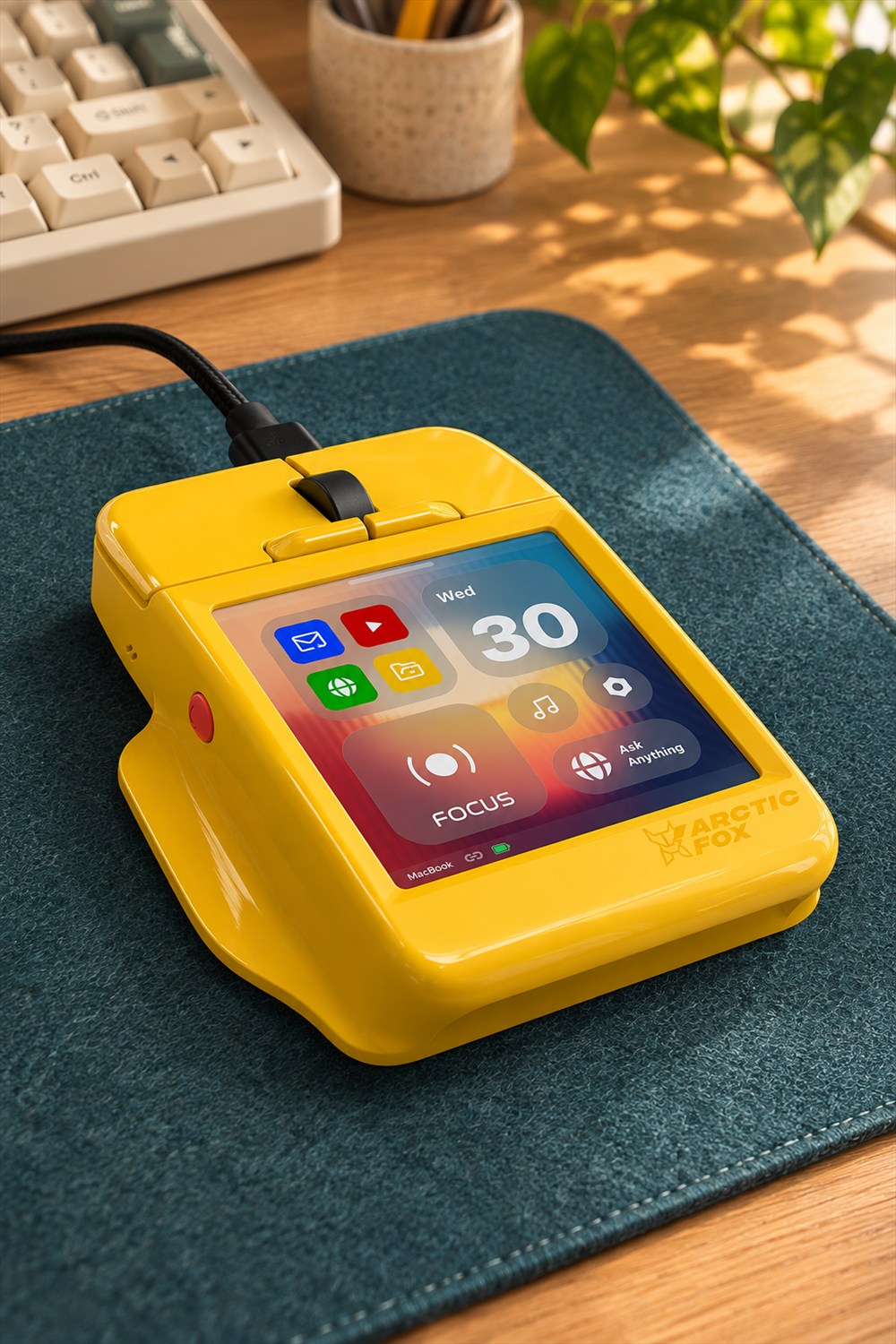
This is a broad, low device, with physical click buttons and a scroll wheel ahead of a large square display. In yellow, it looks a little like construction equipment designed for an unusually demanding spreadsheet. The screen takes up much of the body, making the product’s strange proposition obvious before you read a single feature description.
Arctic Fox lists a 720 by 720-pixel display. The point of that screen is access: shortcuts, controls, and small tools that can change with the way you work. A mouse covered in fixed buttons asks you to memorize which button does what. A display at least gives the controls room to introduce themselves.

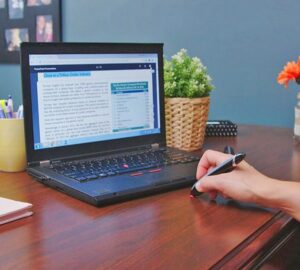
There is still a tradeoff. Looking down at your hand is another movement, even if it saves a trip through a menu. Whether that feels quicker depends on your habits and which commands you actually use. Nobody needs a lavish custom dashboard for the thrilling daily operation of opening one browser tab and immediately becoming distracted.
The setup is part of the product
The companion software is called Flow. Arctic Fox describes it as the place to customize screen layouts, shortcuts, macros, and application behavior. Windows and macOS are listed as supported platforms, though buyers should check the particular functions they need on their own system before ordering.
That makes this a device for people willing to spend some time arranging their tools. The pleasant version of that afternoon ends with your favorite commands exactly where you want them. The less pleasant version ends with three hours spent choosing a background for a button you use twice a month. Both are recognizable forms of computer ownership.
Separate profiles can organize controls for different tasks. An editing layout and a general work layout need not have the same priorities. The practical approach would be to start with a few repetitive actions, learn those, and add more only when there is a real reason. Filling every available space is a decorating instinct, not necessarily a workflow improvement.
- Custom shortcuts and macros: Put recurring commands and multi-step actions within easy reach.
- Touch controls: Use the display for functions such as volume and brightness adjustment.
- Trackpad mode: Access touch gestures and scrolling from the mouse surface.
- Virtual keyboard and voice input: Add alternative ways to enter text or trigger controls.
- Task profiles: Arrange different sets of controls for different kinds of work.
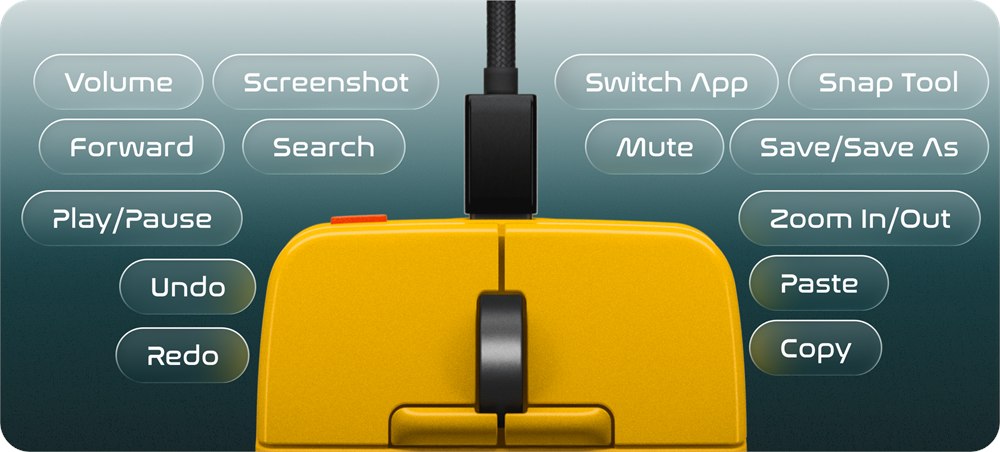
These features are the manufacturer’s advertised capabilities, rather than a promise that every application will cooperate in exactly the same way. A shortcut is only useful when it maps to something your software actually supports. The best question is less “How many things can this do?” and more “Which five annoying things would I stop doing the long way?”
Yes, the cable is staying
For all the futuristic screen business, the Super Mouse connects by USB cable. Arctic Fox specifies wired USB-C connectivity on its main page. Anyone planning a perfectly cable-free desk will need to make room for one very visible exception. The mouse has brought a dashboard and an umbilical cord.
The body measures 109 by 91 by 29 millimeters. Its width and low profile are worth thinking about if you have strong preferences about grip shape. Photographs can show where a hand would go; they cannot settle whether that shape will feel comfortable through an afternoon. This is one purchase where enthusiasm for buttons should leave a little room for enthusiasm for your wrist.
| Detail | Manufacturer listing |
|---|---|
| Product | Super Mouse, model AFSM2601 |
| Touchscreen | 3.1 inches, 720 × 720 pixels |
| Connection | Wired USB |
| Dimensions | 109 × 91 × 29 mm |
| Platforms | Windows and macOS |
| Companion software | Flow desktop application |
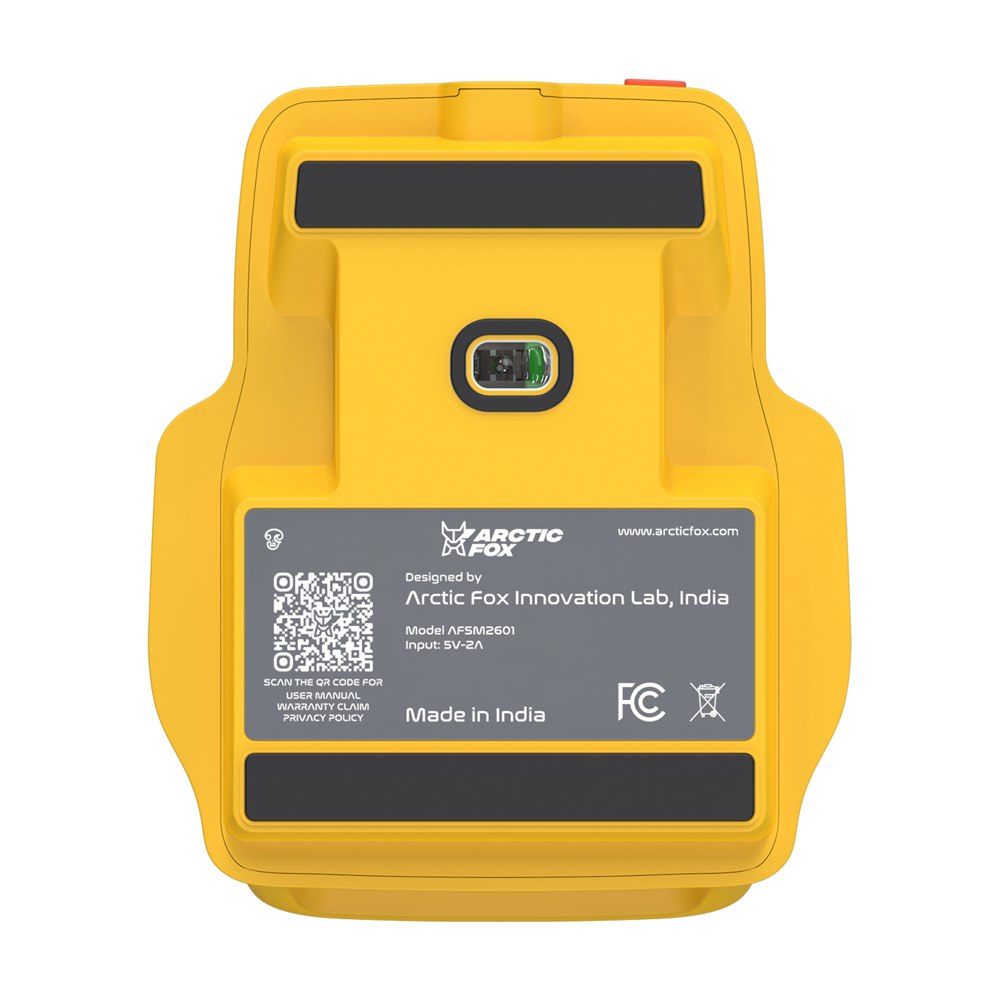
The underside has the familiar practical hardware of a mouse, rather than a second miniature command bridge. That matters because the touchscreen has not removed the need to move a cursor around a desk. This is still a pointing device first, with an unusually large collection of ambitions sitting on top.
Your calendar can now bother your mouse
Google Calendar integration is another advertised feature. Arctic Fox describes viewing and managing events through a connected Google account, using OAuth authorization. It also says calendar events stay in your Google account rather than being stored on Arctic Fox servers. Those are the maker’s statements, not an independent privacy audit.
Having a meeting reminder on the mouse is either convenient or an impressive new way for a meeting to invade your personal space. Still, for someone who constantly moves between work windows, a small nearby schedule view has an understandable appeal. It might save opening another tab, which is how a calendar check occasionally turns into reading about Victorian drainage systems.
The touch keyboard and voice input are similarly best considered extra options. A small screen is handy for occasional interaction, but it is not where most people would choose to compose an entire novel. Keep the proper keyboard. It has done nothing to deserve being replaced by a postage-stamp office.
Arctic Fox also advertises gyro-based controls for motion-driven actions. As with the touch features, the useful part will be choosing actions that make sense in your own routine. More ways to issue a command can be helpful; more ways to accidentally issue the wrong command are less charming.
Product images courtesy of Arctic Fox.
Who would actually want this?
The obvious audience is the person who already enjoys arranging shortcuts, editing controls, or application-specific tools. If you have ever spent an evening configuring a macro and then proudly demonstrated the resulting two-second saving, you understand the attraction. The rest of the household may still be waiting for the demonstration to end.
For occasional computer use, its extra screen and setup may be more than you need. For repeated creative or office tasks, the combination is interesting because it places several controls in one familiar location. We have not tested its responsiveness or long-session comfort, so those remain buying questions rather than settled advantages.
- Core idea: A wired mouse combined with a customizable touchscreen control surface.
- Display: A 3.1-inch square touch panel behind the physical mouse controls.
- Software: Flow provides customization for supported Windows and macOS workflows.
- Extras: Advertised trackpad, virtual keyboard, voice input, calendar, and gyro functions.
- Buying consideration: An unusual grip shape, a wired connection, and time spent configuring controls.
Arctic Fox currently lists the Super Mouse at US$249 on its prebooking page, which also advertises a $10 reservation. That reservation wording is not the full mouse price. Confirm the payment terms and delivery timing with the seller before ordering; treat this as a preorder offering rather than assuming immediate shipment. The yellow version certainly looks ready to supervise your desk, but it cannot make the delivery truck arrive faster.
| Pros | Cons / considerations |
|---|---|
| Mouse and touch controls share one device | Broad, low shape may not suit every grip |
| Custom profiles and macros can suit repetitive tasks | Useful setup takes time and software compatibility matters |
| Several input and control options are advertised | Real-world responsiveness and comfort remain untested here |
| USB connection avoids a wireless pairing routine | A cable remains part of the desk setup |
| A distinctive alternative to a separate shortcut pad | Prebooking terms and delivery timing need confirmation |
Save this find.
Thank yourself later.
Your next great gift idea. Your someday space. Your collection of wonderfully weird things.
Save to PinterestPick a board. Keep the inspiration.
This Touchscreen Mouse Puts Custom Shortcuts Right Under Your Fingers
Where to find This Touchscreen Mouse Puts Custom Shortcuts Right Under Your Fingers
OddityMall may earn a commission from qualifying purchases at no extra cost to you.