
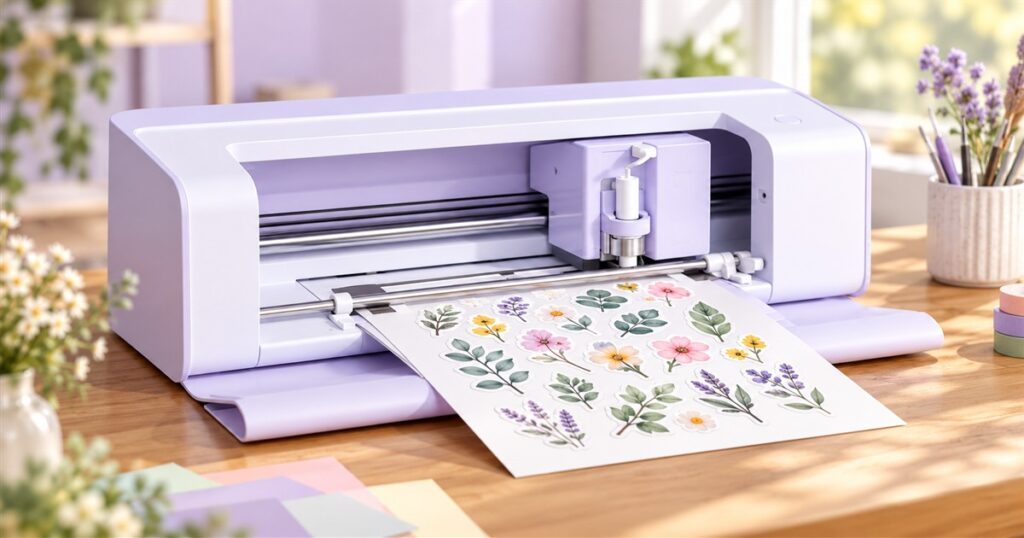
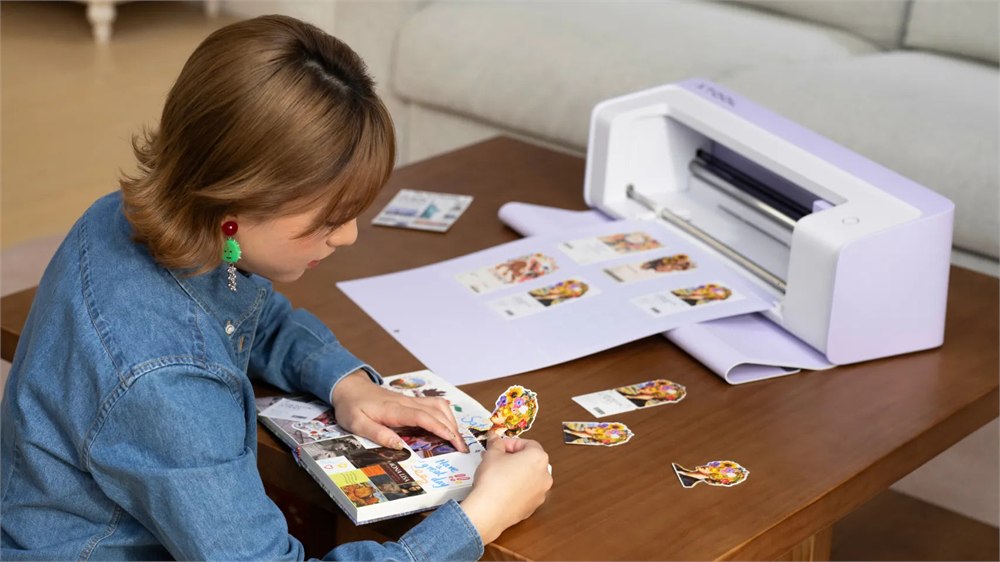
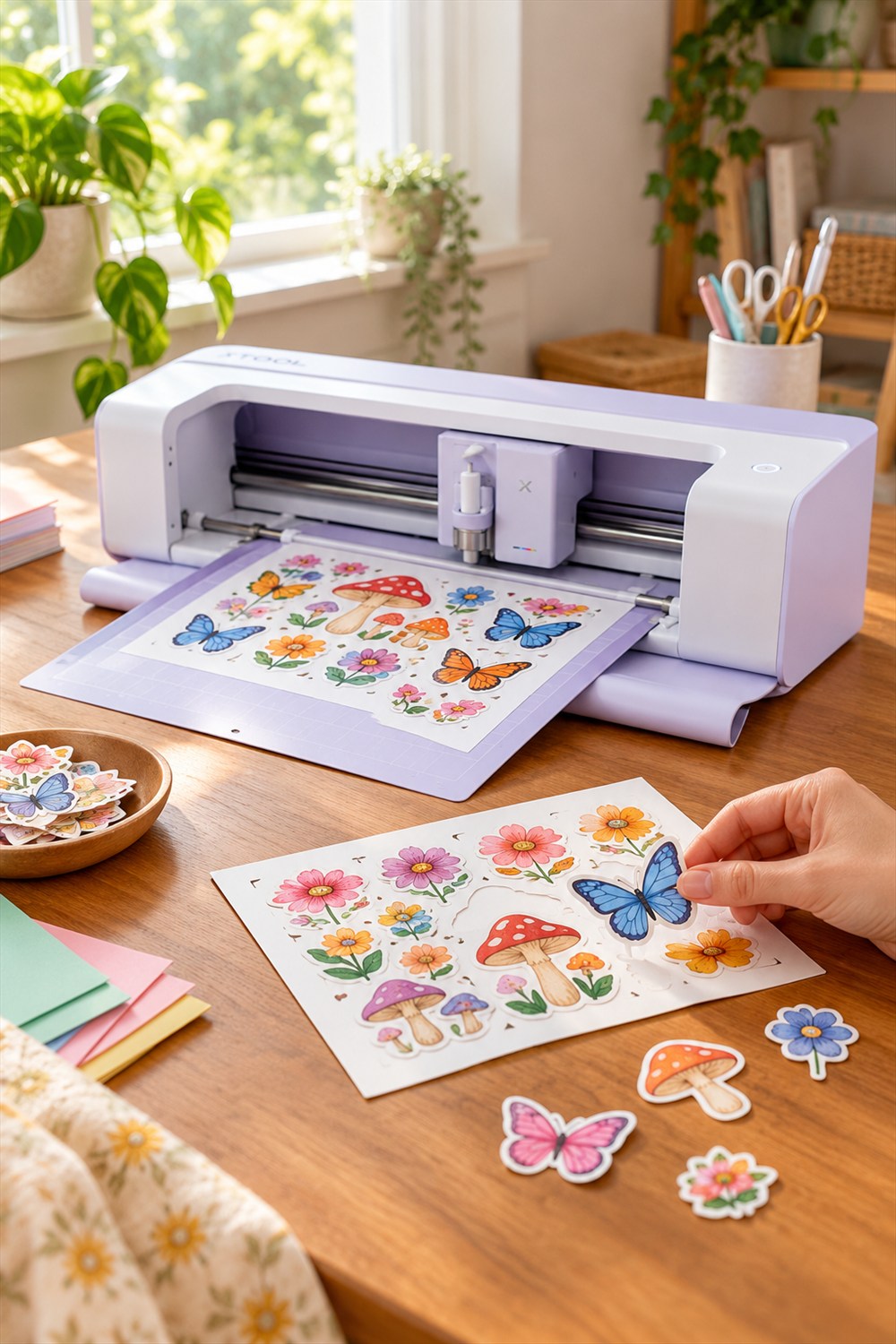
Making a sheet of stickers should not require a relay race between two machines and a small prayer to the alignment gods. The xTool C1 Color Cutter puts a scanner, full-color inkjet printer, and blade cutter in one desktop machine, so your cheerful little mushroom design has fewer opportunities to become a cheerful little manufacturing incident.

The idea is straightforward: print the colors, cut the shapes, and stop carrying a precious sheet across the room like it contains a treaty. For people making stickers, cards, labels, and custom apparel projects, that combined workflow is the interesting part. This is a craft machine with a printer built into the process, rather than another box asking you to provide all the colorful bits yourself.
It also looks surprisingly polite. The pale housing and open front have more craft-room energy than industrial workshop energy. You can see the rails and tool carriage inside, while a fold-down front tray gives the material somewhere to travel. It is the kind of machine that makes an ordinary desk look one small decision away from becoming a very specific business.
Full color without the vinyl layer lasagna
Traditional multicolor craft projects can involve cutting separate pieces of colored material, weeding out unwanted sections, and aligning everything by hand. That can be satisfying. It can also be the moment a person learns that their supposedly steady hands have been exaggerating on their résumé.
The C1 uses a four-color CMYK thermal inkjet cartridge to put the design’s colors onto a suitable material, then handles the cutting in the same machine. xTool says this workflow does not need boundary registration marks, leaving more of the sheet available for the actual project. The practical appeal is less shuffling and fewer separate alignment steps, not a promise that every first attempt will be perfect.



That makes particular sense for someone producing lots of small, colorful designs. A sheet of party labels or illustrated stickers can keep its color detail without requiring a separate layer of vinyl for each shade. Your cartoon frog can have an unnecessarily sophisticated wardrobe without turning into a seven-layer craft sandwich.
The scanner earns its spot
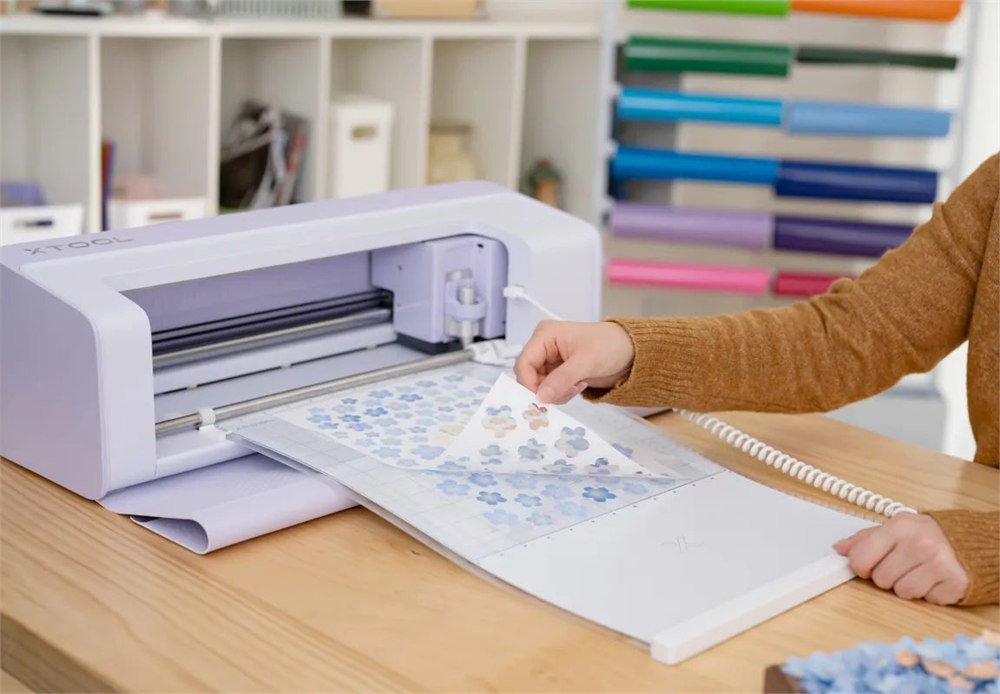
A built-in Contact Image Sensor scans the material and puts a preview into the software. You can position a design visually instead of working entirely from measurements. xTool also describes contour extraction for drawings and printed elements, plus tools for arranging designs around usable scraps. Those leftover pieces finally have a plausible defense against being thrown away.
There is a useful compatibility catch here. The company says third-party 12-by-12-inch cutting mats can work for printing and cutting, but scanning is not supported with them. If the scanner is the feature that sold you on this machine, plan around the official mats rather than assuming every mat already living in your drawer will unlock the whole experience.
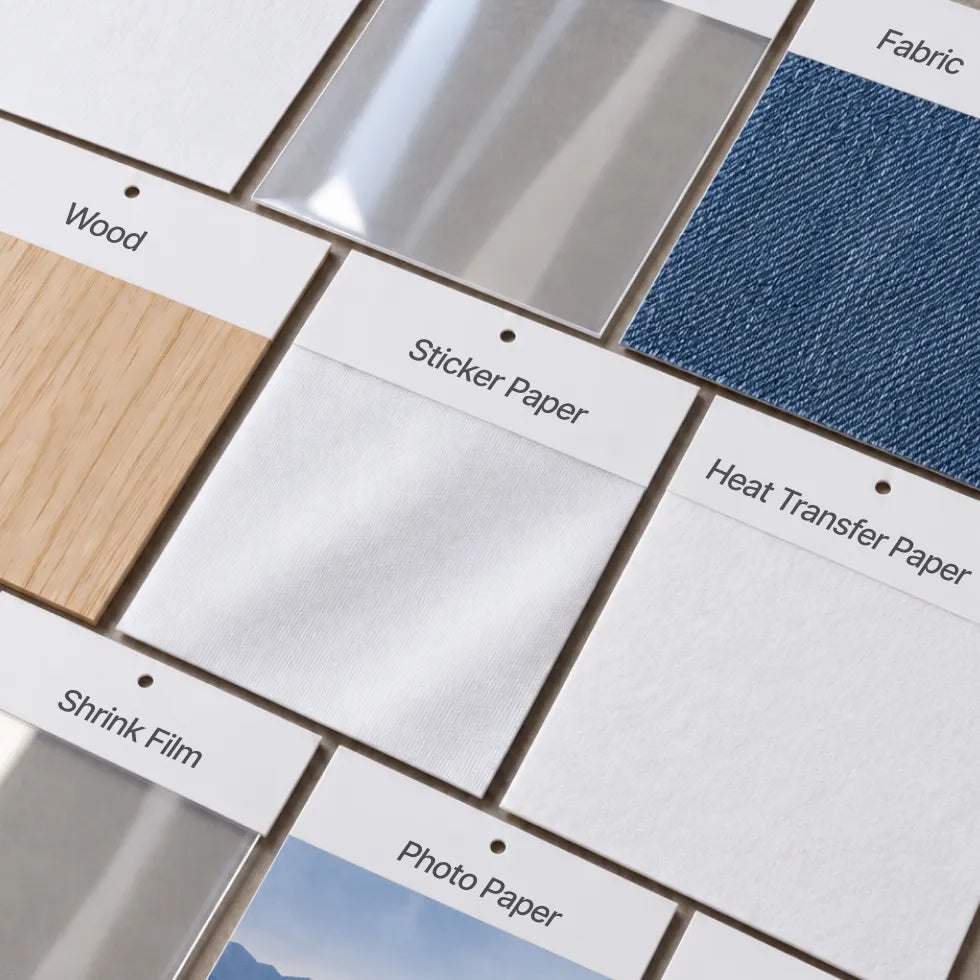
Different materials also need different preparation. The supported printing examples include sticker paper, cardstock, photo paper, and printable heat-transfer paper. Direct printing onto fabric calls for pre-treated fabric. Wood and acrylic are listed with the company’s print primer spray for better results. A material appearing in the brochure does not mean an arbitrary scrap from the garage is ready to go.
- Stickers and labels: print multicolor artwork and cut its outlines in one workflow using suitable sticker media.
- Paper projects: make cards, cutouts, and packaging elements with the appropriate tools and materials.
- Apparel projects: use compatible printable transfer media or properly pre-treated fabric rather than assuming every shirt is ready for direct printing.
- Drawings and scraps: use the scanner preview and contour tools to place designs and recover useful material.
- Decorative finishes: explore optional foil-transfer and other accessories when the project calls for more than ink and a cut line.
The numbers that matter on a real desk
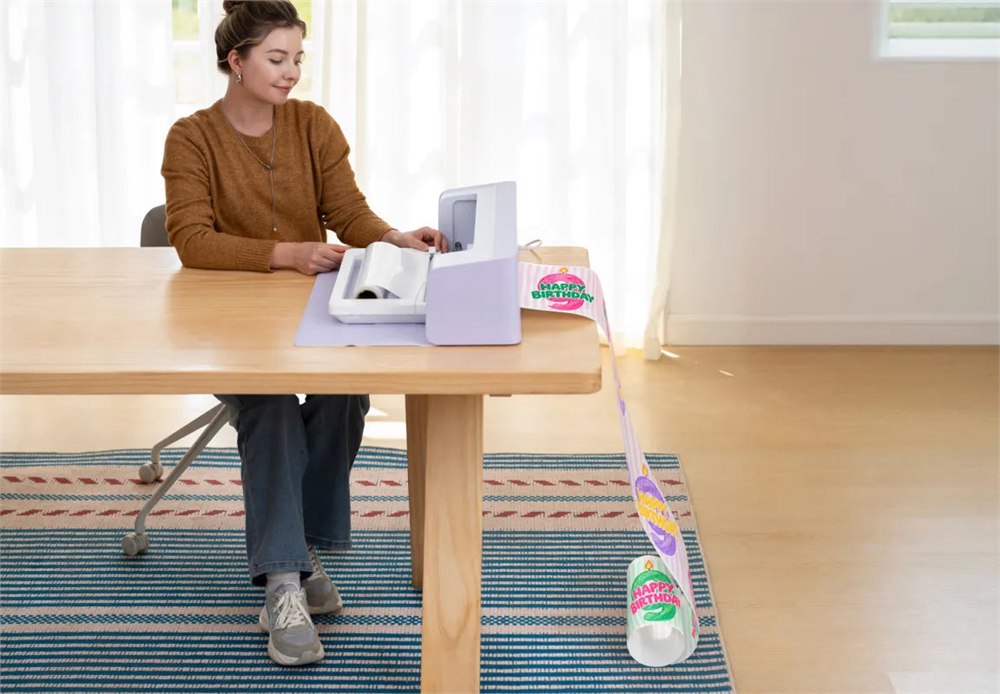
The machine itself measures about 22.8 inches wide, 7.2 inches deep, and 7 inches tall, with a listed weight of 17.3 pounds. That is manageable desktop territory, but the machine’s body dimensions are not the whole working footprint. Mats and roll material need space to feed through. Wedging it between a wall and a coffee mug collection would be an ambitious interpretation of workspace planning.
| Specification | xTool’s listed figure | Practical note |
|---|---|---|
| Standard mat area | 12 × 12 inches | Useful for sheets of small craft projects |
| Long mat area | 12 × 24 inches | Allow room for the longer mat to move |
| Roll mode | 11 inches × 12 feet | Requires the roll holder |
| Maximum print resolution | 720 × 1200 dpi | Results also depend on media and settings |
| Scanner resolution | 300 / 600 dpi | Official mats are needed for scanning support |
| Maximum material thickness | 3 mm on adhesive mat; 1.7 mm on electrostatic mat | Tool and material compatibility still apply |
| Connection | USB or Wi-Fi | PC, phone, and tablet compatibility is listed |
xTool lists a maximum cutting speed of 509 millimeters per second and a single-pass printing speed of 352 millimeters per second. Those are machine specifications, not a stopwatch promise for a finished order. Detailed shapes, material selection, setup, and finishing all influence how long a real project takes. The tiny whiskers on your sticker cat still have to be cut.
Accessories expand the job description
The optional hot foil transfer tip set adds metallic accents to compatible materials. The electrostatic mat holds delicate sheets using static rather than a conventional adhesive surface. A roll holder supports longer feeding jobs, while the thicker-material cutting add-on is aimed at suitable materials up to 3 millimeters thick. These are different tools for different jobs, not a declaration that the base box includes every capability shown in every photograph.
The distinction between cutting and printing matters, too. Being able to print on a prepared surface does not automatically make that material suitable for blade cutting. If your plans involve thick wood or substantial acrylic work, check the specific process and tool requirements first. The C1 is built around blades and ink; it is not a laser engraver hiding behind a charming pastel exterior.
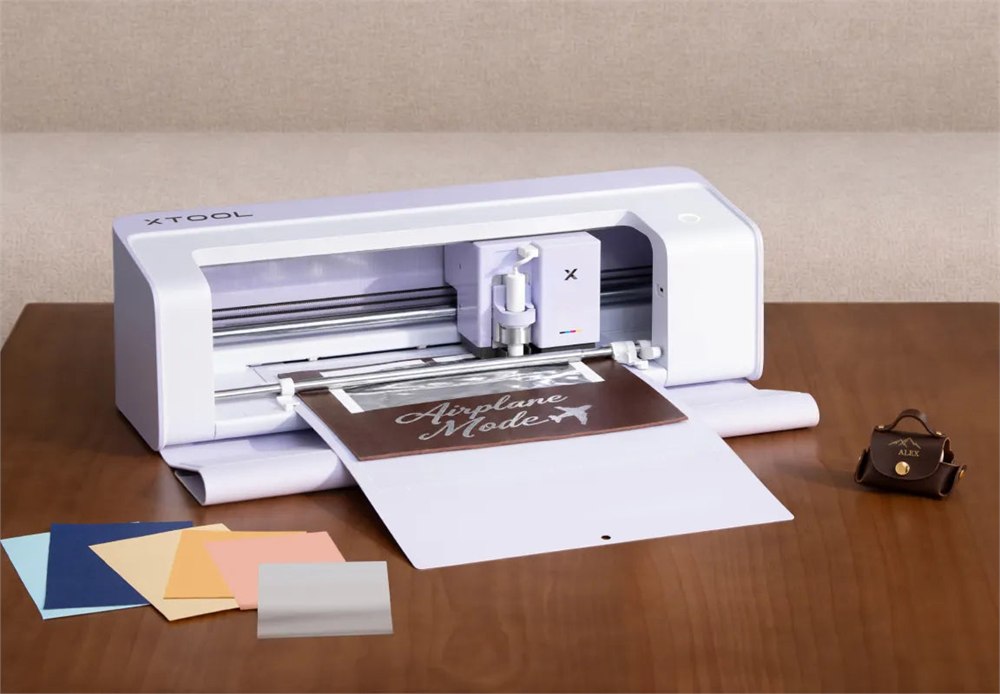
For a regular crafter, the appeal is having several familiar steps in one place. For a small shop, it could simplify moving from artwork to a finished sheet of labels or decorative pieces. Neither situation requires pretending the machine will run the entire business. Someone still has to choose materials, approve designs, package orders, and discover that the customer meant a slightly different shade of green.
You can use it without a membership
The C1 works with the basic features of xTool Studio without an Atomm membership. The optional Atomm plan adds credits and other benefits for premium creative tools. Some advanced generators and image-editing functions require credits, which can also be bought separately. This is worth understanding before choosing a bundle, especially if you already create your own artwork elsewhere.
xTool says the Basic and membership versions contain the same C1 machine, complete with blade and ink, plus a starter material pack. The membership version adds one month of Atomm Pro. The machine and basic software workflow keep working if you cancel the membership, so finishing your trial does not turn the cutter into a lavender paperweight.
The manufacturer advertises waterproof stickers with its proprietary ink and suitable media, along with apparel prints rated for up to 30 washes. Treat those as manufacturer claims tied to the recommended process and materials. They are not a universal guarantee for every fabric, coating, wash cycle, or ambitious experiment involving a mystery tote bag.
- Product: xTool C1 Color Cutter, combining scanning, CMYK inkjet printing, and blade cutting.
- Main uses: stickers, labels, paper crafts, compatible apparel projects, and personalized decorative pieces.
- Standard work area: 12 × 12 inches, with other mat and roll options available.
- Important limits: scanning needs supported official mats; materials may require pretreatment, primer, or a specific accessory.
- Software: basic C1 operation does not require an Atomm membership.
- Buying status: reservation period, with launch and shipping timing set by xTool.
The current US launch page lists the C1 Basic at $469 and the Basic plus Atomm Membership offer at $399. The membership bundle includes the first month of Atomm Pro; xTool lists the normal separate membership price as $9.90 per month and says you can turn off auto-renewal. A $10 reservation deposit is refundable before final payment and applies toward the purchase total.
As of October 31, 2026, xTool’s current FAQ schedules launch and final payments for November 11 at 6 PM PST, with US shipping beginning in mid-November. Check the selected bundle and current delivery terms when ordering. Product details and images are from xTool. If your hobby already has a dedicated drawer for extremely important scraps, this machine probably speaks your language.
| Pros | Cons and considerations |
|---|---|
| Combines scanning, color printing, and blade cutting | Results depend on suitable materials, setup, and tools |
| Visual scanning helps position designs | Scanning is not supported with third-party cutting mats |
| Full-color work can reduce separate color-layer assembly | Ink and compatible media remain ongoing consumables |
| Optional tools broaden the project range | Foil, roll, and other accessory features require the appropriate add-ons |
| Basic operation works without a membership | The discounted membership offer needs attention to renewal terms |
| Desktop size suits a dedicated craft station | Material feeding needs additional space; orders are still in the reservation stage |
Save this find.
Thank yourself later.
Your next great gift idea. Your someday space. Your collection of wonderfully weird things.
Save to PinterestPick a board. Keep the inspiration.
This Craft Cutter Scans, Prints in Color, and Cuts Your Designs in One Machine
Where to find This Craft Cutter Scans, Prints in Color, and Cuts Your Designs in One Machine
OddityMall may earn a commission from qualifying purchases at no extra cost to you.
