
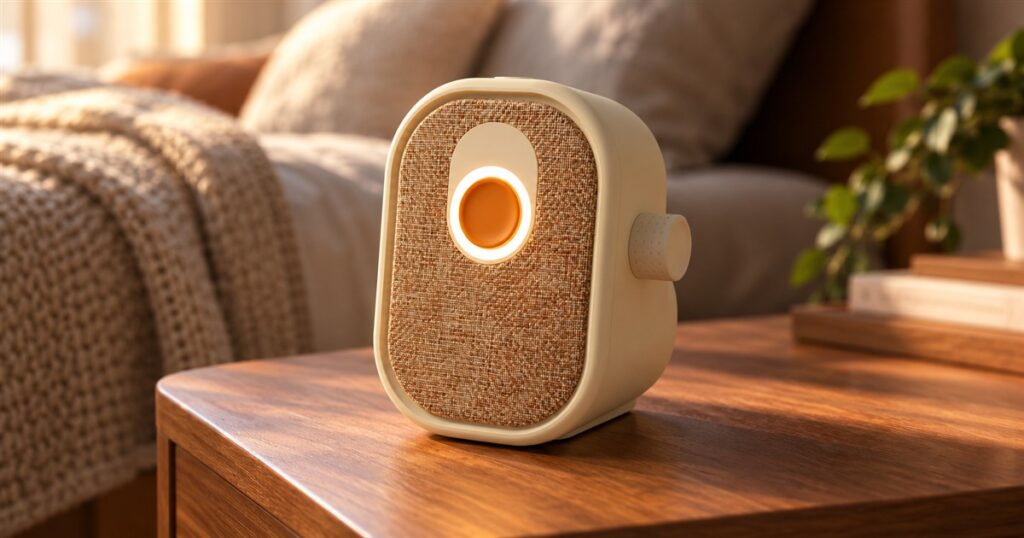
Somewhere along the way, checking a family message became a small administrative career. Find the app. Dismiss the update. Remember the password. Explain that the little airplane does not order a flight. Ato takes one look at this arrangement and arrives dressed like a radio, with a large orange button that practically volunteers to be pressed.
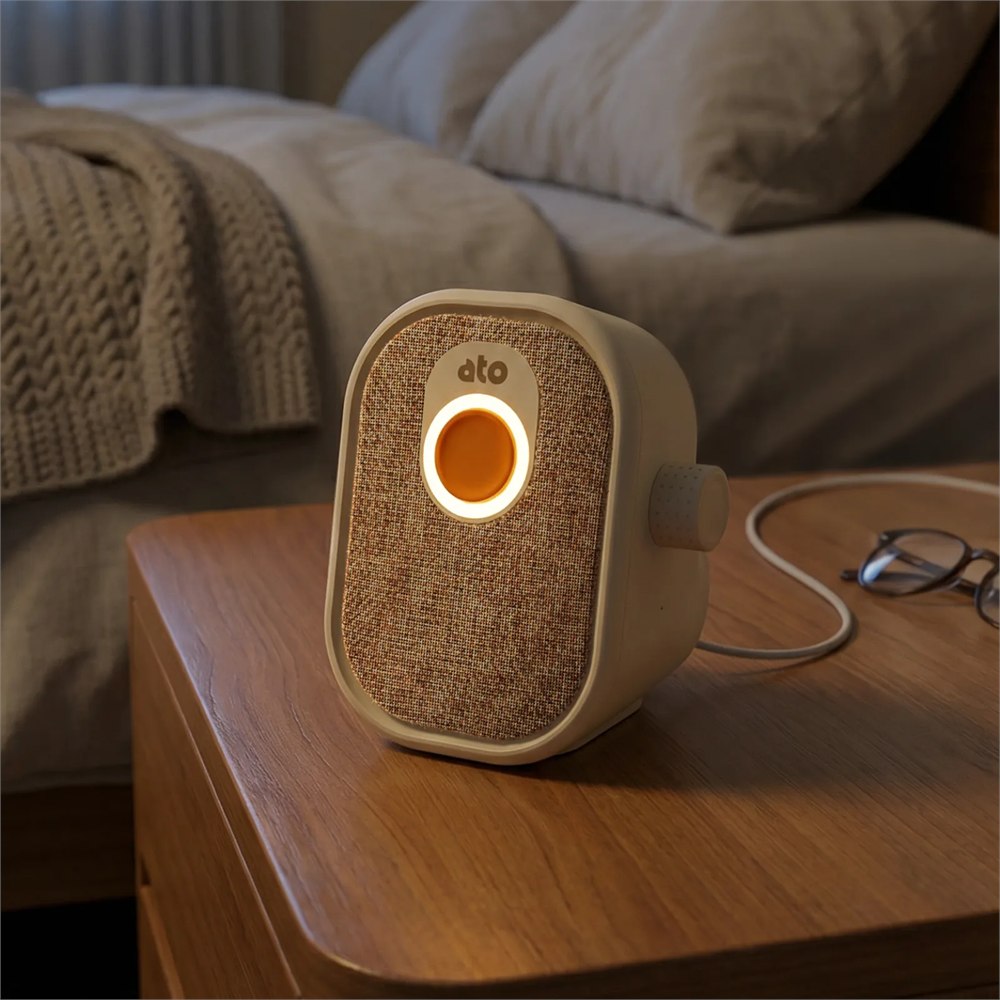
The Ato screen-free AI companion puts conversation, family messages, reminders, and radio into a small tabletop device. Its intended audience is older adults, with relatives handling settings through a family app. That division makes sense: the person who enjoys investigating phone menus can investigate phone menus. Everyone else can get on with their afternoon.
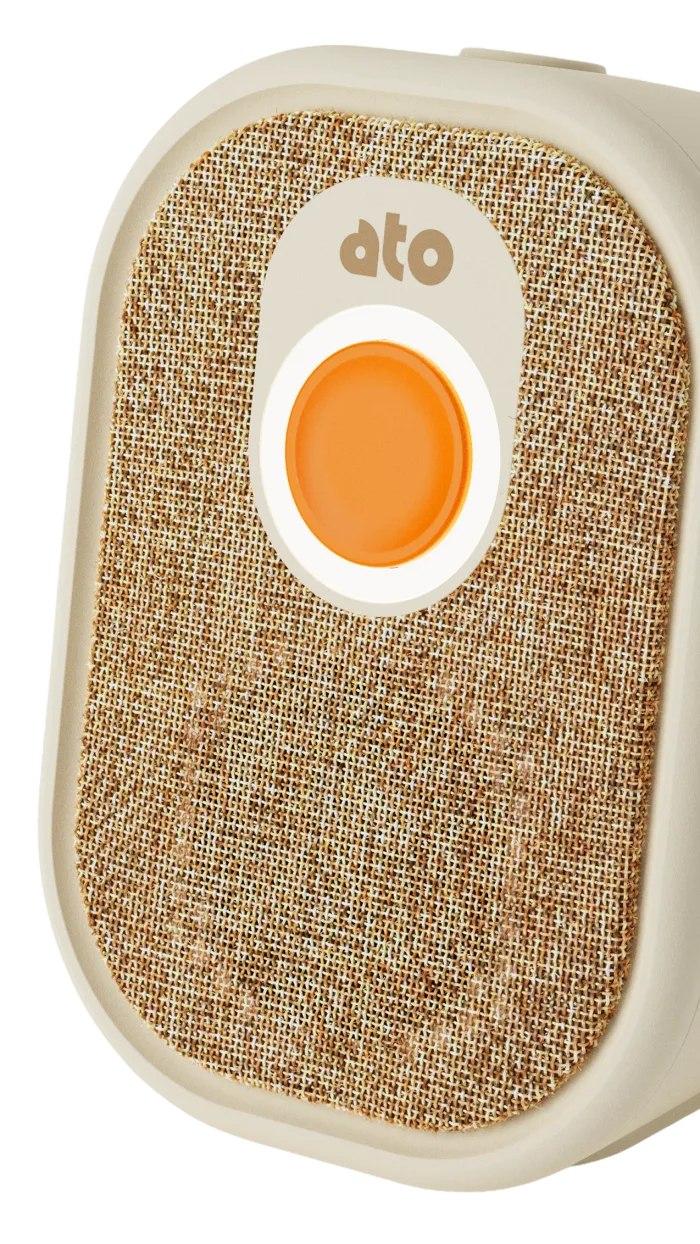
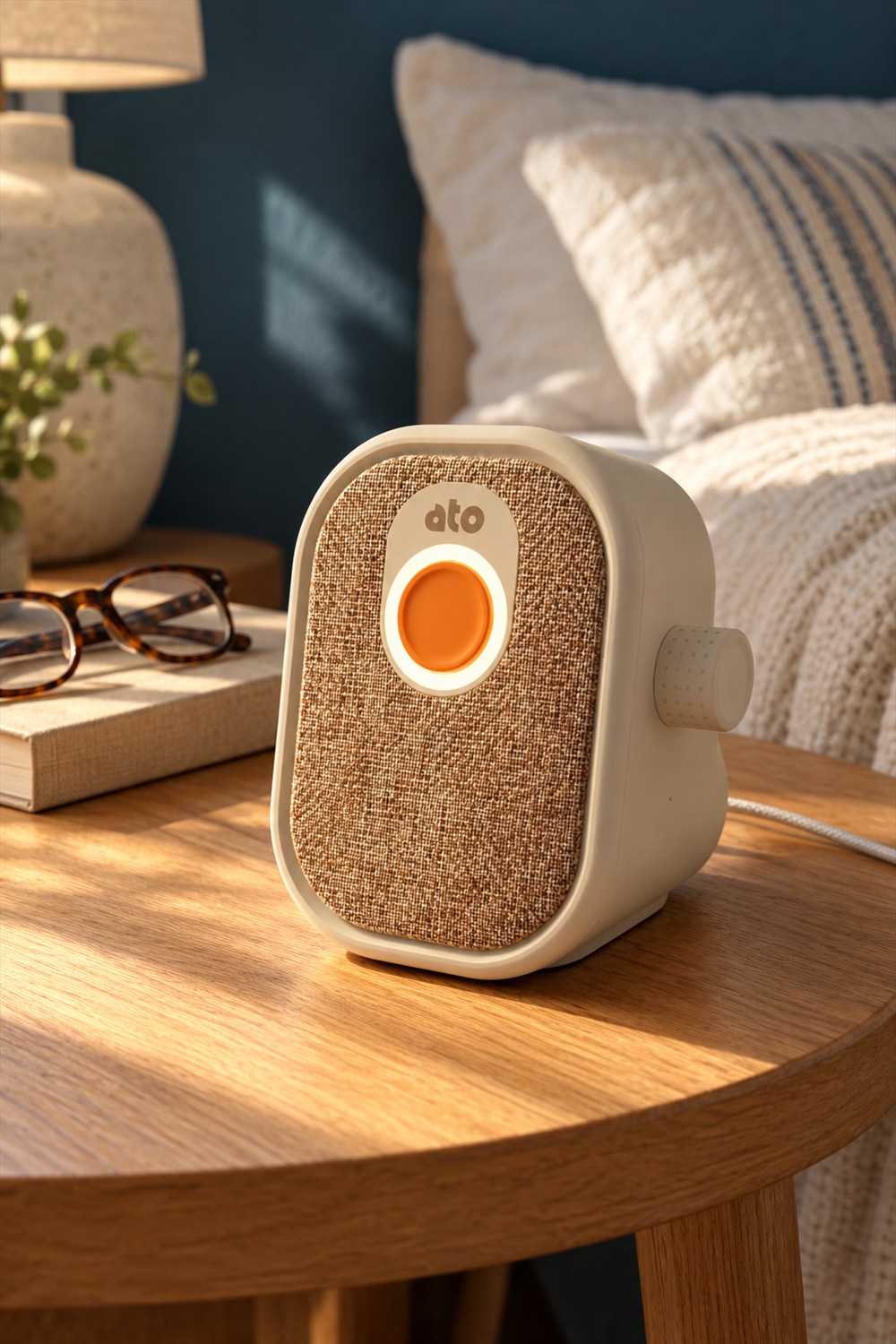
This is an unusually friendly-looking piece of technology. The cream shell has rounded edges, the front wears a warm woven texture, and the orange button gives your eye somewhere obvious to land. It looks less like a command center and more like something that would politely ask whether you wanted the good biscuits.
A button you can actually find
There is something satisfying about a control that explains itself by existing. You do not need to wake a glass rectangle, locate a tiny icon, or consult the family member who has been unofficially appointed Minister of Electronics. A big button provides a starting point. That alone is a refreshing design decision.
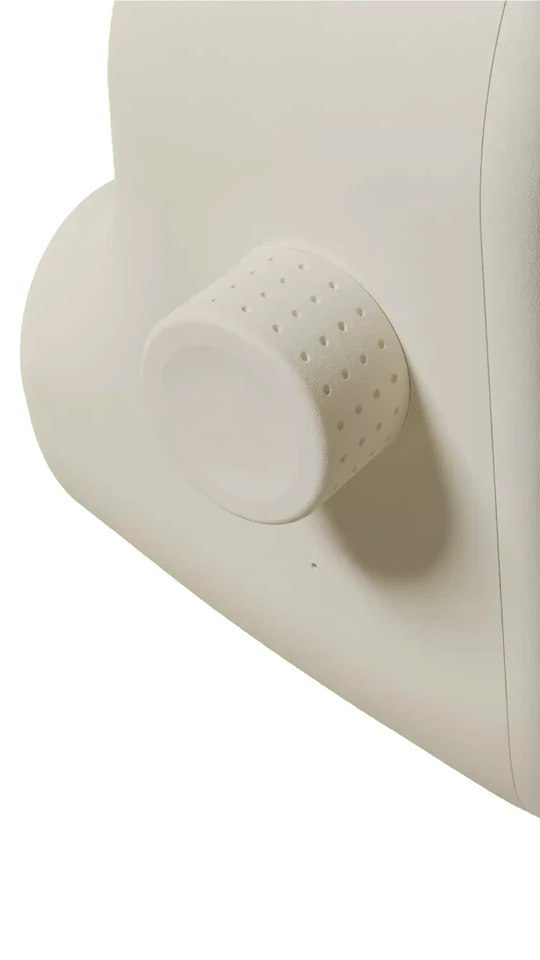
The volume knob on the side deserves a little appreciation, too. Turning a knob is a complete interaction. It has a beginning, an end, and no submenu. Nobody has ever needed a ten-minute tutorial titled “Getting Started With Turning This Slightly to the Left.”
Related posts:


Of course, familiar controls do not automatically make a product right for everybody. Some people love their phones. Some would rather talk on an ordinary telephone. The interesting part here is that Ato offers a different physical arrangement, rather than insisting that every household relationship must squeeze through another touchscreen.
It is also worth looking at the object as furniture-adjacent technology. A bedside table already has a demanding roster: lamp, glasses, book, water, mysterious receipt. Something that visually belongs there has a better chance of remaining within reach than a gadget that looks like it escaped from a server room.
Family contact without the menu expedition
Family communication is rarely about dazzling technical feats. Often it is a quick hello, an appointment, or establishing who is bringing dessert. The appeal of this format is making those small exchanges feel less like operating equipment and more like part of the day.
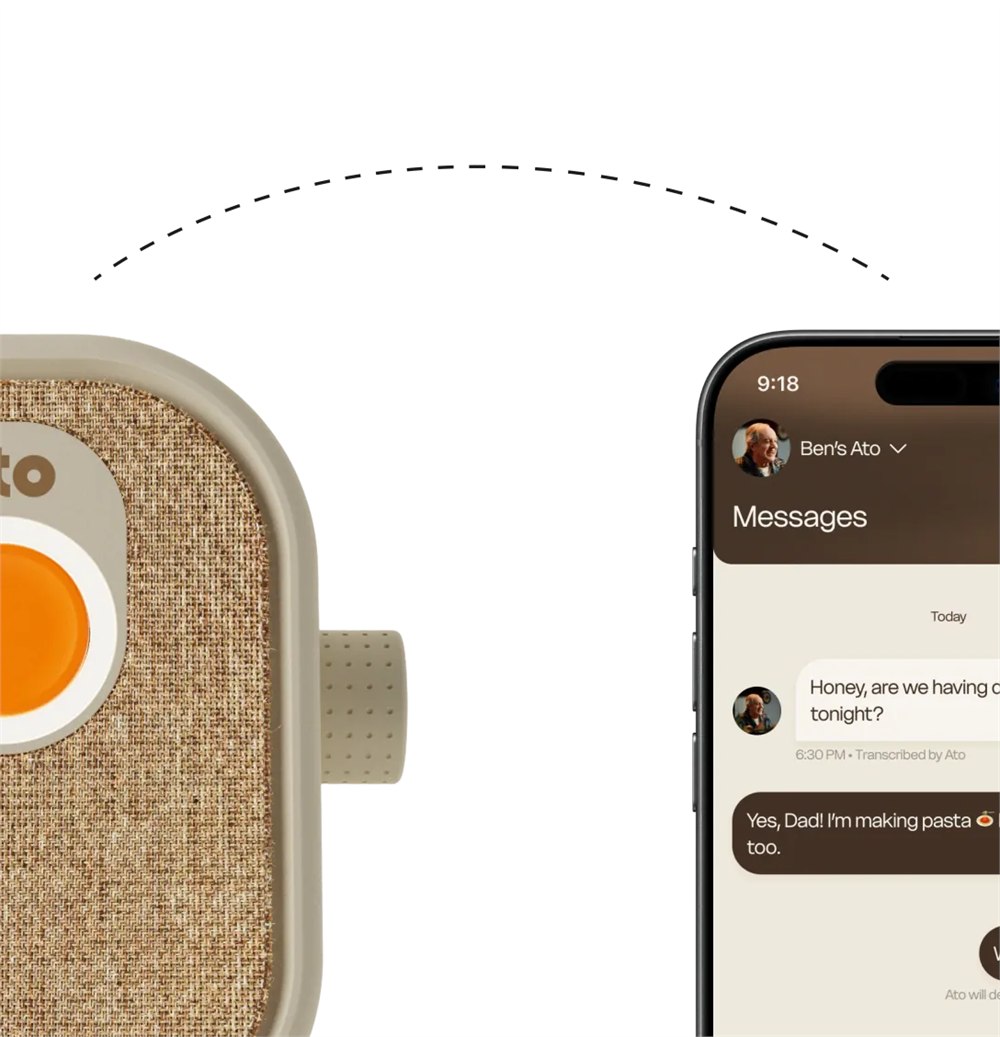
The family app is still part of the arrangement. That means there is still someone on the phone side of the equation; the technology has not evaporated into a cloud of good intentions. Before giving one as a gift, it would be sensible to agree who will help with setup and who will actually use the family features.
A present that comes with an enthusiastic volunteer is a different proposition from a box dropped off with “It’s easy!” written on the emotional packing slip. Easy for whom is the question. Ideally, the recipient gets to answer it before anyone starts moving the lamp.
- Try the physical controls with the person who will use them.
- Choose a regular spot within comfortable reach.
- Agree which relatives will handle the app side.
- Keep ordinary calls and visits firmly on the calendar.
That last point matters. An AI companion is still an AI system. It can be an additional interaction during the day without being promoted to substitute grandchild. It should not get credit for Sunday lunch unless it has personally brought the potatoes.
The practical details behind the cozy shell
Here are the basic hardware details, which are more useful for choosing a spot than a heroic photograph of a speaker against a sunset.
| Detail | Ato specification |
|---|---|
| Size | 5.5 × 4.7 × 4.7 inches |
| Weight | 1.4 pounds |
| Power | USB-C PD; no battery |
| Connection | 2.4 or 5 GHz Wi-Fi |
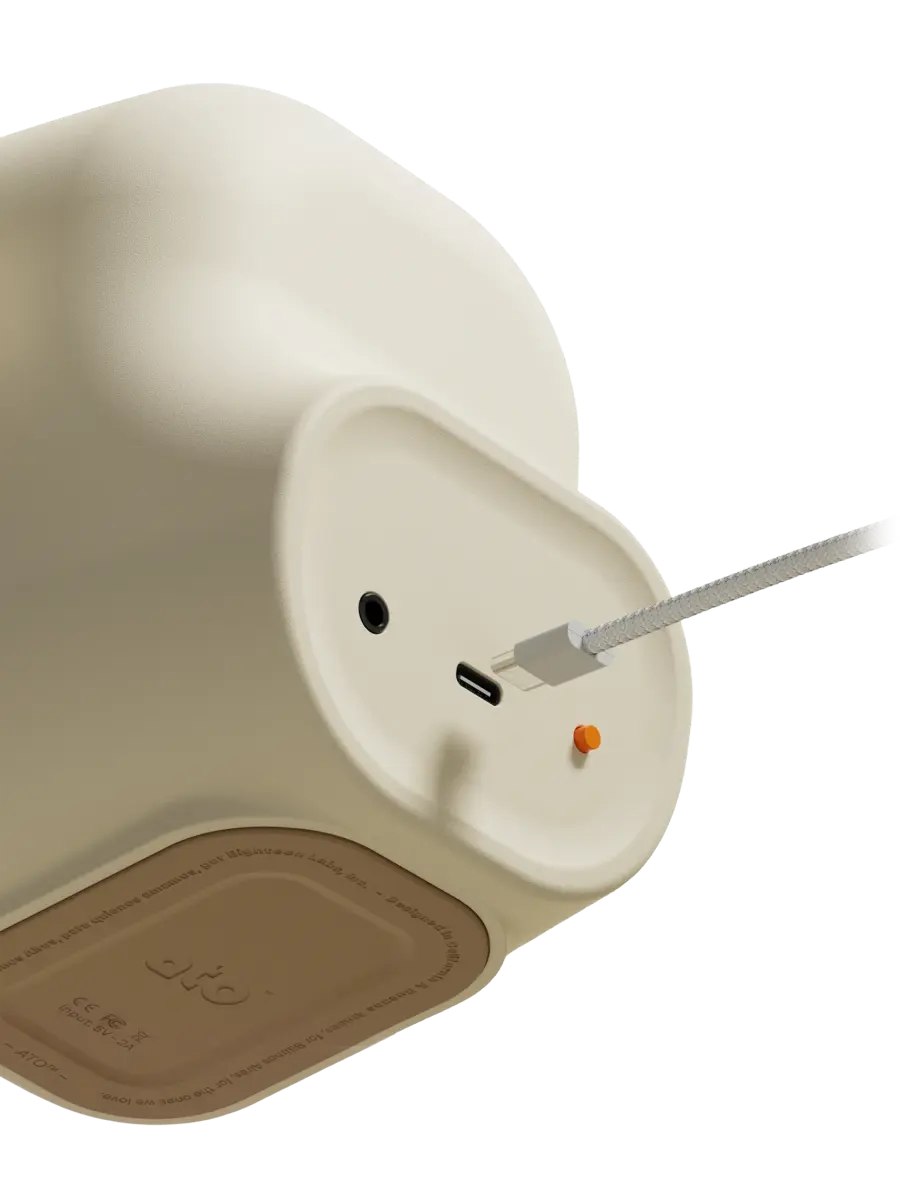
The lack of a battery makes outlet placement part of the decision. Picture the actual table, the actual socket, and the actual route between them. A beautiful little companion becomes considerably less charming if its cable has to conduct an obstacle course across the room.
Wi-Fi is another practical consideration. The best spot aesthetically may not be the best spot for a reliable connection. This is the kind of thing to settle while the helpful relative is still there, preferably before everyone has put on coats and announced that traffic is getting bad.
There is a difference between liking a product’s idea and knowing how it behaves in a particular home. Room noise, personal preferences, and comfort with spoken interaction all matter. The appealing exterior earns a look; everyday usefulness still has to earn its place on the table.
A companion, with sensible boundaries
Ato is not a medical device or an emergency service. That boundary deserves more attention than a clever name or a pleasingly chunky knob. Families considering it should keep any dedicated safety arrangements separate and avoid assigning a conversational gadget a job it was never meant to do.
Privacy deserves a conversation before setup, too. A shared family purchase does not mean everyone wants the same level of involvement. Ask what the recipient wants, talk through the available settings together, and make sure enthusiasm for a new gadget does not outrun the person’s own preferences.
The strongest version of this idea is not “we bought technology, therefore we have solved staying in touch.” It is a small addition to routines that already involve real people. A little easier contact is a worthwhile ambition. It does not need a cape, a miracle claim, or a keynote presentation with inspirational piano.
What to know before reserving one
The short version for anyone currently measuring a side table:
- Screen-free, voice-first interaction.
- Large orange action button and side volume knob.
- Family app for messages and settings.
- Plug-in use with Wi-Fi required.
- Optional paid membership.
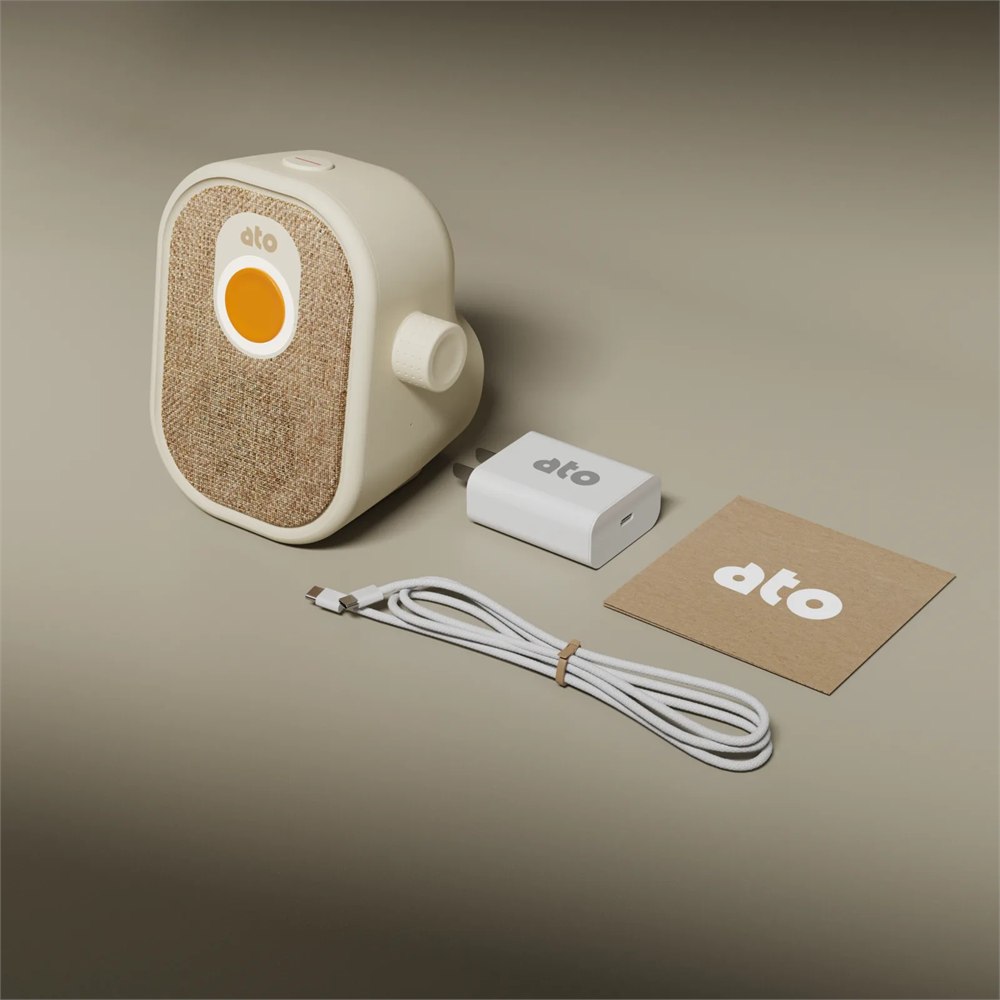
Ato currently lists the device at $179 plus shipping, with a refundable $19 reservation credited toward that total and the next batch expected from February 2027. The free plan includes essentials with limited conversation time. Optional membership is listed at $249 annually, equivalent to $20.75 monthly. Check the current offer before reserving; this is a future-delivery purchase.
Product details and images: Ato. The reservation timing is especially relevant if this is meant as a gift. A promise of a future companion is not quite the same thing as a wrapped box on the day, even if your family has a proud tradition of printing out order confirmations.
For the right household, the appeal is easy to understand: a conversational device that looks approachable and gives your hand something obvious to do. It will not resolve the family group chat’s dessert debate. Frankly, no intelligence, artificial or otherwise, has demonstrated that capability.
| Pros | Cons or considerations |
|---|---|
| Clear physical controls | Spoken interaction will not suit everyone |
| Friendly tabletop appearance | Needs outlet space and Wi-Fi |
| Family communication features | App-side setup still needs attention |
| Free essentials available | Unlimited conversation requires membership |
| Compact footprint | No battery or emergency-service role |
| Refundable reservation | Next batch expected in February 2027 |
Save this find.
Thank yourself later.
Your next great gift idea. Your someday space. Your collection of wonderfully weird things.
Save to PinterestPick a board. Keep the inspiration.
This Screen-Free AI Companion Handles Family Messages With a Big Orange Button
Where to find This Screen-Free AI Companion Handles Family Messages With a Big Orange Button
OddityMall may earn a commission from qualifying purchases at no extra cost to you.
