
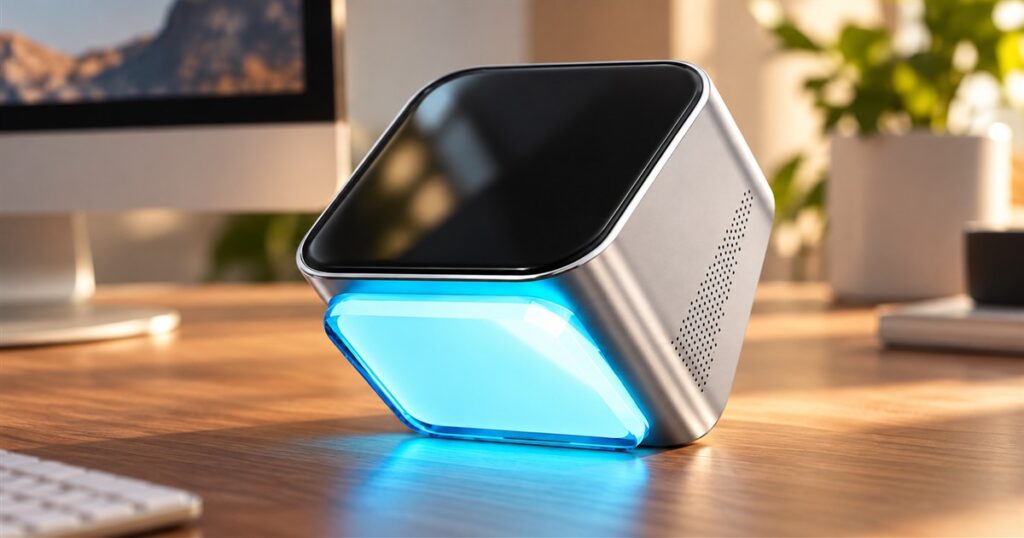
Your computer has seventeen tabs open, three unfinished spreadsheets, and an email you have been mentally answering since Tuesday. Violoop wants to become the little desk employee who handles some of that clicking. It even glows blue, which is considerably more commitment to office morale than most of us bring.
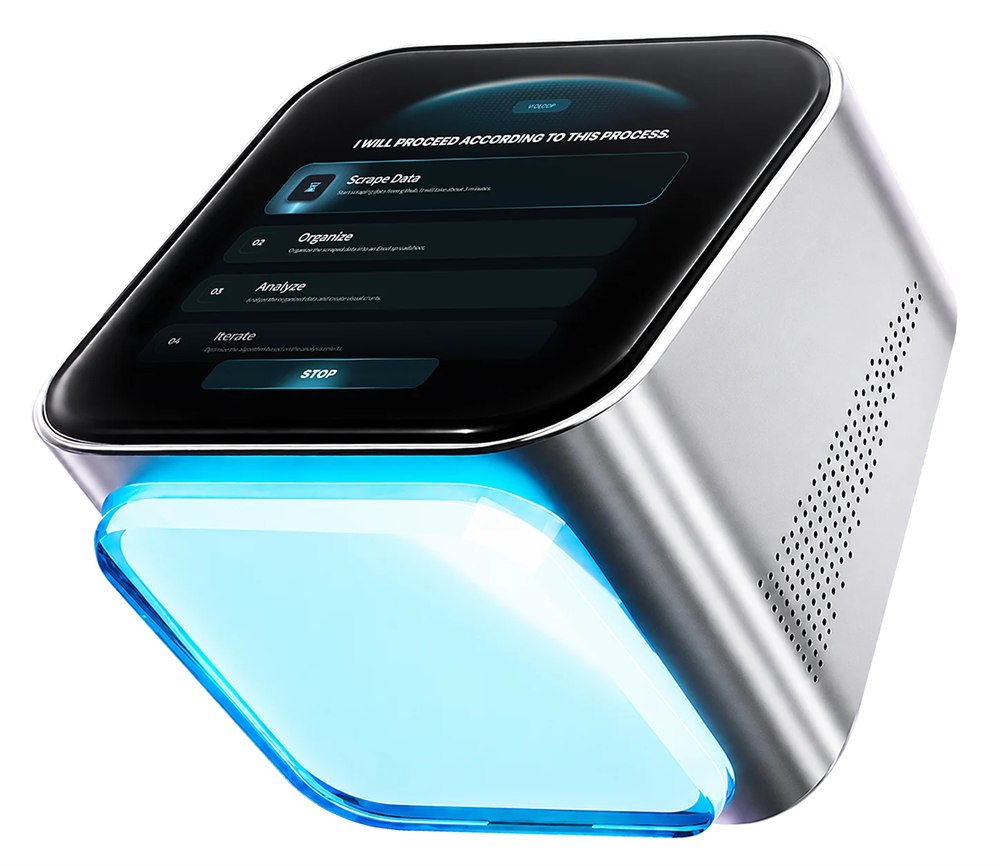
Made by BVIO, Violoop is a screen-aware AI computer assistant: a small hardware box intended to observe your desktop and help operate the apps already on it. The unusual part is the physical connection. This assistant plugs into the computer it works on, rather than living entirely in another browser tab competing for your attention.
That is an appealing pitch for anyone whose workday feels like carrying buckets of information between programs. Copy a name here, paste a number there, find the original message, forget why you opened the spreadsheet. Somewhere in that process, a perfectly useful afternoon disappears wearing a tiny office badge.
A tiny cube with a very large to-do list
The manufacturer lists HDMI screen capture and USB keyboard-and-mouse control, with Windows, macOS, and Linux support. Inside are an RK3576 processor, AI acceleration rated at 26 TOPS, 13GB of combined memory, and 128GB of storage. An AMOLED touchscreen occupies the sloping face of the roughly 90 by 92 by 80mm, 450g device.
The proportions are closer to an ambitious desk ornament than a second tower PC. The silver body, dark glass face, and illuminated base give it the air of a tiny spacecraft that has landed to investigate expense reports. It is a surprisingly theatrical shape for something whose big adventure might involve reorganizing a folder.



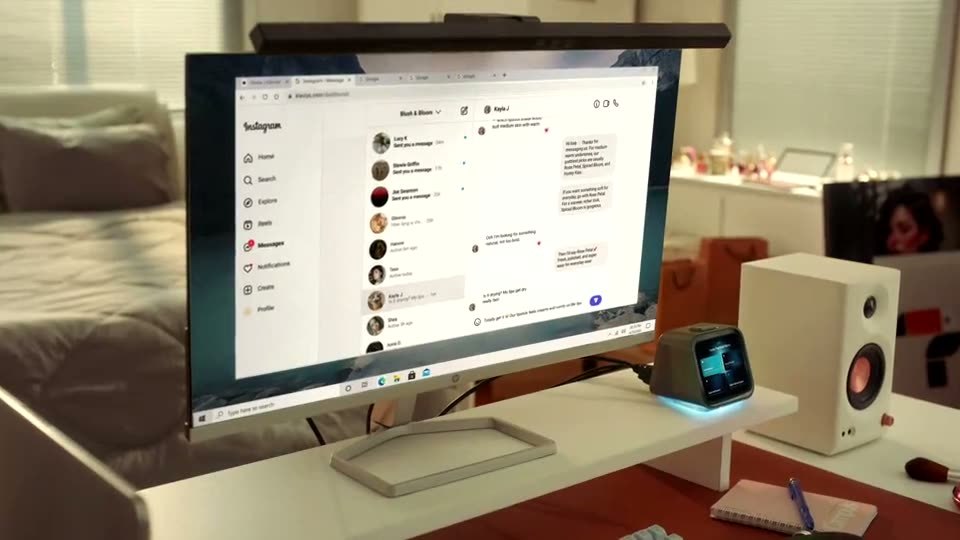
BVIO’s launch announcement describes work spanning email, documents, browsers, creative tools, coding environments, and customer-management software. Its example moves from a customer message to account information, then to updating a record and preparing a reply. Those are advertised workflows, not results from an independent hands-on test.
The useful idea here is continuity. Getting help with one sentence is easy to understand. Getting that sentence into the correct place, with the right information attached, is where the promise becomes interesting. Nobody buys a fancy glowing cube because copying a postal code is spiritually fulfilling.
The connection details matter
The campaign FAQ clarifies that Violoop receives a mirrored video output, while USB provides control. A suitable USB-C port can combine those jobs. Companion software is required, even though the device does not need a separate integration for every app. This is more setup than simply dropping a decorative cube beside a laptop and expecting teamwork.
Before rearranging the desk, think about the machine you actually use. Is there a suitable spare port? Is it a personal computer or an employer-managed laptop? Would handing over the cursor interrupt your own work? Those practical questions matter more than how nicely the blue light matches your keyboard.
- Pick one repetitive task you can describe clearly before imagining an entire workday delegated.
- Check the computer’s video-output compatibility and available connections.
- Plan a time when another operator can use the desktop without fighting your cursor.
- Keep a human review step for anything you would be unhappy to redo.
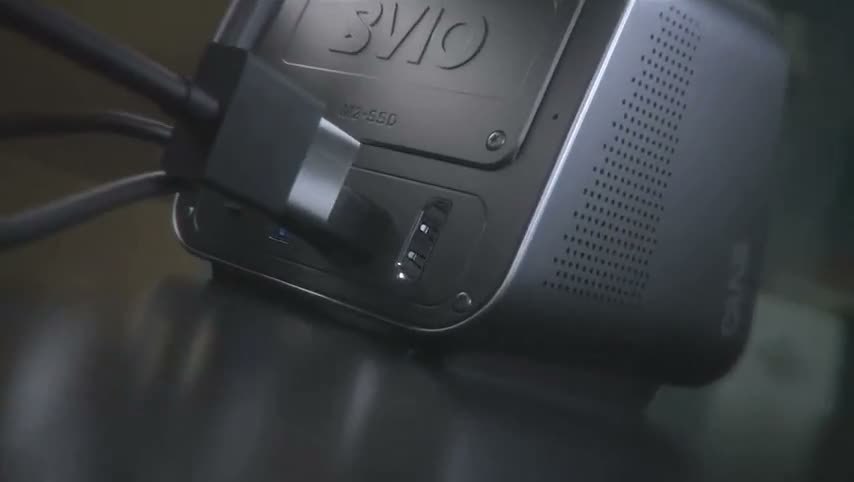
The FAQ explicitly describes the computer as shared during active tasks. That is a helpful expectation to set. A second operator using your desktop is rather different from a silent calculator. If you both reach for the same window, the experience could resemble two people trying to steer a shopping cart from opposite ends.
| Part of the setup | What to consider |
|---|---|
| Screen connection | HDMI or suitable video-capable USB-C |
| Input control | USB keyboard and mouse behavior |
| Software | Companion app and relevant permissions |
| Active work | Allow for shared windows and cursor use |
| Complex tasks | Review the model and service requirements |
The approval button earns its desk space
BVIO describes a separate security processor and a physical approval control. The campaign FAQ says consequential actions can also be approved from a paired phone. The concept separates preparing work from authorizing it, which is a sensible distinction when the work involves sending something rather than merely suggesting a sentence.
A button is tangible. You can look at it, hesitate over it, and reconsider whether that message really needs six exclamation points. The value is in making the decision visible. It does not turn every proposed action into a good idea just because the hardware looks reassuringly expensive.
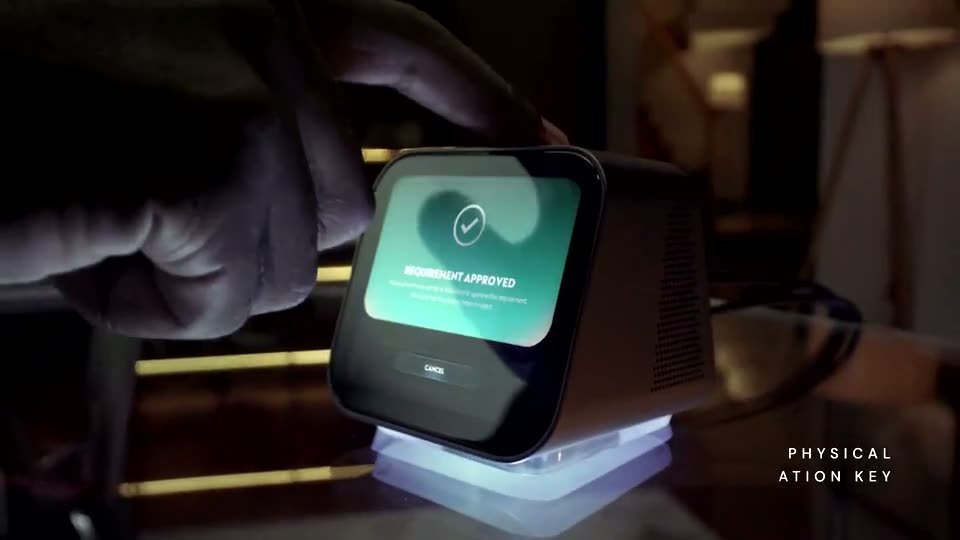
Think of the approval step as a place to pay attention. A beautifully organized mistake is still a mistake. If an assistant has prepared a customer reply, the name, amount, destination, and tone remain worth checking. Your future self would rather spend ten seconds reviewing than an afternoon writing an apology with increasingly smaller font.
The launch announcement also describes Away Mode, with approved work continuing while the owner monitors it from a phone. For someone picturing lunch without a spreadsheet open, that is the dream. For someone picturing abandoning all supervision forever, it is time to put the sandwich down and read the details.
Local processing has an important asterisk
The official site describes on-device screen interpretation and locally stored memory. Its cloud explanation centers on sending selected context rather than continuously streaming the screen. That makes the product’s proposed division of labor more interesting than a box whose only job is forwarding everything elsewhere.
However, the campaign FAQ says current bring-your-own cloud API requests pass through Violoop’s servers. That is more specific than the homepage’s direct-to-provider wording. Treat cloud routing as something to check, not as a promise that every mode stays offline. Local operation and remote services are different choices.

This distinction matters because convenience often arrives with a settings menu attached. A desk assistant should make the day easier to understand, including where the information goes. The glowing cube may look like it knows all the answers, but buyers still need to decide which jobs they are comfortable giving it.
It is also worth resisting the urge to judge the entire idea by a single headline specification. A processor number cannot tell you whether the assistant will interpret your particular spreadsheet correctly. The compelling test is boring: does the finished work land where you wanted it, accurately enough to save time?
Who might actually want this?
The obvious audience is people with repeatable computer chores and enough curiosity to try a new workflow. If your work involves moving information through several programs, the proposition is easy to grasp. If you mainly want a better-looking desk, this is a fairly involved route to mood lighting.
There is something wonderfully odd about buying a computer accessory to operate the computer you already bought. Yet the distinction makes sense: the main machine holds the work, while the accessory is meant to help carry it out. It is less a replacement laptop than a small, very literal office assistant.
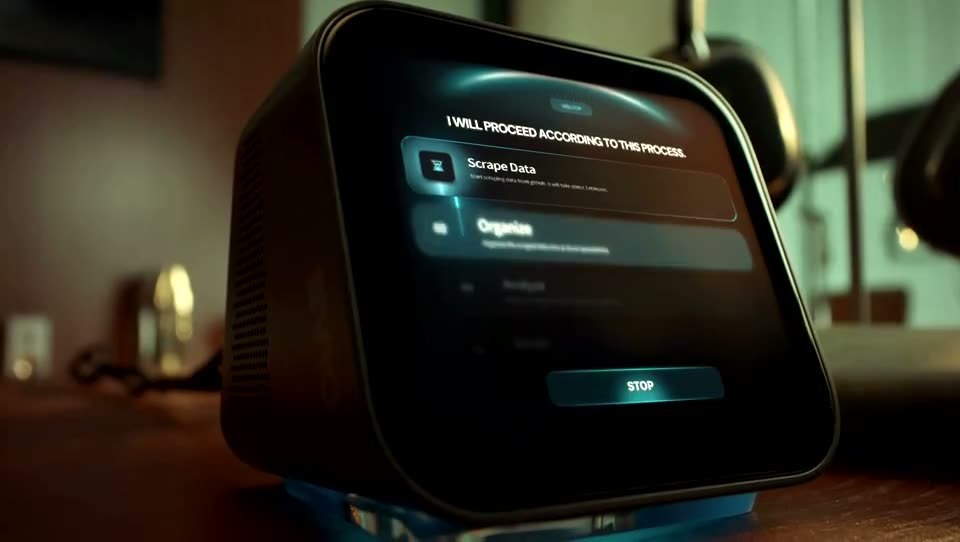
Official product photography and demonstration stills: Violoop.
- Product: Violoop by BVIO, a hardware assistant for an existing computer.
- Core idea: read the screen and help perform work across applications.
- Visible hardware: a compact silver body, sloping touchscreen, and blue-lit base.
- Buying context: a Kickstarter product whose advertised capabilities still need real-world evaluation.
Price and delivery expectations
The campaign FAQ lists a limited $399 early-bird tier and planned $699 retail pricing; the reward available when pledging may cost more. It estimates November 2026 for the first shipping wave, including the United States. That differs from the October timing in the launch announcement, so treat delivery as an estimate. Crowdfunding rewards are not guaranteed.
Violoop is an intriguing bet on making computer assistance physical, visible, and slightly harder to lose behind a browser window. Whether it becomes your favorite desk colleague depends on the delivered experience. At least this one will never microwave fish in the break room.
| Pros | Cons and trade-offs |
|---|---|
| Targets tedious work across apps | Advertised results need real-world testing |
| Physical approval interface | Human review still takes attention |
| Compact desktop form | Needs compatible connections and software |
| Local processing options | Cloud paths have separate data considerations |
| Remote supervision concept | Active tasks can share your desktop |
| Distinctive hardware approach | Crowdfunding delivery remains uncertain |
Where to find This Screen-Aware AI Computer Assistant Can Help Operate Your Desktop Apps
OddityMall may earn a commission from qualifying purchases at no extra cost to you.
