
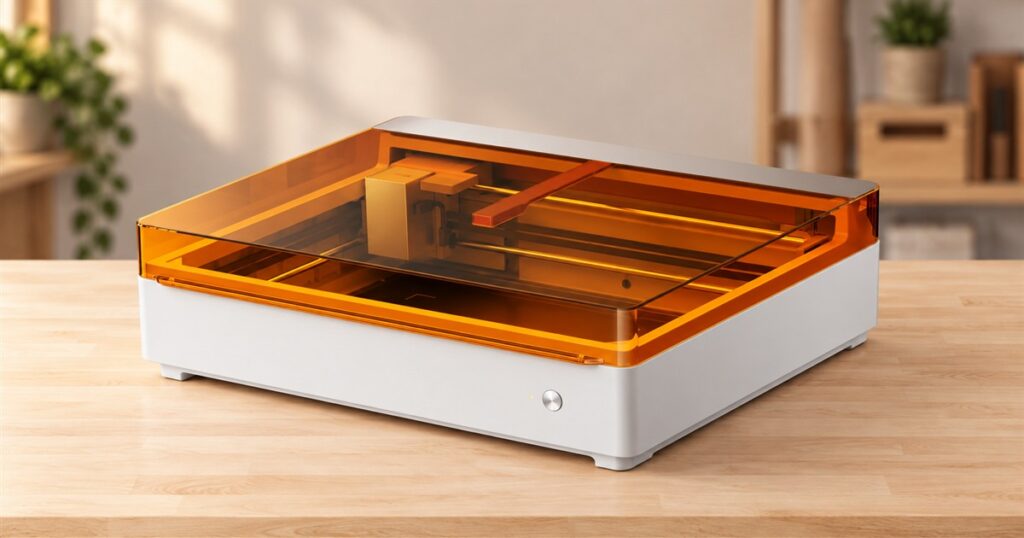
There is a point in every craft hobby when scissors start looking suspiciously underqualified. You want a tiny wooden sign, a neatly engraved gift, and maybe a colorful keychain that doesn’t look like it survived a kindergarten field trip. The xTool M2 is a desktop laser cutter and engraver with an optional color inkjet module, built for precisely that escalation.
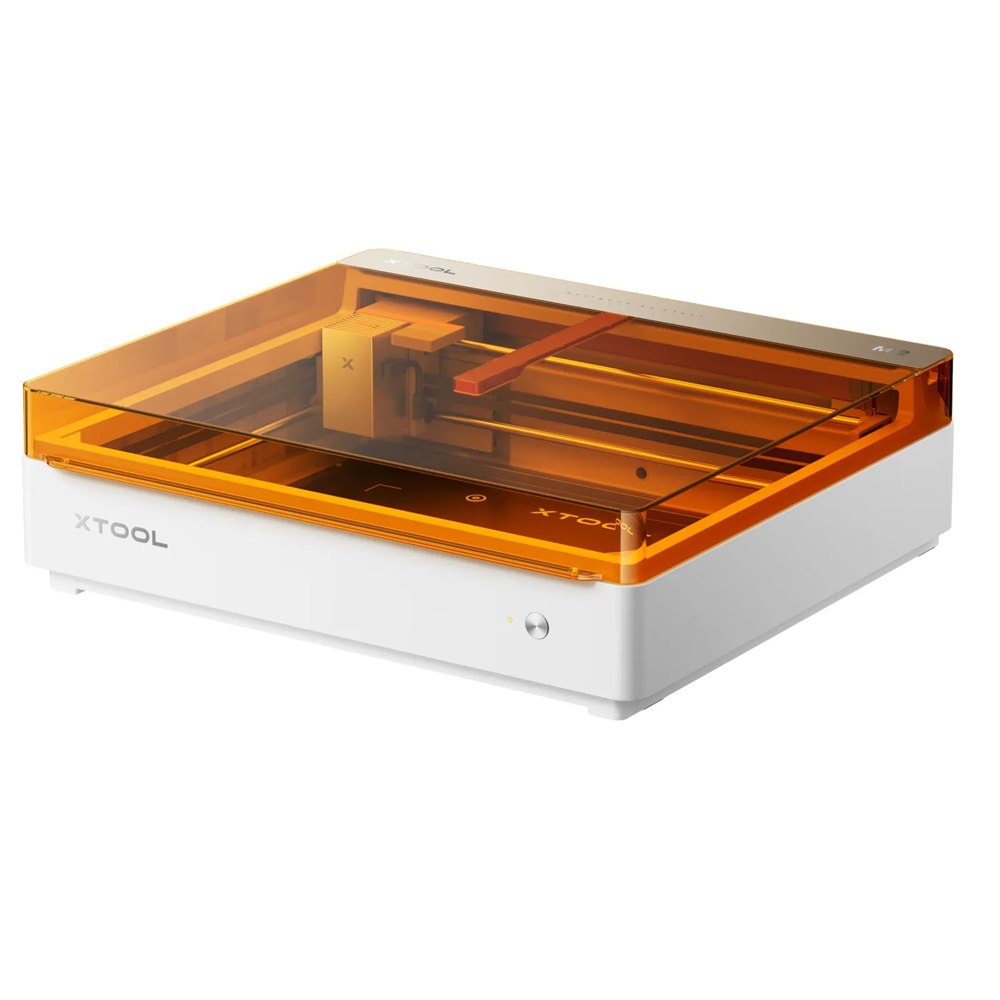
It takes several jobs that normally involve separate equipment and puts them inside one low, white enclosure with an amber lid. Cut a shape. Engrave a design. Add color with the appropriate module. Suddenly the phrase “I could make that” has acquired machinery and a designated corner of the house.
The interesting part is the combination. Plenty of people want personalized objects without wanting a workshop that resembles an industrial estate. This machine offers a route into that middle ground, where a spare tabletop becomes a small production space and every birthday is a potential materials experiment.
A laser cutter with another trick in the lid
The M2 comes in 10W and 20W diode laser configurations. Those are different laser power options, so the version matters when choosing projects and materials. Both belong to the same modular system, which also supports an optional 3W infrared head and a CMYK inkjet module.
Each tool has its own job. The diode laser handles compatible cutting and engraving work. The infrared option expands engraving possibilities for suitable metals and plastics. The inkjet module supplies full-color printing. Buying a laser configuration does not automatically mean every additional head arrives in the box, like a particularly generous mechanical advent calendar.
Related posts:
 This 4-in-1 Multi-Material Printer Prints on Shirts, Tumblers, and Flat Objects
 This Palm-Size Portable Laser Engraver Turns a Power Bank Into a Tiny Workshop
 This Wall Mounted Birthday Calendar Is The Perfect Way To Remember All of Your Family’s Birthdays
 This Incredible Smart Cutting Board Has a Built-In Scale, Timer, Knife Sharpener, and Sterilizer
That distinction makes the bundle names worth reading. If the whole attraction is printing colorful designs and cutting around them, the color print-and-cut package is the relevant starting point. If you mainly want engraved or cut pieces, a laser-only setup may cover the work you actually intend to do.
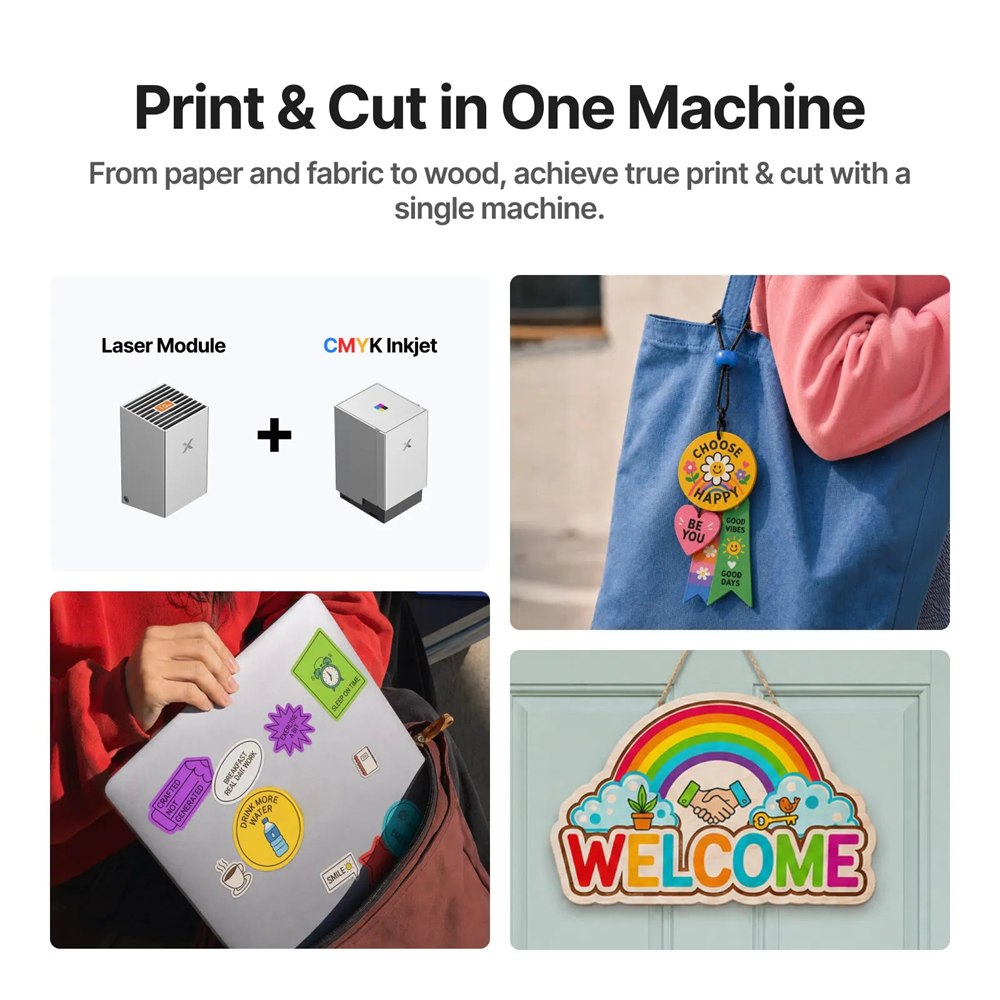
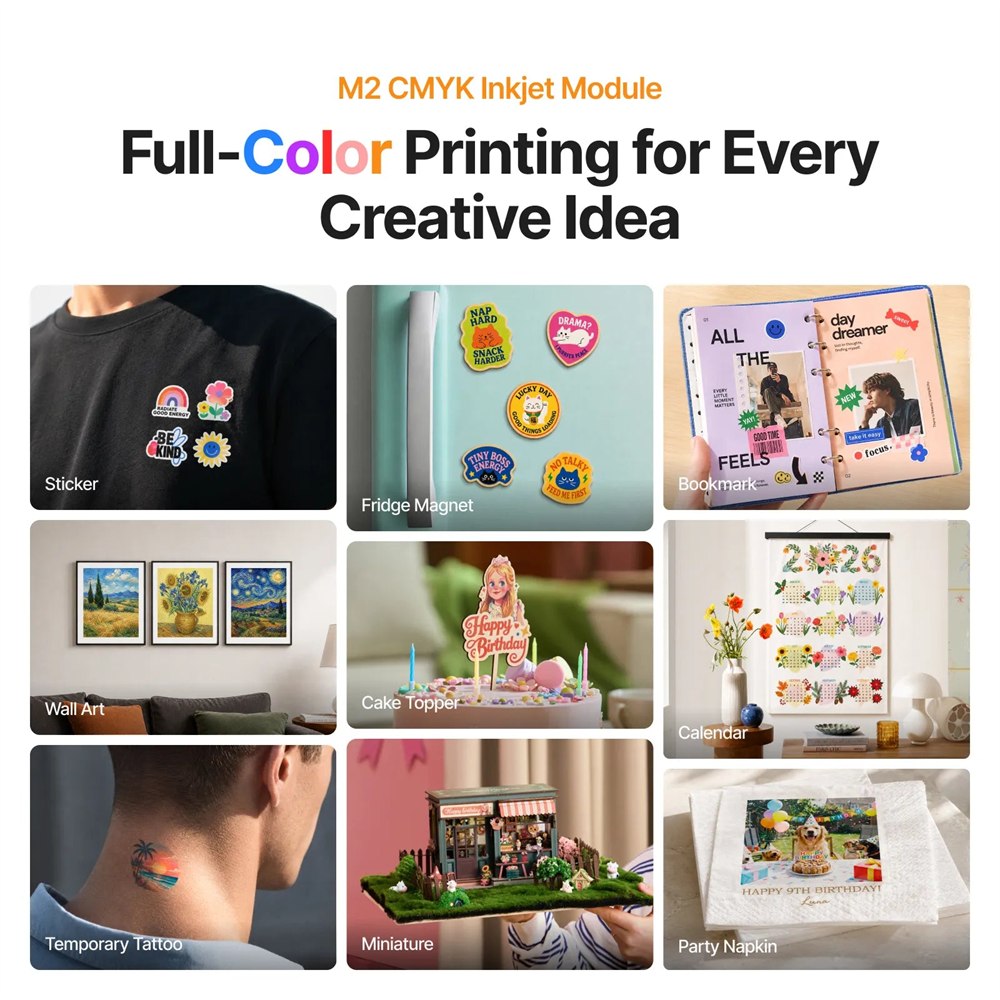
With compatible materials and the right module installed, the print-then-cut workflow lets a project move from flat artwork toward a shaped object in the same machine. xTool shows examples ranging from colorful hanging decorations to small personalized accessories. Think of the difference between printing a picture of a gift and making the gift itself.
There is still preparation involved. You need suitable artwork, a material the machine supports, and settings appropriate to the job. A machine that accepts digital designs does not automatically resolve whether your cousin really needs another object bearing his own face. That remains a family matter.
Cameras help the artwork land where it belongs
Positioning a design on an actual piece of material is one of those jobs that sounds easy until the finished engraving sits several millimeters away from your confidence. The M2 uses a dual-camera system to help position work, giving the software visual information about the area inside the enclosure.
This is especially appealing for small pieces and personalized objects. Seeing where artwork belongs is more useful than repeatedly guessing where the center might be. You still check placement before running a job, but the machine gives you something more concrete to work with than optimism and a ruler.
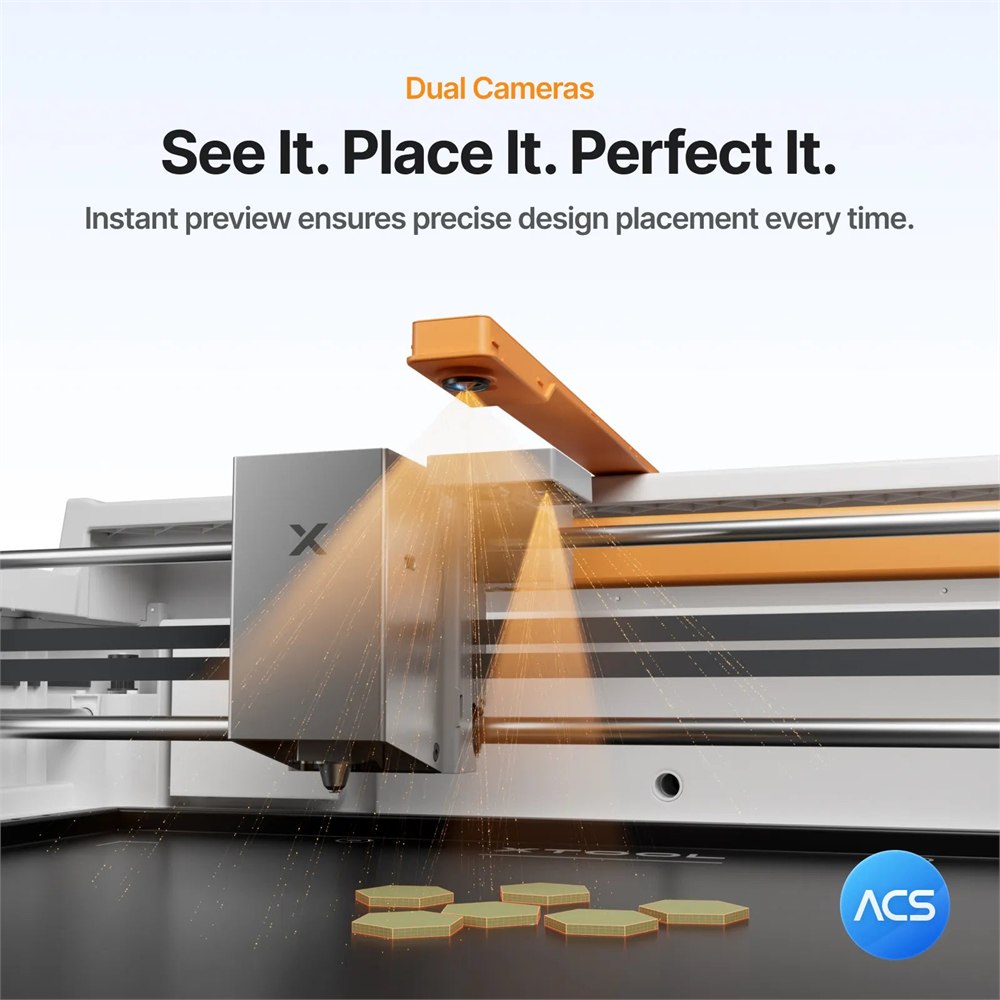
The built-in air-assist pump is another practical detail. Air assist helps with the cutting process, and integrating the pump removes one separate accessory from the initial setup. It does not eliminate the need to manage the exhaust from laser work. “Fewer boxes” and “no ventilation planning” are two very different promises.
- Use the diode laser configuration for compatible cutting and engraving projects.
- Add the CMYK inkjet module for full-color work and suitable print-then-cut projects.
- Consider the optional 3W infrared module when its supported engraving materials match your plans.
- Use the camera positioning workflow to check artwork against the material inside the machine.
- Check bundle contents before assuming a rotary accessory or extra tool head is included.
Choose the tool around the project
The modular approach makes more sense when you start with a real object you want to make. A wooden ornament, a printed decoration, and an engraved metal item are different assignments. Collecting every module first and inventing a reason later is possible, but it is also how hobbies develop their own storage units.
| Option | What it adds | What to check |
|---|---|---|
| 10W diode configuration | Laser cutting and engraving | Material compatibility and suitable settings |
| 20W diode configuration | A higher-power diode laser option | Whether your projects need the extra power |
| CMYK inkjet module | Full-color printing | Included bundle, printable surfaces and finishing needs |
| 3W infrared module | Additional metal and plastic engraving options | Support for the exact material |
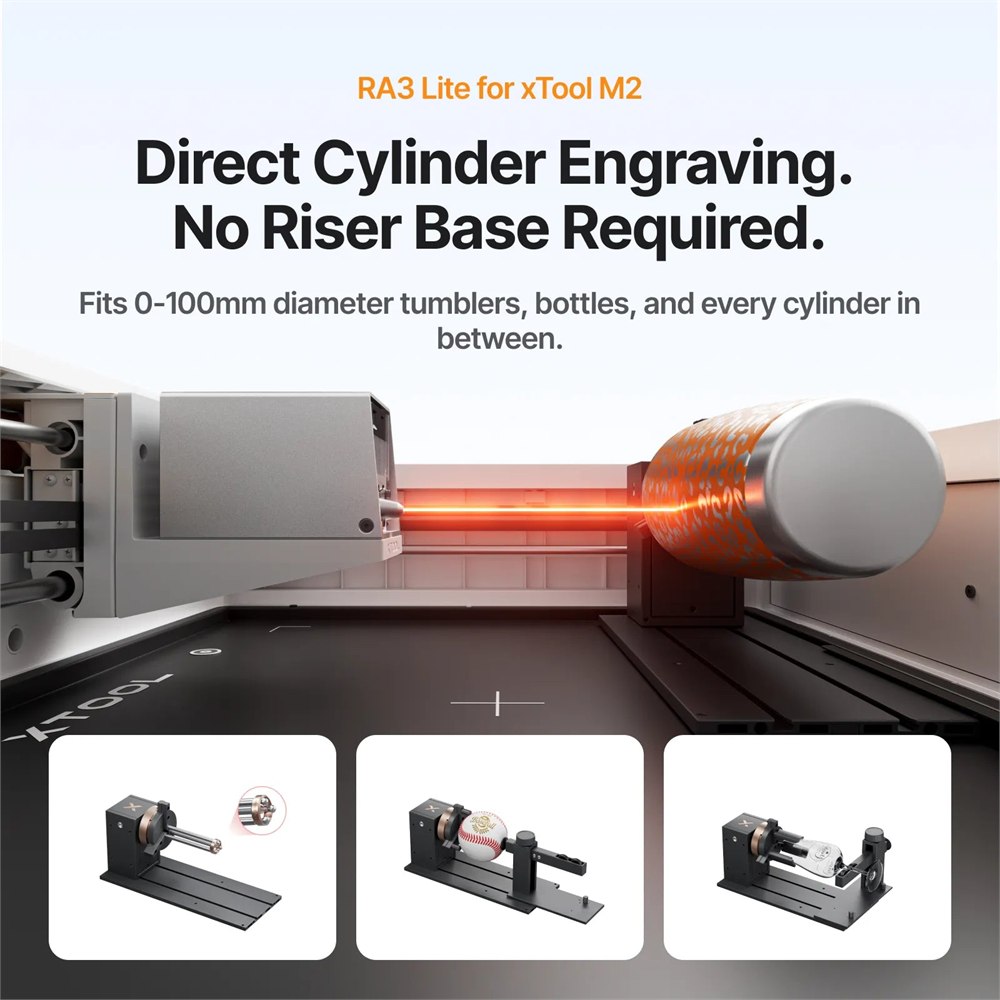
| RA3 Lite accessory | Rotary engraving possibilities | Compatible object size and accessory requirements |
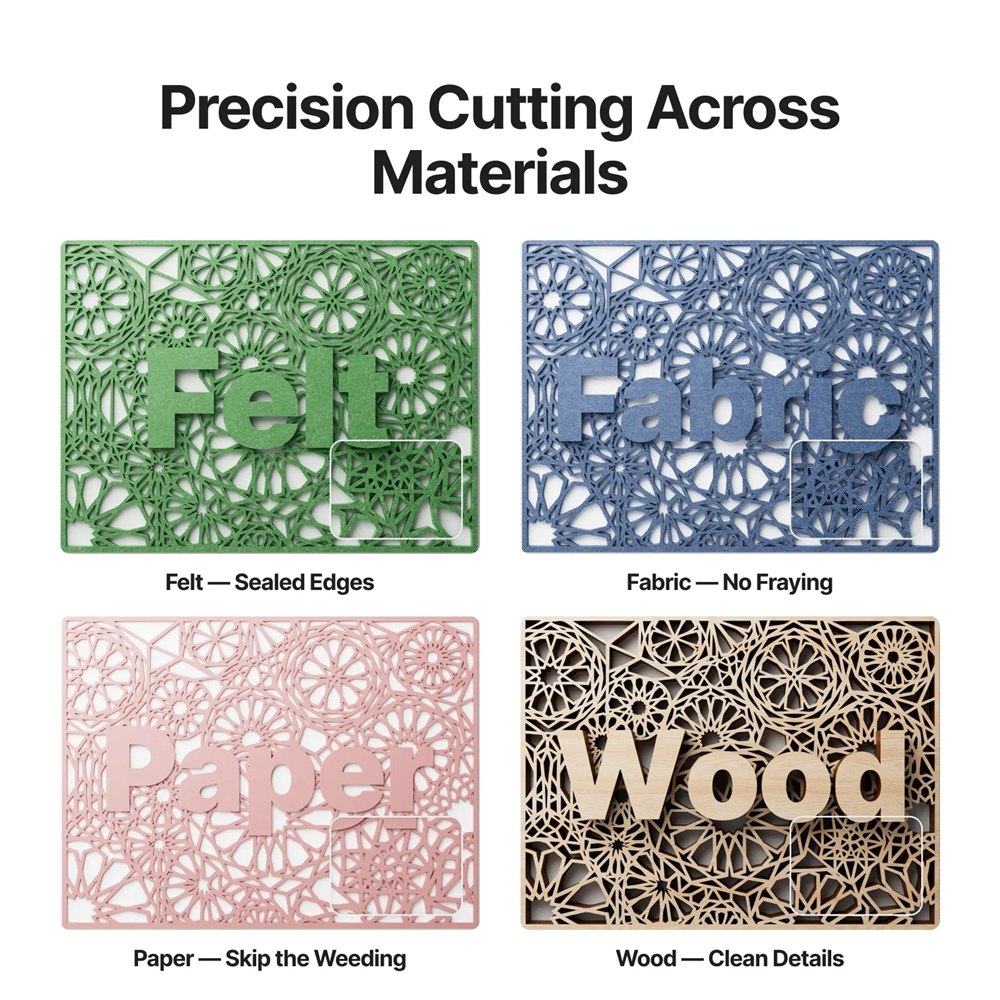
xTool’s examples show intricate cut patterns as well as more straightforward personalized pieces. That is the pleasant danger here: once a machine can cut repeatable shapes, the plain rectangle begins to feel like a personal failure. A gift tag can have a silhouette. A decoration can have layers. Your holiday preparations can develop a parts inventory.
For a maker selling small batches, repeatability is part of the appeal. A digital design can be reused, adjusted, or personalized without starting the drawing from scratch every time. That does not promise a profitable business, but it does make a batch of related objects a more plausible project than cutting them all individually by hand.
Color changes the kind of things you can make
Engraving has a recognizable look: a design marked into or onto the material. Color printing opens a different visual lane. The CMYK module uses cyan, magenta, yellow, and black, letting artwork include more than the contrast supplied by the underlying surface.
That can matter for illustrated decorations and playful personalized pieces, where the color is the whole joke. It also means your design choices need to account for the material and intended use. A decorative object and something destined for repeated washing have different requirements; check the applicable ink, surface, and finishing guidance before treating them as interchangeable.
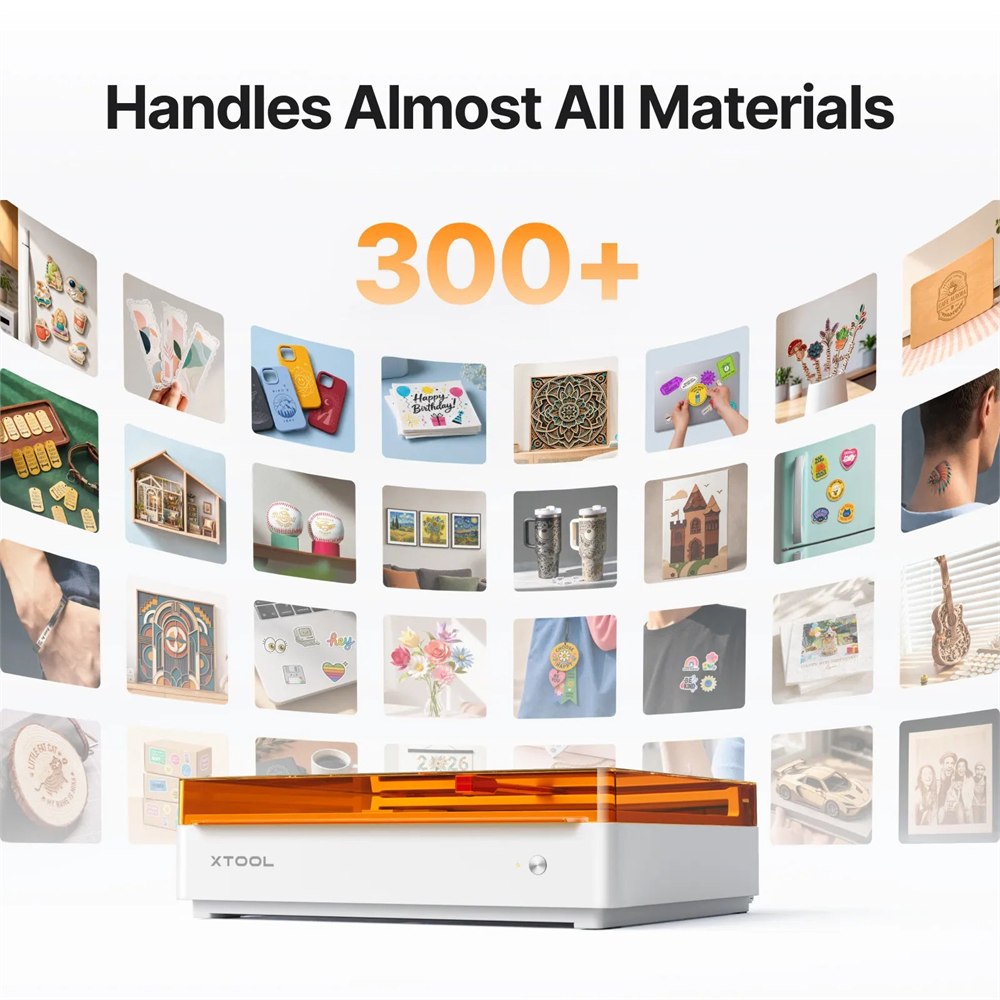
The machine is not limited to the flat-project conversation either. xTool offers the RA3 Lite rotary accessory for supported cylindrical and spherical engraving work. That is an optional expansion, with its own compatibility considerations, rather than a reason to assume any round object in the kitchen is now a valid experiment.
This is where the system can grow with a hobby. Someone who begins with flat decorations may eventually want curved personalized items. Someone else may happily spend years making precise wooden pieces. A modular machine leaves those paths open without requiring every owner to pursue the same increasingly elaborate craft destiny.
A proper place for the new hobby headquarters
The enclosed format keeps the working area inside a defined housing, and the transparent amber cover makes the machine’s shape immediately recognizable. It is tidy-looking equipment, but it still deserves a planned workspace. Allow room to load materials, open the cover, handle finished pieces, and arrange the manufacturer’s recommended exhaust setup.
Follow xTool’s operating instructions and material guidance rather than treating every mystery scrap as a free craft supply. The appeal is controlled, repeatable making. That works best when the material, selected tool, design, and settings all belong to the same plan. The household junk drawer is not automatically a certified materials library.
Product images: xTool.
The details before you clear a table
- Product: xTool M2 Color Craft Laser Cutter & Engraver.
- Configurations: 10W or 20W diode laser.
- Optional tools: CMYK inkjet and 3W infrared modules.
- Positioning: dual-camera system.
- Included system feature: built-in air-assist pump.
- Expansion: compatible accessories include the RA3 Lite rotary system.
- Best fit: personalized gifts, decorative pieces, craft projects, and suitable small-batch work.
xTool lists the 10W standalone machine at $599, the 10W Color Print & Cut Bundle at $749, and the 10W Deluxe Bundle at $989. The 20W options are listed at $999, $1,149, and $1,389 respectively. Those configurations were available in the manufacturer’s store when checked; promotions, included accessories, and checkout totals can change.
The decision is less about owning the largest collection of modules and more about knowing what you want to make first. Start there, read the bundle contents, and reserve a home for the finished creations. The machine can help manufacture the gifts. Finding people to give them to is still your department.
| Pros | Cons |
|---|---|
| Combines several creative processes in one enclosure | Extra capabilities depend on the modules purchased |
| Dual cameras assist with positioning | Placement and job settings still need checking |
| Built-in air assist reduces separate equipment | Exhaust planning remains necessary |
| Optional color printing expands project styles | Ink and surfaces must suit the intended use |
| Rotary accessory offers further engraving options | Object compatibility and accessory costs need checking |
Where to find This Desktop Laser Cutter Engraves Gifts and Adds Full-Color Printing
OddityMall may earn a commission from qualifying purchases at no extra cost to you.
Related posts:
This 4-in-1 Multi-Material Printer Prints on Shirts, Tumblers, and Flat Objects
This Palm-Size Portable Laser Engraver Turns a Power Bank Into a Tiny Workshop
This Wall Mounted Birthday Calendar Is The Perfect Way To Remember All of Your Family’s Birthdays
This Incredible Smart Cutting Board Has a Built-In Scale, Timer, Knife Sharpener, and Sterilizer
