
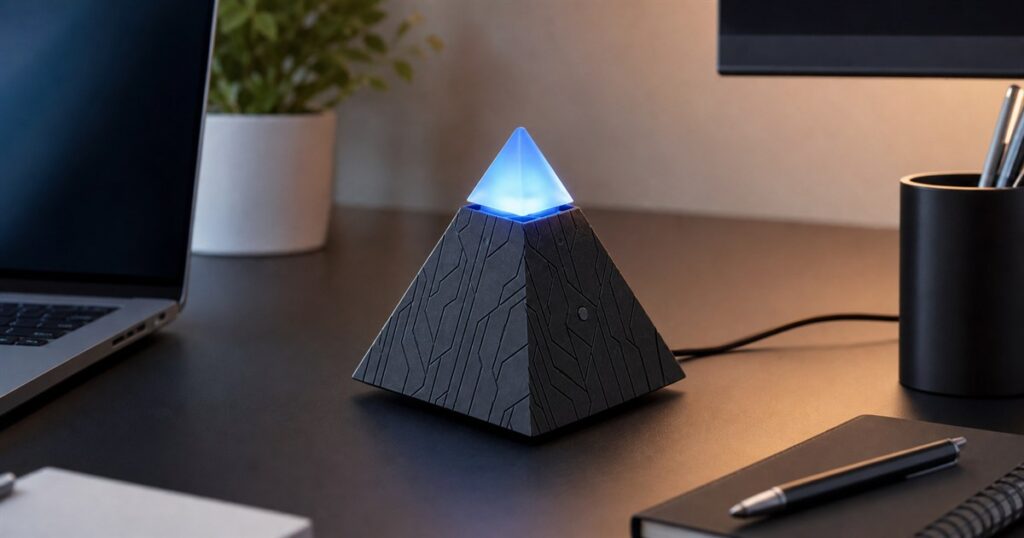
There is a very specific moment in modern work where your computer has thirty tabs open, your inbox is quietly becoming a haunted basement, and some brave part of your brain whispers, “Maybe what I need is a small glowing pyramid to sit on my desk and handle this.” Congratulations, that moment now has hardware.
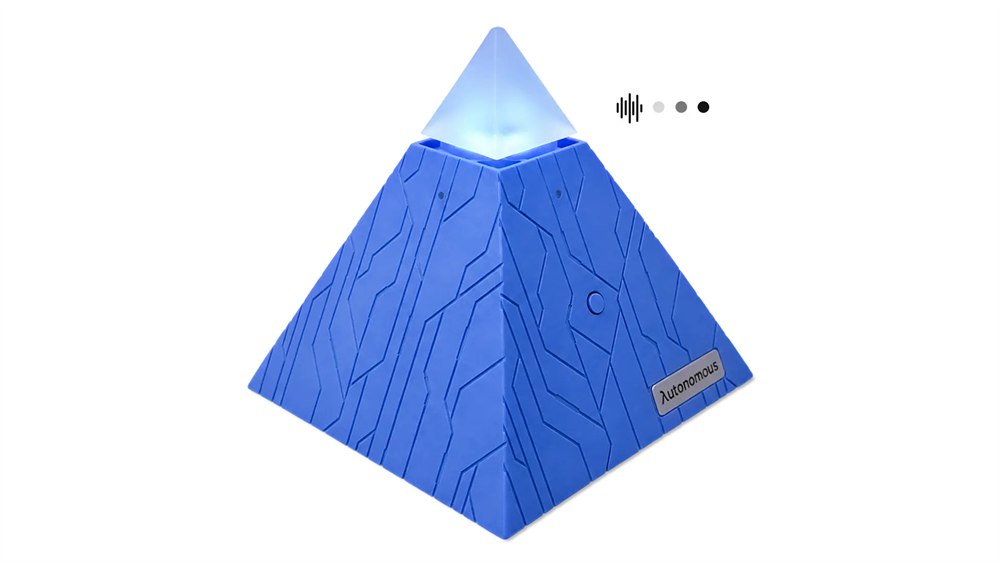
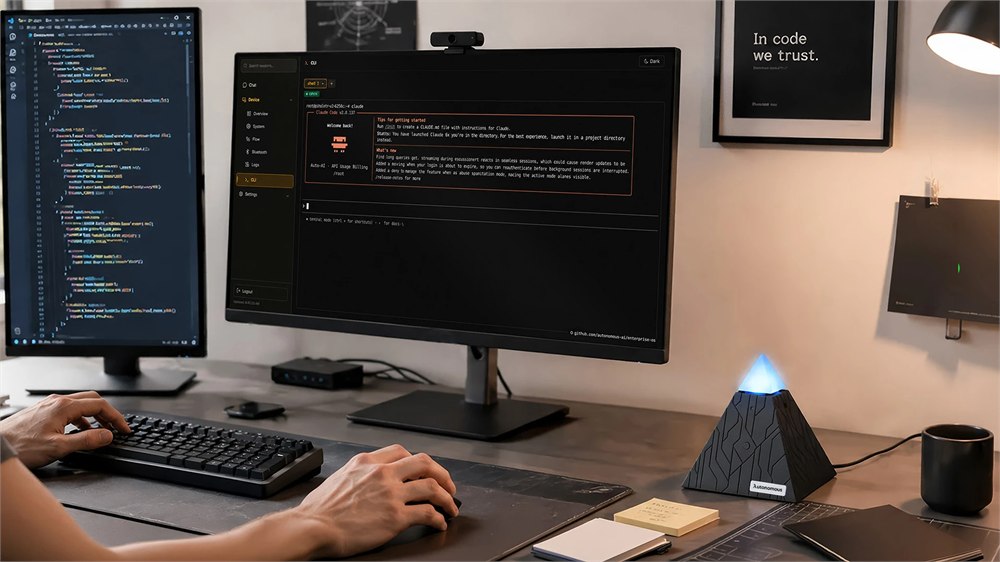
The Autonomous Intern 2 is a physical desktop AI agent that looks like someone trapped a tiny cyber-temple inside an office gadget. Instead of being another browser tab you forget behind a spreadsheet, it is a compact pyramid-shaped computer designed to sit beside your laptop and run agent workflows, scheduled routines, chat commands, email triage, GitHub monitoring, research digests, and other deeply modern chores that make adults stare into middle distance.
Autonomous describes it as a plug-and-play agent server. That phrase sounds like something an IT department would say while tightening a lanyard, but the idea is simple enough: Intern 2 is a little local computer for running AI agents, and you can talk to it by text, chat app, or voice. It is meant to keep working even when your main laptop is asleep, which is either extremely useful or a little insulting, depending on how many unread emails you currently have.
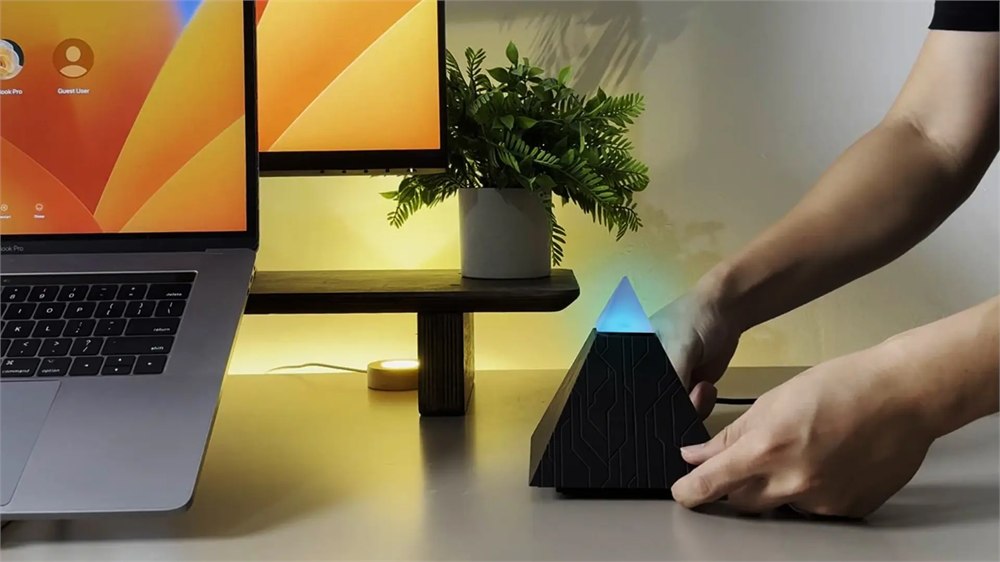
The form factor is the hook. Intern 2 has a dark pyramid body with circuit-like grooves, a translucent glowing top, and the general energy of a desk accessory that has definitely seen your calendar and has concerns. It measures 4.7 x 4.7 x 4.7 inches, so it is not trying to replace your computer. It is more like a desk-side task greeter, except the greeter has Wi-Fi 6, Bluetooth 5.4, a web dashboard, and a willingness to watch GitHub issues while you go pretend lunch is a boundary.
A Tiny Desk Pyramid For Outsourcing Digital Chores
The device ships with agent frameworks including OpenClaw and Hermes ready out of the box, depending on the edition. Autonomous says it can be assigned work through Telegram, Slack, Discord, or team chat, with voice and text conversations supported as well. Typical examples include morning briefings, page monitors, inbox handling, Discord alerts, GitHub watching, research digests, draft emails, and other repeating tasks that do not feel important until they are all late at the same time.
Related posts:
 This Pyramid Bonfire Pit Might Be The Ultimate Way To Have a Backyard Fire
 These DIY Pyramid Planters Lets You Grow Strawberries In The Coolest Way Possible
 The Yarbo Yard Robot Will Mow Your Grass, Snowblow, and Even Blow Your Leaves
 Pyramid Pan: Silicone Cooking Mat – Cooks Food Evenly and Won’t Stick
Intern 2 is also pitched as local-first. Autonomous says API keys, project context, writing style, team vocabulary, and related working files are stored locally on the device rather than on a third-party server. That does not magically remove every privacy concern, because connecting any assistant to accounts deserves adult supervision and maybe a second coffee. But it does make the gadget more interesting than a decorative chatbot puck whose whole job is to forward your anxiety to the cloud.
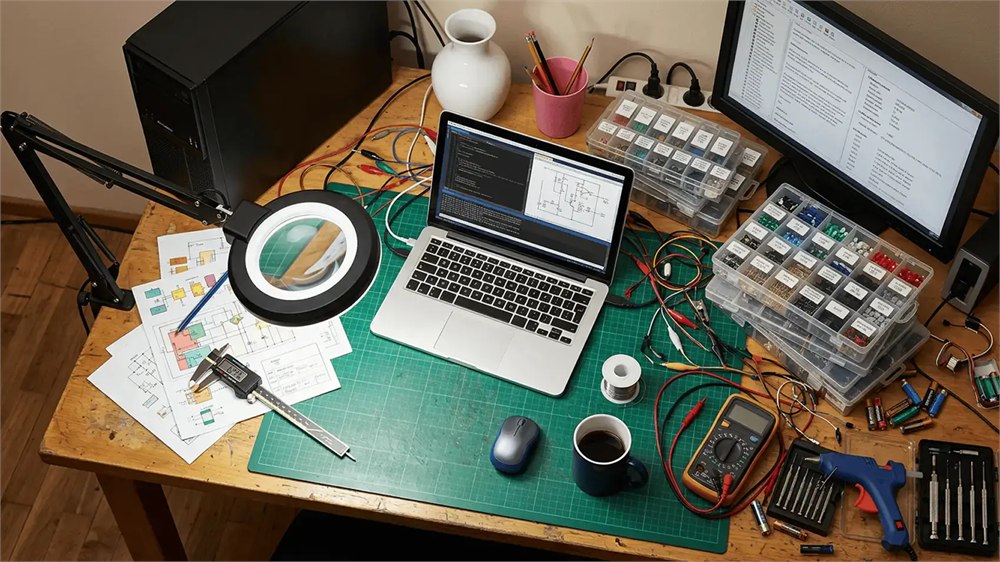
For developers and tinkerers, the Developer Edition is the one with the most basement-lab appeal. Autonomous says the shell is open, Claude Code is ready out of the box, and Codex, OpenCode, or a custom stack can be installed. That means the same pyramid that can babysit an inbox can also be treated like a small agent machine for people who believe a weekend is best spent teaching a computer to supervise another computer.
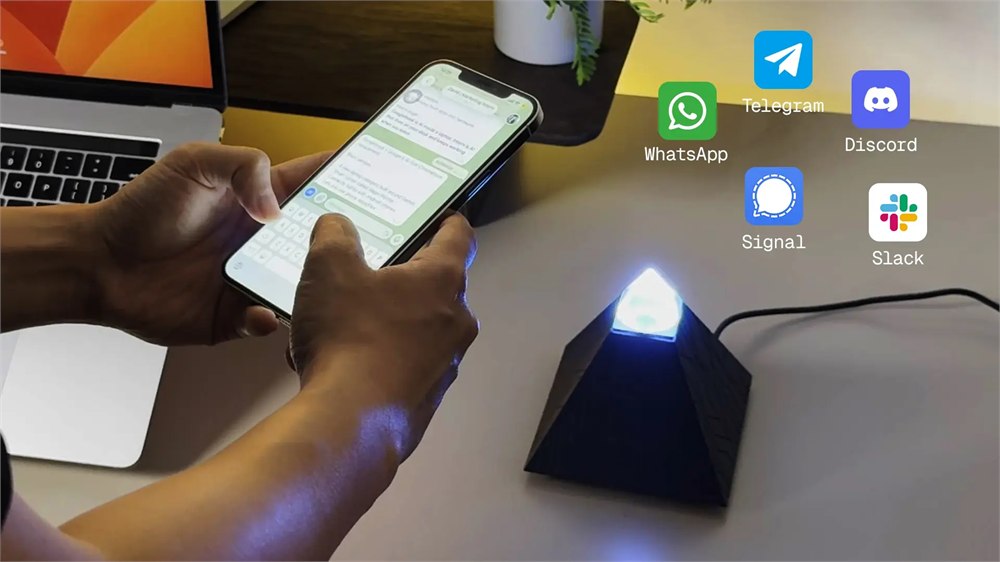
Here is the everyday usefulness Autonomous is aiming at:
- Run scheduled tasks like morning briefs, page checks, and status monitors.
- Handle chat-based requests through Telegram, Slack, Discord, team chat, or voice.
- Watch inboxes, direct messages, GitHub issues, pull requests, and similar workflow traps.
- Store working context locally, including API keys, project notes, style preferences, and team vocabulary.
- Let builders swap in agent frameworks or install their own stack on the Developer Edition.
There is something very OddityMall about a product that turns delegated desk work into a physical object. Software usually tries to disappear. This thing glows. It wants a place next to the monitor. It wants to be noticed. It has the confidence of a gadget that would introduce itself during standup.
Specs Inside The Pyramid
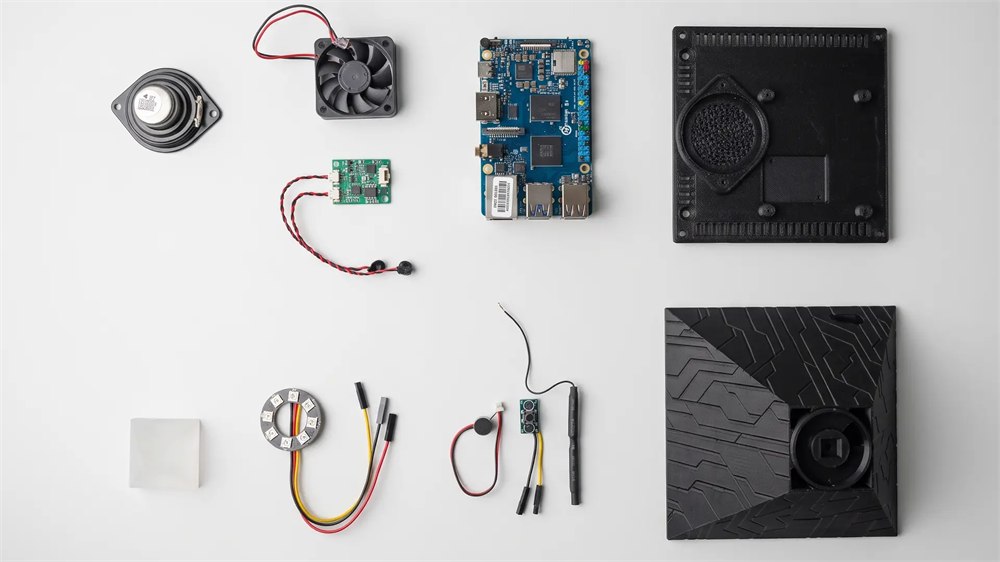
The useful part is that the dramatic little shell is not empty theater. Intern 2 is built around an Orange Pi 4 Pro main board with an 8-core processor, 6GB LPDDR5 memory, and 64GB storage, with expansion listed up to 256GB. It has dual microphones with pickup up to 3 meters, a 5W speaker, USB-C power at 5V/5A, Wi-Fi 6, Bluetooth 5.4, and a web monitor for logs, analytics, and CLI access.
| Feature | Autonomous Intern 2 Detail |
|---|---|
| Size | 4.7 x 4.7 x 4.7 inches |
| Main board | Orange Pi 4 Pro |
| Processor | 8-core CPU, up to 2.0GHz |
| Memory and storage | 6GB LPDDR5, 64GB storage, expandable up to 256GB |
| Voice and audio | Dual mic pickup up to 3m, 5W speaker |
| Connectivity | Wi-Fi 6 and Bluetooth 5.4 |
Autonomous also says Intern 2 can route tasks to different models depending on the job, with the product page referencing model options such as Opus, Sonnet, DeepSeek, Qwen, and more over time. The practical meaning is that the device is not supposed to treat every request like the same hammer looking for the same nail. A research digest, a coding task, a multilingual response, and a basic notification monitor can each call for a different style of help.
The agent promise is still the promise part. Nobody should buy a glowing pyramid assuming it will instantly become the office employee who remembers receipts, updates CRM fields, writes perfect pull requests, clears the inbox, and somehow stops Dave from replying all. It is a tool for people who are comfortable granting access carefully, testing repeatable workflows, and deciding which tasks can be safely delegated. In other words, the future is here, but it still needs permissions.
Who This Actually Makes Sense For
Intern 2 makes the most sense for people already flirting with agent workflows: developers, small teams, founders, creators, operations folks, sales people with inbox chaos, and anyone who has looked at a repetitive digital task and thought, “Surely a machine can be appointed mayor of this nonsense.” If your dream assistant is a browser extension, you may not need a physical device. If your dream assistant is a tiny local work appliance that lives on the desk and can keep running while the laptop naps, this is much closer to the target.
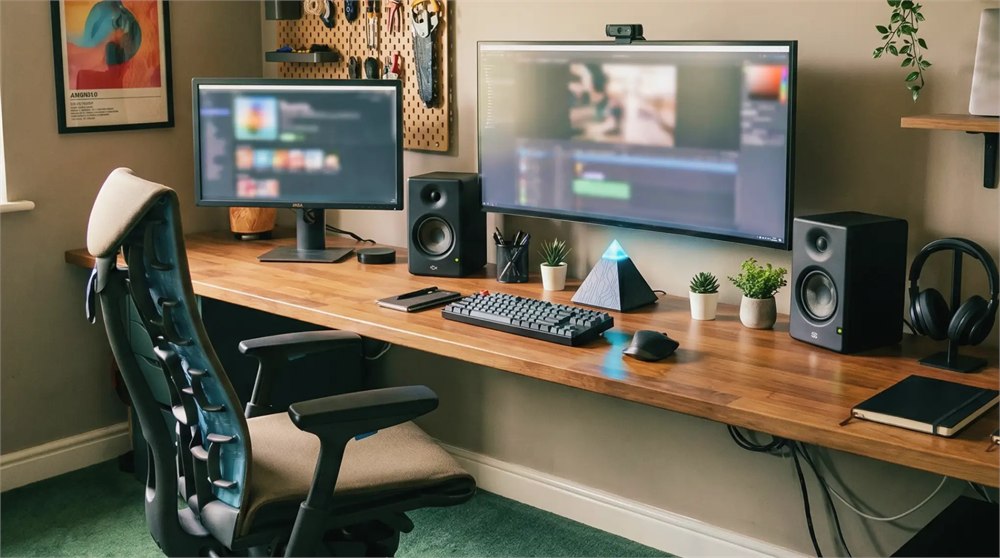
The pyramid shape is not just decoration, either. A dedicated physical device creates a mental boundary. Your laptop is for everything. Your phone is for interrupting everything. Intern 2 is supposed to be for delegated background work. That can be surprisingly useful if you are the kind of person who needs a separate laundry basket, a separate key bowl, and a separate little techno-monument for inbox duty.
It also has a giftable weirdness that normal AI software cannot touch. You can wrap this. You can put it on a desk. You can watch the recipient open it and briefly wonder whether they have been hired by a pyramid scheme in the most literal possible sense. Then, five minutes later, they are asking it to summarize GitHub issues, and the line between comedy and productivity has once again collapsed.
The Caution Button, Because It Is Still AI Hardware
The big limitation is that AI agents are only as useful as the workflows, permissions, and expectations around them. Connecting an always-on assistant to email, team chat, code repositories, calendars, or account data should be done carefully. Start small. Give it low-risk jobs. Check outputs. Keep humans in charge of anything involving money, legal decisions, private data, account changes, or the kind of email that can ruin a Tuesday.
There is also the familiar question of whether dedicated AI hardware beats software you already run on your computer. A physical box can be charming, useful, and easier to mentally separate from everyday browsing. It can also become another device on the desk if the owner never sets up meaningful recurring jobs. The product is unusual because it gives AI agent work a place and a body. Whether that body earns its desk space depends on how seriously you use the agent part after admiring the glow.
Key product details include:
- Product: Autonomous Intern 2 desktop AI agent device.
- Core function: Runs local AI agent workflows, scheduled tasks, chat commands, voice requests, and workflow monitors.
- Size: 4.7 x 4.7 x 4.7 inches.
- Notable hardware: Orange Pi 4 Pro, 6GB LPDDR5, 64GB storage, dual microphones, 5W speaker, Wi-Fi 6, Bluetooth 5.4, USB-C power.
- Software angle: OpenClaw and Hermes support, with Developer Edition flexibility for custom stacks.
- Seller: Autonomous.
- Listed price: $249, with volume pricing shown for larger orders.
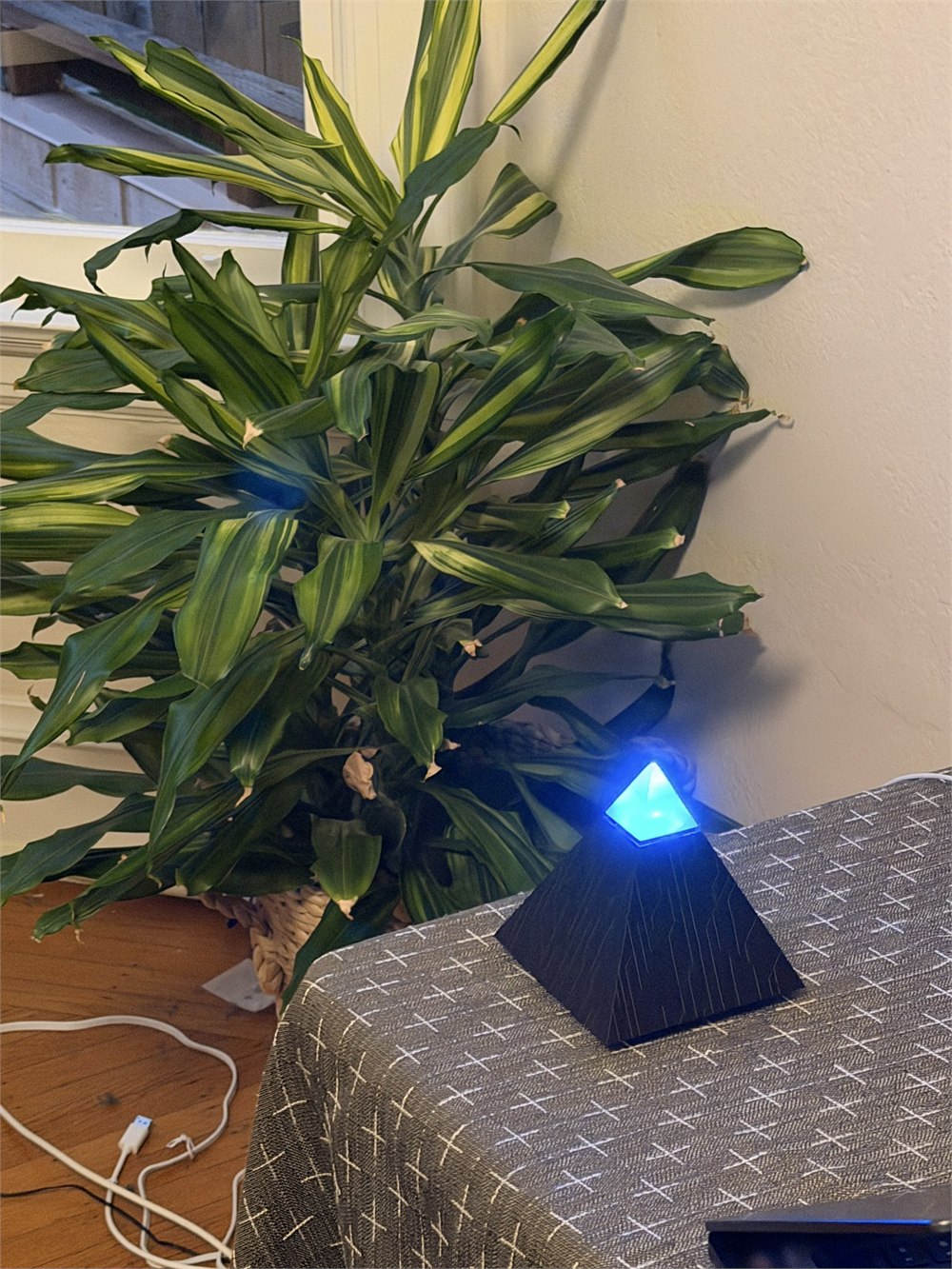
The Autonomous Intern 2 is available from Autonomous, where the current listing shows it at $249 with free shipping dated Aug. 24, a 1-year warranty, and 30-day free returns. It is best understood as a tiny local agent computer for people who want their recurring digital chores to have a physical home, a glowing top, and the quiet desk presence of a productivity cult artifact.
| Pros | Cons |
|---|---|
| Physical desk device makes AI agent work feel separate from your main computer. | Requires thoughtful setup, permissions, and workflow testing to be genuinely useful. |
| Compact glowing pyramid design is visually memorable and desk-friendly. | The unusual look may be too gadgety for very plain office setups. |
| Supports text, chat-app, and voice interaction. | Connected accounts should be limited and monitored carefully. |
| Can run scheduled jobs and background monitoring tasks. | AI agents still need human review for important decisions. |
| Developer Edition gives tinkerers room to install or swap agent tools. | Non-technical users may not use the more advanced flexibility. |
| Local-file context gives it a more appliance-like workflow than a browser tab. | It still competes with software-only AI assistants that require no extra hardware. |
Where to find This Desktop AI Agent Runs Scheduled Tasks From a Glowing Pyramid
OddityMall may earn a commission from qualifying purchases at no extra cost to you.
Related posts:
This Pyramid Bonfire Pit Might Be The Ultimate Way To Have a Backyard Fire
These DIY Pyramid Planters Lets You Grow Strawberries In The Coolest Way Possible
The Yarbo Yard Robot Will Mow Your Grass, Snowblow, and Even Blow Your Leaves
Pyramid Pan: Silicone Cooking Mat – Cooks Food Evenly and Won’t Stick
