
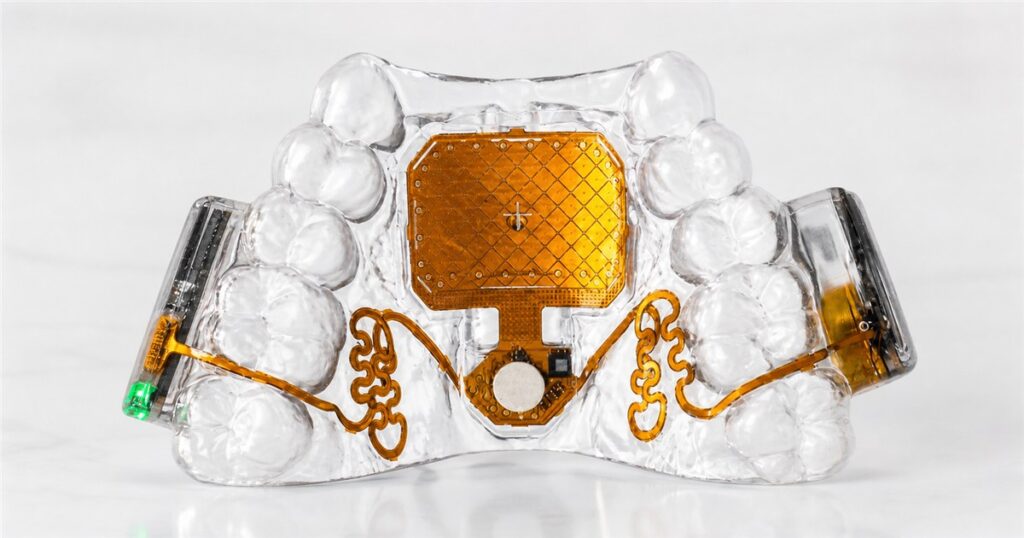
Humanity has spent decades perfecting the computer mouse, and somehow the most futuristic version of it now lives in the same general neighborhood as a night guard. That is progress, assuming your definition of progress includes telling your laptop what to do with your tongue while your hands are busy, tired, unavailable, or simply refusing to participate in yet another spreadsheet.
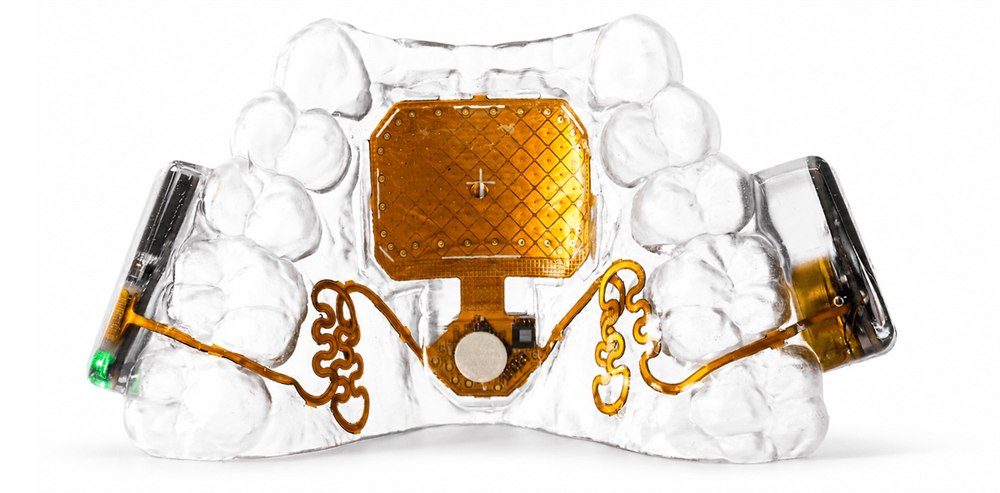
The Augmental MouthPad is a custom-fit, retainer-like Bluetooth touchpad that sits against the roof of your mouth and turns small tongue, head, and sip gestures into computer control. It is built for hands-free access to phones, tablets, and computers, which means it is both genuinely useful accessibility technology and also the sort of product that makes your regular desk mouse look like it came from a cave with a USB port.
The basic idea is wonderfully strange: instead of moving a plastic puck around a desk, you wear a slim dental-resin mouthpiece with a pressure-sensitive trackpad on the palate. Tongue movements can steer the cursor, tongue presses can click and drag, sip gestures can trigger right-clicks, and head motion can become another way to move around the screen. It connects like a wireless mouse, so the MouthPad is meant to work across major operating systems without a cable dangling from your face like a tech support emergency.
Augmental says the MouthPad is now publicly available in the United States after earlier access programs, with each unit made from an intraoral dental scan. That custom process is important because this is not a one-size-fits-most gadget you toss in a drawer next to the mystery charging brick. It is closer to a personal input appliance, custom built for the user, then paired with an app for settings like cursor mode, click strength, touch sensitivity, scroll speed, and other tiny knobs for the tiny command center in your mouth.
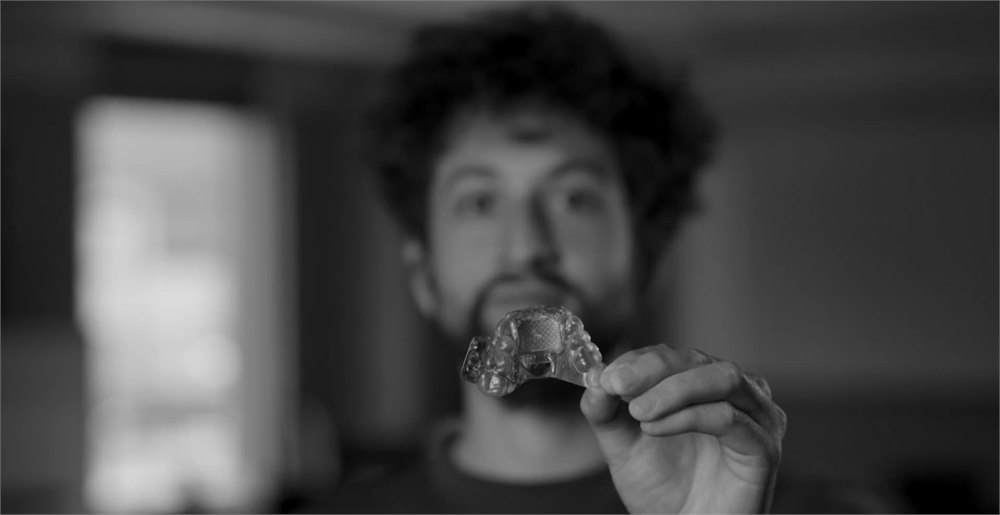
A Computer Mouse For The Roof Of Your Mouth
The MouthPad is aimed primarily at people who need hands-free digital control, including users with limited mobility, but its premise also reveals how weirdly narrow our usual idea of computer input has been. A keyboard assumes fingers. A mouse assumes hands. Touchscreens assume a certain kind of reach and dexterity. The MouthPad politely asks: what if the cursor lived upstairs, behind your front teeth, where your tongue has been waiting for a promotion?

Augmental describes the device as a low-profile input device with the compatibility of a wireless mouse and the fit of a dental appliance. The official specs list support for macOS, Windows, Linux, iOS, and Android as devices, with a companion app for macOS, Windows, and iOS. That gives it a broad target: browsing, schoolwork, gaming, creative apps, communication, and the everyday digital chores that become much harder when hands are not available on command.
- Move the cursor with tongue movement or head motion, depending on the user and settings.
- Use tongue presses for left-clicks and click-and-drag actions.
- Use sip gestures for right-clicks, with additional gestures for scrolling and swiping.
- Pair over Bluetooth with phones, tablets, and computers like a standard wireless mouse.
- Fine-tune sensitivity, cursor speed, click strength, and control modes in the companion app.
- Wear it discreetly inside the mouth with minimal impact on speech, according to Augmental.

There is a practical elegance to that. The tongue is fast, precise, and already good at subtle motion, because it has spent your entire life running quality control on soup temperatures and finding popcorn fragments with unreasonable dedication. Turning that into a cursor makes the whole thing sound ridiculous for about three seconds, and then it starts making a lot of sense.
| Spec | What Augmental Lists | Why It Matters |
|---|---|---|
| Device type | Custom-fit hands-free touchpad | Works as a personal input device rather than a generic mouthpiece |
| Connection | Bluetooth wireless mouse-style pairing | Designed for computers, tablets, and phones without a special dongle |
| Thickness | About 1 mm | Keeps the mouthpiece low-profile while worn |
| Weight | About 10 g | Light enough for an appliance meant for extended use |
| Material | Dental resin | Matches the custom dental-appliance approach |
| Battery | 7+ hours of continuous use | Enough for a long session before returning to the charging case |
| Charge time | About 1.5 hours | Reasonable turnaround for daily use |
One of the better details is that the MouthPad stores settings on the device itself. That means once it is configured, it can connect to compatible devices that accept a Bluetooth mouse without dragging every preference behind it like a suitcase with a broken wheel. Augmental also says the device can switch between several devices with one-button switching, which is exactly the kind of feature you want when your input device is already living rent-free in your mouth.

The Custom Fit Is The Whole Point
Because the MouthPad goes inside your mouth, buying one is not quite like ordering a keyboard. Augmental says customers order online, then complete a quick intraoral 3D scan through a dentist or local scanning provider. The company uses that scan to manufacture the custom MouthPad and ship it later, with online onboarding for setup and calibration.
The product page says it is available across the United States, and Augmental notes that the scan is usually booked directly with a dentist or local provider. The company also lists eligibility considerations: users should be over 18, have sufficient tongue dexterity and good oral health, and not be in ongoing dental or orthodontic treatment. That is the less glamorous side of turning your palate into a trackpad, but it matters. This is personal hardware, and personal hardware should not pretend every mouth is just a standard port.
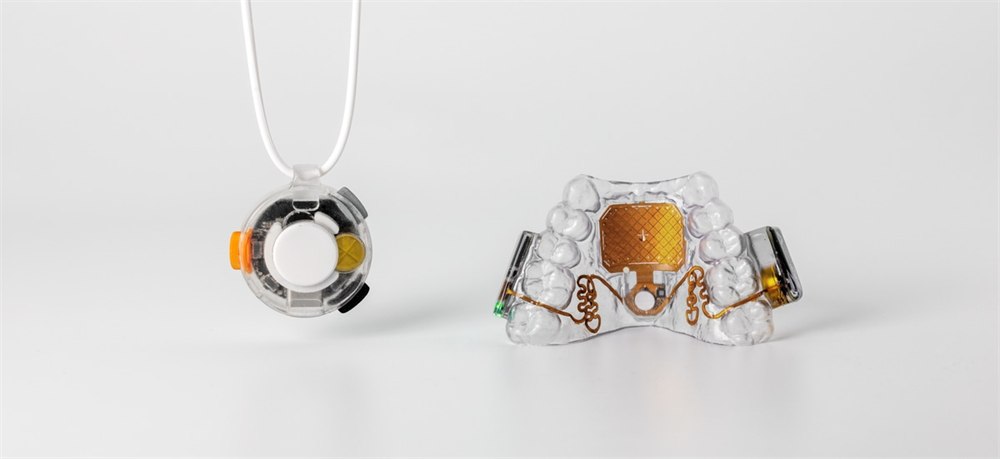
The launch announcement also introduced VOX, a separate wearable microphone pendant that Augmental describes as an invisible keyboard companion. VOX is in beta, while MouthPad handles the pointing side of the equation. Together, the two products suggest a fuller hands-free setup: point with the MouthPad, dictate with a body-coupled microphone, and let your desk wonder why it is suddenly underemployed.
There are reasonable limitations. Augmental says the MouthPad is not a medical device, is not intended to control or support medical devices, and should not be worn while eating, drinking anything other than water, or sleeping. It should be hand cleaned with soap and water before and after use, dried before returning to the charging case, and not boiled, chewed, bitten, blasted with UV exposure, or otherwise treated like a doomed science fair project.
Who This Is Really For
For users who need hands-free access, the MouthPad could be a serious quality-of-life tool. The official launch says the product is used by more than 100 people with mobility challenges, including students, artists, and gamers, and that some have used it for very long daily sessions. Even if you never need this kind of device yourself, it is hard not to respect a gadget that makes the computer mouse look less like a fixed law of nature and more like one mildly successful suggestion from the 1980s.
It also has some oddball crossover appeal for anyone who loves interfaces that feel pulled out of cyberpunk, dental school, and a very patient accessibility lab at the same time. But the real story is not novelty for novelty’s sake. It is that a familiar digital action – moving a cursor – can be rebuilt around a body movement that many people can still control when hands, arms, or voice are not reliable options.
- Product: Augmental MouthPad, a custom-fit hands-free Bluetooth touchpad worn inside the mouth.
- Controls: tongue movement, tongue presses, head motion, sip gestures, scrolling, swiping, clicking, and dragging.
- Compatibility: listed for macOS, Windows, Linux, iOS, and Android as supported devices.
- Build: about 1 mm thick, about 10 g, made from dental resin, with a charging case and USB-C to USB-A cable.
- Battery: 7+ hours of continuous use, with about a 1.5-hour charge time.
- Ordering: custom-made from an intraoral 3D scan and currently sold for US customers.
The MouthPad is listed at $1,400 for one custom-fit device, while the two-device option is listed at $1,900 for users who want a backup and the ability to swap between units. The required dental scan is booked separately, and Augmental says most scanning providers charge about $50 to $150. Orders are made through Augmental, with the company saying it builds the custom device from the scan and ships in about six months.
| Pros | Cons |
|---|---|
| Gives hands-free cursor control through tongue, head, and sip gestures | Requires a custom dental scan before production |
| Pairs like a Bluetooth wireless mouse across major device platforms | Currently listed for United States customers only |
| Custom fit makes it more personal than a generic assistive gadget | High upfront price compared with ordinary input devices |
| Low-profile design is meant to sit discreetly inside the mouth | Not for eating, hot drinks, sleeping, chewing, or casual abuse |
| Companion app lets users tune cursor and click behavior | Some users may need time to adjust to speaking and wearing it |
| Seven-plus-hour battery target supports long work or play sessions | Custom production means it is not an instant-ship gadget |
Where to find This Tongue-Controlled Bluetooth MouthPad Lets You Use a Computer Hands-Free
OddityMall may earn a commission from qualifying purchases at no extra cost to you.
