
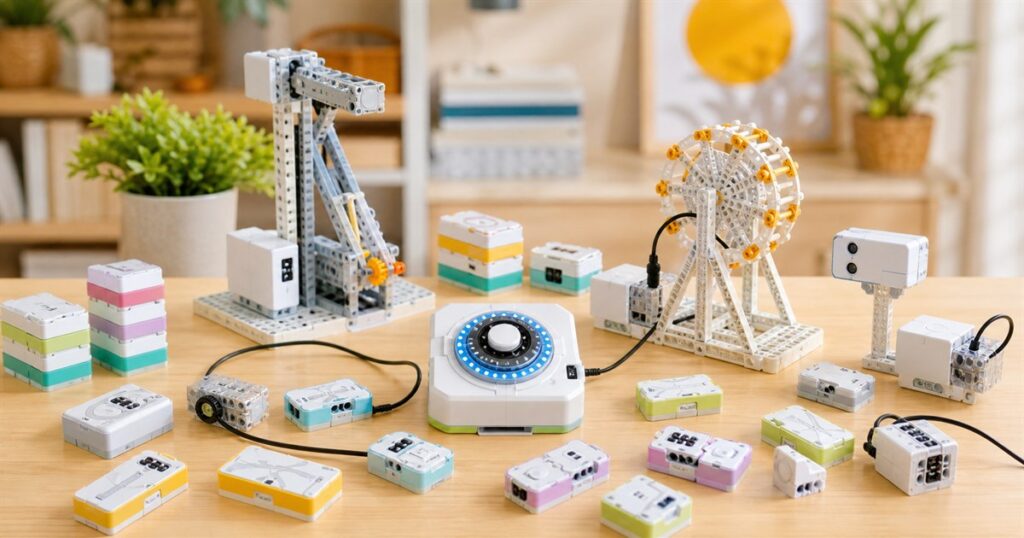
There are two types of parents in this world: the ones who say “screen-free activity” and mean a wholesome wooden puzzle, and the ones who accidentally start a tiny robotics lab on the coffee table before snack time. CODEE Screen-Free Magnetic Coding Blocks are very much for the second group, which is also the group most likely to own a drawer labeled “mystery cables” and defend it in court.

The short version is that CodeeBot turns coding into something kids can physically snap together. Instead of dragging blocks around on a tablet or typing commands into a laptop, children build a real program out of magnetic instruction blocks, connect it to motors and sensors, twist a rotary control, and watch the project run. If your household has ever wished STEM toys looked less like homework and more like an elaborate breakfast-table control panel, this is the suspiciously polished answer.
CodeeBot describes the system as an AI-powered, screen-free tangible coding platform, which sounds like something a school district would put in a grant proposal right before everyone gets very serious about storage bins. But the core idea is easy to understand: each magnetic block represents a programming instruction, such as motor control, loops, or conditional logic. Kids stack or connect those blocks in a physical sequence, then the hardware reads the arrangement and turns it into behavior for robot builds, smart devices, and other little machines that may or may not become emotionally important to the family.
That is the clever bit. Code is usually invisible, which is rude. It lives in a screen, hides behind syntax, and waits for one missing bracket to ruin a perfectly reasonable afternoon. CodeeBot makes the logic visible on the table. The company says the platform uses a compiler architecture developed over five years, with an error-resistant magnetic design that helps prevent incorrect logical connections and lets users focus on what the program should do instead of why the computer is currently sulking.
Coding You Can Poke With A Finger
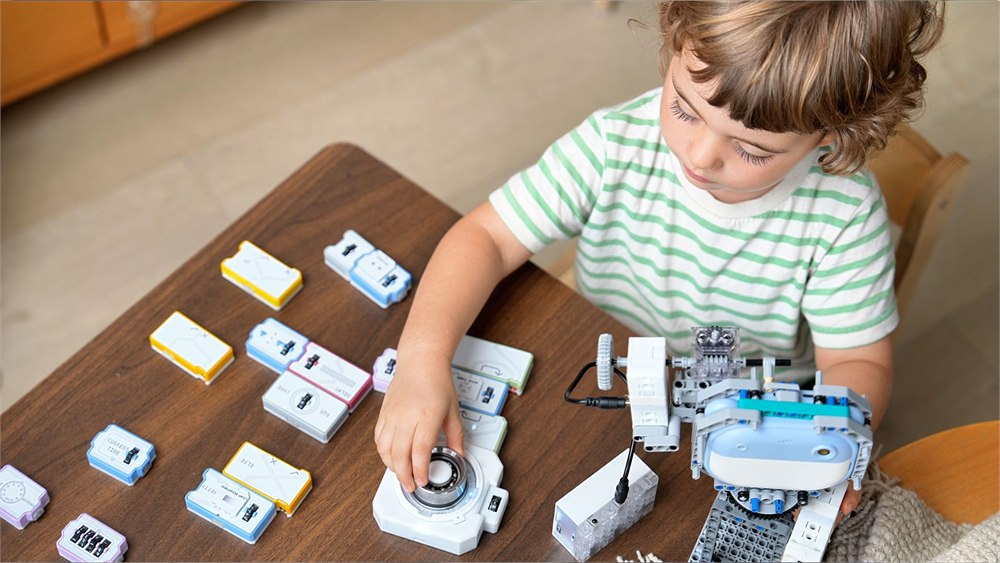
The official CodeeBot page boils the play pattern down to four steps: build robots with bricks and motors, snap the code blocks together, run the program by turning the knob, and then watch the thing move. That last step is important because children, adults, and adults pretending this is for children all share the same basic engineering standard: did the little thing move or did it just sit there judging us?


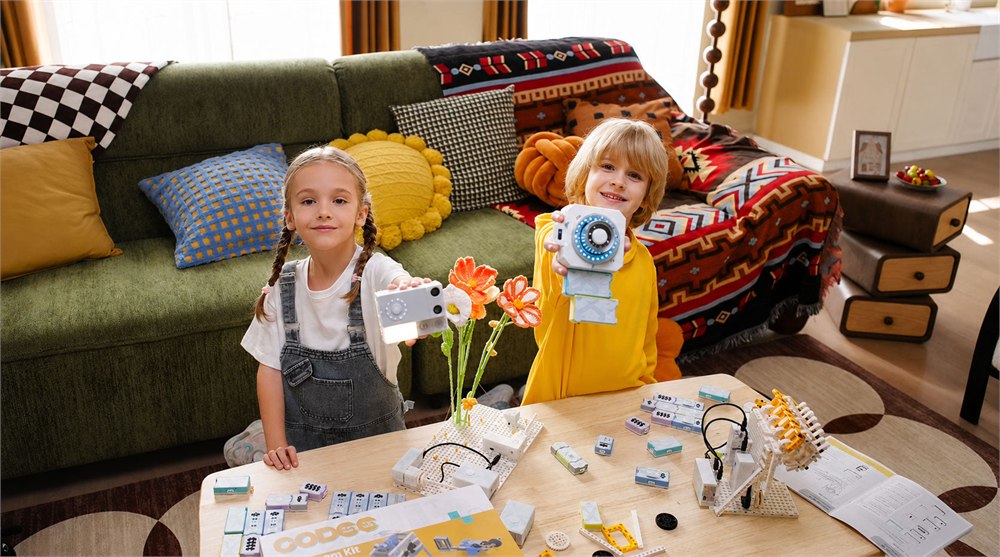
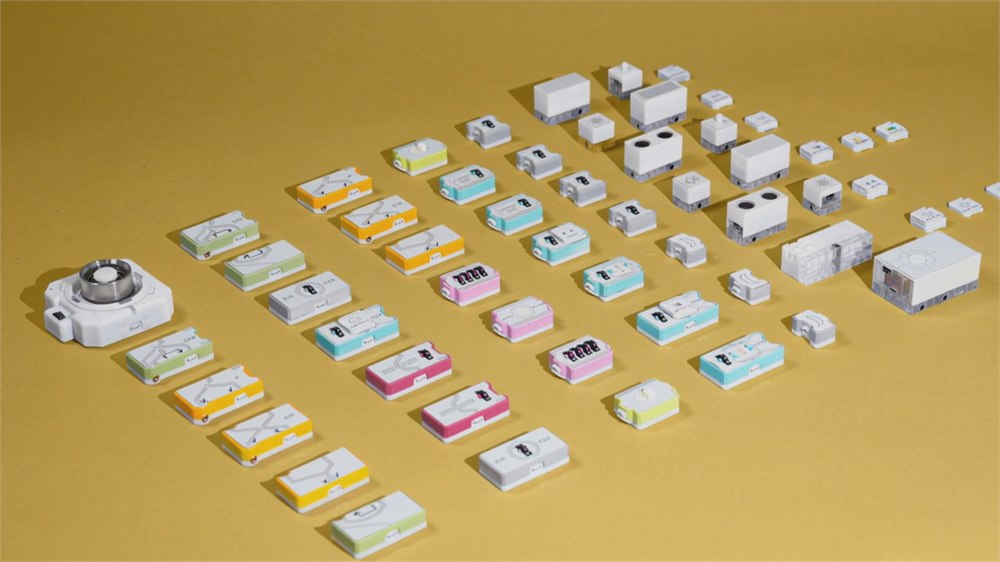
The kit is built around physical coding blocks, a control hub with a rotary knob, lights that trace the program flow, and robotics components that can be worked into projects. The company positions it for kids ages 4-12, while also leaning into maker, classroom, and prototype use. That makes sense. A younger child can snap pieces together and see cause and effect. An older child can start thinking about loops, branches, sensors, and repeatable logic. A grown-up can stand nearby saying “interesting” while secretly trying to build an automatic curtain opener.
CodeeBot’s light-flow feedback is the part that feels most OddityMall. Once a program is set, the rotary control runs it, and the integrated light path traces the execution in real time. In normal human terms, the blocks light up to show what the code is doing. If something is wrong, the system is designed to make errors easier to spot physically instead of turning the lesson into a vague argument with a screen.
That gives the whole thing a nice little mad-scientist vibe without requiring a child to learn keyboard shortcuts before they can make a motor spin. It also answers the biggest problem with many coding toys: a lot of them promise creativity, then immediately hand a kid another glowing rectangle and call it “hands-on.” CodeeBot keeps the main interaction on the table, where mistakes can be moved, rearranged, and fixed like the world’s nerdiest train set.
What The Kit Is Trying To Teach
The point is not just to make a robot scoot around until it discovers the underside of the sofa. The interesting part is the way CodeeBot connects computational thinking to physical outcomes. The company says kids can use it for functional projects such as smart lights, automatic curtains, pet feeders, card shufflers, robotic mechanisms, and other maker-space experiments. That is a delightful escalation from “learn loops” to “why is the seasoning dispenser now part of the curriculum?”
- Magnetic coding blocks represent real programming concepts like motion, loops, and conditional logic.
- A rotary controller runs the program and gives the whole setup a satisfying launch-button feeling.
- Integrated light-flow feedback shows the path of the code so debugging becomes visible.
- The system is positioned for screen-free STEM play, classroom demos, family projects, and maker-table prototypes.
- An AI voice tutor can provide guidance, logic clarification, and suggestions without making the screen the center of the activity.
The AI tutor is the modern twist, because apparently even the toy box now has a cofounder. CodeeBot says the voice tutor is built on GPT and integrated with the compiler, so it can offer step-by-step help, clarify logic, suggest improvements, and guide users through difficulties while the child keeps working with physical blocks. The official page also says the tutor supports 29 languages, which is useful if your family coding session needs to include both “loop” and “please stop attaching the motor to the snack bowl.”
That said, the best idea here is not merely that AI is involved. A lot of products have learned to say “AI” the way toddlers learn to say “again.” The better idea is that the AI layer sits behind a physical learning system. If it works as promised, the assistant is there to explain the thinking, while the child still has to build the logic with their hands and watch the hardware respond.
| Part Of The Experience | What It Does | Why It Matters |
|---|---|---|
| Magnetic instruction blocks | Let users physically arrange program commands | Makes abstract code feel like a buildable object |
| Rotary control hub | Runs the sequence when the program is ready | Adds a clear start point and tactile control |
| Light-flow feedback | Shows the execution path in real time | Turns debugging into something visible |
| AI voice tutor | Provides conversational help and project suggestions | Can coach logic without moving the lesson back to a screen |
| Robotics and maker pieces | Connect code to motors, sensors, and builds | Gives the program an actual job to do |
For Kids, Makers, And Adults Who Say It Is Educational
CodeeBot is pitched as a STEAM playground for kids, but it has a broader appeal than a normal coding toy. The official page talks about weekend hacks, 3D-printed prototypes, complex LEGO robot builds, smart devices, and family projects. That puts it in a useful middle zone between toddler-friendly button toys and school-grade robotics kits that require a laptop, a lesson plan, and the emotional resilience of a substitute teacher.
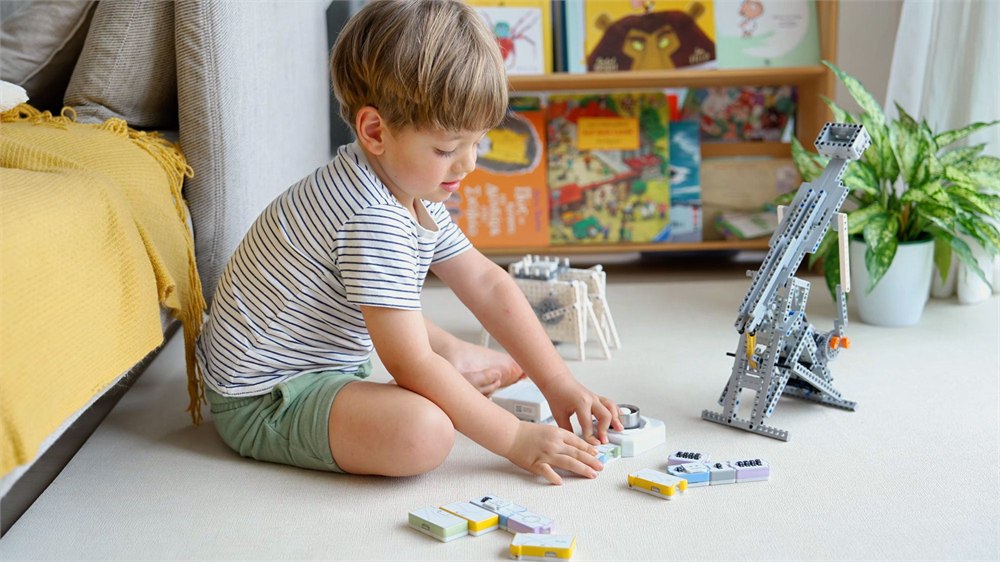
For families, the appeal is obvious: it gives kids a screen-free way to explore cause and effect, sequence, logic, and problem solving. For educators, it gives programming concepts a physical form that can be demonstrated in front of a class. For makers, it could become a quick way to prototype small automations without immediately opening a software environment. None of that means every child will become a tiny systems architect. Some will mostly enjoy twisting the knob and making things move, which is still a perfectly respectable career path at age six.
The company also compares CodeeBot to simpler early-age STEM toys and more advanced school robotics kits. Its argument is that magnetic tiles and button toys can be accessible but limited, while higher-end robotics kits can be powerful but screen-dependent and supervision-heavy. CodeeBot tries to split the difference by keeping the interface physical while still allowing more advanced logic and build expansion.
It is also visually funny in the best way. The blocks look like a pastel command center got turned into snack-sized rectangles. The controller has a glowing ring that makes “run the program” feel more dramatic than it has any right to feel. The robot builds look like the kind of tabletop machines that begin as an educational exercise and end with someone saying, “Wait, can we make it open the curtains?”
The limitations are worth saying out loud. This is a crowdfunded hardware product, so buyers should treat delivery timelines and final details with the normal Kickstarter caution. The screen-free promise also applies to the coding interaction, not necessarily every single setup, account, connectivity, or support step a family may encounter. And while the AI tutor sounds useful, the real educational value will depend on how well the physical blocks, compiler feedback, and voice guidance work together once backers have the final kits in hand.
Availability And Product Details
CodeeBot announced the official global launch on July 21, 2026, and says the product is debuting through Kickstarter. The campaign bundles listed in the announcement include an Inspiration Kit, Explorer Kit, Inventor Kit, and Smart Home Kit, with add-ons such as a robotic hand, pet feeder, BBQ robot set, dancing flower, and crossbow listed as campaign extras. The official product page also promotes signup savings and describes the system as a screen-free coding lab for kids and makers.
- Product: CODEE Screen-Free Magnetic Coding Blocks / CodeeBot robot kit
- Core function: turns physical magnetic instruction blocks into real robot and maker programs
- Learning style: screen-free, tactile coding with visible light-flow execution
- Age positioning: designed for kids ages 4-12, with maker and classroom use also highlighted
- AI feature: GPT-powered voice tutor for guidance, debugging help, and project suggestions
- Example projects: robot dog, smart light, automatic curtain opener, pet feeder, card shuffler, robotic mechanisms, and other small automations
- Availability: live on Kickstarter through CodeeBot
Pricing starts with the Inspiration Kit listed at $299 for the Super Early Bird tier, with a planned retail price of $499. The announcement also lists Super Early Bird pricing of $399 for the Explorer Kit, $549 for the Inventor Kit, and $799 for the Smart Home Kit, plus double-pack bundles and expansion add-ons starting as low as $29 during the campaign.
So yes, CodeeBot is basically a small physical programming shrine for households where “just five more minutes” can apply to robotics, not only tablets. It gives kids a way to build logic with their hands, gives parents a better answer to the screen-time guilt spiral, and gives makers an excuse to make a flower, curtain, light, or tiny machine obey a stack of pastel command blocks.
| Pros | Cons |
|---|---|
| Turns coding into a physical, screen-free activity | Crowdfunding means final delivery and execution still need backer caution |
| Light-flow feedback makes program logic easier to see | Higher pledge tiers may get expensive for families |
| Supports robotics, smart-device, classroom, and maker projects | Some setup or AI features may still involve accounts or connectivity |
| AI tutor can help explain logic without making a tablet the main interface | The AI guidance will only be as useful as the final product implementation |
| Looks far more engaging than a normal learn-to-code worksheet | Small parts and project complexity may still require adult organization |
Where to find These Screen-Free Magnetic Coding Blocks Turn Snap-Together Logic Into Robots
OddityMall may earn a commission from qualifying purchases at no extra cost to you.
