
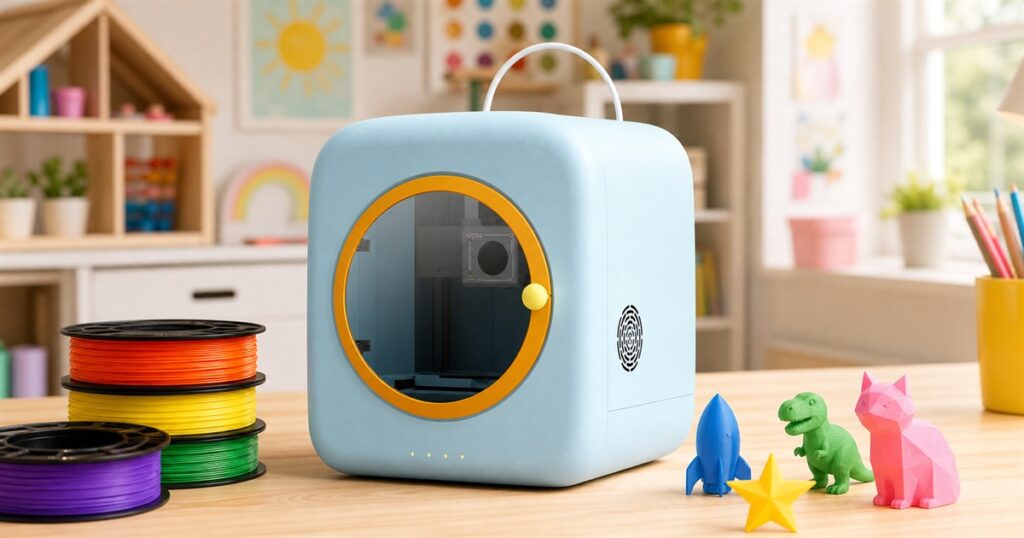
There is a very specific moment in family life when a child hands you a drawing and explains, with absolute legal certainty, that it is a rocket-powered cat castle, a dinosaur helmet, and also a snack bowl. Most adults respond with refrigerator magnet diplomacy. The ugee Funbox Kids 3D Printer responds by trying to turn that tiny boardroom presentation into an actual object.
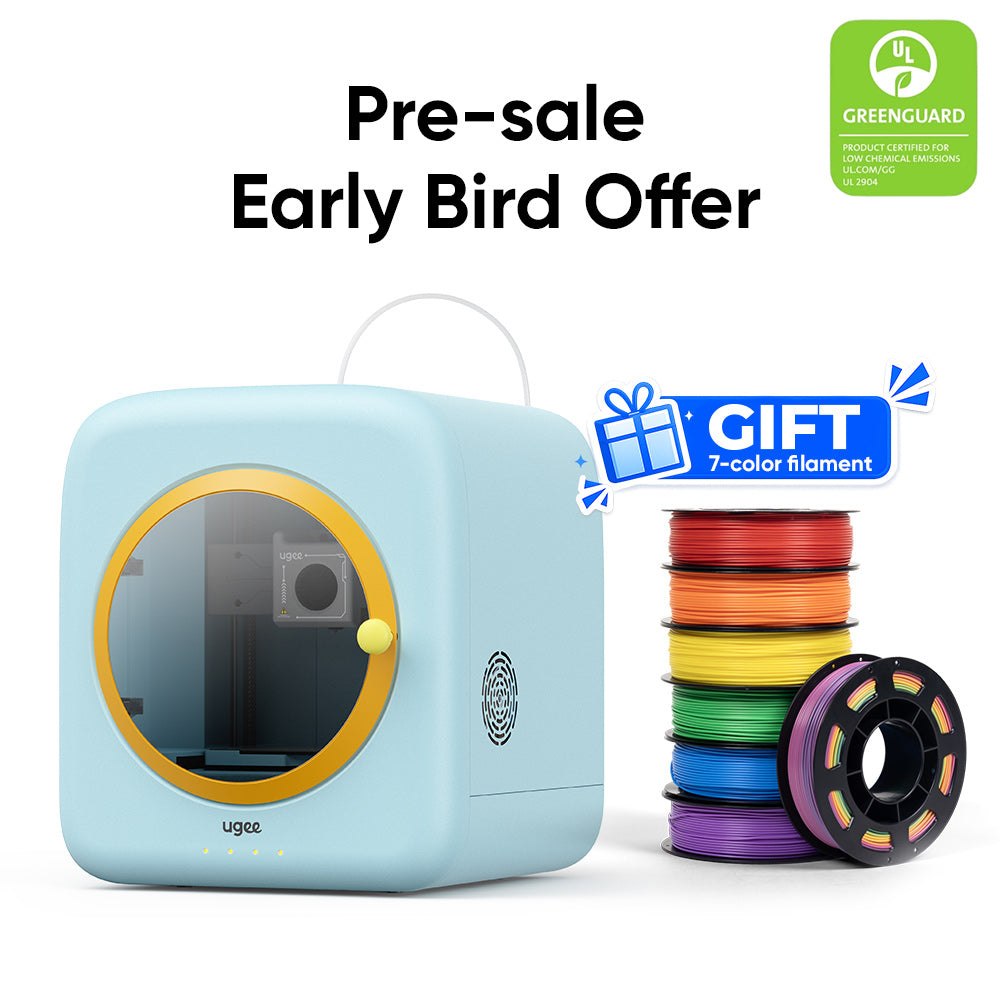
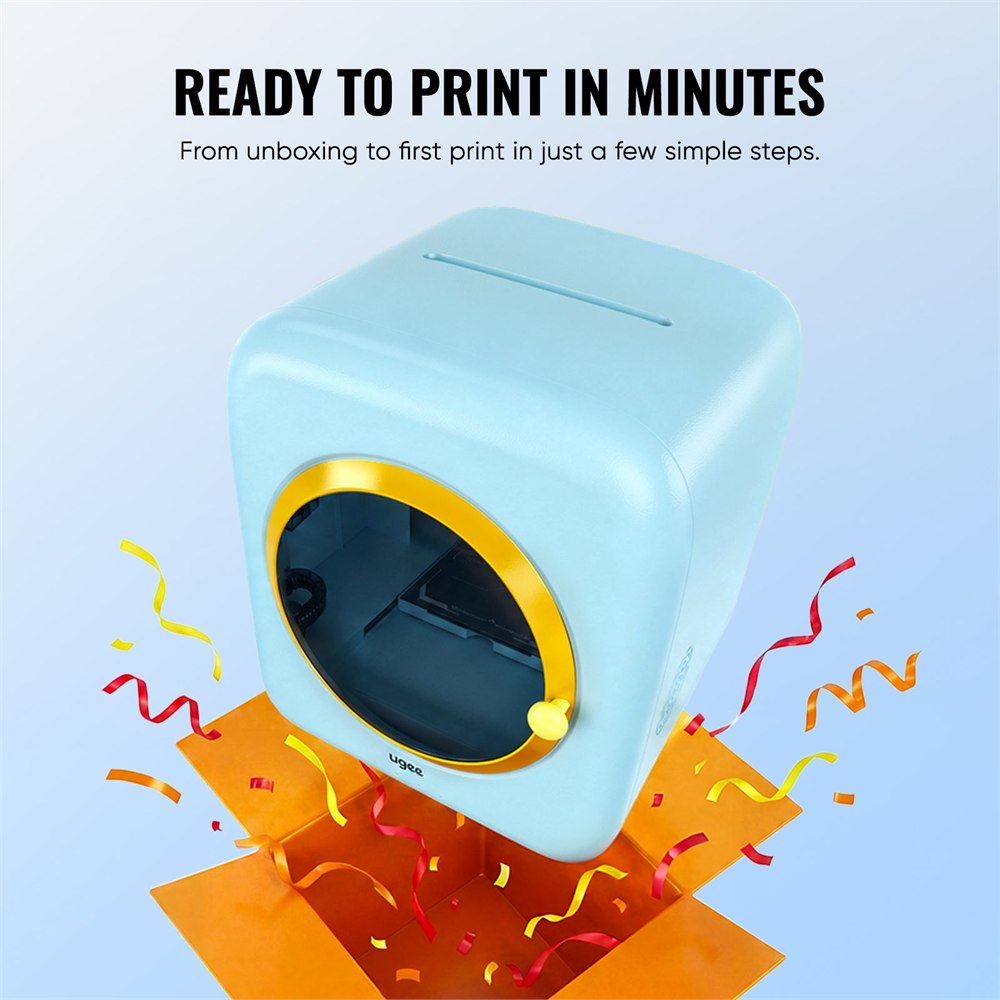
The Funbox is a fully enclosed desktop 3D printer made for kids, beginners, and the grown-ups who have always wanted to try 3D printing but did not want their first lesson to be titled “why is the plastic spaghetti angry.” It has a rounded pale-blue body, a circular yellow-trimmed front window, a little carry-handle look up top, and the general vibe of a tiny appliance that escaped from a kindergarten art room and got serious about manufacturing.
ugee positions it as a kid-friendly, family-safe printer for children and beginner makers, with a workflow built around the UFun app. The important part is not just that it prints small objects. Lots of 3D printers can do that while looking like they were assembled in a basement by someone who owns three soldering irons. The Funbox is trying to make the entire experience feel closer to drawing, choosing, tapping, waiting impatiently, and then proudly presenting a little plastic creature to the household as if it now owes rent.
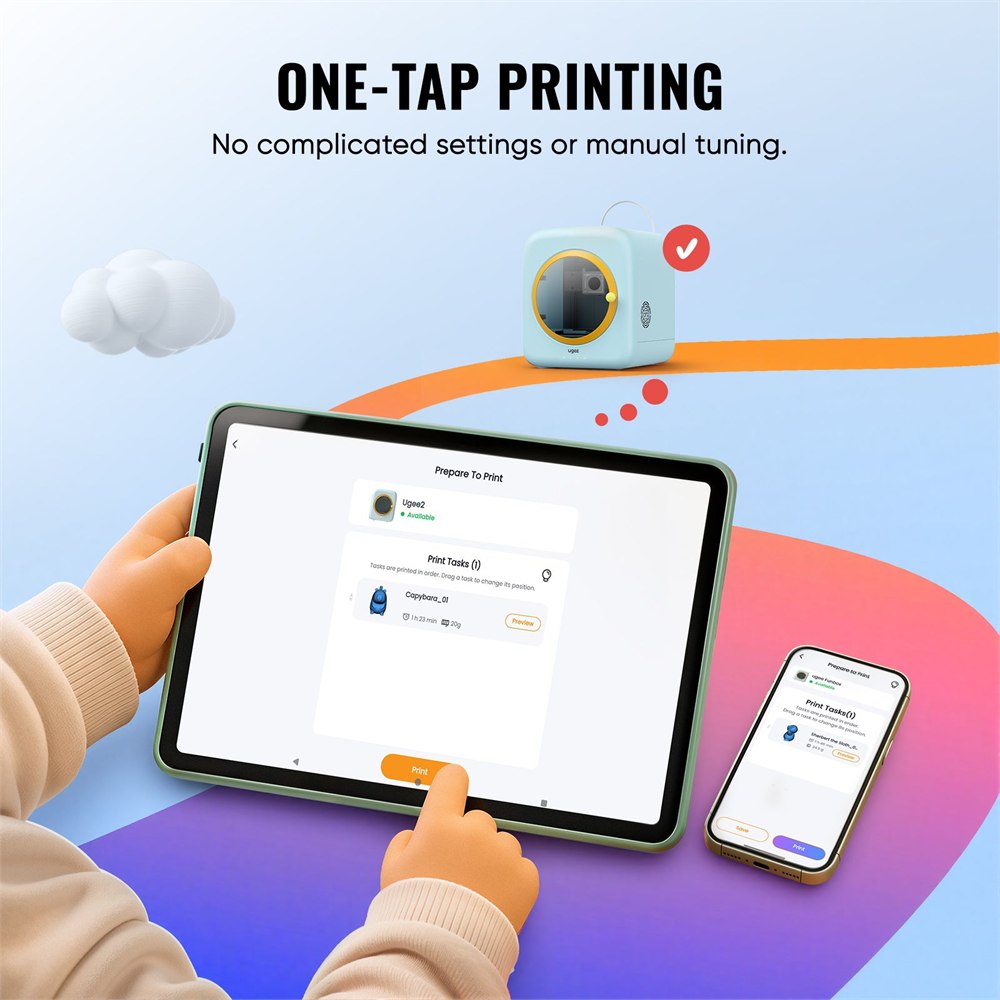
That is the clever bit here. Instead of dropping a child into slicer settings, nozzle temperatures, bed leveling anxiety, and a vocabulary that sounds like a tiny factory union contract, the Funbox is designed around simple visual guidance. ugee says kids can browse models, start prints, and manage projects through the UFun app, while Windows users can later move into U-PRINT for more advanced slicing and print settings as they get more confident.
A 3D Printer Built For The Small Council Of Household Ideas
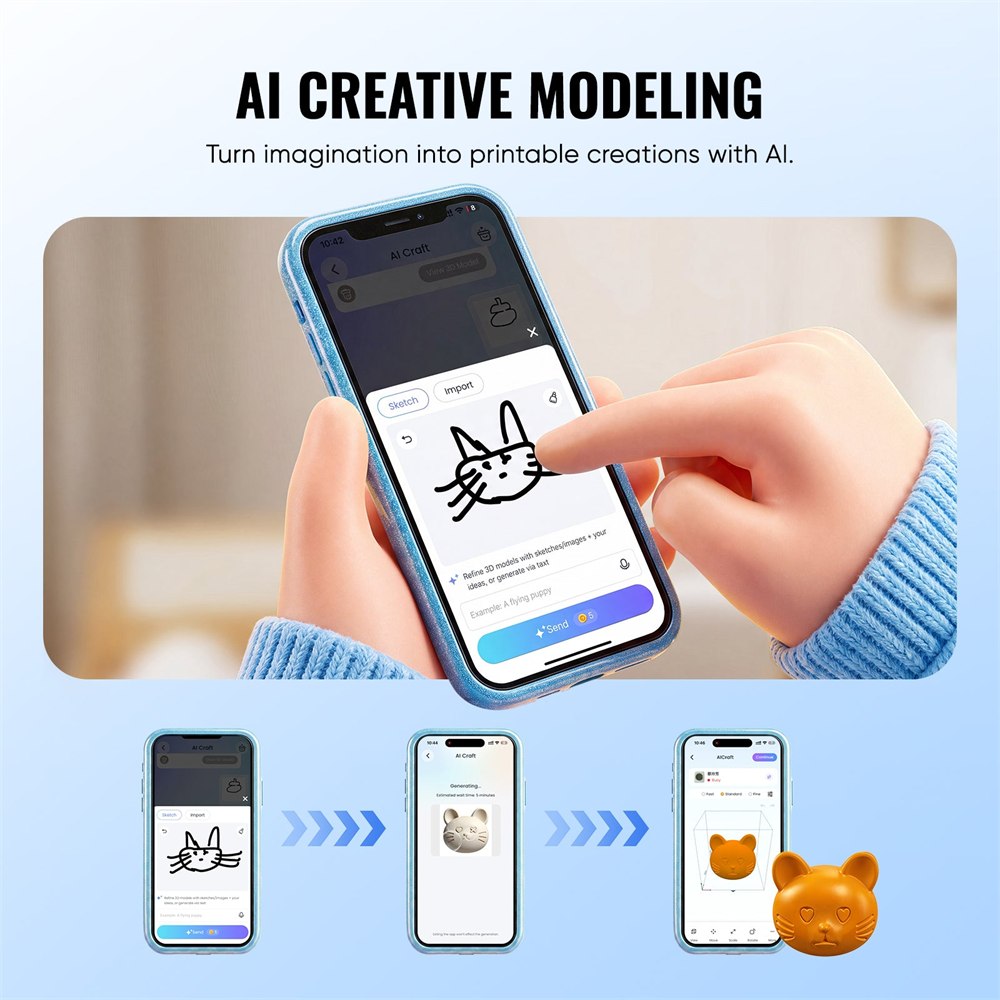
The most OddityMall part is the AI creative modeling angle. The store page shows a sketch-to-model style workflow where a rough doodle can become a printable 3D creation. This is exactly the kind of feature that will make one child calmly request a cat, another request a spaceship, and one mysterious cousin request a cube with emotional problems. The machine does not promise to make every childhood idea physically stable, because even modern technology has limits, but it does make the leap from imagination to plastic less intimidating.
Related posts:
 There’s a Digital Nail Printer That Lets You Print Any Design Onto Your Nails
 The Bailey Discovery D4-2 Camper Trailer Has an Inflatable Enclosed Awning
 This Bubble Window For Your Fence Allows Your Dogs To Peek To The Other Side
 This Incredible Bicycle Car Is an E-Bike That Keeps You Warm During Winter Transit
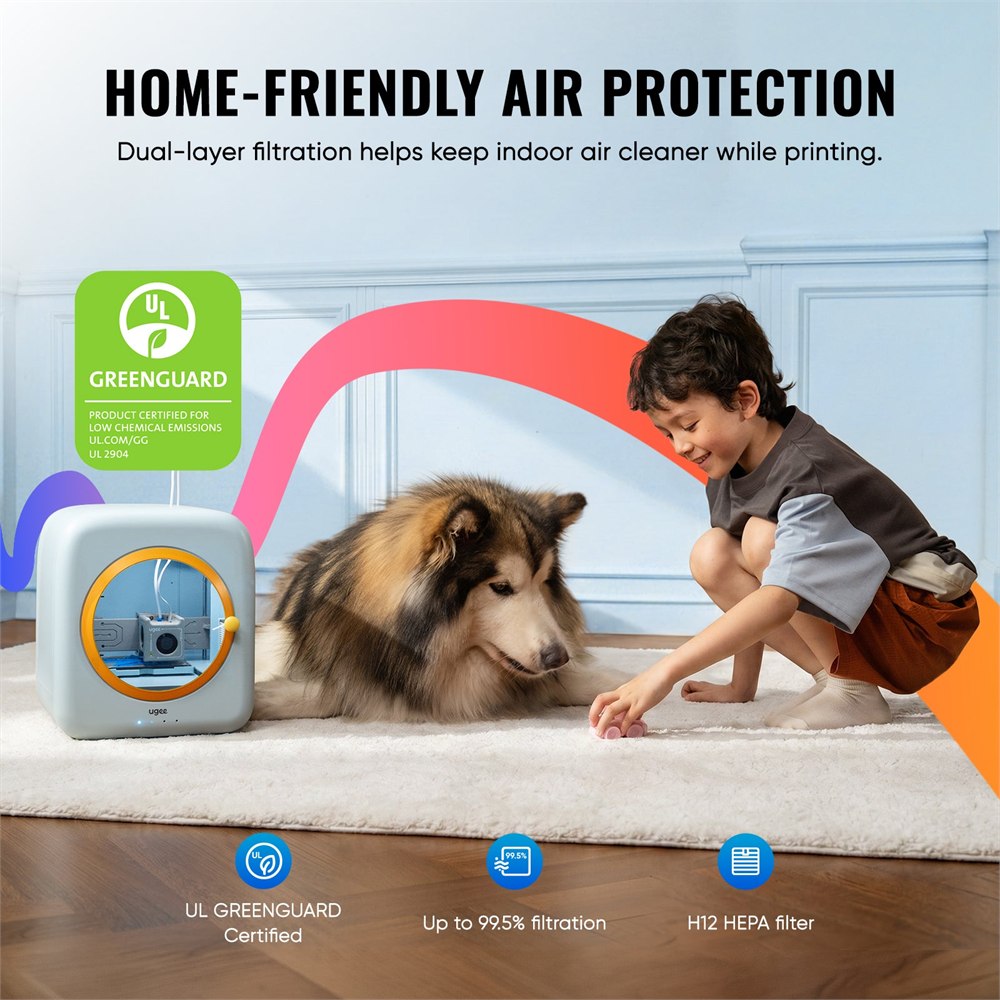
For parents, the more practical appeal is that the printer is enclosed. The rounded chassis keeps the moving print area behind a front door, and the whole product looks less like a raw machine and more like something that belongs on a craft desk. ugee also highlights 12V low-voltage power, claimed toy-safety-standard compliance, and UL GREENGUARD certification for low chemical emissions. Those are the kinds of details that matter when the audience is both “future engineer” and “person who might put a sticker on the printer within 11 minutes.”
The air-handling system is another major point. ugee says the Funbox uses a large built-in fan with dual-layer H12 HEPA and activated carbon filters to help reduce odors and airborne particles during printing, with claimed capture of up to 99.5% of particles as small as 0.1 to 0.3 microns. That does not mean 3D printing becomes magic-free, supervision-free, or common-sense-free, but it does show the printer was designed for home use instead of pretending every living room is secretly an industrial lab.
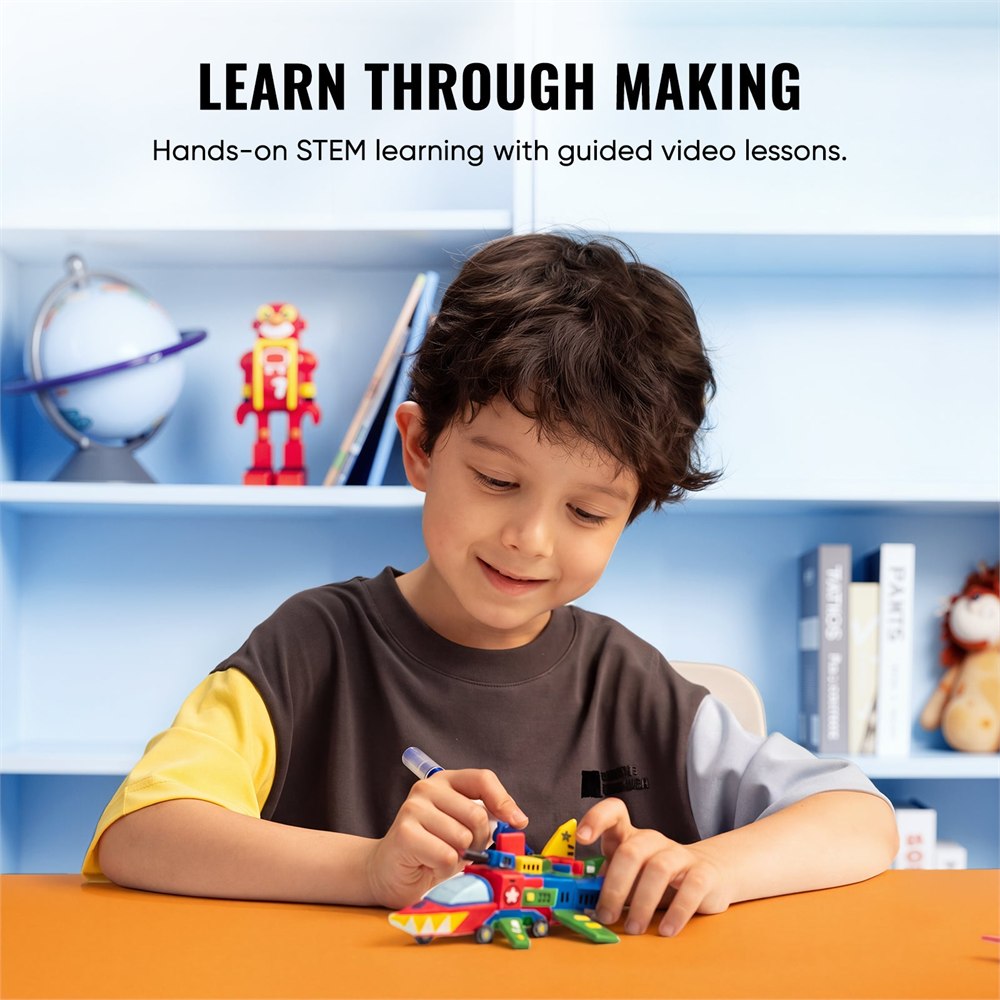
In plain human terms, the Funbox is for families who want the creative payoff of 3D printing without turning the dining table into a tech support ticket. It is also for teachers, homeschool setups, and STEM-curious grandparents who want to give a child something more interesting than another screen but less chaotic than a chemistry set with real consequences.
- It uses a fully enclosed body with a round front viewing window, so the print area feels more contained and less workshop-ish.
- The UFun app is built for browsing models, starting prints, and guiding beginners through the process.
- AI creative modeling is meant to help transform simple ideas or sketches into printable creations.
- Dual-layer H12 HEPA plus activated carbon filtration is designed to reduce odors and airborne particles while printing.
- The rounded, pastel design makes it look friendly enough for a kid’s desk without hiding that it is still a real 3D printer.
The one-tap printing pitch is the part that will matter most on a normal Tuesday night. A beginner does not necessarily want a full seminar on slicing software before making a tiny dinosaur. They want the small thrill of choosing something, pressing go, and watching an object slowly emerge like the printer is thinking very hard about plastic.
What The Funbox Is Claiming To Bring To The Craft Table
There is still a real machine under the cute shell. The printer is sold as a pre-sale product on the ugee Official Store, and the product page lists it under electronics with the SKU UGFunbox. The official launch announcement from July 15, 2026 describes it as ugee’s first desktop 3D printer for kids and “kidults,” which is a deeply accurate term for anyone who says they are buying this for educational purposes and then immediately prints a small trophy for themselves.
| Feature | What ugee lists | Why it matters |
|---|---|---|
| Design | Rounded, fully enclosed desktop printer | Better fit for family rooms, classrooms, and beginner spaces |
| Controls | UFun app with visual beginner workflow | Less intimidating than jumping straight into advanced slicer settings |
| Creative mode | AI creative modeling for turning ideas into printable objects | Helps kids connect drawings and imagination to physical making |
| Air system | H12 HEPA and activated carbon filtration | Targets odors and small airborne particles during printing |
| Safety angle | UL GREENGUARD certification and toy-safety claims | Gives families more context before putting it in a home learning space |
The Funbox is not trying to be the biggest, fastest, most intimidating printer in the room. That would defeat the whole point. It is aiming for a different job: help a child or beginner get from “I have an idea” to “I made a thing” without needing a calm adult nearby who has already memorized every filament forum on earth.
That said, it still deserves normal adult oversight. A child-friendly 3D printer is still a device that heats plastic, moves parts around, and takes time to finish objects. The point of the Funbox is not to remove supervision. It is to make the process clearer, more contained, and less hostile to anyone who does not already own a caliper.
The Doodle-To-Object Pipeline For Tiny Inventors
What makes this especially fun is how naturally it fits a kid’s normal creative process. Children already prototype constantly. They just call it “making a thing out of tape, cereal boxes, and a marker that absolutely did not belong on the couch.” The Funbox gives that same energy a more structured path. A doodle can become a model. A model can become a little object. A little object can become part of a larger imaginary civilization that now covers the coffee table.
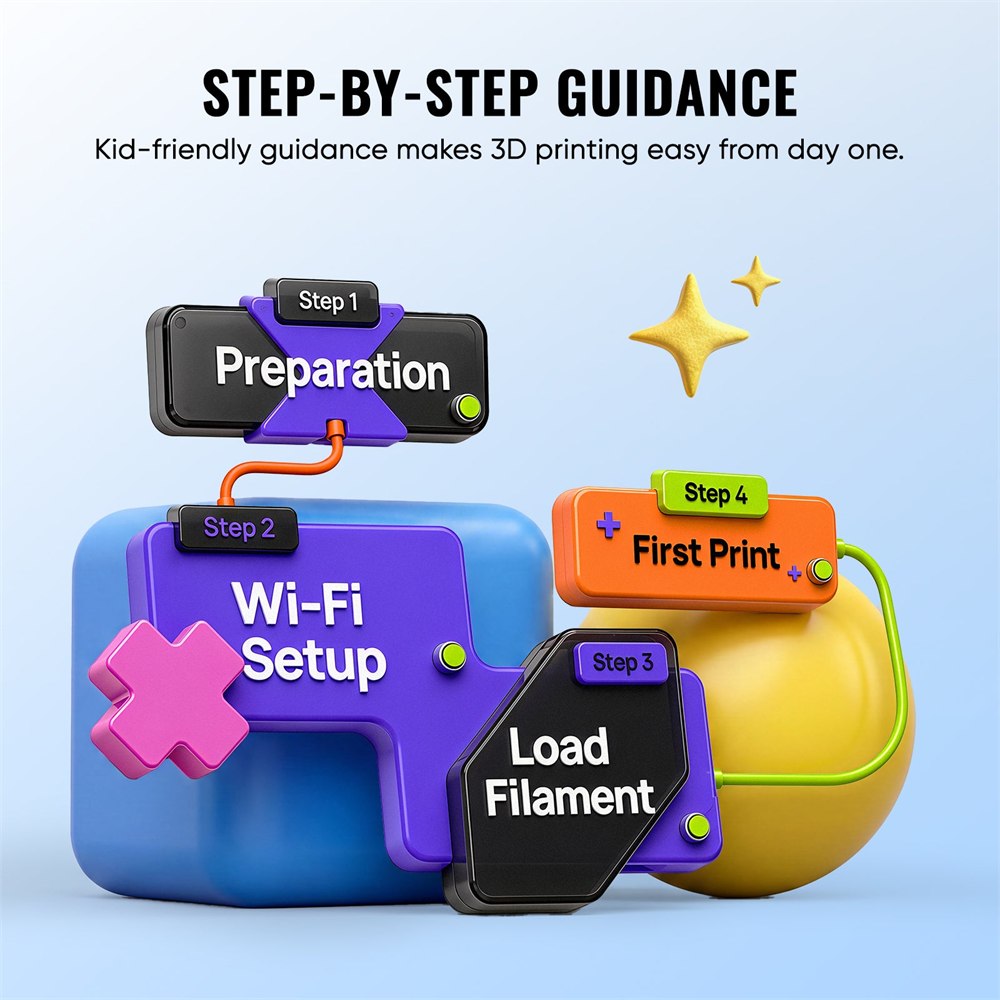
For beginners, that can be more valuable than raw print speed. The first win in 3D printing is not always the technically perfect object. Sometimes it is just realizing that the machine is not a mysterious shrine for hobbyists, but a tool you can understand. ugee’s app-first setup and step-by-step guidance seem built around that first win.
The official page also shows a library-style model experience, which is useful because not every kid wants to design from scratch every time. Sometimes they want a pre-made creature, charm, toy, or desk object, and they want it now, thank you very much. That is where a simpler catalog-based flow can keep the excitement alive instead of turning the evening into file-format archaeology.
It also looks friendly enough that it may actually earn a permanent spot somewhere visible. Many 3D printers have the decor energy of “do not touch this unless you know what firmware means.” The Funbox looks more like a small blue lunchbox that learned engineering. That matters if the goal is to make making feel normal, accessible, and maybe just strange enough to be irresistible.
Product images courtesy of ugee Official Store.
Price And Availability
The ugee Funbox Kids 3D Printer is listed on the ugee Official Store as a pre-sale product. At the time of writing, the store lists a $269 launch price with a $329 compare-at price. The product page also shows a 7-color filament item in the broader Funbox ecosystem, which is good news for any household where “just one color” is considered emotional hardship.
It is best suited for families, classrooms, creative beginners, STEM clubs, and adults who want a softer entry into 3D printing. It is probably not the machine for someone chasing pro-shop throughput, exotic materials, or the thrilling hobby of arguing about firmware profiles at 1:00 a.m. It is for turning small ideas into small objects without making the user feel like they accidentally applied for a manufacturing job.
- Product: ugee Funbox Kids 3D Printer
- Type: Fully enclosed beginner-friendly desktop 3D printer
- Best for: Kids, families, classrooms, new makers, and STEM projects
- Main features: UFun app guidance, one-tap printing, AI creative modeling, enclosed body, H12 HEPA plus activated carbon filtration
- Safety-focused details: UL GREENGUARD certification, 12V low-voltage design, rounded enclosed chassis, and toy-safety claims from ugee
- Listed price: $269 launch price, with $329 compare-at pricing shown by the seller
- Seller: ugee Official Store
Basically, this is a tiny idea factory for the family member who keeps drawing objects that do not exist yet. The rest of the house should prepare for a future filled with miniature rockets, suspiciously ambitious animals, and at least one printed object whose purpose is explained with the confidence of a patent attorney.
| Pros | Cons |
|---|---|
| Enclosed, rounded design feels more home and kid friendly than exposed-frame printers. | Still requires normal adult supervision because it is a real 3D printer. |
| App-guided workflow should be easier for beginners than traditional slicer-first setups. | Advanced users may outgrow the simplified experience. |
| AI creative modeling gives kids a fun path from sketch or idea to printed object. | AI-generated models may still need reasonable expectations about detail and printability. |
| H12 HEPA and activated carbon filtration targets odors and small particles during printing. | Filter performance claims come from the seller and should not replace sensible ventilation. |
| UL GREENGUARD certification and toy-safety claims add useful family-buying context. | Actual classroom or household suitability still depends on supervision, setup, and materials used. |
| Pastel toy-like body makes it visually inviting instead of workshop-intimidating. | The cute design may undersell that prints still take time and maintenance. |
| Launch price is lower than the listed compare-at price. | Pre-sale timing means availability can change. |
Where to find This Kid-Safe 3D Printer Turns Doodles Into Tiny Toys
OddityMall may earn a commission from qualifying purchases at no extra cost to you.
Related posts:
There’s a Digital Nail Printer That Lets You Print Any Design Onto Your Nails
The Bailey Discovery D4-2 Camper Trailer Has an Inflatable Enclosed Awning
This Bubble Window For Your Fence Allows Your Dogs To Peek To The Other Side
This Incredible Bicycle Car Is an E-Bike That Keeps You Warm During Winter Transit
