
Every family kitchen has one sacred archaeological site: the fridge door. It is where dentist appointment cards, half-dead magnets, school lunch calendars, grocery lists, permission slips, and one mysterious photo from 2018 all gather to form a paper-based civilization that nobody fully understands.
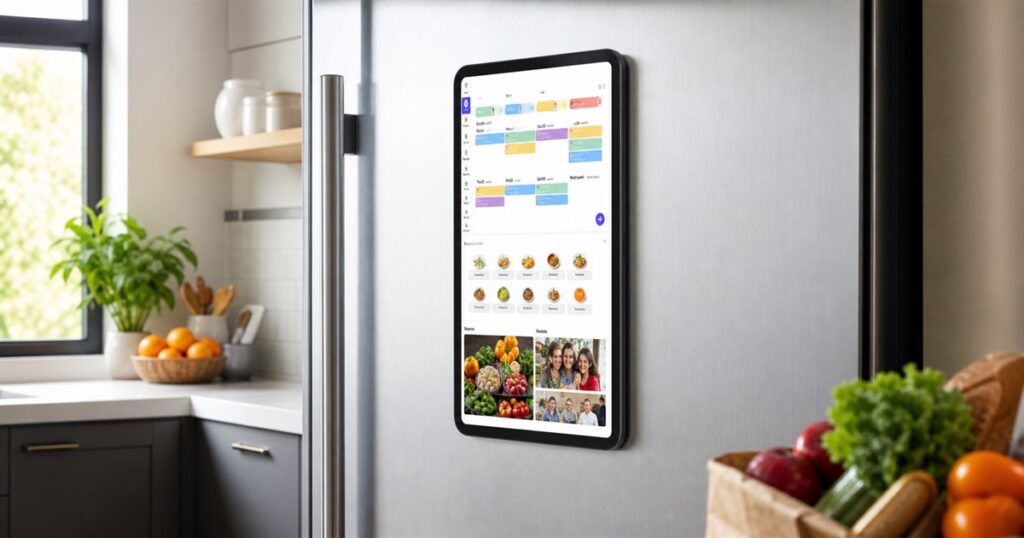
The Everblog 13.4-inch FridgeCal Smart Fridge Calendar is what happens when that civilization finally gets electricity, Wi-Fi, and a little bit of adult supervision. It is a magnetic touchscreen calendar made to live directly on your refrigerator, turning the kitchen command center from a pile of sticky notes into a digital family dashboard.
Instead of asking everyone in the house to consult six separate apps, three group chats, and the emotional weather pattern of whoever last went grocery shopping, FridgeCal puts schedules, food tracking, meal planning, chores, shopping lists, photos, and entertainment on a 13.4-inch screen stuck right where people already go to negotiate with leftovers.
The device has a black rounded tablet-style body and mounts vertically on the fridge. Everblog says the magnetic mount is designed for metal refrigerator doors, while an included magnetic plate helps with non-magnetic surfaces such as glass. That matters because a family calendar is much less useful if it becomes a very expensive floor calendar after someone opens the freezer too aggressively.
A Smart Calendar That Lives Where The Snacks Are
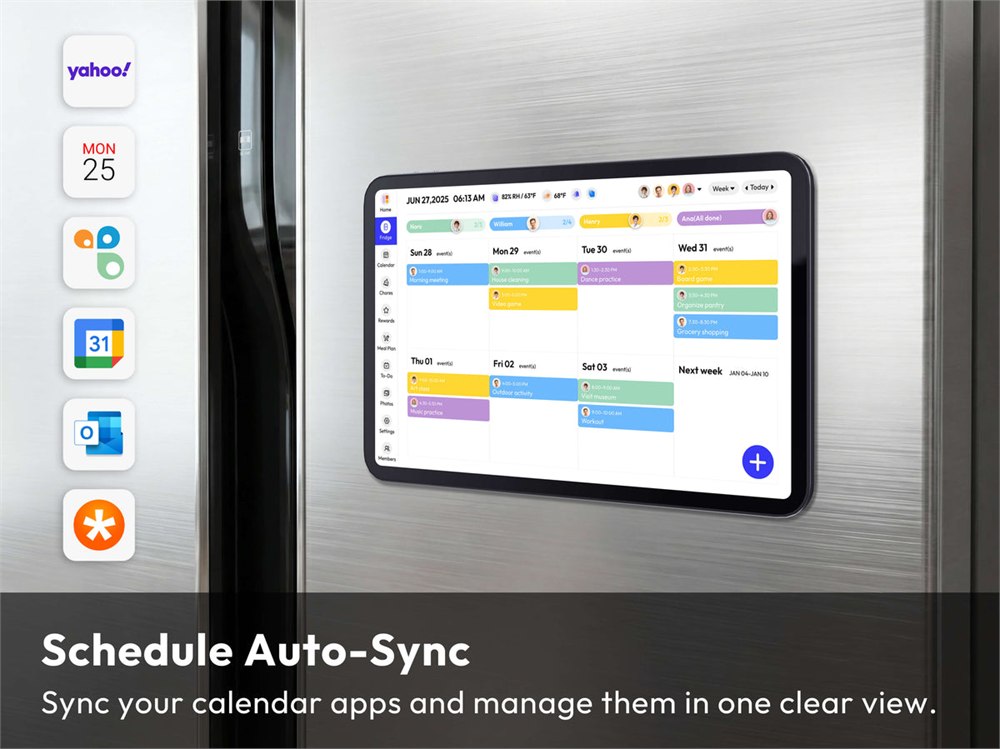
The main idea is simple: put the family calendar in the most unavoidable room of the house. FridgeCal can sync calendars from services including Google, Outlook, Apple, TeamSnap, Cozi, and Yahoo, then show day, week, or month views on the fridge. Family members can be color coded, which is helpful if your current system is shouting “Who has soccer?” into the void until someone finds a cleat.



It is also built for the smaller domestic emergencies that somehow eat an entire evening. Custom lists can handle groceries and tasks. A chore chart can give kids interactive checklists. The rewards system lets parents set goals and celebrate progress with animated emoji-style feedback, which is probably healthier than the traditional system of sighing loudly near the dishwasher.
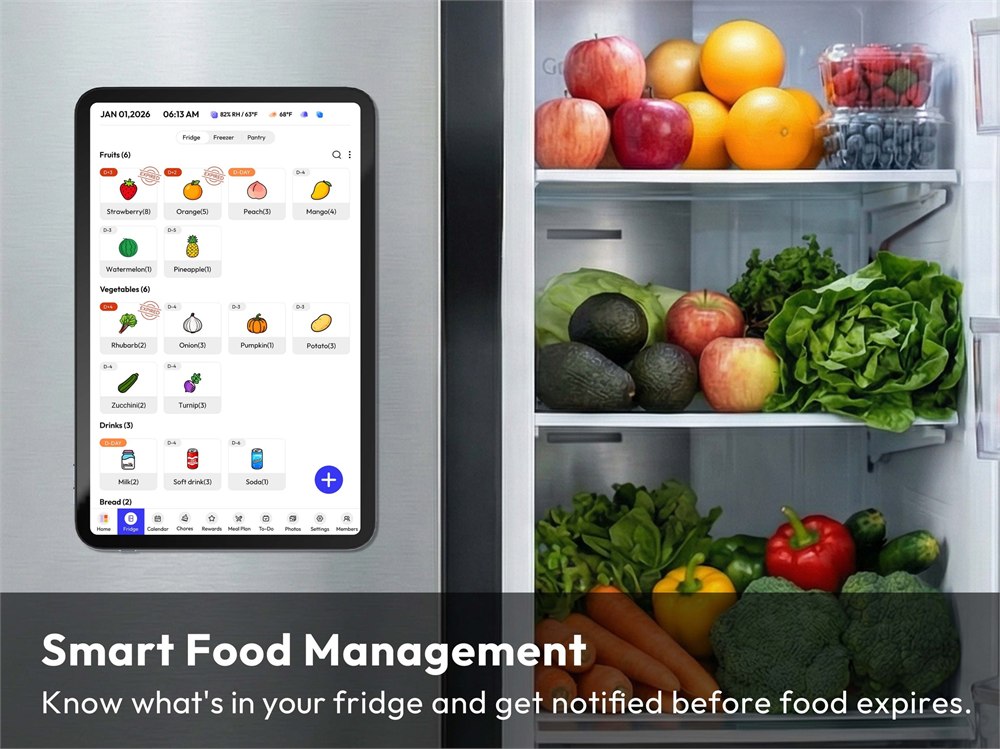
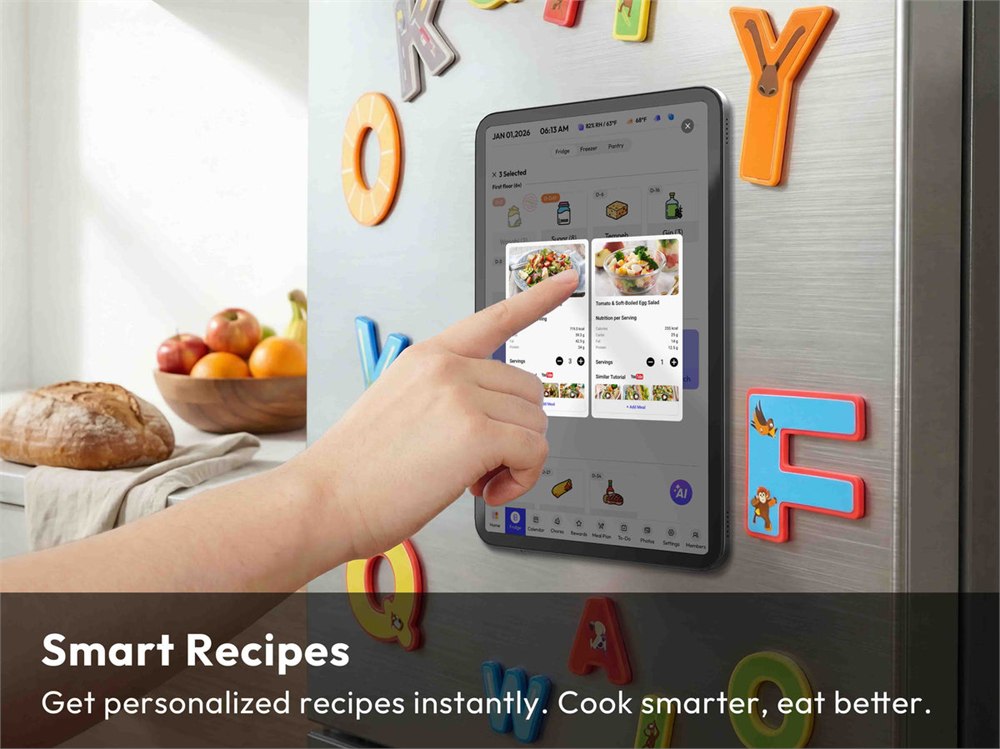
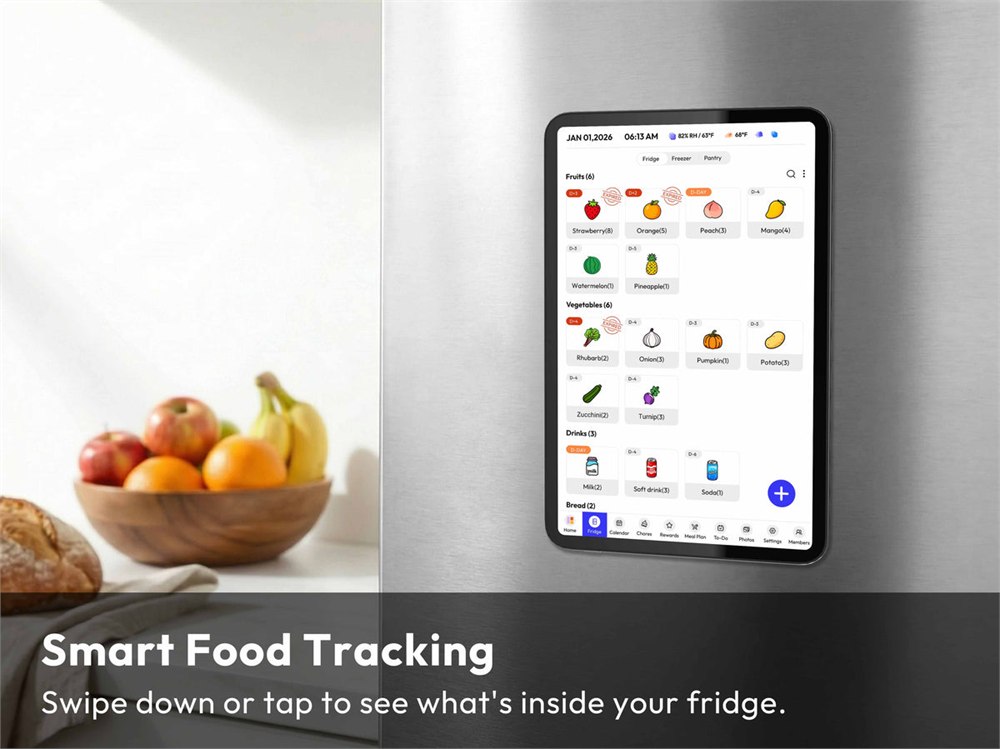
Then FridgeCal walks into the fridge itself, at least conceptually. The food management tools let you track inventory, see what is inside, and get reminders before items expire. Everblog also describes grocery scanning, food recognition, recipe suggestions from thousands of ingredient combinations, and meal planning features meant to reduce food waste. This is the part where the spinach in the back drawer begins to sweat.
- Use the calendar view to coordinate school, sports, appointments, work travel, and family events.
- Track groceries and expiration reminders so the fridge stops operating as a quiet composting experiment.
- Build meal plans and recipe ideas around what is already on hand.
- Assign chores, create lists, and keep small household jobs visible.
- Use screensaver mode to show family photos when the dashboard is idle.
- Stream music, podcasts, audiobooks, or other compatible apps while cooking.
The calendar is not trying to be just a big digital sticky note. It is closer to a miniature family command center, but without requiring wall installation, a permanent tablet mount, or the kind of whiteboard handwriting that makes “pasta night” look like a medical diagnosis.
| FridgeCal detail | What Everblog lists |
|---|---|
| Screen | 13.4-inch touchscreen with 16:10 aspect ratio |
| Resolution | 1920 x 1200 FHD |
| Size | 12.2 x 8.66 x 0.35 inches |
| Weight | 1.68 lb |
| Storage | 32GB |
| Wi-Fi | 2.4GHz and 5GHz |
| Battery | Built-in 8400mAh battery with USB-C charging |
It Also Has Big “Why Did Nobody Do This Before?” Energy
The fridge is already where meal decisions happen. It is where people discover there are three mustards, no milk, and a takeout container that has entered a legal gray area. Putting the meal planner, food inventory, and family schedule there is surprisingly logical, in the same way it is logical to keep keys near the door instead of hiding them in a drawer labeled “miscellaneous emotional damage.”
Everblog says the FridgeCal can send reminders before food expires, show inventory on the fridge or phone, and help plan meals with recipe ideas. It can also show real-time weather and countdowns, which is either extremely convenient or a threat to anyone pretending they forgot about the family birthday dinner.
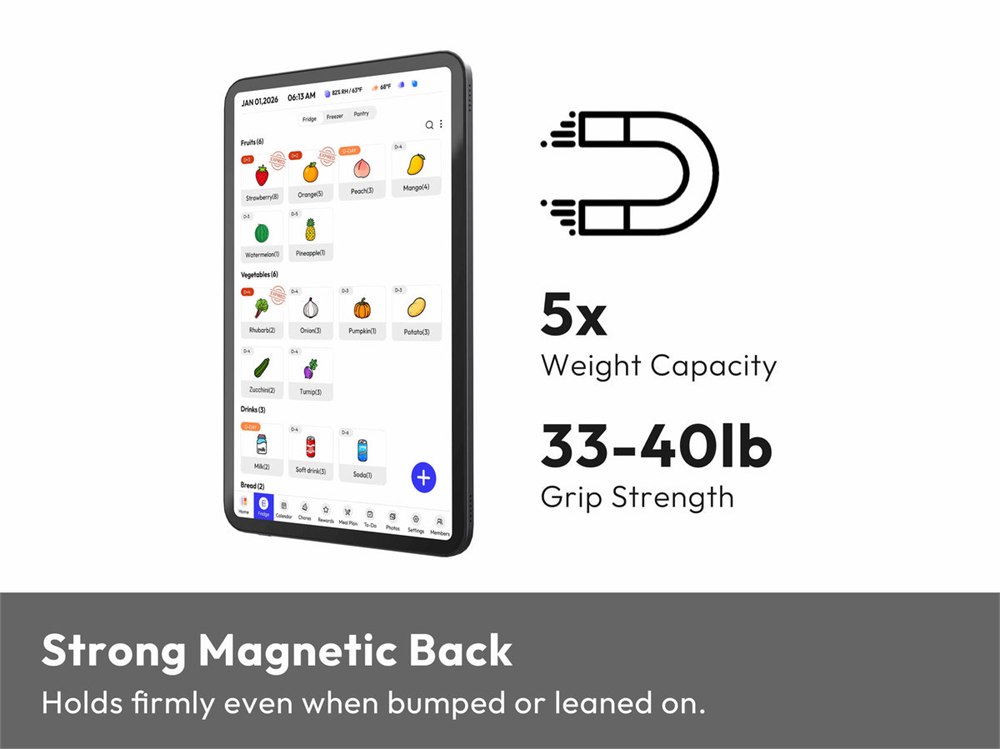
The mount is another important part of the pitch. The product page says the zero-fall magnetic mount uses N52 neodymium magnets rated to hold over 33 pounds, which Everblog describes as more than five times the device’s own weight. It also claims 99% fridge compatibility, with the included magnetic plate intended for fridge doors that are not naturally magnetic.
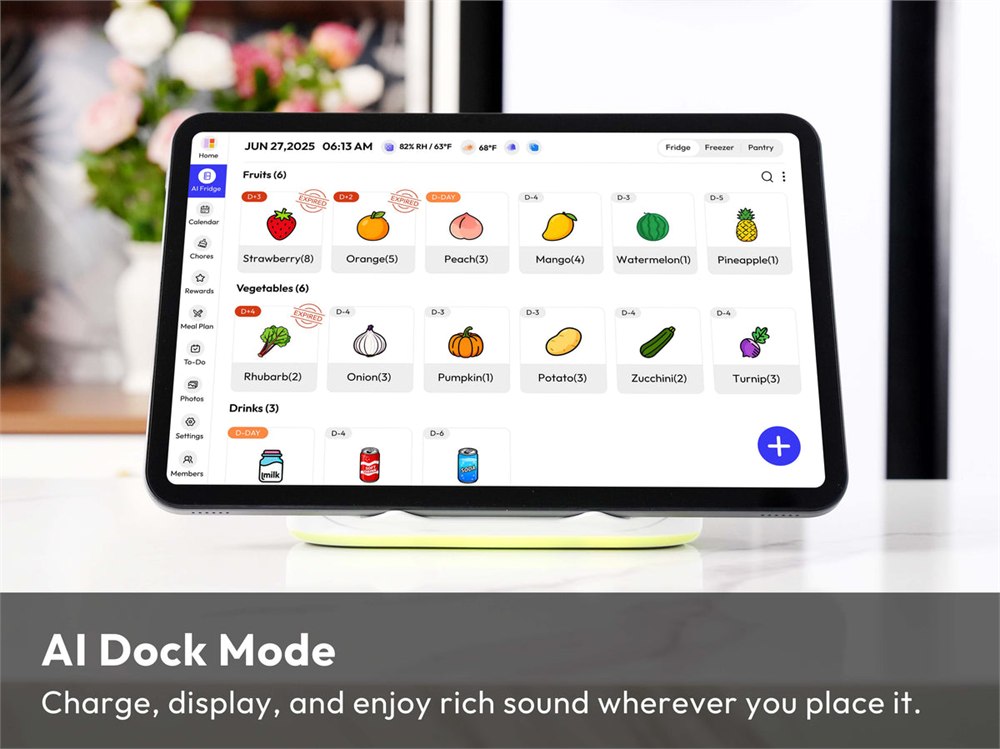
Because this is a kitchen screen, power matters. The 13.4-inch FridgeCal is cordless and uses a built-in 8400mAh battery with USB-C charging. Everblog’s FAQ says continuous use lasts around 3 to 5 days before recharging, and the product page also lists a longer standby figure. In practical terms, it is not a set-it-and-forget-it appliance forever; it is a rechargeable kitchen gadget that wants occasional cable time like every other modern rectangle.
The included package is fairly complete: the 13.4-inch digital calendar, stylus, magnetic plate, Type-C charger, bubble level, and user manual. The bubble level is a quiet admission that some of us would absolutely mount a family calendar slightly crooked and then pretend it was the house settling.
The Useful Part Is The Visibility
There are plenty of family calendar apps. There are grocery list apps. There are meal planners, chore trackers, recipe apps, shared reminders, photo frames, and smart displays. The trick here is not that FridgeCal invented every one of those categories. The trick is that it puts them on a dedicated kitchen screen that does not disappear into someone’s pocket.
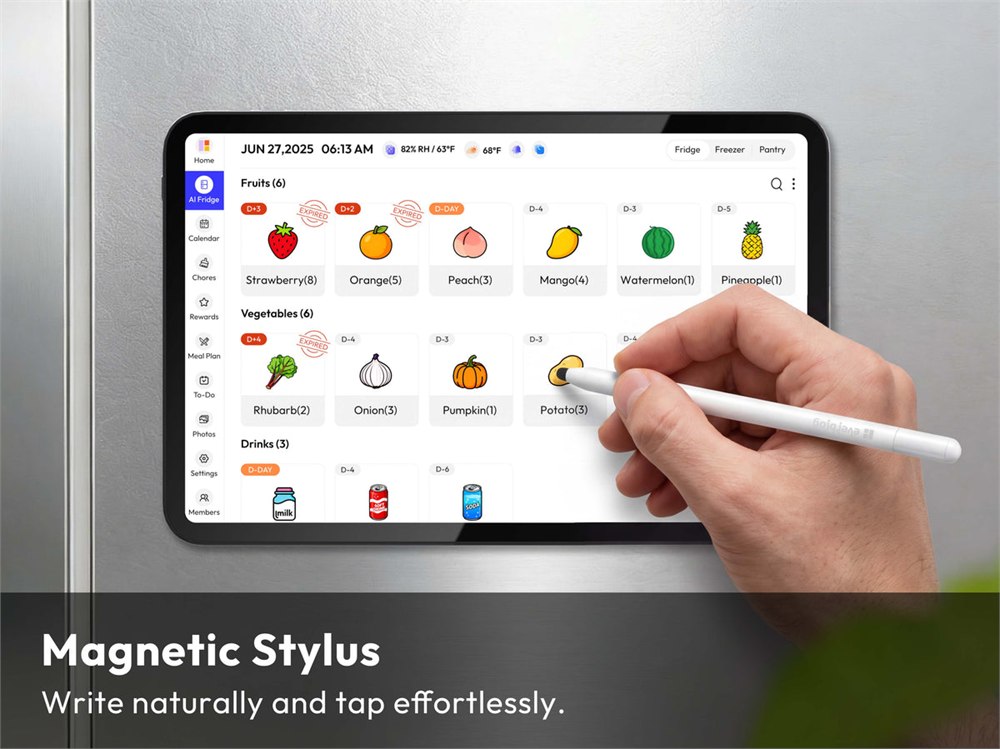
That visibility is the real charm. A phone notification can be ignored. A paper list can vanish under a pizza coupon. A shared calendar can become the digital equivalent of a locked filing cabinet if nobody checks it. A bright tablet on the fridge is more annoying, and in family logistics, “pleasantly unavoidable” is a feature.
There are some obvious limitations. A touchscreen on a fridge door will live in a fingerprint-heavy environment, especially if kids, cooking oil, and snack-time chaos are involved. It also depends on the household actually using the system. No smart calendar can save a family that treats “add it to the list” as an ancient myth.
Still, the product has the exact kind of practical weirdness that makes sense for OddityMall: it is a fridge accessory, a family organizer, a meal planner, a chore board, and a tiny entertainment screen all mashed into one magnet-backed kitchen tablet. It is both overkill and extremely understandable, which is the sweet spot.
Versions, Price, And What You Get
Everblog lists the 13.4-inch FridgeCal Calendar at a sale price of , down from a regular price of . The store also shows bundle options, including a version with a charging dock listed at and a dual-stylus bundle listed at . Pricing can change, because online stores are basically weather systems with checkout buttons, but those are the listed prices at the time of writing.
Here is the practical checklist that matters most:
- Product: Everblog 13.4-inch FridgeCal Smart Fridge Calendar
- Main function: magnetic touchscreen family calendar and kitchen organization display
- Key tools: calendar sync, food inventory, meal planning, chore chart, custom lists, rewards, weather, countdowns, screensaver, and entertainment apps
- Screen: 13.4-inch 1920 x 1200 FHD touchscreen
- Mounting: magnetic fridge mount, with a magnetic plate included for non-magnetic surfaces
- Battery: 8400mAh rechargeable battery with USB-C charging
- Included items: calendar, stylus, magnetic plate, charger, bubble level, and manual
- Seller: Everblog
If your current family organization system is a wall of paper, a group chat, and a refrigerator door that looks like it is preparing evidence for court, the FridgeCal is a cleaner and much nerdier way to put the household plan where everyone can see it. It will not make anyone magically remember soccer socks, but it does give the socks a fighting chance.
| Pros | Cons |
|---|---|
| Dedicated fridge-mounted screen keeps family plans visible | Requires household buy-in to keep calendars and lists updated |
| Combines calendar sync, food tracking, meal planning, chores, and lists | Touchscreen may collect fingerprints in a busy kitchen |
| Magnetic mounting avoids a permanent wall installation | Non-magnetic fridges need the included mounting plate |
| 13.4-inch size is compact enough for a fridge door | Smaller than Everblog’s larger 21.5-inch wall calendar |
| Rechargeable cordless design keeps cables off the fridge most of the time | Continuous use still needs recharging every few days |
| Useful for families juggling meals, chores, appointments, and groceries | More gadget than necessary for very simple households |
| Includes stylus, magnetic plate, charger, bubble level, and manual | Sale and bundle prices may change after publication |
Where to find This Smart Fridge Calendar Turns Your Refrigerator Into a Family Command Center
OddityMall may earn a commission from qualifying purchases at no extra cost to you.
