
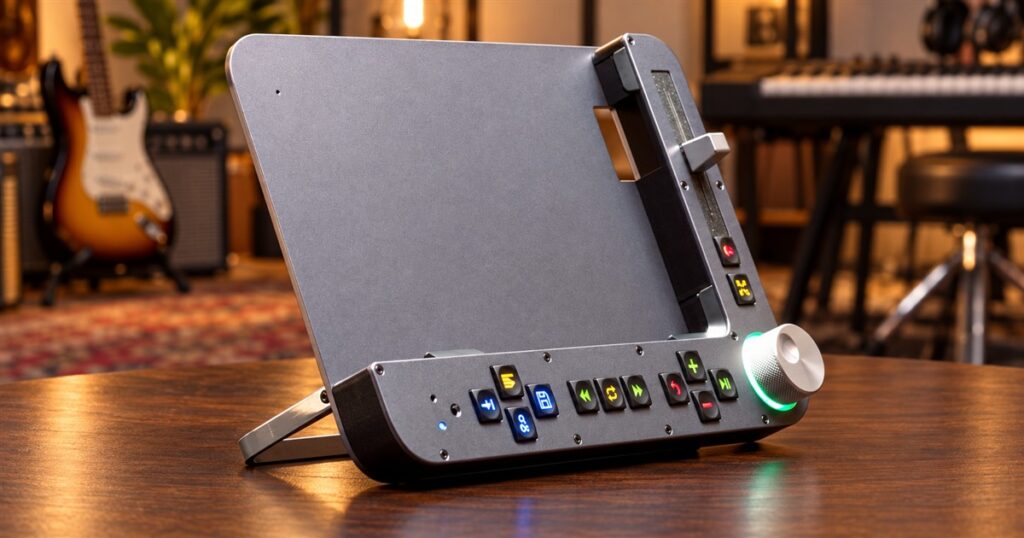
Learning a guitar riff from a video involves two separate skills: playing the guitar, and persuading a tiny progress bar to go back exactly four seconds. One builds musical confidence. The other makes you consider throwing a very expensive rectangle into the couch. The Benjamin tactile iPad practice controller is built for that second problem, giving your video lessons a proper set of physical controls.
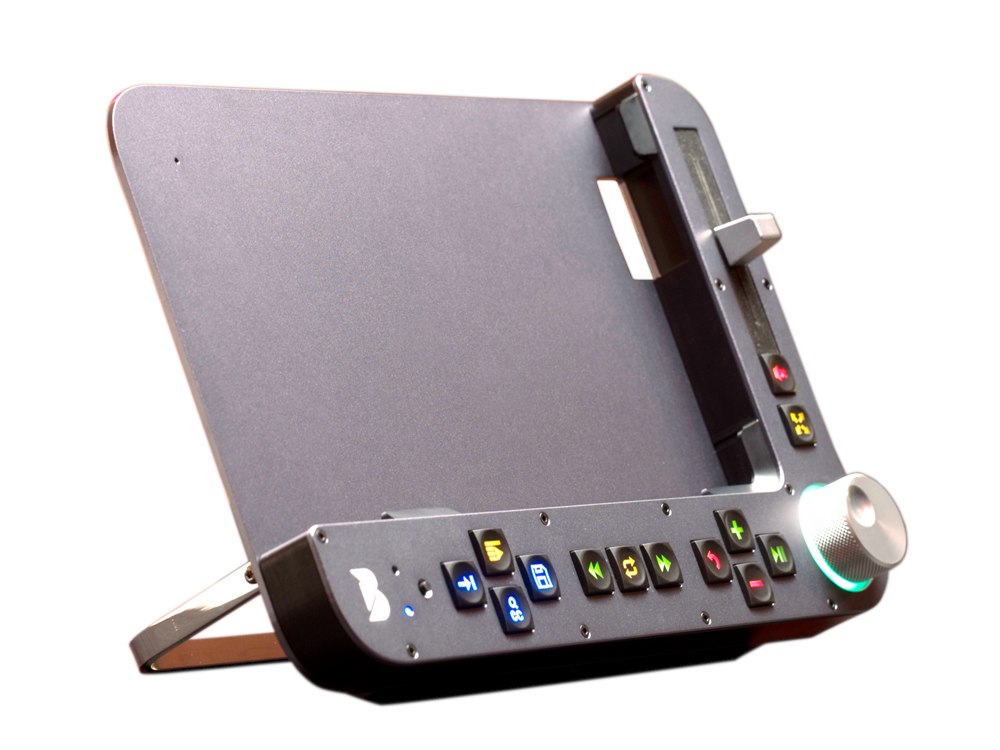
It combines an adjustable iPad stand with buttons, a large rotary wheel, and a volume slider. The idea is wonderfully specific: put the lesson where you can see it, put the controls where your fingers can find them, and stop spending half your practice session conducting delicate negotiations with a touchscreen.
Benjamin Industries, a Toronto-based company, developed it after its founders tried learning new instruments during the pandemic. They already knew how to practice. What bothered them was the constant interruption of managing playback. That is a very believable origin story for a product with this many buttons. Somewhere, a perfectly innocent bass line was paused at the wrong moment one time too many.
A scroll wheel for the bit you keep missing
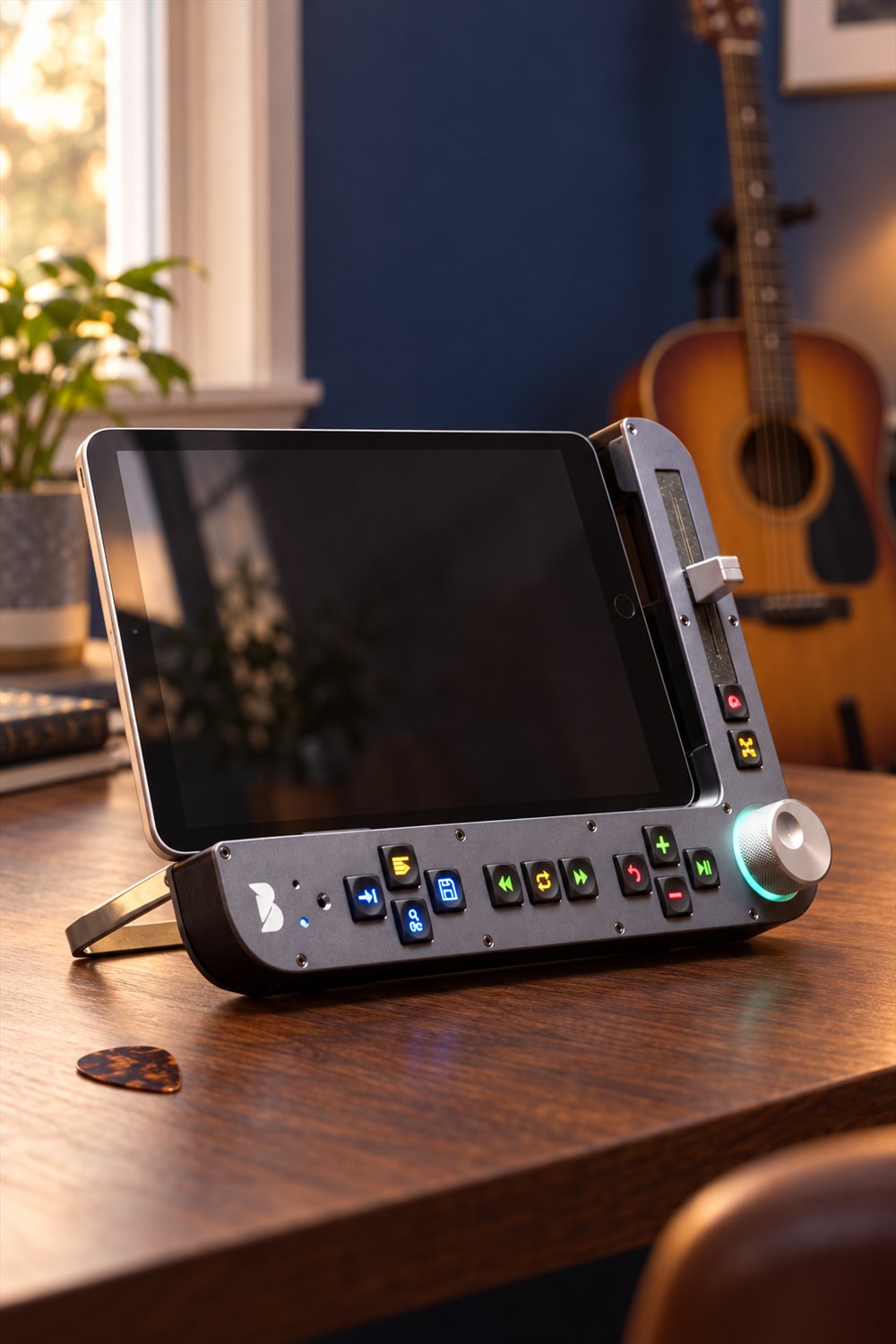
The big knob is the obvious attraction. Turn it to move through a video, with selectable jumps of one, five, or ten seconds, chapter navigation, and frame-by-frame control. Instead of dragging your finger along a narrow timeline and accidentally revisiting the sponsor message, you get something substantial to turn.
That physical separation makes sense when your attention belongs elsewhere. You might be checking a fingering position, holding a pick, or trying to remember which hand was supposed to do the difficult thing. A wheel has an edge you can locate. A glowing patch of glass offers considerably less assistance.
Related posts:
 These Giant Xbox and Playstation Controller Coffee Tables Are Perfect For Any Game Room
 This Ultimate Floor Stand Tablet and Book Holder Lets You Watch Or Read Hands-Free
 Curved Wooden iPad Stand Offers Three Different Viewing Angles
 This Bubble Window For Your Fence Allows Your Dogs To Peek To The Other Side
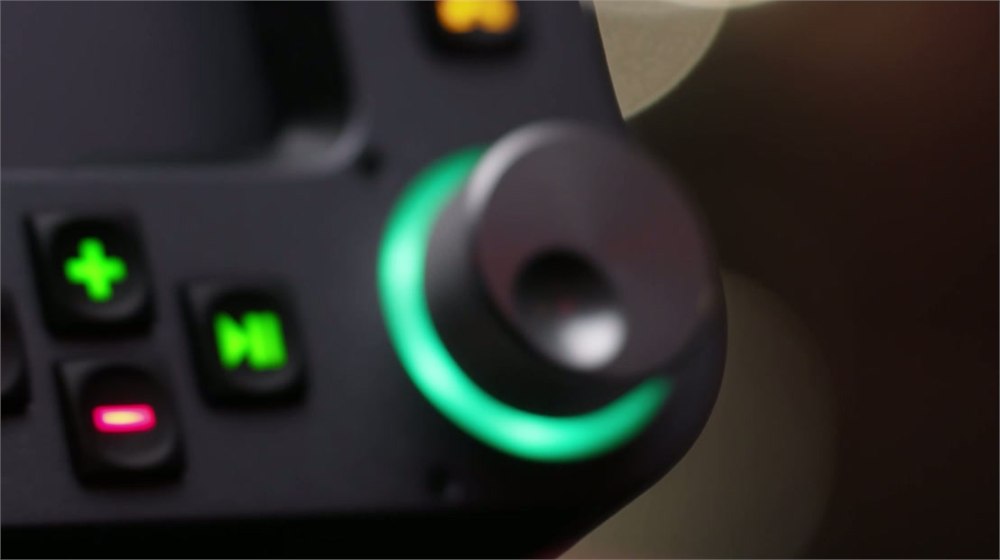
Speed adjustment gets its own plus and minus buttons, changing playback in five-percent steps. There is also a way to return to normal speed. For a passage that is almost manageable, those smaller changes offer a gentler progression than jumping straight from comfortable to musical emergency.
It still takes practice. Benjamin does not move your fingers, provide a substitute drummer, or explain why a chord sounded correct yesterday and has become a structural engineering problem today. Its job is narrower: make repeating and examining the lesson less annoying. That is plenty of work for one tabletop object.
Give the difficult passage its own little loop
On the maker’s control guide, the Loop button sets the beginning on one press and the end on the next. A third press cancels looping. Other controls let you adjust those boundaries, with the scroll wheel available for finer changes. You can isolate the part that needs attention instead of repeatedly starting the whole video over.
Picture a short run of notes that always gets away from you. Put that section on repeat, slow it down, and work through it without racing to catch the instructor’s next sentence. The useful part is the reduced fiddling between attempts. Your mistakes may remain impressively consistent, but at least the playback can be consistent too.
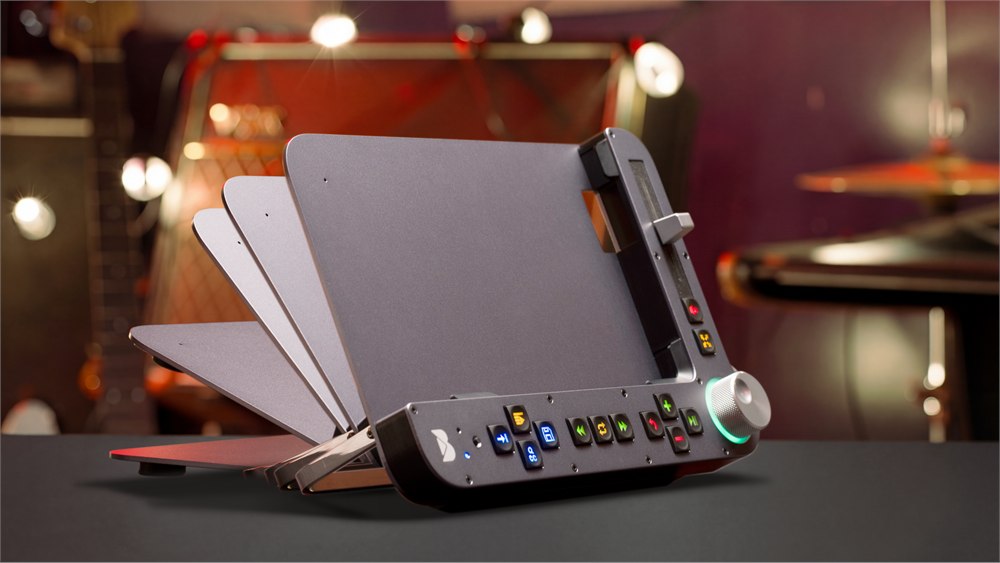
The practical control layout covers several everyday interruptions:
- Playback: Start, pause, restart, or move between tracks using dedicated controls.
- Volume: Use the physical slider, with a separate mute control for an immediate break.
- Viewing: Switch fullscreen on or off and toggle captions when available.
- Returning later: Save useful bookmarks and loops instead of trusting your memory of a timestamp.
None of those actions sounds spectacular on its own. Together, they address the peculiar way a five-minute lesson can turn into twenty minutes of tapping, searching, and wondering where you left the pick. The appeal is accumulated convenience for a task you repeat often.
The stand is part of the instrument-adjacent furniture
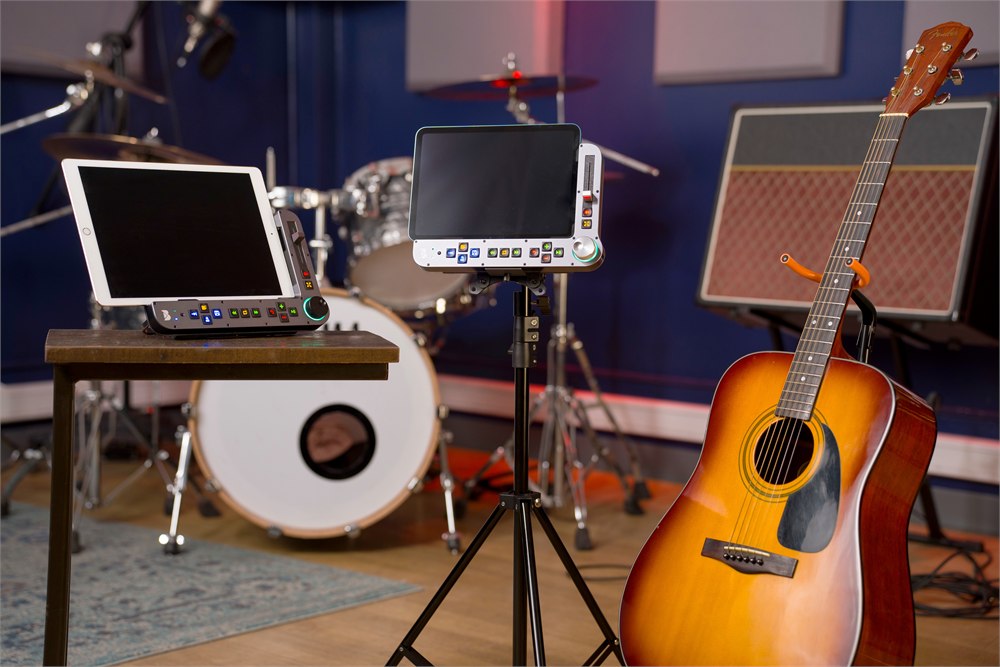
Benjamin has a broad metal backplate, an adjustable support, and controls running along the bottom and right side. A stretchy retaining band helps hold the iPad in place. The maker lists support for iPads up to the 13-inch Pro, and mounting options include tripods and VESA arms.
That gives it several possible homes: a desk, the area beside a keyboard, or a mounted position near your practice space. Think about where your hand will reach before choosing a setup. A very convenient button becomes less convenient if it lives behind an acoustic guitar and an optimistic stack of sheet music.
| Specification | Maker’s listed detail |
|---|---|
| Size | 280 × 190 × 60 mm |
| Weight | Approximately 950 g |
| Battery | 3,200 mAh lithium-ion |
| Charging | USB-C; approximately eight hours for a full charge |
| Connection | Bluetooth LE |
| Construction | Aluminum front and back; nylon/ABS/wood mid-frame listed |
The company estimates about nine days of battery use at three hours of practice per day. Treat that as a manufacturer estimate, with actual endurance depending on use. The controller has its own rechargeable battery; a cable slot accommodates charging the iPad while it sits in the stand.
At roughly two pounds, this is a substantial practice accessory rather than a little remote you forget in a pocket. That may suit a dedicated music corner nicely. If your current setup is simply an iPad balanced against a mug, you are definitely adding an object to your life. At least this one has applied for the job.
The companion app matters
Benjamin works with its own iPad app over Bluetooth. The app includes an integrated YouTube browser, saved playlists, and support for Apple Music library content and local media. It is not a universal remote for every video app on your tablet. In particular, the launch coverage says it does not control the native YouTube app.
That distinction is central to buying it. You are adopting a hardware-and-app practice setup, so your usual lessons need to fit that workflow. The maker describes other learning-site integrations as work in progress; those should not be treated as available features when deciding whether it suits you.
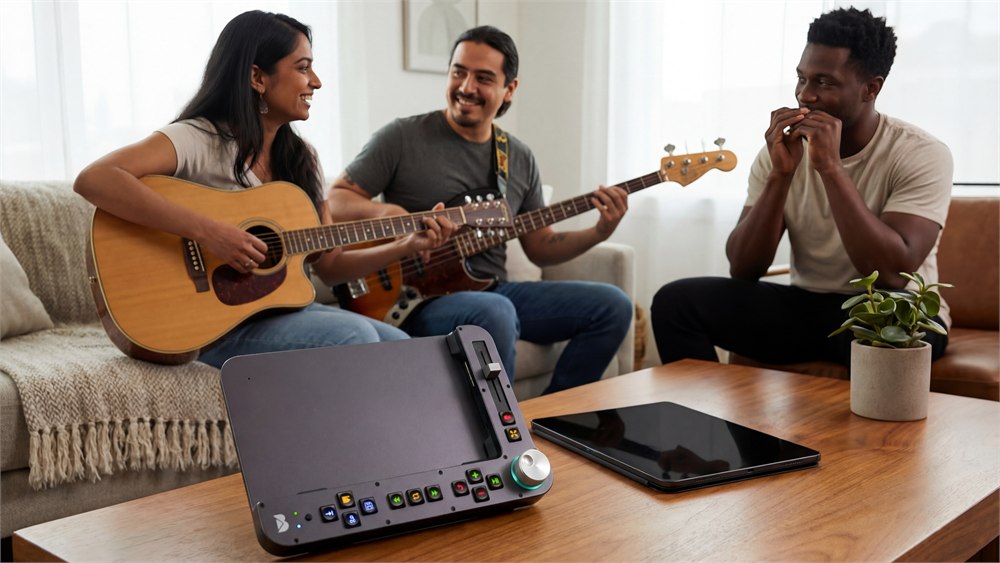
Within the app, you can organize videos, loops, and bookmarks, then return to saved material. Settings include button brightness, the wheel’s light-ring color, preferred scroll increments, and default playback speed. It is a small amount of personalization for the control panel that may witness a surprisingly large number of incorrect notes.
The founders also describe uses beyond music, including learning practical skills from videos and examining sports footage. Those make intuitive sense for a device built around precise playback. Still, the clearest match is someone who already spends a lot of time repeating short parts of a lesson on an iPad.
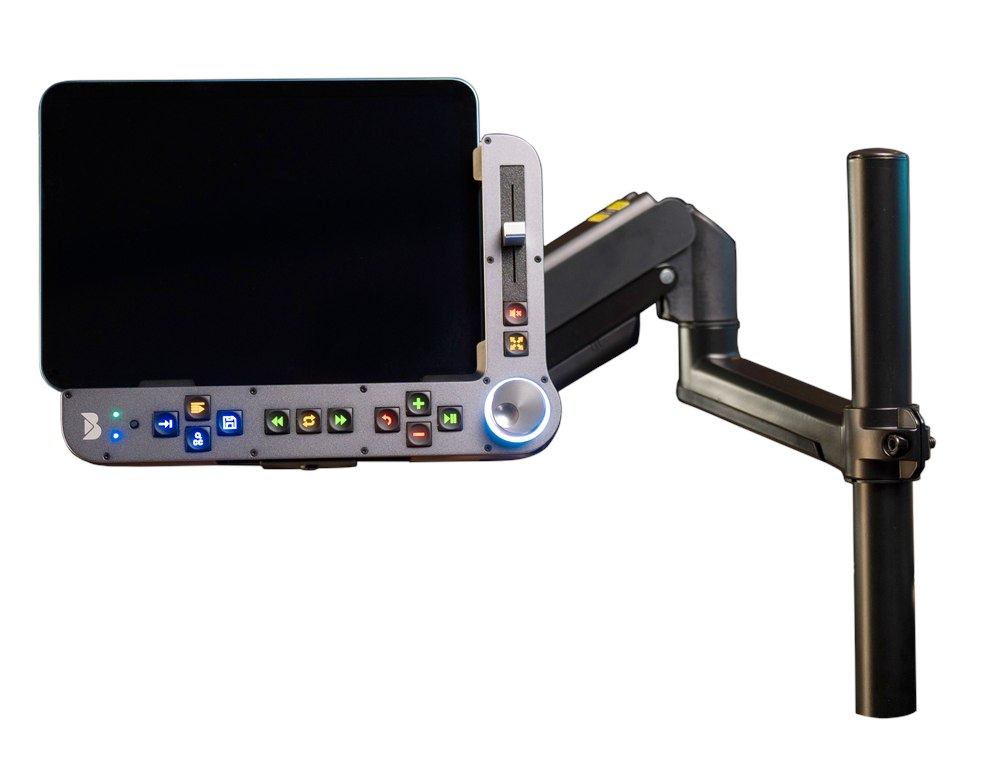
Product photos: Benjamin Industries.
The details before you join the rehearsal
- Product: Benjamin tactile iPad practice controller and adjustable stand.
- Main attraction: Physical playback controls, precise scrolling, looping, and gradual speed changes.
- Software: Benjamin companion app; YouTube playback happens within its integrated browser.
- Setup: Bluetooth connection, rechargeable battery, and tabletop or compatible mounted positioning.
- Buying status: Crowdfunding product, with delivery dependent on development and production.
Benjamin is offered through Kickstarter. October launch coverage listed a CA$499 early-bird pledge, approximately US$350 at the time, against a planned CA$699 retail price. Check the campaign for remaining reward tiers and current charges. The reported shipping target was July 2027, which is an estimate rather than a guaranteed arrival date.
For an occasional video viewer, this is a fairly elaborate answer to a small nuisance. For someone repeatedly learning the same difficult passage, the nuisance may not feel small at all. Benjamin gives that person a satisfying wheel, reachable buttons, and one fewer excuse to stop practicing. Unfortunately, the neighbors will still hear the practice.
| Pros | Cons |
|---|---|
| Physical controls are easy to locate by feel. | Adds a substantial accessory to your setup. |
| Looping and fine speed changes support repeated practice. | Does not replace instruction or practice effort. |
| Adjustable stand and mounting options. | Requires a compatible iPad and companion app. |
| Saved loops and bookmarks help organize lessons. | Does not control the native YouTube app. |
| Dedicated rechargeable battery. | Crowdfunding delivery and final specifications can change. |
Save this find.
Thank yourself later.
Your next great gift idea. Your someday space. Your collection of wonderfully weird things.
Save to PinterestPick a board. Keep the inspiration.
This iPad Practice Controller Gives Video Lessons Real Buttons and a Scroll Wheel
Where to find This iPad Practice Controller Gives Video Lessons Real Buttons and a Scroll Wheel
OddityMall may earn a commission from qualifying purchases at no extra cost to you.
Related posts:
These Giant Xbox and Playstation Controller Coffee Tables Are Perfect For Any Game Room
This Ultimate Floor Stand Tablet and Book Holder Lets You Watch Or Read Hands-Free
Curved Wooden iPad Stand Offers Three Different Viewing Angles
This Bubble Window For Your Fence Allows Your Dogs To Peek To The Other Side
